
The Complete Guide to Managing Desk Booking in Your Office

What is Desk Booking and Why it Matters in Today’s Hybrid Work Culture
The way we think about office space is changing fast. The old-fashioned setup, where everyone had a designated desk and a fixed spot, is quickly fading away. Instead, we’re seeing a shift towards something called desk booking —a more flexible and efficient way to manage workspaces that puts employee needs at the forefront. As companies shift to hybrid work models and emphasize employee wellness, figuring out how to navigate desk booking has become a must-have skill.
This guide aims to give you a solid understanding of desk booking, whether you’re a facilities manager who’s been at this game for a while or someone just dipping their toes into the world of flexible workspaces. We’ll cover the basics and delve into advanced strategies, so by the end, you’ll have the know-how to set up a dynamic, productive, and engaging work environment that suits your team’s evolving needs.
TL;DR:
- Desk booking allows employees to reserve workspaces in advance, offering flexibility and control over their work environment.
- It supports hybrid work models by ensuring efficient use of office space and resources.
- Desk booking software simplifies the process with features like interactive maps, calendar integration, and Slack compatibility.
- The software allows companies to manage both hot desking and assigned seating arrangements effectively.
- Analytics from desk booking systems provide insights on space usage, enabling better planning and optimization.
- Clear desk policies and designated team zones enhance organization and collaboration in flexible workspaces.
- Automated reminders and real-time availability updates improve desk utilization and reduce no-shows.
- Overall, desk booking management software boosts employee satisfaction, productivity, and office efficiency.
At its core, desk booking is a system allowing employees to reserve workspaces in advance. This flexible approach to office management has gained significant traction in recent years, particularly with the rise of hybrid work models.
Desk booking aligns perfectly with the growing emphasis on employee experience . It empowers workers to have more control over their work environment, choosing spaces that best suit their daily tasks. This level of autonomy can significantly boost employee satisfaction and productivity.
Desk booking, when done manually with a front desk sheet , can be a bit of a hassle. However, most modern hybrid workplaces use software tools to manage this process. These desk booking systems are more than just a convenience. They allow organizations to optimize their office space usage , ensuring that resources are allocated efficiently. They prevent half-empty offices on some days and overcrowded spaces on others, making the workplace more efficient and resourceful.
In today’s ever-evolving workplace, managing desk bookings has become essential. It helps companies adapt to new work trends, use their resources efficiently, and create flexible workspaces that meet employee needs. By understanding and implementing desk booking, companies can stay ahead of the curve and be prepared for the future of work.
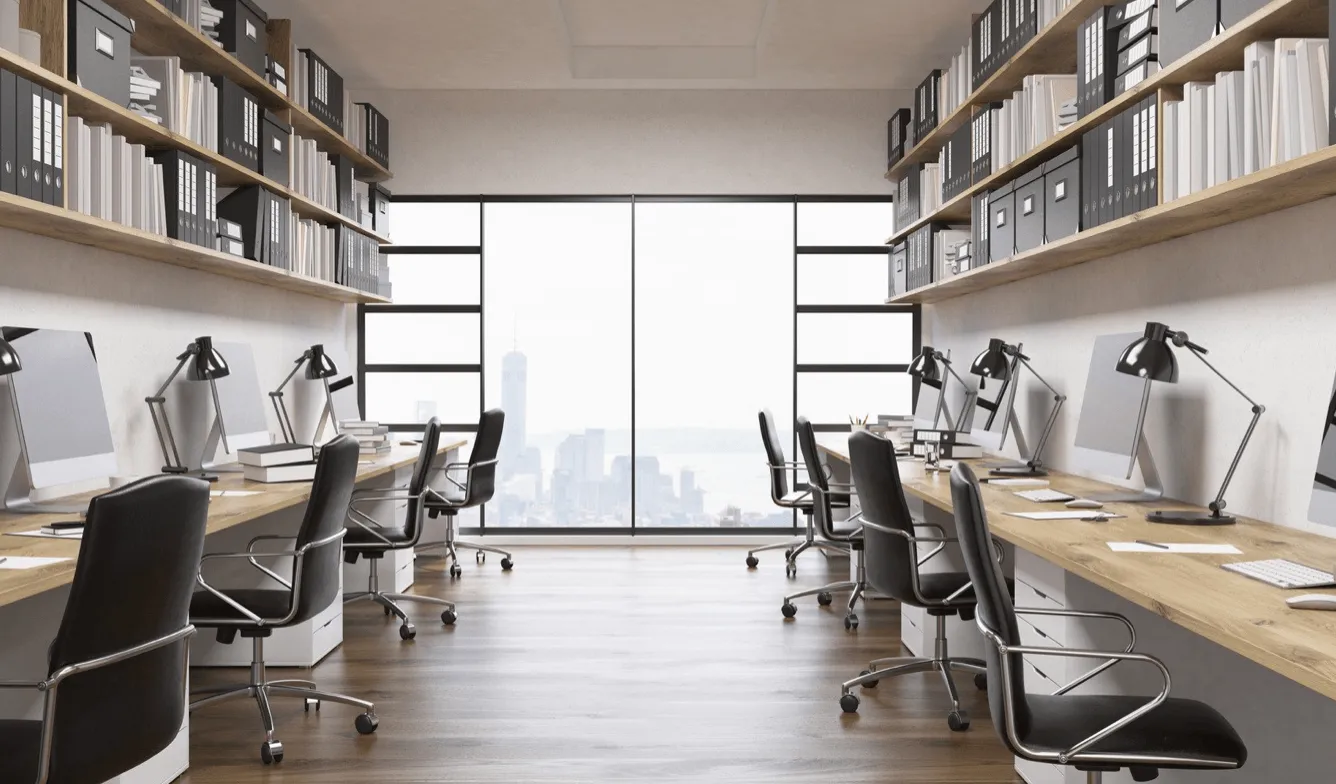
Understanding Desk Booking: Definitions and Differences
Understanding the key concepts and related terms is important for effectively managing desk booking in your office. Let’s explore the main definitions and the differences between various approaches to desk allocation, management, and booking.
Hot Desking vs. Desk Hoteling vs. Flexible Workspaces
Hot desking, desk hoteling, and flexible workspaces are all concepts related to desk booking, but they have distinct characteristics.
Hot Desking
Hot desking is a system in which desks are used by different people at different times, on an ad hoc basis. Employees don’t have assigned seats and typically work on a first-come, first-served basis. Hot desking is ideal for organizations with many mobile workers or part-time staff. Moreover, companies can save between 15% to 30% on office operating costs by implementing hot desking, as it reduces the need for dedicated desks and optimizes space usage.
Desk Hoteling
Unlike hot desking, desk hoteling (or office hoteling) requires employees to reserve a workspace in advance. This system allows for better planning and resource allocation. It’s particularly useful for companies with a significant number of remote workers who only come to the office occasionally.
Flexible Workspaces
Flexible workspaces is a broader concept encompassing hot desking, desk hoteling, and other flexible seating arrangements. Flexible workspaces are designed to accommodate different work styles and tasks, often including a mix of open seating areas, private booths, collaborative spaces, and bookable meeting rooms.
The Role of Free Addressing and Neighborhoods in Modern Offices
As we delve deeper into desk booking concepts, we must understand two additional terms: free addressing and office neighborhoods.
Free Addressing
This is a seating strategy where employees can choose any available workspace in the office. It’s similar to hot desking but often applies to a broader range of spaces beyond desks, including lounges, quiet areas, meeting rooms, and collaborative zones. Free addressing promotes flexibility and can lead to increased cross-departmental interactions. Moreover, it’s a financially viable option for organizations, as on average, 40% of assigned desk space remains unused on any given day, highlighting inefficiencies in traditional office setups.
Office Neighborhoods
In modern workplace design, office neighborhoods are designated areas for specific teams or departments. While maintaining the flexibility of desk booking, neighborhoods ensure team members can work in proximity when needed. This approach balances the benefits of flexible seating with the need for team cohesion.
By understanding these different desk management and booking approaches, you can choose the system that best fits your organization’s needs. Whether you opt for hot desking , desk hoteling, or a more comprehensive flexible workspace arrangement, the key is to implement a system that enhances productivity, promotes collaboration, and improves the overall workplace experience .
Best Practices for Managing Desk Booking in Your Office
Setting up an efficient desk management strategy requires thoughtful planning and solid execution. Here are some key practices to keep in mind to ensure your desk booking approach works well and brings value to your organization and your employees.
Implement a Clear Desk Policy
A clear desk policy is fundamental to any successful desk booking system. This policy ensures that workspaces remain clean, organized, and ready for the next user. Here are key elements to include:
- Require employees to remove all personal items at the end of each day
- Provide lockers or storage areas for personal belongings
- Encourage digital document storage to minimize physical clutter
- Set guidelines for sanitizing workstations before and after use
Maintaining a clear desk policy creates a more hygienic and efficient workspace, which is crucial in a shared desk environment.
Designate Zones for Specific Teams
While flexibility is a key benefit of desk booking, maintaining some structure is also important. Designating zones for specific teams or departments can help:
- Foster collaboration among team members
- Reduce time spent searching for colleagues
- Create a sense of belonging in a flexible environment
Remember, these zones should still allow for some flexibility. The goal is to balance the benefits of desk booking with the need for team cohesion.

Establish a Set Booking Window
Setting a specific timeframe for desk bookings can help manage expectations and ensure fair access for all employees. Consider the following:
- Allow employees to reserve hot desks a week or two in advance
- Implement multi-day booking options to enhance planning and productivity
- Set a cancellation policy to discourage no-shows and free up desks for others
A well-defined booking window helps maintain order and fairness in your desk management system.
Monitor and Optimize Desk Utilization
Regular monitoring of desk utilization is crucial for optimizing your office space. Here’s how to approach this:
- Use a desk booking system to track utilization rates
- Analyze patterns in desk usage to inform future space planning
- Consider implementing hot desk sharing ratios , such as 2:1, to optimize office space in a hybrid workplace
- Adjust the number of available hot desks based on actual usage data
By continuously monitoring and optimizing, you can ensure your office space is being used efficiently and effectively.
Use Desk Booking Software for Streamlined Management
Implementing dedicated desk booking software is perhaps the most crucial best practice for effective desk management. A robust system like YAROOMS can offer:
- User-friendly interfaces for easy booking
- Interactive office floor plan (map) with real-time availability updates
- Integration with other workplace systems (Microsoft 365, Microsoft Teams, Microsoft Outlook, Google Calendar, Slack, and more)
- Detailed workplace analytics for facilities managers
- Support for various reservation scenarios, from hot desking to assigned seating to neighborhood concepts
YAROOMS workplace management software , for instance, provides a comprehensive solution that not only handles desk booking but also integrates meeting room booking , an easy-to-use employee mobile app , a visitor management system , and a hybrid work status calendar . This holistic approach ensures a seamless experience for both employees and administrators.
The Benefits of Implementing Desk Booking Software
Desk booking software has become essential for modern offices, and the market growth clearly reflects this. In 2023, the market was valued at $142.71 million and is expected to grow to $153.35 million by 2024, representing a compound annual growth rate (CAGR) of 7.79%. By 2030, the market size is projected to reach $241.87 million.
These innovative solutions offer many benefits that can significantly improve workplace efficiency, employee satisfaction, and overall organizational performance. Let’s explore the key advantages of implementing desk booking systems in your office.
Enhanced Space Utilization Efficiency
One of the primary benefits of desk booking solutions is their ability to optimize space usage. Desk booking software can reduce operational costs and resource consumption by optimizing space usage. This efficiency is achieved through:
- Real-time visibility of available desks
- Prevention of underutilized spaces
- Ability to adjust office layout based on usage data
By leveraging desk booking software, businesses can achieve high office utilization rates, leading to significant cost savings on real estate and utilities.
Support for Hybrid Work Models
Desk booking systems are crucial in supporting the increasingly popular hybrid workplace models. They offer:
- Flexibility for employees to choose when and where they work
- Easy coordination of in-office days for team collaboration
- Seamless transition between remote and in-office work
YAROOMS workplace management software, for instance, supports hybrid workplaces by integrating with a work status calendar . This allows employees to easily organize their work arrangements—whether working from home, in the office, or elsewhere.
Reduced Administrative Overhead
A desk booking system can significantly reduce the administrative burden of managing office spaces. Benefits include:
- Automated booking processes
- Reduced need for manual intervention in hot desk assignments
- Simplified reporting and analytics
Improved Employee Experience and Productivity
Desk booking software contributes to a better employee experience and increased productivity by:
- Providing autonomy in choosing workspaces
- Reducing time spent searching for available hot desks
- Facilitating easier collaboration with colleagues
YAROOMS further enhances this experience with features like their lobby display and room panel applications that improve the visibility of space availability and usage throughout the office.
Actionable Analytics for Better Space Management
Modern desk booking solutions offer powerful workplace analytics capabilities that provide valuable insights for better space management. These insights can help:
- Identify usage patterns and trends
- Inform decisions about office layout and design
- Optimize resource allocation
At its core, workplace analytics is a key tool for organizations to make data-driven decisions.
How to Choose the Right Desk Booking Software for Your Organization
Selecting the best desk booking software for your organization is a crucial decision that can significantly impact workplace efficiency and employee satisfaction. With numerous desk booking applications available in the market, it’s essential to evaluate your options carefully.
Evaluating User Friendliness and Device Compatibility
The success of any desk booking system largely depends on its adoption by employees . Therefore, user-friendliness should be a top priority when selecting a hot desk booking application . Consider the following:
- Intuitive interface: Look for software with a clean, easy-to-navigate design.
- Mobile compatibility: Ensure the desk management software works seamlessly on various devices, including smartphones and tablets, with a user-friendly mobile app for easy access.
- Integration capabilities: Modern desk booking software can integrate with tools like Microsoft Teams , Outlook, Slack, and Google Calendar, streamlining the booking process and significantly enhancing user adoption and efficiency.
Understanding Permissions, Advanced API, and Customization Options
For larger organizations or those with complex needs, it’s crucial to consider the flexibility and customization options of the desk booking software. Key factors to evaluate include:
- Permission settings: Ensure the software allows granular control over who can book specific desks or areas.
- API capabilities: Advanced API options allow deeper integration with your existing systems and workflows.
- Customization: Look for software that can be tailored to match your organization’s branding and specific requirements.
Analyzing Reporting & Analytics Tools for Strategic Decision Making
One of the most valuable features of modern desk booking solutions is their ability to provide insights into space utilization. When evaluating software, consider:
- Real-time occupancy data: Look for systems that offer live updates on desk usage.
- Historical trends analysis: Viewing past usage patterns can help future space planning.
- Customizable reports: Ensure the software allows you to generate reports tailored to your specific needs.
Keep in mind, the right desk booking application should not only solve your current challenges but also be scalable to meet your future needs .
Essential Features for Seamless Desk Management
When implementing a desk booking system, certain features are crucial for ensuring a smooth and efficient experience for both employees and administrators.
Advanced Search and Filtering Options
A robust desk scheduling solution should offer advanced search and filtering capabilities. This allows users to quickly find available desks based on specific criteria such as:
- Location within the office
- Proximity to team members
- Available equipment or office amenities
- Date and time availability
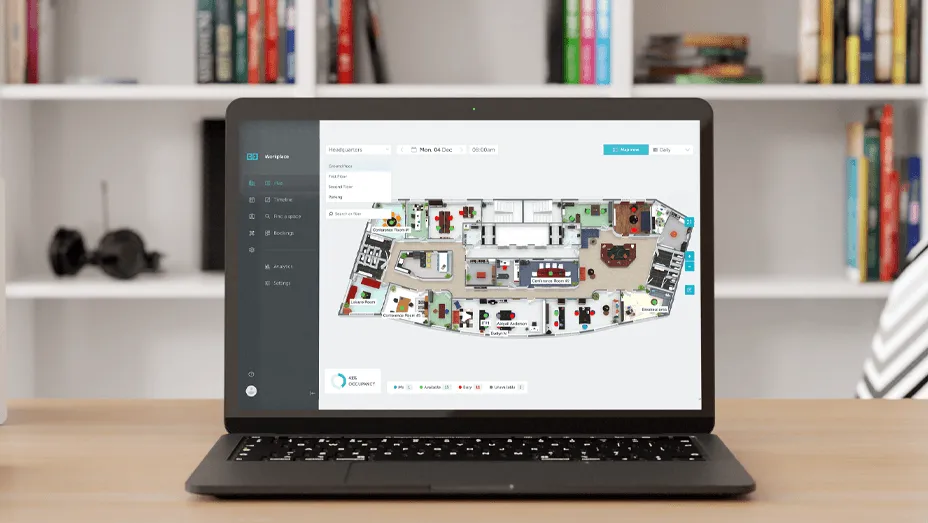
Interactive Floor Plan or Map Visualization
Interactive floor plans and color-coded maps can show the popularity of office areas, aiding in better space management. This feature provides users with a visual representation of the office layout, making it easier to:
- Locate available desks
- Understand the office layout
- Identify popular areas and quiet zones
Floor plan functionality enhances user convenience by offering a clear visual guide to the workspace .
Wayfinding and Navigation Assistance
In larger offices or unfamiliar spaces, wayfinding features can be beneficial. Look for desk reservation systems that offer:
- Turn-by-turn directions to reserved desks
- Location of nearby amenities (printers, meeting rooms, etc.)
- Integration with building navigation systems
Real-time Availability Updates
In dynamic office environments, real-time information is crucial for efficient workspace management. A good desk reservation software should provide:
- Up-to-the-minute desk availability
- Instant updates on changes or cancellations
- Synchronization with calendar apps
Mobile App Integration
In today’s mobile-first world , your desk booking software should be accessible on mobile devices. Look for software that offers:
- Full functionality on mobile devices
- Push notifications for bookings and reminders
- Ability to book, modify, and cancel reservations on-the-go
Booking Reminders and Notifications
To maximize desk utilization and ensure efficient use of office space, your desk reservation system should include:
- Automated booking reminders
- Check-in/check-out notifications
- Alerts for nearby available desks
Analytics and Reporting Tools
Comprehensive analytics are crucial for making data-driven decisions to optimize your office space. Look for features such as:
- Utilization reports
- Peak usage times
- Popular desk locations
- No-show rates
These insights enable better space management .
Integration with Other Office Systems
Seamless integration with other office systems is essential for a smooth and efficient workflow. Look for desk reservation software that offers:
- Integration with building access systems
- Synchronization with facility management tools
- Compatibility with communication apps like Slack and Microsoft Teams
| Desk Booking Software Feature | Why It’s Essential |
|---|---|
| Advanced search and filtering options | Helps users find the ideal desk based on specific criteria quickly and efficiently. |
| Interactive floor plan or map visualization | Gives users a clear visual guide to the workspace, aiding quicker desk selection and navigation. |
| Wayfinding and navigation assistance | Assists users in large or unfamiliar spaces to easily locate their desk and nearby amenities. |
| Real-time availability updates | Ensures users stay informed about desk availability and changes in real-time. |
| Mobile app integration | Allows users to manage desk bookings on-the-go, enhancing productivity and flexibility. |
| Booking reminders and notifications | Reduces missed reservations and no-shows, ensuring efficient desk utilization. |
| Analytics and reporting tools | Provides data for better space management and office layout optimization. |
| Integration with other office systems | Streamlines operations by integrating with existing office systems and tools. |
Educating Employees on How to Make the Most Out of The Booking System
Implementing a new desk booking system is only half the battle; ensuring employees understand and effectively use it is crucial for success.
Provide Comprehensive Training Sessions
Organize training sessions that cover all aspects of the booking system. These should include:
- How to access the system (via desktop and mobile app)
- Step-by-step booking process
- Navigating the interface
- Using advanced features like recurring bookings or team reservations
Consider offering both in-person and virtual training options to accommodate different work arrangements.
Create User-Friendly Guides and FAQs
Develop easy-to-follow guides and frequently asked questions documents. These resources should be readily accessible and cover:
- Common troubleshooting issues
- Best practices for desk and room booking
- Etiquette for shared spaces
Encourage Exploration of Advanced Features
Many employees stick to basic functionalities without realizing the full potential of the booking system. Promote the use of advanced features such as:
- Booking assigned team spaces for collaborative projects
- Integration with calendar apps for seamless scheduling
- Using analytics to understand personal space usage patterns
- AI workplace assistants for a whole new dimension of desk reservation experience
Gather and Act on Feedback
Regularly collect feedback from employees about their experience with the booking system. Use this information to:
- Address common pain points
- Identify areas for improvement
- Tailor future training sessions
Success Stories: How Companies Improved Their Workspaces with Desk Booking Systems
The implementation of desk booking systems has revolutionized workspace management for many organizations. Let’s explore some success stories that highlight the transformative power of YAROOMS.
Mercury Insurance Transforms Workspace with a Customized Desk Booking System
Mercury Insurance , a leading insurance provider in the US, faced challenges managing office spaces as they moved to a hybrid work model. To solve this, they implemented YAROOMS, a desk booking system customized to meet the company’s needs and integrated with Microsoft Teams. This tailored solution lets employees easily reserve desks and rooms, reducing the Facilities team’s workload and improving workspace efficiency and safety.
Dr. Martens Creates a Future-Ready Workplace
As a rapidly growing brand, Dr. Martens is focused on building a future-ready workplace that supports flexibility and collaboration. With limited office space for 220 people but over 550 employees, managing seating arrangements in their flexible, activity-based work environment was a challenge. Dr. Martens implemented YAROOMS, a desk booking system integrated with Microsoft Teams, across three office locations to streamline this process.
Jigsaw Insurance Saves Significant Management Time
Jigsaw Insurance , an insurance broker in the UK, adopted a hybrid work model but initially faced challenges managing seating arrangements manually through spreadsheets. By implementing YAROOMS, a hot desking and room booking system, employees could book their desks, meeting rooms, and parking spaces. This switch to autonomous workspace planning drastically reduced management time, saving the company the equivalent of one team leader’s full-time role.
Saipem Streamlines Hybrid Work
Saipem , a global engineering and construction company with 32,000 employees across 70 countries, faced the challenge of organizing seating arrangements and space booking after relocating its Milan office. By implementing YAROOMS, Saipem created a smart office experience where employees can easily reserve desks, book meeting rooms, and plan their hybrid work schedules .
University of Sydney’s Faculty of Science Optimizes Space Management
Faced with poor space management and an outdated booking system, the University of Sydney’s Faculty of Science urgently needed a solution to streamline workspace booking and eliminate inefficiencies. By implementing YAROOMS, the faculty introduced hot desking and better utilization of existing spaces, avoiding costly building expansions and saving over $100,000.
Future Trends in Desk Booking Technology
As the workplace continues to evolve, so does the technology that supports it. Let’s explore some key trends shaping the future of desk booking technology.
Artificial Intelligence and Machine Learning
AI and machine learning are set to revolutionize desk booking systems. These technologies will:
- Predict booking patterns and automatically suggest optimal desk arrangements
- Learn individual preferences and proactively book desks for employees
- Optimize space utilization by analyzing historical data and real-time usage
Internet of Things (IoT) Integration
IoT devices will become increasingly integrated with desk booking systems, offering:
- Real-time occupancy sensing for more accurate availability information
- Automatic check-in and check-out based on proximity sensors
- Environmental controls that adjust based on desk occupancy and user preferences
Advanced Analytics and Visualization
Future desk booking systems will offer more sophisticated analytics tools, including:
- 3D heat maps of office usage
- Predictive modeling for future space needs
- Detailed insights into collaboration patterns and team dynamics
Augmented Reality (AR) Wayfinding
AR technology will enhance the in-office experience by providing:
- Visual guidance to booked desks through smartphone cameras
- Real-time information about nearby amenities and colleagues
- Interactive office tours for new employees or visitors
Biometric Authentication
To enhance security and streamline the booking process, biometric authentication may become more common, offering:
- Touchless check-in using facial recognition or fingerprint scanning
- Personalized desk setup based on biometric identification
- Enhanced security for sensitive areas or equipment
Sustainability Focus
Future desk booking systems will place a greater emphasis on sustainability, with features like:
- Carbon footprint tracking for individual desk usage
- Energy-saving recommendations based on booking patterns
- Integration with smart building systems for optimized resource use
Final Thoughts
To wrap up, desk booking has become a critical element in modern office management, especially in hybrid work environments. Utilizing desk booking software ensures companies can manage their office spaces efficiently, avoiding overcrowded or underutilized areas. Features like an interactive map, calendar integration, and advanced analytics provide real-time visibility into desk availability, improving employee satisfaction and space optimization. With the right management software, organizations can offer flexible workspaces, support employee autonomy, and make data-driven decisions that enhance office efficiency and productivity.
How could implementing desk booking software transform the way your team navigates the workspace?
Workplace of the future. Today.
See how YAROOMS integrates with Microsoft 365 to create a seamless workspace booking experience.