
Reception check-in system and visitor kiosk app
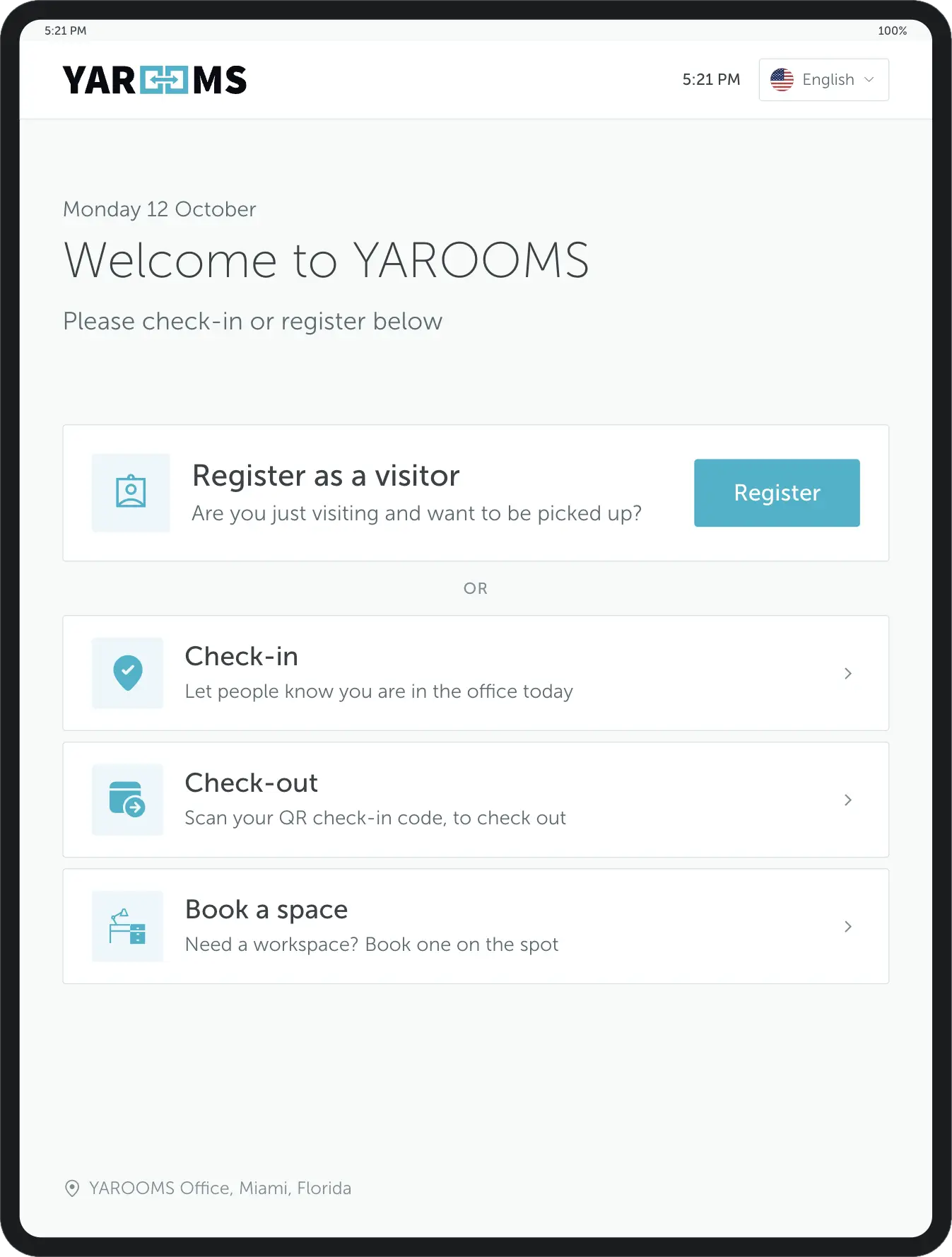
The YAROOMS digital reception app turns a front-desk tablet into a self-service check-in point: visitors register, sign, print a badge, and the host is notified the moment they arrive.
Rated 4.6/5 from 102 reviews on Capterra
Last updated: October 13, 2026
Learn more about digital reception
Trusted by innovative organizations worldwide







What is a reception check-in system?
A reception check-in system, also called a digital reception system, is a visitor check-in system that runs on a tablet or kiosk at your front desk and replaces the paper sign-in book. With YAROOMS Digital Reception, visitors check in by scanning a QR code or registering on screen. The app prints a badge, alerts the host and records the visit. Visitors can check out on the same device.
Manage visitor traffic
Cut wait times and lobby congestion so guests feel welcomed and reception staff can focus on higher-value work.
Fast check-in
3x faster than paper sign-in sheets, reducing wait times and lobby congestion.
Self-service kiosk
Visitors register independently, freeing up reception staff for other tasks.
Instant notifications
Hosts are alerted immediately when their visitor arrives.
Badge printing
Automatically print professional visitor badges upon check-in completion. See visitor badge printing.
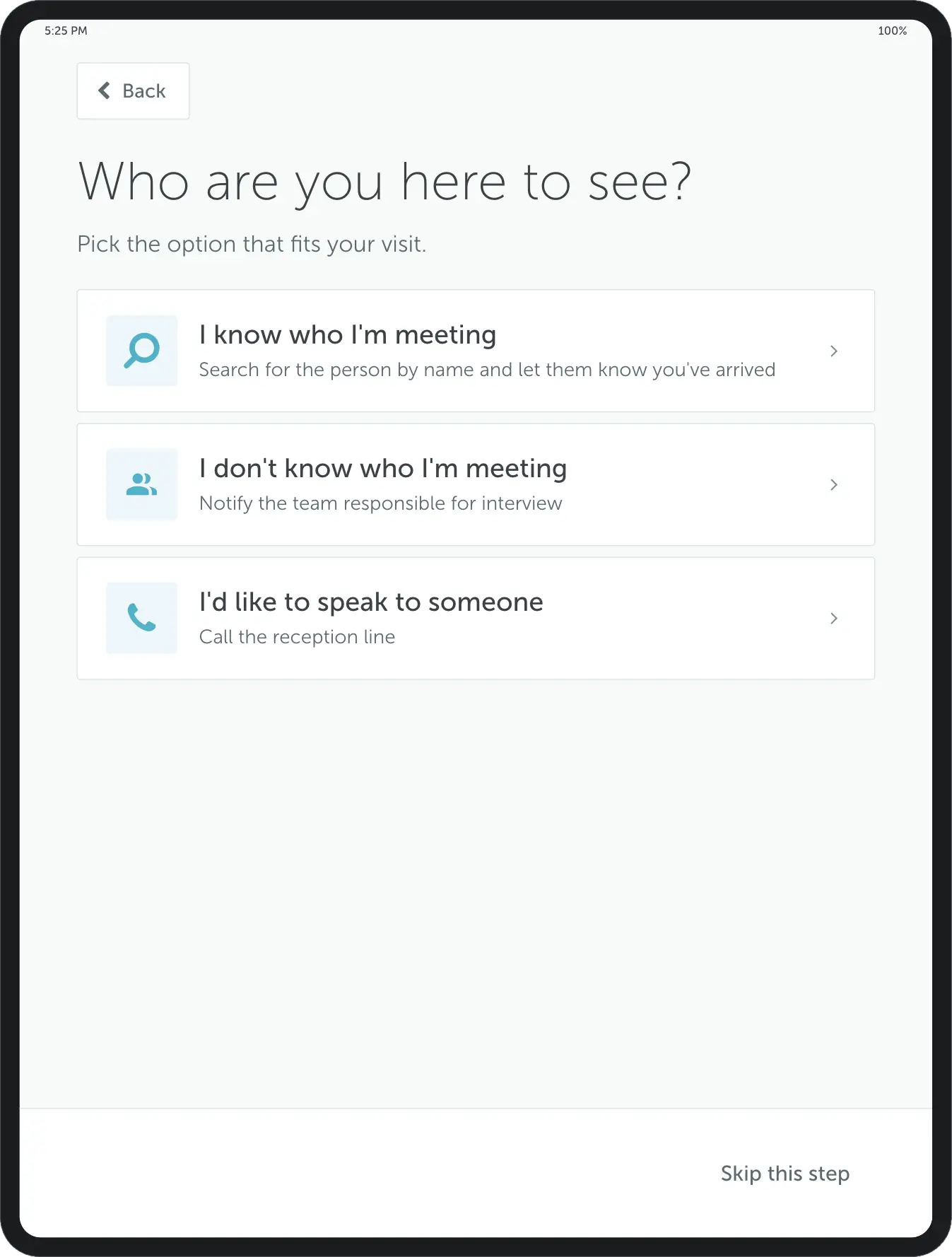
Customize your visitor registration flow
Build the right steps for your lobby: capture visitor details, e-signatures, photos, or documents, all on the reception tablet or kiosk.
Visitor details
Capture name, company, contact information, and purpose of visit.
Digital signature
Collect e-signatures for NDAs, safety agreements, and policies.
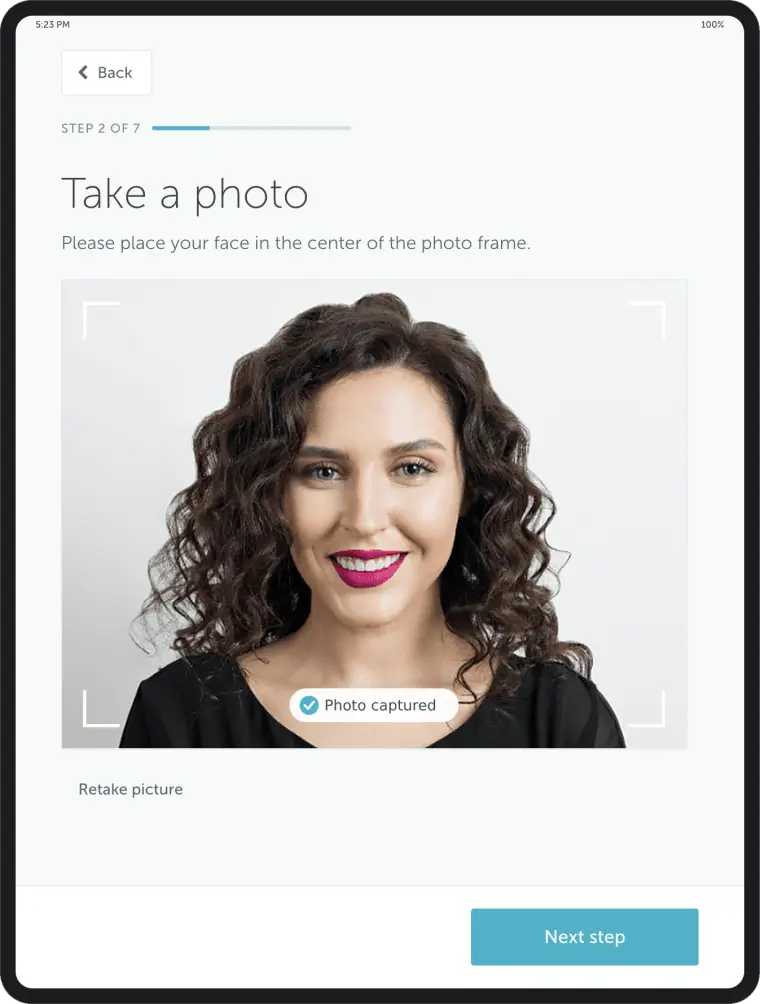
Photo capture
Take visitor photographs for security identification and the visit record.
Document upload
Request visitors to upload required documents during registration.
Provide a hassle-free check-in experience
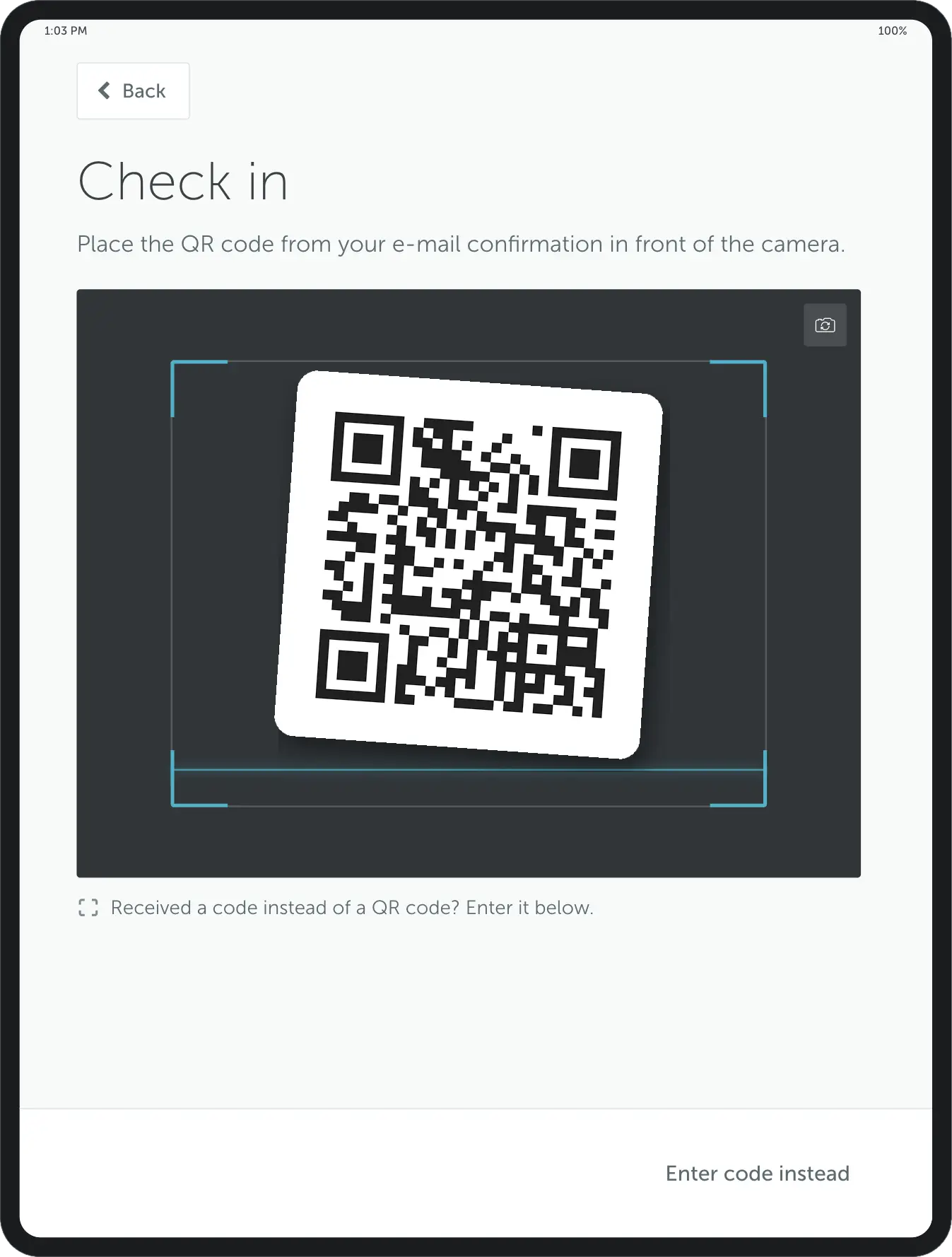
Facilitate the daily employee check-in routine with digital reception software. They can confirm their presence at the office in a blink, by simply scanning a unique QR code.
QR code check-in
Employees scan their unique QR code to confirm office presence instantly.
Work status update
Automatically update work status when checking in at the office.
Attendance tracking
Keep accurate records of who’s in the office for safety and planning.
Book desks and rooms straight from the reception
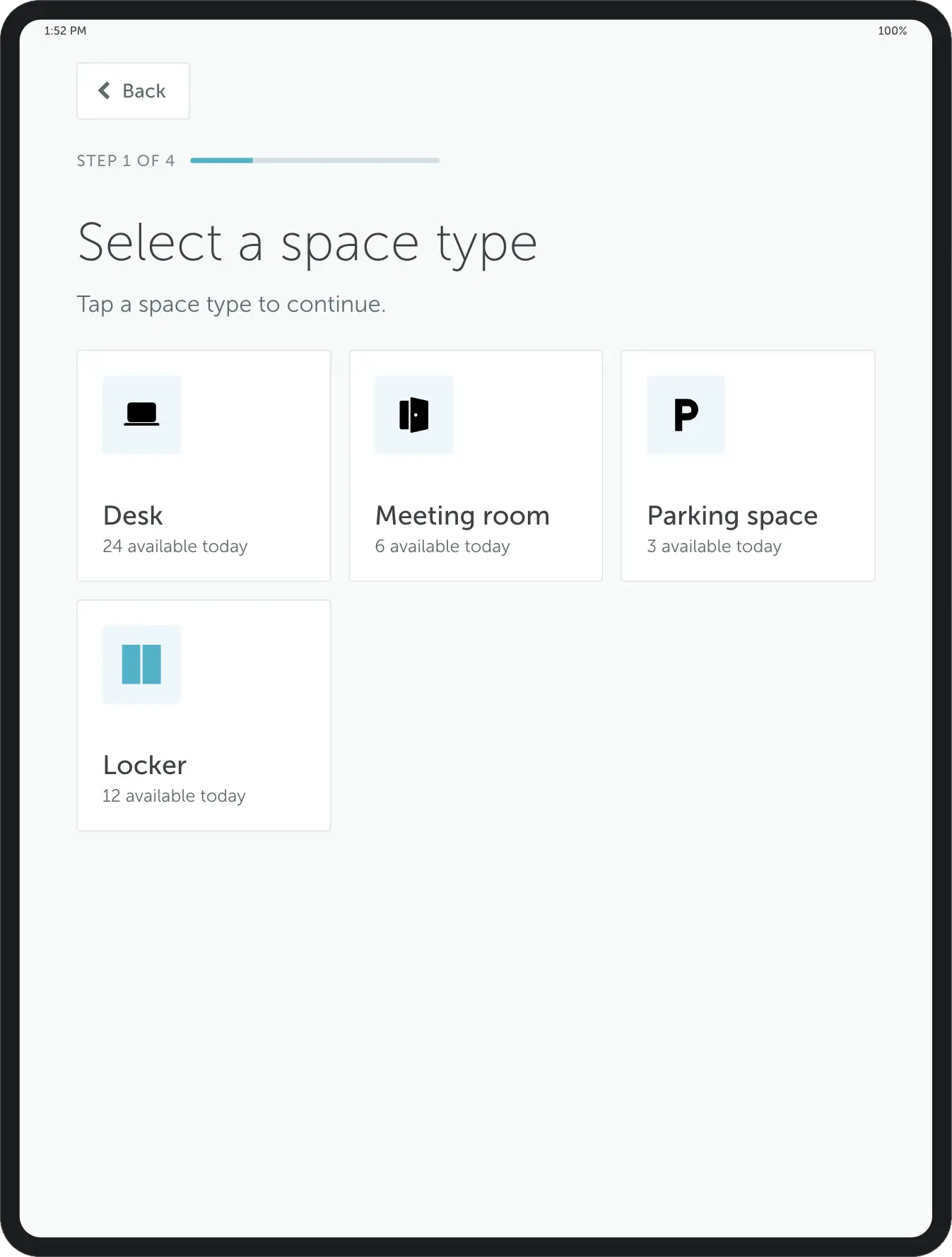
Offer your employees the flexibility to book desks or meeting rooms directly from the lobby area. Walk-ins can find and reserve available spaces on the spot.
Desk booking
Find and reserve available desks from the lobby kiosk.
Room booking
Book meeting rooms with availability shown in real-time.
Visitor reservations
Book workspaces for visitors directly during check-in.
Your branding-friendly configurable interface
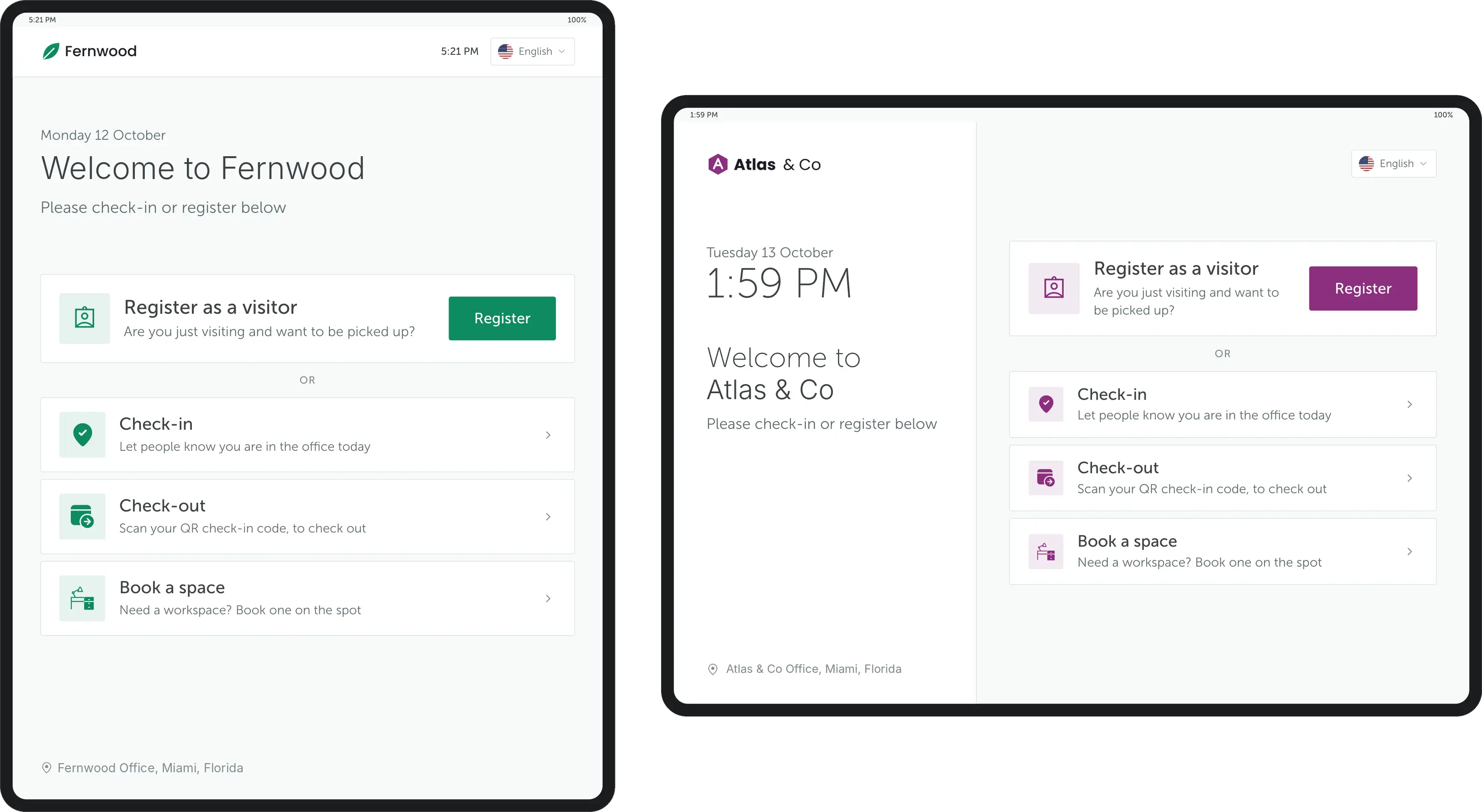
Looks aren't everything, but they are important. Knowing that, we made the YAROOMS digital reception system's UI easily configurable so you can welcome visitors with a touch of your brand.
Key benefits of digital reception
Get the digital reception app
Enterprise-grade security
Your data is protected with industry-leading certifications


Digital reception kiosk vs staffed front desk vs paper sign-in sheet
How the three common ways to run a front desk compare on cost, speed, records and compliance.
| Digital reception kiosk | Staffed front desk | Paper sign-in sheet | |
|---|---|---|---|
| Cost model | Software subscription plus a one-off hardware purchase (tablet, stand, badge printer) | Receptionist time for every staffed hour | Printed sheets or a bound book |
| Check-in speed | Self-service QR code scan or on-screen registration; 3x faster than paper sign-in sheets | Depends on who is at the desk and how many visitors arrive at once | Visitors write their details by hand |
| Visitor records | Searchable digital log with check-in and checkout times, exportable to CSV | Depends on the tools the receptionist uses | Handwritten pages that are hard to search and visible to later visitors |
| Host notification | Automatic by email, text or chat when check-in completes | Receptionist calls or messages the host | None; the visitor or staff must find the host |
| Badge printing | Automatic when check-in completes | Manual, if badges are issued | Handwritten stickers, if any |
| Compliance and NDA | E-signature on NDAs and policies, stored with the visit record; watchlist screening | Paper forms, filed separately from the visit | A signature line at most |
A kiosk and a receptionist can work together: a staffed desk can use a countertop kiosk and keep the badge printer behind the desk.
Digital reception: FAQ
Answering the most popular questions about modern digital reception applications.
A digital reception app turns a tablet at the front desk into a self-service check-in point, replacing the paper sign-in book. Visitors register themselves, complete whatever the site requires - a signature, a photo, a document - and collect a printed badge, while the host is notified automatically.
It is sometimes called a lobby kiosk or visitor check-in kiosk; all three mean the same thing.
YAROOMS Digital Reception is the kiosk app in the YAROOMS visitor management system.
YAROOMS Digital Reception is the front-desk app of YAROOMS Visitor Management. You configure registration flows and visitor policies in Visitor Management, and visitors complete them on the reception device. Setup takes three steps:
- In the YAROOMS web app, go to Visitor Management → Reception and add a device.
- Open the YAROOMS Reception app on the tablet and scan the QR code shown in the web app to pair it.
- Link the device to a location and configure languages, host notification, desk and room booking from the lobby, and your logo, colors and welcome message.
Four steps at the desk:
- Register - the visitor enters their name, company, contact details and purpose of visit on the kiosk.
- Complete - they add whatever the site requires: an e-signature on an NDA or safety agreement, a photo for identification, or an uploaded document.
- Badge - a visitor badge prints automatically once check-in completes.
- Notify - the host is alerted by email, text or chat that their guest has arrived.
The visit is written to the visitor log at the same time, so the record exists before anyone has walked to the meeting room.
In YAROOMS, each of the four steps is configurable per visitor type, so contractors and clients can follow different paths through the same kiosk. Pre-registered visitors skip registration: they scan the QR code from their invitation email, and a visitor without a code taps "I don't have a QR code".
Checkout. When an administrator turns on Enable Check-Out for the location, visitors tap Check-out on the tablet and scan the same QR code, or use "E-mail check out". Reception staff can also check visitors in or out from the dashboard, and both times are saved to the digital visitor log.
Visitor registration in YAROOMS → · Self check-out via reception →
YAROOMS Digital Reception is hardware agnostic. It is an app, not a device, so it runs on an iPad, an Android tablet, an Amazon Fire tablet, or a purpose-built commercial kiosk. Nothing is proprietary to YAROOMS, so you buy hardware from any supplier and can swap it later without changing software.
- Check-in device: a tablet or touchscreen. Its front camera captures visitor photos and scans QR codes.
- Stand or mount: a countertop stand for a staffed desk, a floor stand for a self-serve lobby, or a wall mount for tight spaces.
- Badge printer: tested with the Brother QL-820NWBc and DK-2251, DK-22205 and DK-11202 label rolls. The printer needs Wi-Fi and a fixed IP address.
- Connectivity: stable Wi-Fi or Ethernet for the tablet and the printer.
Yes. A badge prints automatically as soon as check-in completes, with no action from reception staff (see visitor badge printing). Badge content and layout follow your branding - logo, colours and the fields you choose to show. Badge printing is one of the two things buyers most often check on a reception app, the other being how the host gets notified. YAROOMS handles both without a receptionist present.
Automatically, the moment check-in completes - by email, text message or chat, depending on how your organisation works. The notification names the visitor so the host knows who is waiting before they get to the lobby.
Digital Reception is an add-on to YAROOMS Visitor Management, which is $99 per location per month.
Hardware is separate and bought from any supplier. As of September 2026, check-in tablets and touchscreens typically cost $200 to $900 per device, stands and enclosures $100 to $400, and badge printers $120 to $600.
Yes. Digital Reception is the kiosk app that runs at the front desk; YAROOMS Visitor Management is the system behind it, handling pre-registration, watchlist screening, the visitor log and reporting. You configure registration flows and policies in Visitor Management, and Digital Reception is where visitors interact with them. Visitors can also check in from their own phones by QR code without a kiosk at all, so the app is optional where a screen at the desk is not wanted.
Five things separate a reception app from a sign-in form:
- Configurable flows - different steps for contractors, clients and candidates, not one form for everyone
- Automatic host notification - so reception does not have to find anyone
- Badge printing - with your branding, without staff intervention
- A searchable, exportable log - the thing audits actually need
- Hardware freedom - the app should run on tablets you can buy anywhere
YAROOMS Digital Reception covers all five. What it does not do is general-purpose lobby signage - for room availability boards and welcome screens in reception, that is YAROOMS Lobby Display, a separate app.
Ready to modernize your reception?
See how the digital reception assistant can transform your lobby experience.
Related Products
Office Visitor Management System
Office visitor management system with pre-registration, QR and kiosk check-in, badge printing, host alerts, NDA signing and a searchable visitor log.
Room Panel
Intuitive meeting room display application to enhance workplace experience and improve meeting room usage.
Badge Printing
Visitor badge printing software that prints a branded badge at check-in. Works with the Brother QL-820NWBc and DK-2251, DK-22205 and DK-11202 label rolls.
We use cookies to analyze traffic and improve your experience.
Cookie preferences
Required for the site to function
Help us understand how visitors use the site
Used to deliver relevant ads