
Employee experience platform for hybrid offices
YAROOMS is an employee experience platform designed to make office days easier. Simple to use and easy to adopt, it helps employees find colleagues and book the spaces they need, with less time spent coordinating their day.
Last updated: October 28, 2026
- 1 Choose your space
- 2 Find your people
- 3 Plan together
Trusted by organizations worldwide







Find colleagues by name, role, or department
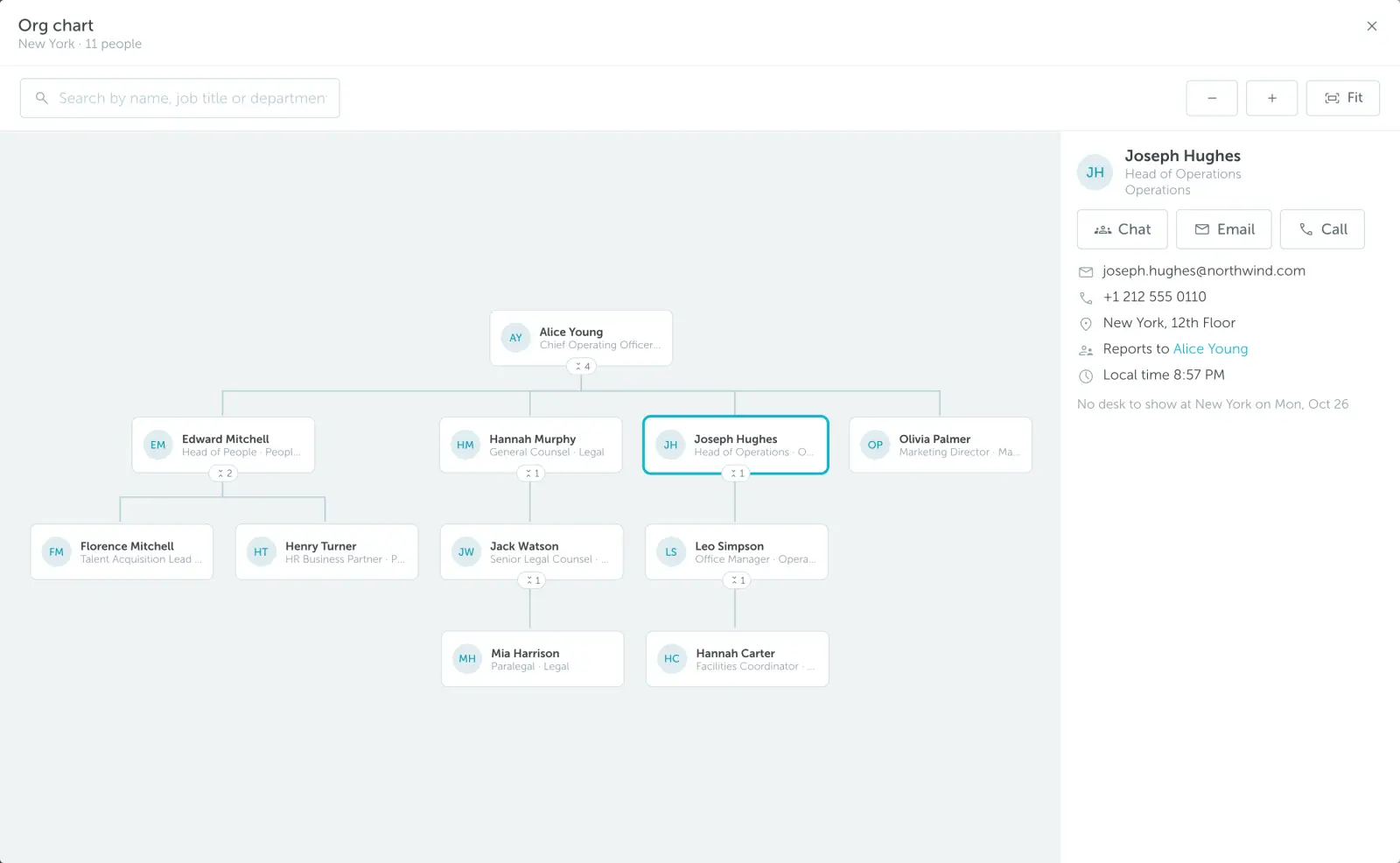
YAROOMS shows who works where and who reports to whom, with an organizational chart for every location on the office map.
- Organizational chart: open it for any location, then use Show on map to jump to a colleague's desk.
- Person cards: job title, department, contact details, manager, and local time, with Teams chat, email, or call in one click.
- Employee data: sync from Microsoft Entra ID or SAML, or import by CSV. Admins control phone number visibility.
See who's in the office today
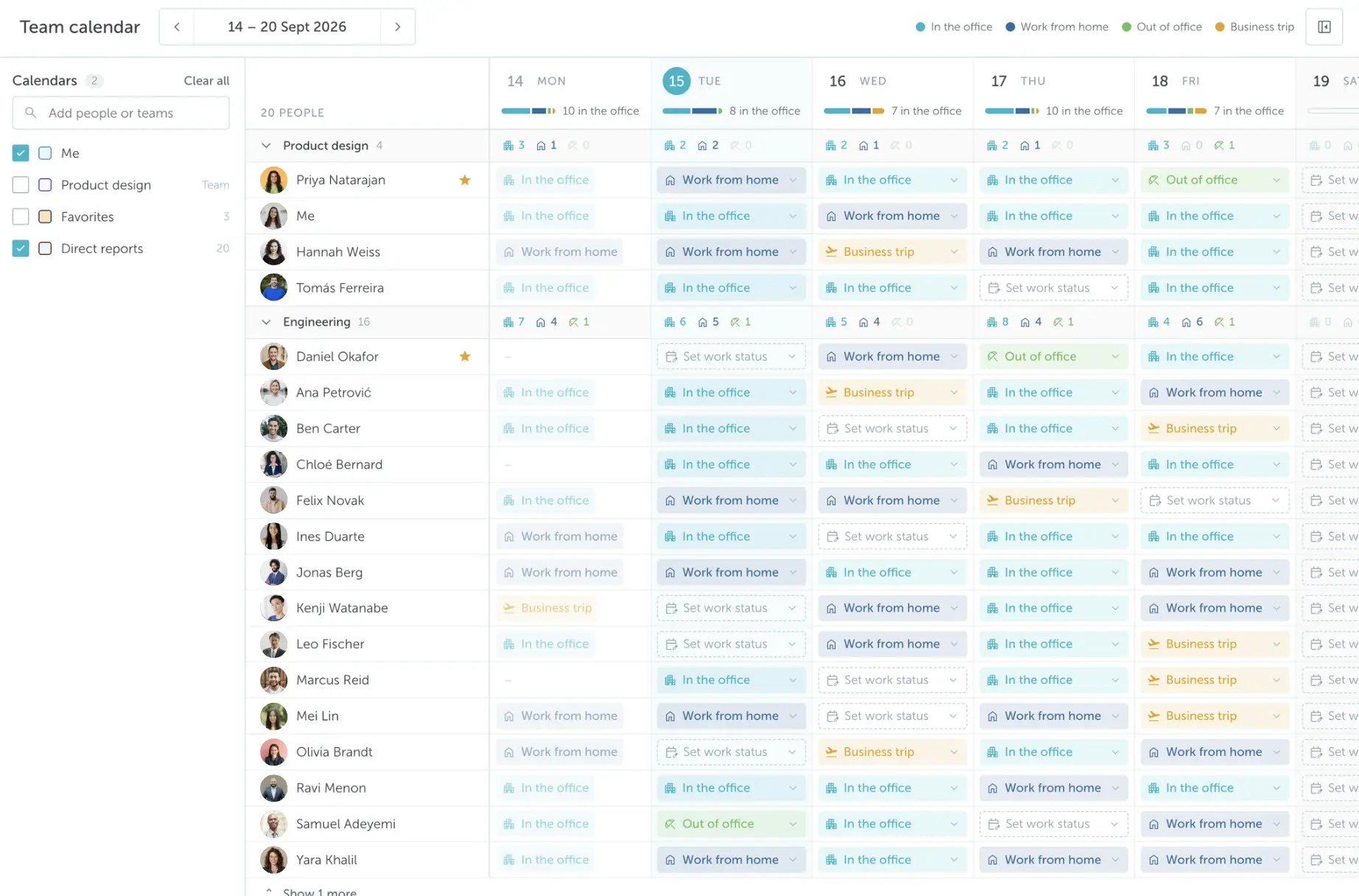
YAROOMS shows which colleagues are on site and when teammates plan to come in, on web and mobile.
- Who's in today: colleagues, occupancy, and availability in one view.
- Hybrid work calendar: each employee sets in office, remote, or away, so teams can match office days.
Book desks, rooms, and parking in seconds
Employees book desks, rooms, and parking in YAROOMS from the floor map or timeline.
- Favorite spaces: starred desks sit at the top of the timeline.
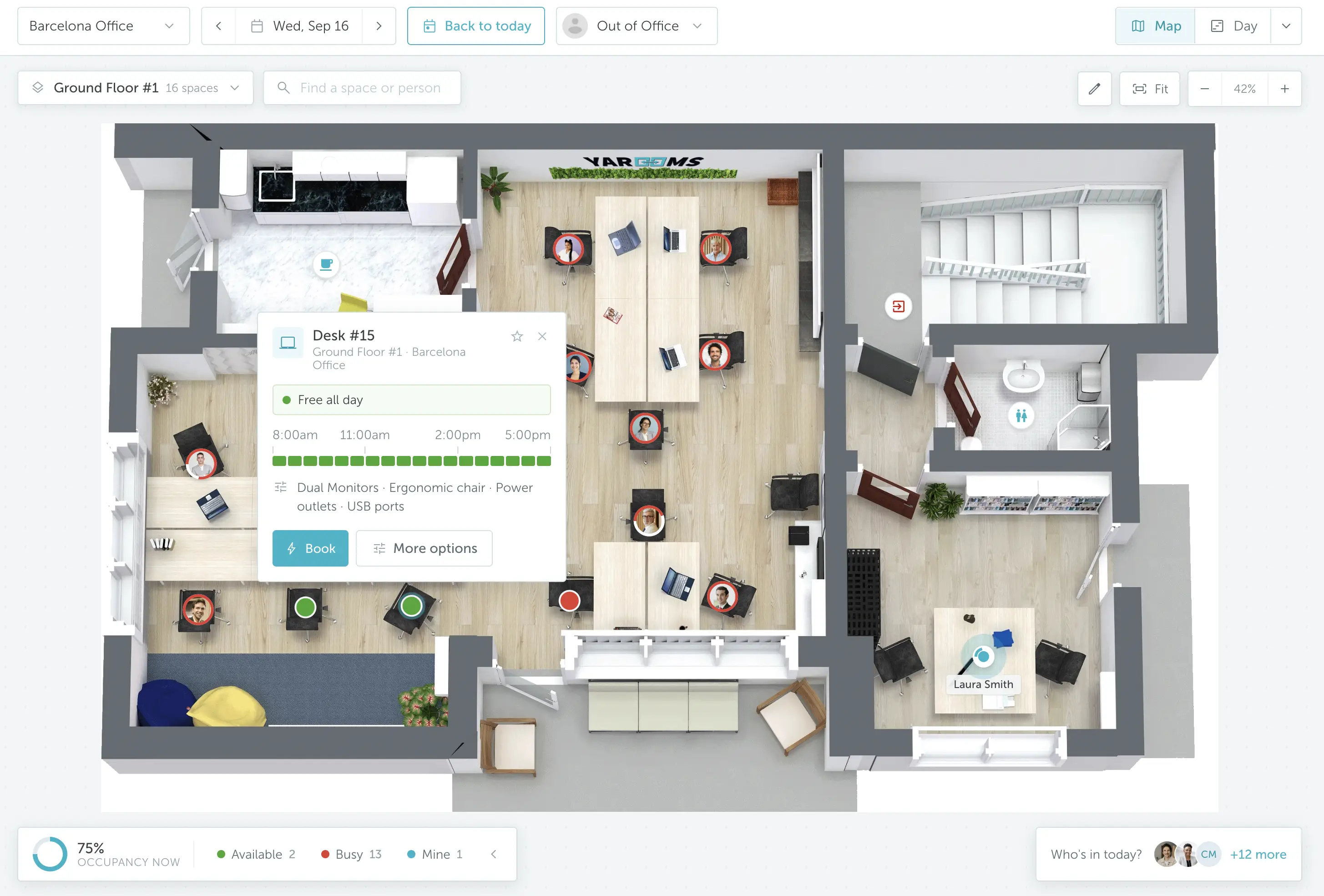
- Space properties: filter by dual monitors, a window seat, and other amenities to find the right space.
- Space photos: check pictures of a desk or room before booking.
Navigate the office with live floor maps
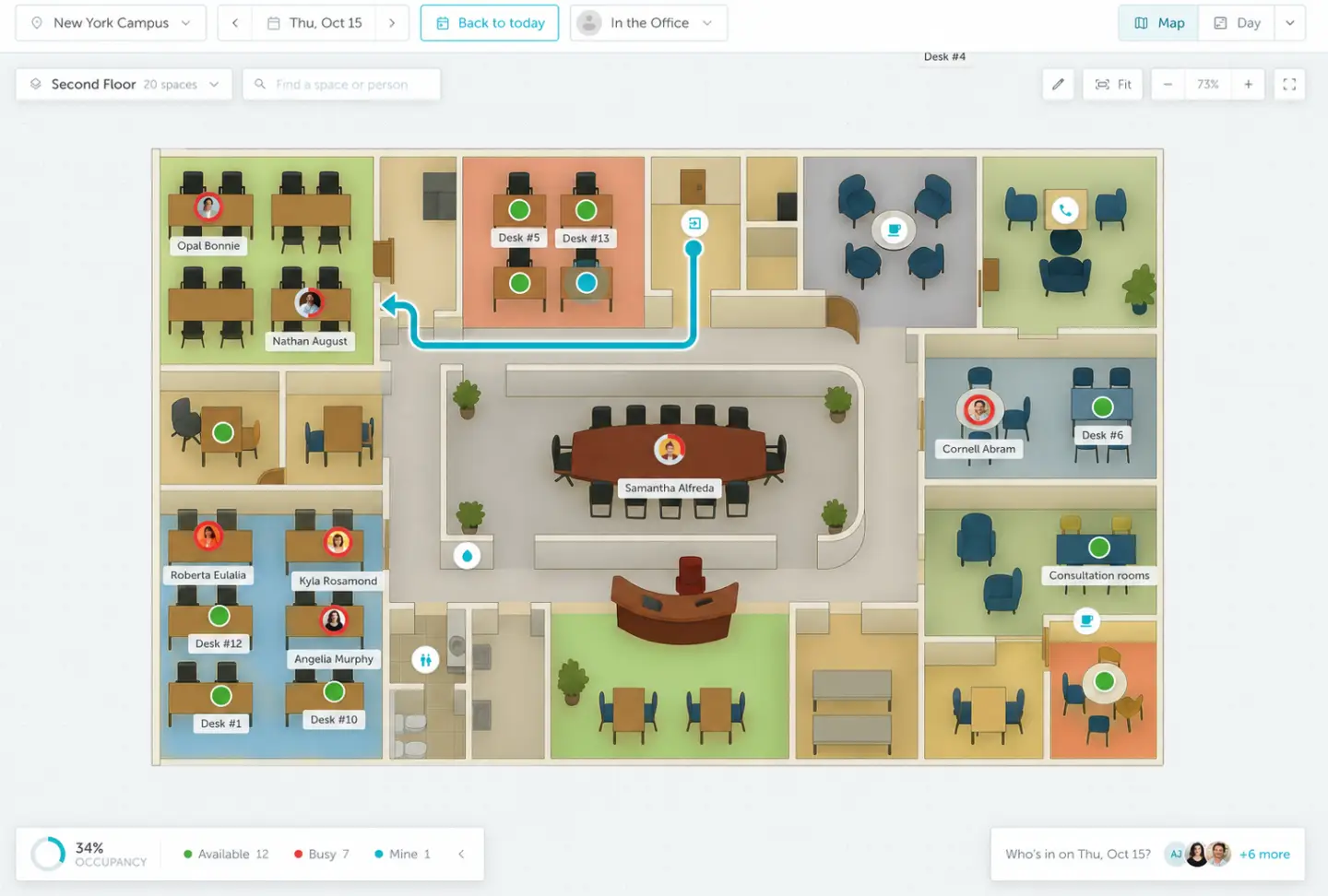
YAROOMS floor maps show every desk, room, and colleague, with live availability on each space.
- Availability at a glance: larger outlines mark busier spaces, and a timeline bar shows free slots.
- Emergency roles: colleagues with emergency roles are highlighted on the mobile map.
- Wayfinding: guide people to the right floor, room, or desk.
Work from Microsoft Teams, Outlook, mobile, or AI chat
YAROOMS works where employees already work: Microsoft Teams, the Outlook add-in, the iOS and Android apps, and Yarvis, the YAROOMS AI assistant.
- Yarvis: "Book me a desk near the marketing team tomorrow" in Teams or email.
- MCP server: ask Claude or ChatGPT "Is Maria in the office today?"
- Single sign-on: Microsoft Entra ID, Google, or SAML 2.0, on web and mobile.
- Microsoft Teams integration: book spaces and see who's in without leaving Teams.

Yarvis
Online
Find 30 min with Sarah and the design team this week.
Found options that work for everyone:
- •Wed 2:00 PM - 4 people free
- •Thu 10:30 AM - all 5 free
- •Fri 3:00 PM - 4 people free
Thursday looks best for full attendance. Want me to book it?
Workplace services, information, and requests in one place
YAROOMS covers the extras of an office day without separate tools.
- Services: add catering, equipment, or IT support to a booking, with notes.
- Facility requests: report issues to Yarvis, which notifies the right team.
- Office information: handbooks, policies, and FAQs as custom pages in the menu.
- Meeting RSVPs: only in-person attendees receive visitor invitations.
Make employee feedback part of every office day
Give employees a simple way to share how their office day went, so you can improve the experience based on what they tell you.
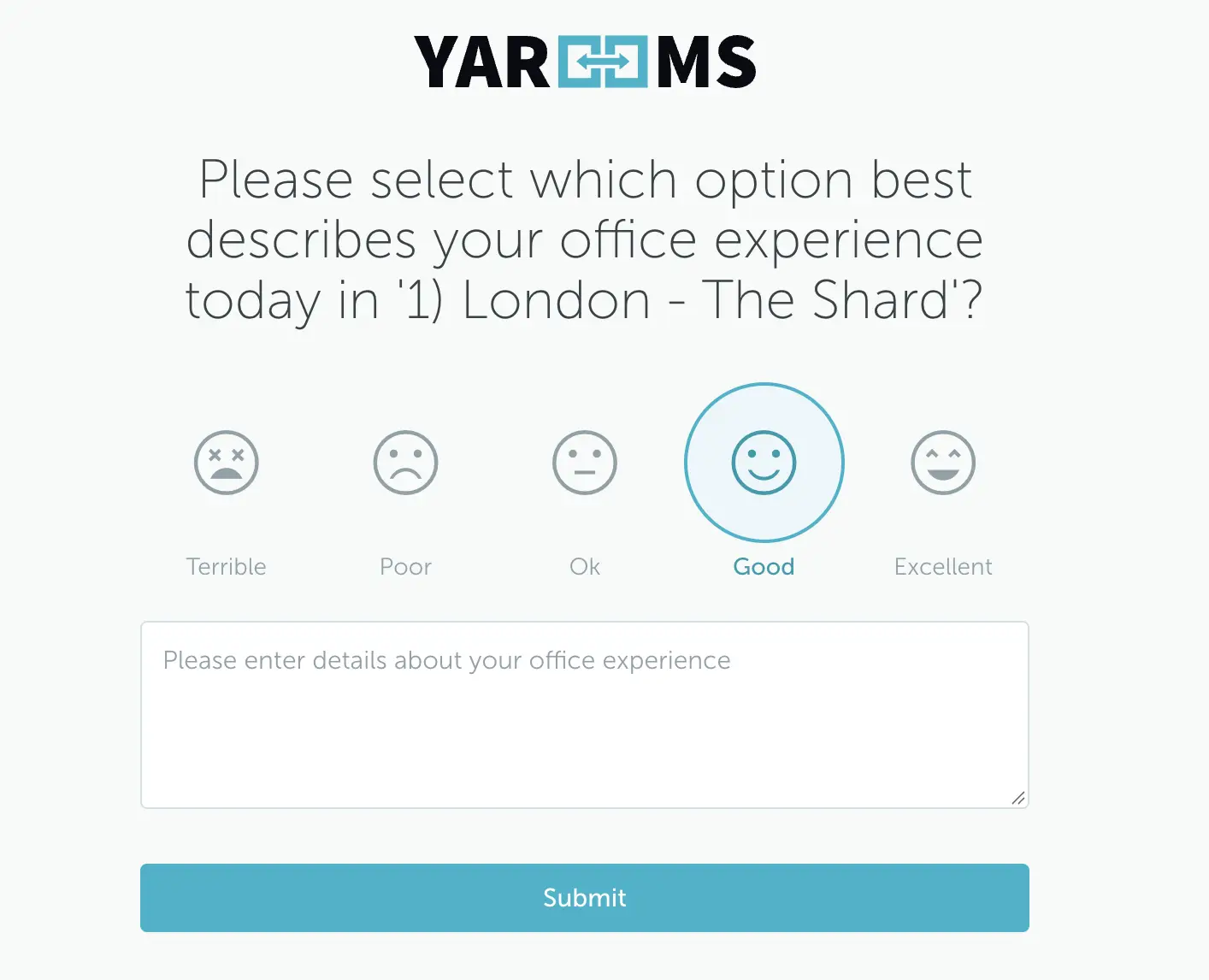
- Short surveys: employees with bookings receive a quick satisfaction survey by email at the end of the day.
- Location-level feedback: turn on surveys for the offices where you want to hear from employees.
- Satisfaction reports: review responses and follow trends in workplace analytics.
Robalino makes office days easier for 300+ professionals with YAROOMS
Robalino's 300+ professionals use YAROOMS to find desks, parking, and colleagues across four offices. Booking from web or mobile gives employees more control over their office day and removes the stress of searching for a place to work.

"YAROOMS is simple, beautiful and very, very user-friendly. We were happy to adopt a solution that everyone can start using in minutes: it's that straightforward. Also, the floor map makes a big difference when booking spaces: not all solutions that we looked into were able to provide this much visibility. YAROOMS has become our key tool in building a future-proof workplace strategy."
Emily Rodríguez, Human Resources Co-ordinator, Robalino


Employee experience platform: FAQ
Make every office day easier for your people
See how YAROOMS helps employees find colleagues, book space, and navigate the office in a demo tailored to your offices.
Related products
Room booking
YAROOMS is a room booking system for meeting rooms. Book from Outlook, Google Calendar, Microsoft Teams, the mobile app or a door display.
Outlook add-in
Book meeting and conference rooms directly in Outlook. Fast, smart, and hassle-free room booking without leaving your email.
Single sign-on (SSO)
Secure single sign-on and user provisioning with Azure Active Directory. Simplify access management and enhance security for your workplace.