
Best Workplace Management Software in 2026: Top 7 Compared

Why do some workplaces thrive while others struggle to keep pace with a world increasingly shaped by digital progress and booming hybrid work culture? The answer might be Workplace Management Software (WMS). In this transformational age, managing a workplace effectively demands more than just good intentions—it requires the leverage of intelligent tools designed to unlock the full potential of any organization.
So, let’s dive into the world of workplace management software - from its core principles to real-world applications that transform how organizations operate. We’ll break down what workplace management really means, how modern tools streamline collaboration and boost productivity, and compare the 7 best workplace management software solutions to consider in 2026.
If you’re here for this, feel free to jump straight to the vendor descriptions:
What Is Workplace Management Software?
Workplace Management Software (WMS) is a digital platform that helps organizations manage, optimize, and automate their physical workplace operations. It centralizes essential functions such as space management, room and desk booking, asset tracking, flexible work scheduling, and environmental monitoring - all within a single system.
By connecting people, spaces, and data, workplace management software enables businesses to:
- Improve efficiency by automating routine administrative tasks
- Enhance space utilization with real-time occupancy insights
- Support hybrid work through flexible scheduling and booking tools
- Boost collaboration with clear communication and coordination across teams
- Inform strategic planning with detailed analytics and performance metrics
In short, WMS provides the infrastructure for a smarter, more efficient, and data-driven workplace, helping facility managers and HR teams make better decisions about how work happens.

The Benefits of Implementing Workplace Management Software
Workplace management software offers businesses a host of advantages. Greater efficiency, informed decisions, ease of compliance, cost savings, and, most importantly, happy employees make it a worthy investment for any organization.
Improved Operational Efficiency
Workplace management software plays an instrumental role in optimizing various operational processes and workplace maintenance management. Efficiency is considerably enhanced by allowing managers to maintain a real-time overview of space utilization and asset distribution. The software also facilitates different scheduling procedures (flexible work planning, meeting room bookings, desk reservations, etc.), reducing downtime and improving productivity.
Enhanced Decision Support
Armed with data-driven insights provided by workplace management systems, decision-makers can develop strategies rooted in accurate and timely information. Aspects like crucial asset performance data, workspace analytics, or facilities management and real estate costs become readily available at their fingertips. Understandably, this paves the way for more informed strategic decisions impacting day-to-day tasks as well as long-term plans.
Compliance and Regulatory Benefits
It’s no secret that ensuring regulatory compliance can often be complex and time-consuming. However, with a workplace management system on board, compliance tasks can be automated, significantly easing the burden placed on facility managers. Moreover, this kind of technology typically provides detailed audit trails that prove valuable during inspections.
Cost Savings
Adopting a workplace management system also has a direct financial benefit. It notably minimizes operational expenses by recognizing areas for resource optimization (like unused office space), thus reducing unnecessary overheads. Moreover, proactively tracking maintenance needs before they escalate into more significant issues ensures cost-effective repair management.
Better Employee Experience
Workplace management software significantly enhances the employee experience by streamlining operations and optimizing resource use. It ensures that the workspace is not only well-organized but also responsive to its users’ needs, facilitating a seamless work environment. This means less time spent on logistical frustrations and more on productive work, leading to a more satisfied and engaged workforce.
Key Components and Features of Workplace Management Software
Much like a toolbox comprises various tools for specific tasks, workplace management software integrates several essential components to form a comprehensive platform for all things workplace.
Space Booking
Space booking is a critical feature of workplace management systems, allowing employees to book desks, meeting rooms, and even parking spots easily. Booking software optimizes the use of available space and enhances efficiency in the workplace.
Allowing employees to book spaces in advance can significantly reduce the time spent searching for available spots, leading to a more productive work environment. Moreover, space booking supports hybrid work models by accommodating the varying needs of employees, whether they work remotely or on-site.
Analyzing space usage through booking data enables companies to make informed decisions about their real estate needs, potentially leading to cost savings. This makes space booking an indispensable part of workplace management software.
Hybrid Work Planning
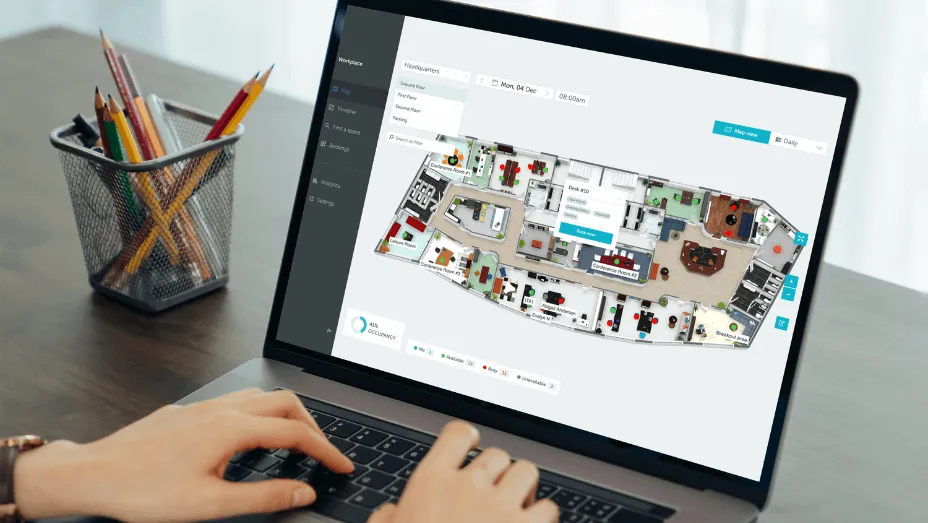
Recently, tools for planning hybrid work have become crucial for managing workplaces as companies worldwide shift to more flexible work setups. The YAROOMS hybrid work planning calendar is a prime example of this technology, showcasing the functionality and user-friendliness required to support flexible scheduling within organizations.
It empowers employees to tailor their hybrid work schedules individually, offering the flexibility to choose between office and remote work. Group managers can arrange schedules for their teams in bulk if necessary. Clear visibility of everyone’s schedules simplifies organizing meetings and team activities. Plus, the centralized solution supports essential office capacity limits and work-from-home thresholds, ensuring compliance with business rules. This balance is crucial for successful hybrid workplace management, blending employee needs with operational requirements.
Visitor Management
A visitor management system is an essential part of workplace management software designed to streamline how office visitors are greeted and managed. This technology replaces the traditional sign-in sheet with a digital system that records arrivals, departures, and the purpose of visits in real time. It enhances office security by providing an instant overview of who is in the building at any given time, making managing access to different areas easier.
Beyond security, visitor management solutions improve the visitor experience. Guests can often check in using a kiosk or tablet, making the process quicker and more interactive. They can also pre-register for their visits, allowing for a smoother entry process upon arrival. Notifications can be sent automatically to the host when their guest arrives, reducing wait times and improving communication.
Workplace Analytics
Workplace management software should empower its superusers—facility managers, HR professionals, and sustainability officers—with accessible and actionable workplace data. Why?
Because it empowers organizations to make informed decisions on office layout, resource allocation, and even remote work policies. Moreover, by identifying trends in work habits and real-time usage, workplace managers can more effectively manage facilities, work orders, and other business processes while enhancing employee experience. Utilizing advanced workplace platforms, these insights can be leveraged to create more responsive and adaptive work environments that meet employees’ evolving needs.
Digital Signage
Effective communication is vital in any office environment, directly influencing operational efficiency. To address this need, centralized workplace management software solutions increasingly incorporate sophisticated digital signage systems. These systems offer a versatile platform for displaying dynamic content, ranging from urgent notifications to motivational messages, ensuring that all employees are well-informed and aligned.
Some digital signage solutions, like the YAROOMS room panel, extend their functionality to include meeting room management. This allows employees to book, end, or extend meetings and check room availability directly at the meeting room door, streamlining the process, room maintenance, and enhancing workplace efficiency.
Office Mapping & Wayfinding
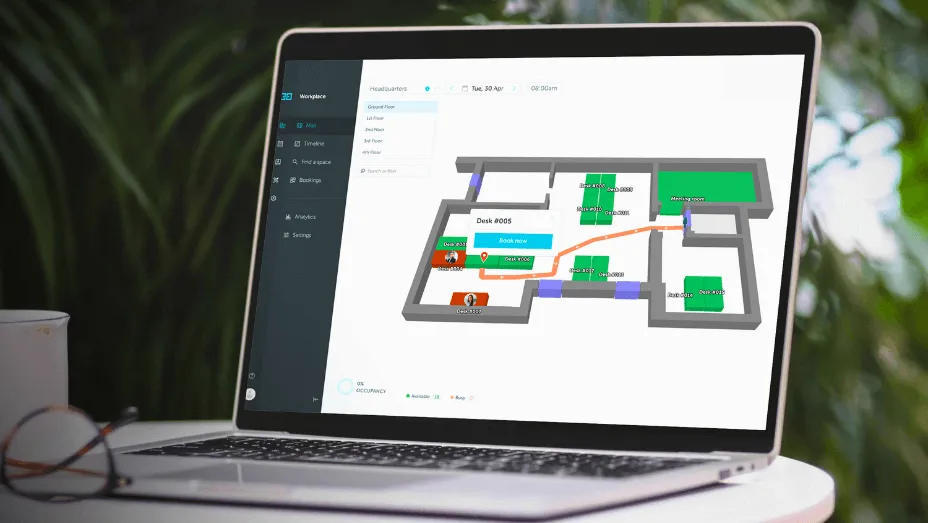
Finding one’s way around large offices can pose a significant challenge, so office mapping and wayfinding features have become essential components of workplace management software. They simplify indoor navigation, allowing employees to move through expansive office spaces effortlessly.
By using detailed maps and directional guidance, employees can confidently navigate the office floor, locate meeting rooms and amenities, and even pinpoint the exact location of their colleagues. This saves time, enhances productivity, and reduces the frustration of getting lost or arriving late to meetings. As such, interactive floor maps and wayfinding functionalities transform how employees interact with their physical workspace, making it more accessible and user-friendly.
Employee Mobile Apps
Employee mobile apps have revolutionized workspace access, moving beyond the confines of desktop computing toward a mobile-first workplace. These applications allow users to engage with workplace management platforms directly from their smartphones. They offer the freedom to manage tasks like booking meeting rooms or reporting maintenance issues without being tethered to a single location.
The shift towards mobile accessibility underscores the importance of convenience in the modern workplace and highlights innovation’s role in enhancing efficiency. Employees can now address their work needs on the go, illustrating how technological advancements simplify and improve office operations.
Factors to Consider When Selecting Workplace Management Software
Selecting the most suitable workplace management software for your organization requires careful consideration. Various factors, from functionality and features to security and compliance, play a critical role in determining which system can bring meaningful benefits while managing facilities.
Functionality and Features
Workplace management software’s effectiveness greatly depends on its range of features. Essential functions include space booking tools, support for hybrid work models, visitor management, digital signage, analytics, office mapping & wayfinding features, and anything else your workplace and facilities management team requires. The ideal software should meet your workplace’s current needs and be flexible to evolve with future requirements. In essence, the key is to find a solution that offers a comprehensive yet dynamic set of features to optimize your operations.
User Interface and Usability
You should avoid workplace management software that’s complex or difficult to use. Instead, choose one with a clean, easy-to-navigate interface. The goal is for employees to manage their workspace efficiently, not struggle with a complicated tool. Easy-to-use software leads to quicker adoption by teams, enhancing productivity and achieving goals more effectively. Remember, even the most feature-rich system loses its value if poor design or user experience makes it hard to use.
Integration Capabilities
The ability of a workplace management system to smoothly integrate with your existing technology setup is crucial for gaining user acceptance and boosting productivity without the usual hassles of adopting new software. Whether adding on-site solutions or using cloud-based services, the new system must work well with your existing technologies (maintenance management software, facilities management tools, booking software, even project management solutions). If a system doesn’t integrate well, it can lead to multiple problems, so choosing a tool that easily fits your current tech stack is essential.
Customization Capabilities and Scalability
As your enterprise grows, your technological systems should be able to grow with it. Effective workplace management software offers customization options for your unique business processes and includes robust maintenance management capabilities. It is also scalable to handle increasing numbers of users without significant performance drops or delays. This adaptability ensures that your investment remains valuable, offering cost-effective returns. After all, frequently switching to new tools is both impractical and costly.
Security and Compliance
Another crucial factor to consider when choosing workplace management software is its ability to optimize business processes and space usage while maintaining robust security and compliance features. Enterprises must select a system with solid data protection to safeguard sensitive business information from cyber threats and malpractices. This includes ensuring the software provides vital security measures critical for adhering to GDPR or regional regulations, which is essential for protecting the organization and its stakeholders.
Cost and Return on Investment (ROI)
Lastly, but just as crucial, is cost and ROI. Evaluate the initial and recurring expenses against the potential savings due to the efficiencies gained from a smart workplace management system. Important considerations should include the duration of subscription plans, the availability of tiered pricing to suit different sizes of organizations or operational modes, and any hidden or ongoing fees that might become a burden later on. A more expensive system doesn’t always mean better functionality, so ensure you get the right mix of features and affordability. Aim for a solution that offers a strong ROI, where enhanced productivity results in notable time and cost savings, ultimately exceeding the initial investment.

Best Workplace Management Software in 2026
As we move into 2026, the role of workplace management software (WMS) is becoming even more critical. Organizations are prioritizing smarter space utilization, hybrid work coordination, and data-driven decision-making. Below, we’ve rounded up the 7 best WMS solutions of the year - platforms that are shaping the future of efficient, flexible, and connected workplaces.
1. YAROOMS
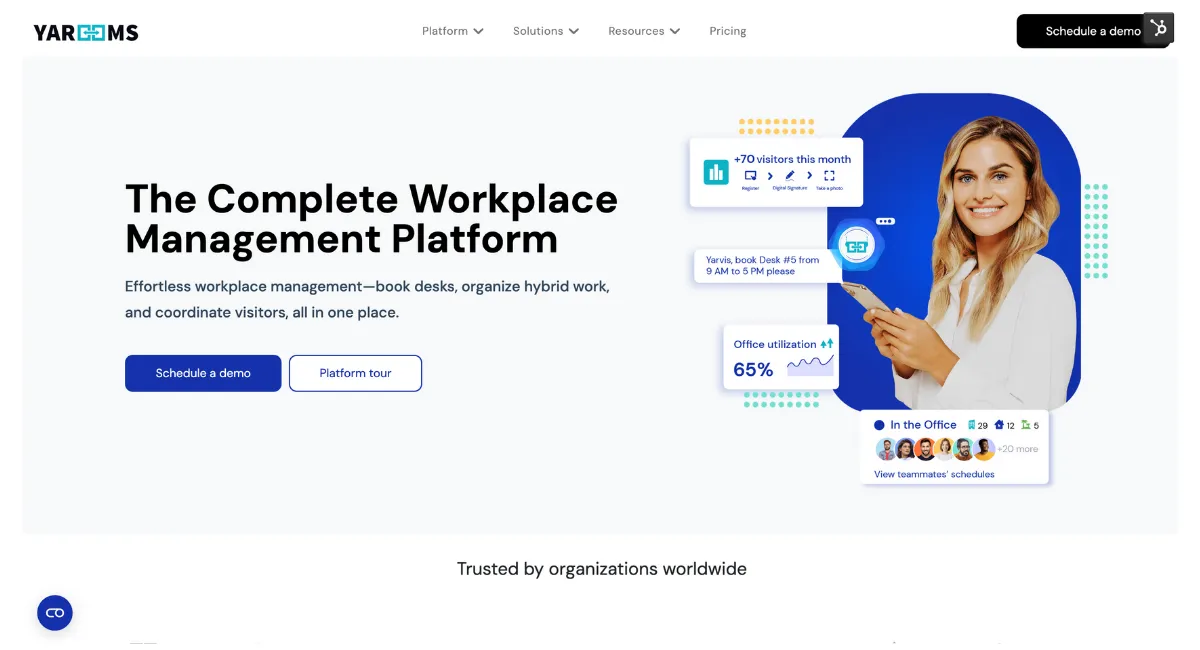
YAROOMS is a complete workplace management platform built to simplify how organizations run their hybrid offices. It unifies everything - from desk and meeting room booking to visitor management, hybrid scheduling, digital signage, and advanced analytics - within a single intuitive system. The result: less coordination hassle, smarter use of office space, and data-backed workplace decisions.
Key Features
- Smart space & resource booking: Reserve desks, rooms, parking, or workplace services such as catering, cleaning, or IT support.
- Hybrid work scheduling: Shared team calendars make in-office coordination effortless and improve visibility across departments.
- Visitor management: Includes pre-registration, self check-ins, blacklist screening, badge printing, and automatic host notifications for a smooth guest experience.
- Analytics & insights: Real-time dashboards visualize occupancy, attendance patterns, hybrid work trends, and space utilization metrics.
- Integrations: Seamlessly connects with Microsoft 365, Outlook, Teams, Google Workspace, Okta, and other core enterprise tools.
- Mobile access: Manage bookings and schedules from anywhere through a user-friendly mobile app.
- Digital signage: Real-time display solutions for meeting rooms, desks, and lobby screens enhance visibility and wayfinding.
Who It’s Best For
YAROOMS serves a wide range of industries - including financial services, education, healthcare, government, and technology - where workplace efficiency, compliance, and flexibility are critical. It’s ideal for mid-sized and large enterprises managing multiple office locations or hybrid teams, especially those operating in the Microsoft ecosystem or requiring detailed workplace analytics.
Pricing
YAROOMS workplace management software offers flexible plans to match organizational scale:
- Starter Plan: From $99/month, ideal for smaller teams adopting hybrid work.
- Business Plan: From $399/month, adds advanced integrations and the YARVIS AI workplace agent.
- Enterprise Plan: From $899/month, includes unlimited analytics, service booking, and custom integrations.
- Visitor Management Module: Available separately from $99 per location/month.
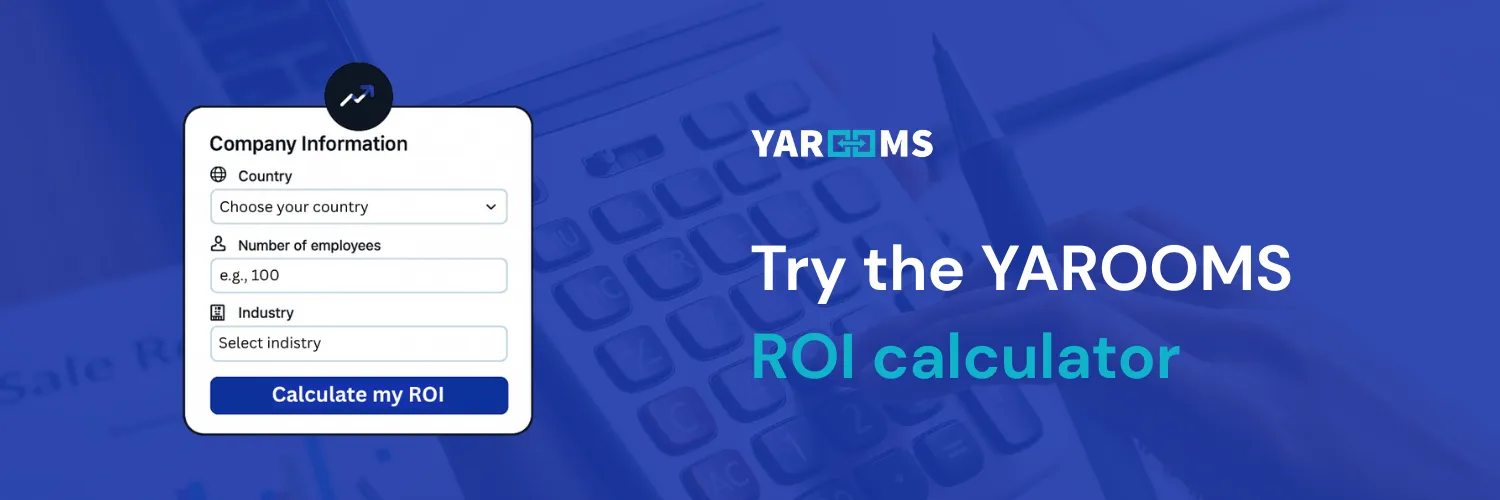
Decision-makers can also estimate potential cost savings through the YAROOMS ROI Calculator, which quantifies benefits such as reduced unused space, lower facility costs, and fewer no-shows.
Pros & Cons
What users love: YAROOMS earns praise for its intuitive design, quick onboarding, and robust Microsoft 365 integrations. Facility and workplace managers highlight the platform’s depth of analytics and measurable ROI in space and cost savings.
Areas to note: Some small teams find it more advanced than needed, but reviewers consistently describe YAROOMS as reliable, scalable, and future-ready once configured.
2. OfficeSpace
OfficeSpace is an AI-driven workplace management software designed to help organizations connect people, spaces, and resources more intelligently. It brings together desk and room booking, space planning, visitor management, and workplace analytics to streamline hybrid operations while giving facility teams real-time visibility into how office spaces are used.
Key Features
- Interactive space booking: Book desks and meeting rooms directly from maps, mobile apps, or integrated calendars.
- Workplace announcements: Share important updates, events, or policy changes across the platform to keep employees informed.
- Workplace analytics: Monitor occupancy, booking patterns, and utilization metrics to guide strategic space and resource planning.
- Visitor & mailroom management: Simplify front-desk operations with guest check-in and package tracking tools that improve employee and visitor experience.
Who It’s Best For
OfficeSpace is ideal for mid-sized and large enterprises in industries like energy, manufacturing, legal, and technology, where complex space planning, move management, and asset tracking are key. Its AI capabilities make it particularly valuable for organizations looking to combine real estate efficiency with data-backed decision-making and seamless employee experiences.
Pricing
OfficeSpace follows a tiered subscription model - Lite, Essentials, and Pro - each offering progressively advanced features. Pricing is not publicly listed and requires a quote request, which may add complexity to upfront budgeting for smaller organizations.
Pros & Cons
What users appreciate: Customers consistently highlight OfficeSpace’s intuitive interface, responsive support, and strong onboarding experience. It’s frequently praised for improving day-to-day booking and long-term space planning.
Challenges to note: Some users report limited customization and reporting options in lower-tier plans. Frequent updates can occasionally cause minor disruptions, and pricing is often seen as non-transparent or high for small teams.
3. Robin
Robin is an AI-powered workplace operations platform that centralizes desk and room booking, hybrid scheduling, visitor management, and analytics into one connected system. It’s designed to help companies optimize space usage, enhance the employee experience, and streamline daily office coordination.
Key Features
- AI-powered booking: Intelligent recommendations suggest the best desks or meeting rooms based on teammates, location preferences, and availability.
- Seat assignments & floor planning: Assign fixed desks, set up departmental zones or team pods, and design interactive layouts to improve visibility and space utilization.
- Visitor management: Manage guest pre-registration, automated check-ins, and host notifications for secure and efficient front-desk operations.
- Wayfinding & signage: Interactive maps and digital displays help employees and guests locate desks, meeting rooms, or collaboration zones with ease.
Who It’s Best For
Robin is a strong fit for mid-sized and enterprise-level organizations across professional services, technology, and corporate environments.
Pricing
Robin uses a custom quote-based pricing model, requiring potential customers to request a tailored proposal. While this allows flexibility for different company sizes and needs, it can make budget forecasting less transparent, especially for smaller teams.
Pros & Cons
What users like: Customers consistently praise Robin’s intuitive interface, calendar integrations (Google Workspace, Outlook), and smooth booking experience. Many highlight how it simplifies hybrid work coordination and improves daily office operations.
Where it could improve: Some users mention clunky check-in flows, occasional booking glitches, and time-consuming floor plan edits. While Robin offers a wide feature set, admins may require training to fully unlock its advanced capabilities.
4. Envoy
Envoy is an integrated workplace management platform designed to make workplace management seamless. It combines desk and meeting room booking, visitor and delivery management, and workplace analytics in one unified solution - helping organizations enhance collaboration, improve safety, and make smarter use of office space.
Key Features
- Desk & room booking: Reserve desks or meeting spaces through interactive floor plans on mobile or web. Features include auto check-in, smart reminders, and visibility into who’s working where.
- Visitor & delivery management: Streamline guest sign-ins with QR codes, digital pre-registration, and badge printing. Built-in delivery tracking and host notifications ensure smooth front-desk operations.
- Workplace analytics: Access reports on occupancy, booking patterns, and utilization trends to optimize layouts and reduce unused space.
- Integrations & security: Connect seamlessly with Outlook, Google Calendar, Slack, Teams, and physical access systems. Supports single sign-on (SSO), compliance frameworks, and secure visitor access.
Who It’s Best For
Envoy is particularly valuable for organizations managing frequent visitor traffic, multi-site operations, or high-security environments such as financial institutions, healthcare, and logistics hubs.
Pricing
Envoy follows a tiered pricing model, billed per active user per month (annual commitment):
- Standard: Around $3/user/month
- Premium: Around $5/user/month
- Premium Plus: Around $7/user/month
Visitor management is priced separately depending on location count, configuration, and visitor volume.
Pros & Cons
What users love: Envoy receives strong reviews for its intuitive design, smooth visitor check-in, and reliable booking experience. Both employees and guests find it easy to use without much training.
Challenges to consider: Some admins note that initial setup can be complex, and certain hardware or system integrations (e.g., printers or access control) may require technical support. Advanced analytics and automation features are often limited to higher-tier plans.
5. Kadence
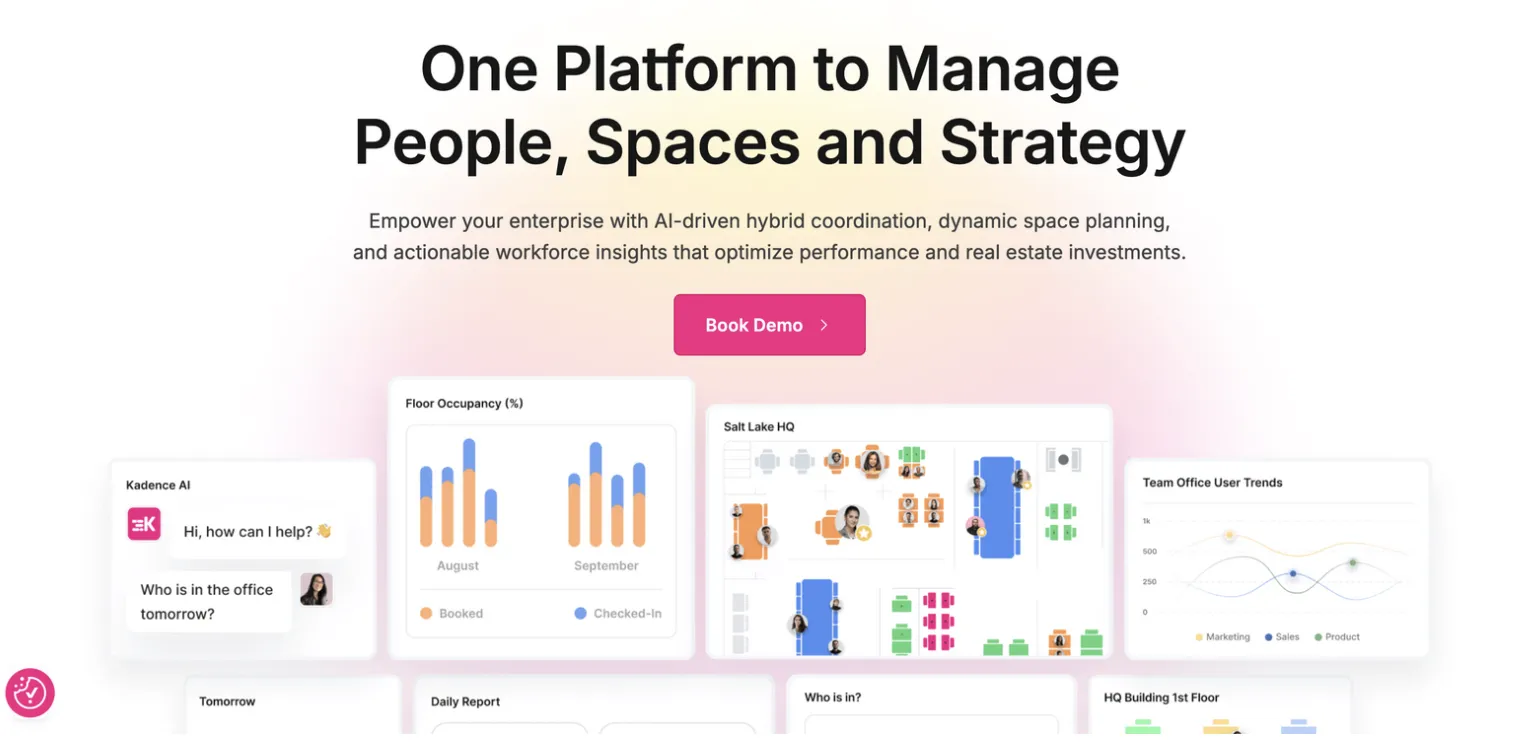
Kadence is the hybrid workplace operating system that unifies desk and room booking, hybrid scheduling, team zoning, workplace events, visitor management, and analytics into a single cohesive platform.
Key Features
- Desk & room booking: Employees can reserve desks and meeting rooms from interactive floor plans, view teammates nearby, and find the best spaces for collaboration.
- Hybrid team coordination: Shared team calendars and scheduling tools align office attendance, helping teams plan meaningful in-person days and avoid empty offices.
- Workplace events management: Manage and promote internal events — from team lunches to company-wide gatherings — directly within the platform to boost engagement.
- AI workplace agent: Kadence’s built-in AI suggests optimal seating, surfaces team schedules, and simplifies bookings using natural language commands.
Who It’s Best For
Kadence is ideal for mid-sized to large organizations looking to coordinate hybrid schedules and create a stronger in-office culture.
Pricing
Pricing information isn’t publicly listed. Interested organizations need to request a custom quote based on their size, feature requirements, and support needs.
Pros & Cons
What users appreciate: Reviewers praise Kadence for its intuitive user experience, robust analytics, and smooth hybrid scheduling tools that simplify coordination across teams.
Where users see challenges: Some customers note limited customization options and slower customer support response times, though most find the platform reliable and easy to implement.
6. Eptura
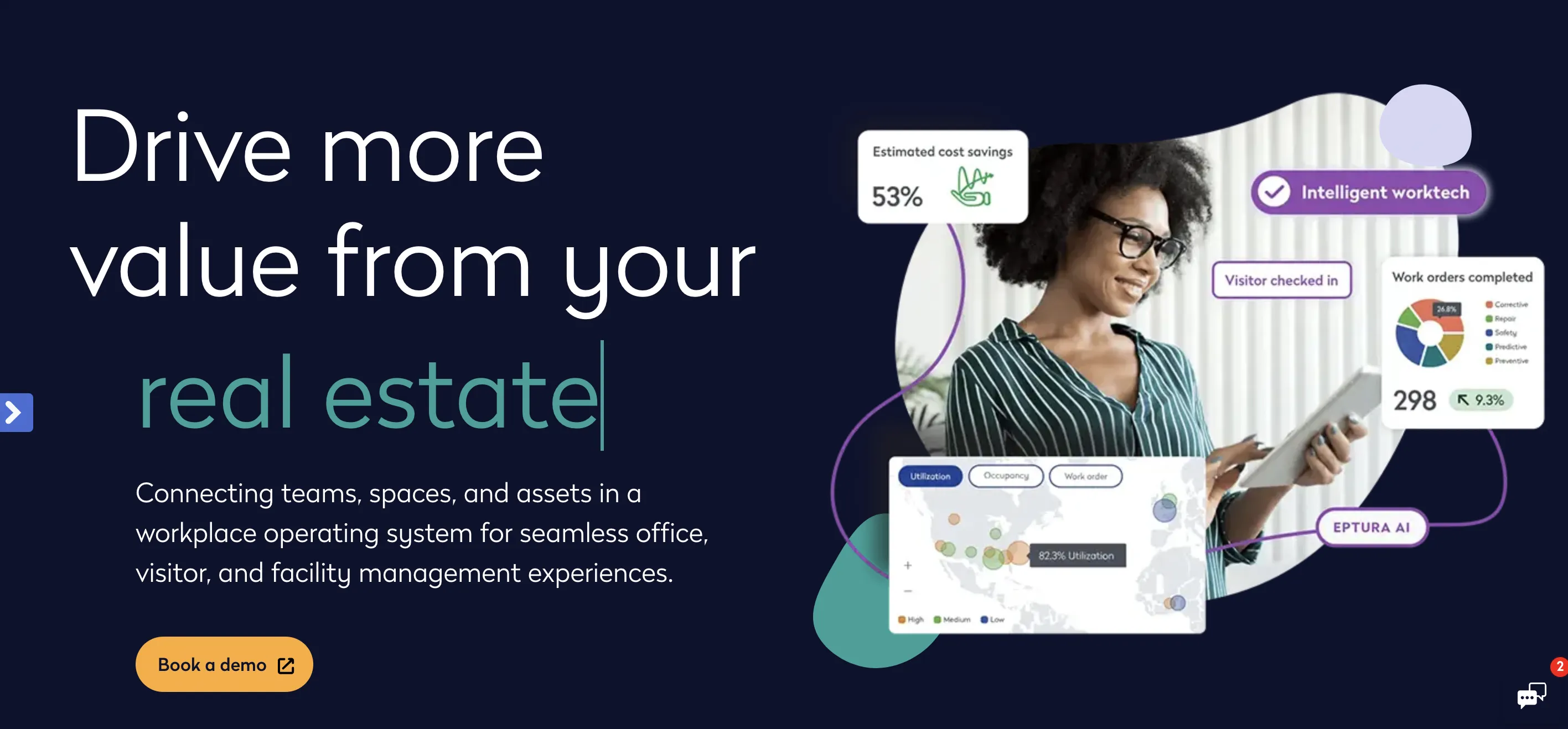
Eptura is a workplace and facility management software suite that helps organizations optimize real estate portfolios, streamline operations, and enhance employee experience.
Key Features
- Asset Management: Visualize and manage all workplace assets directly on digital floor plans. Track asset lifecycles, maintenance schedules, and performance to minimize downtime.
- Facility Management: Centralize maintenance, vendor coordination, and building operations in a single system for smarter, faster facility oversight.
- Space Reservations: Enable employees to reserve desks, rooms, parking spots, or storage spaces effortlessly through interactive maps.
- Space Planning: Optimize occupancy and moves with real-time data insights. Seamlessly integrates with Autodesk floor plans for precise space visualization.
- Visitor Management: Digitally welcome guests with automated check-ins, access control integrations (ACS), and emergency management features that enhance building security.
Who It’s Best For
Eptura is built for enterprise organizations managing complex real estate portfolios or multi-site operations across industries such as business services, education, energy and transportation, healthcare, government, and technology.
Pricing
Costs depend on the modules selected. Pricing details are not publicly listed, and organizations must request a custom quote tailored to their needs and scale.
Pros & Cons
What users like: Reviewers describe Eptura as a multifaceted and highly flexible platform that can be as structured or as fluid as needed. Customers highlight its knowledgeable implementation team, ease of training, and enterprise scalability.
What could improve: Some users would like to see stronger support, simpler API integrations, and a richer mobile feature set for on-the-go facility management.
7. Eden
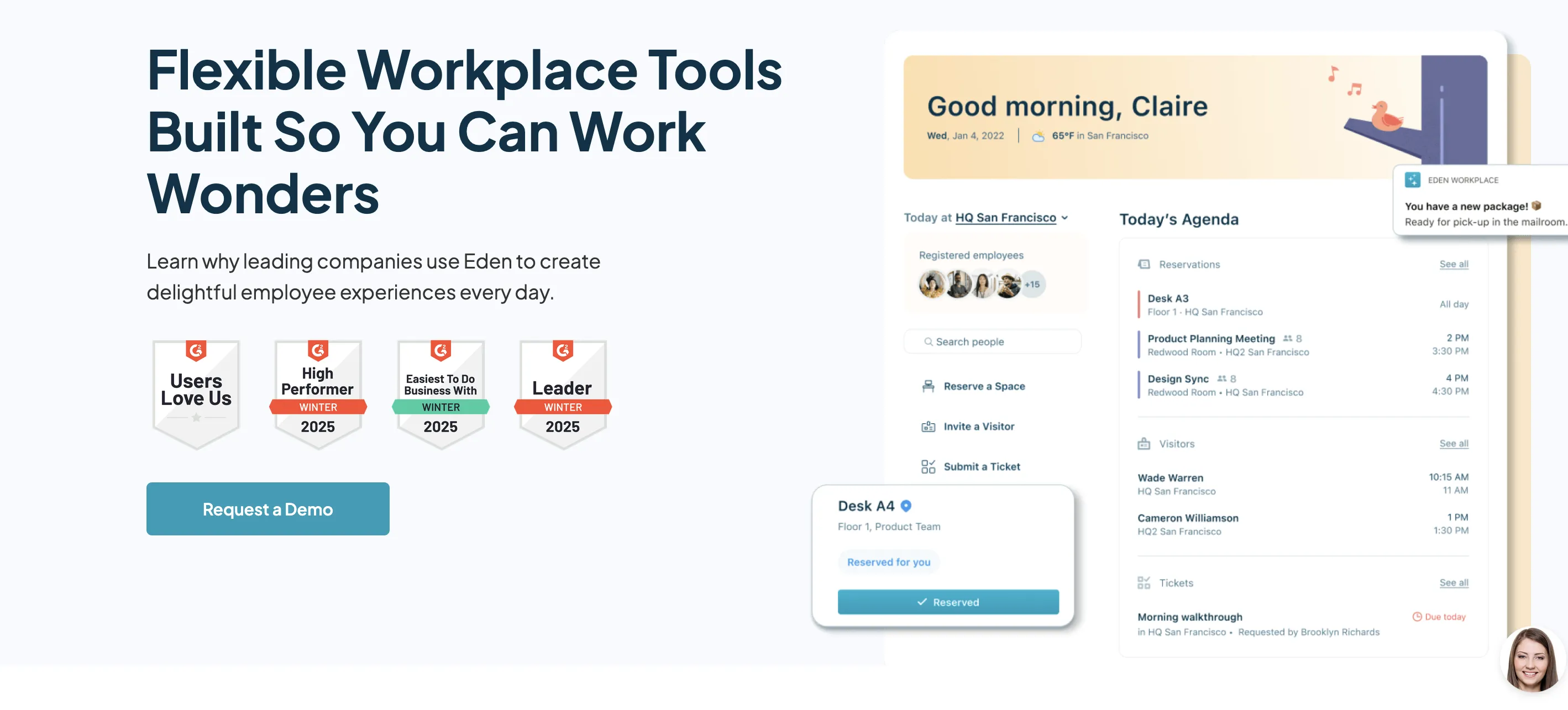
Eden offers a suite of flexible workplace tools designed to help organizations manage hybrid offices, enhance employee experiences, and streamline daily operations.
Key Features
- Desk Booking: Enable employees to easily reserve desks, manage hybrid schedules, and create an engaging, flexible office experience.
- Room Scheduling: Simplify meeting room coordination, avoid double bookings, and improve collaboration through real-time room availability.
- Visitor Management: Automate guest check-ins with pre-registration and notifications, ensuring a smooth and secure visitor experience.
- Deliveries Management: Streamline mailroom and package tracking with digital delivery logs and notifications that reduce front-desk clutter.
- Internal Ticketing: Manage support requests across departments with a single help desk tool, improving response times and internal communication.
Who It’s Best For
Eden is ideal for small to mid-sized organizations transitioning to hybrid work or looking to improve daily office coordination without heavy IT overhead.
Pricing
Eden uses a modular, pay-for-what-you-need model. Pricing varies based on selected modules, so it’s best to consult Eden’s pricing page or request a tailored quote for accurate cost estimates.
Pros & Cons
What users like: Many reviewers praise Eden for its functional worksite management and note that it helps maintain order and efficiency when moving into new or hybrid spaces. Customers also appreciate its affordable pricing, clean design, and how it “serves its purpose” for growing organizations that need essential workplace tools without enterprise complexity.
Where users see challenges: Some mention minor bugs and syncing issues between the desktop and mobile versions, occasional notification overload, and a learning curve for non-technical users.
Success Stories of Organizations Using Workplace Management Software
Now that we’ve discussed workplace management software’s various facets and benefits let’s delve into several real-life scenarios.
Mercury Insurance
Mercury Insurance, a prominent multi-line insurance provider, has significantly enhanced its office operations by adopting YAROOMS workplace management software.
After the pandemic, the company switched to a hybrid work model and faced challenges managing office space. YAROOMS was the perfect solution, allowing easy office returns and customizations like personalized floor plans and links to internal tools.
Workplace management software empowered all Mercury Insurance’s employees to reserve desks, offices, and conference rooms that best match their needs. It has also streamlined operations for the Facility Management team, ensuring employees have a designated workspace with everything they need for a successful workday. Additionally, the software tracks daily desk usage, facilitating prompt cleaning and sanitization.
Mercury Insurance now benefits from a hassle-free space booking solution that minimizes human errors, offers insightful analytics on space utilization, and enhances the overall safety and efficiency of the office environment.
Saipem
Saipem has made a significant leap in workplace management by adopting YAROOMS for space booking and hybrid work planning. This transition was part of their strategic move to a new Milan office, designed to foster a positive hybrid working experience among its diverse workforce.
With YAROOMS, Saipem has effectively navigated the challenges of downsizing its physical office space while accommodating the growing number of employees. The workplace management software continuously ensures seamless workspace booking, facilitating a smooth operation across different departments. It supports Saipem’s hybrid work model, allowing employees to schedule work from home or the office through a user-friendly interface.
Implementing workplace management technology has significantly improved workplace productivity and efficiency at Saipem, marking a successful step towards optimizing office resources and enhancing employee work experience.
Dr. Martens
Dr. Martens, the iconic British footwear brand, recognizes the importance of cultivating a future-ready workplace to adapt to the changing work dynamics. A vital aspect of this strategy involves activity-based working and fostering a collaborative workspace. However, accommodating the expanding workforce and managing flexible workspaces posed significant challenges for Dr. Martens.
To address this, the company adopted YAROOMS workplace management software. It streamlined space management across three office locations, enabling employees to easily navigate their workplace, book desks, and collaborate. The solution brought transparency and freed up resources for Dr. Martens to focus on further organizational enhancements. Today, Dr. Martens continues to build a future-proof workplace that evolves alongside its business.

Planning for Successful Implementation of Workplace Management Software
An organized and well-thought-out approach is critical when planning to implement workplace management software. Unforeseen challenges can arise during the process, but proper planning and comprehensive strategies can mitigate these potential obstacles.
Strategic Business Alignment
Firstly, it’s pivotal that the selected workplace management software aligns well with your company’s strategic goals. Not every tool will suit every business model. Tailoring the implementation to your unique objectives ensures that you maximize benefits from this investment.
Stakeholder Involvement
Secondly, involve appropriate stakeholders in all stages of implementation—from selection to rollout. This could include HR managers, facility teams, IT departments, top-level executives, or sometimes even employees themselves. Their inputs provide insightful perspectives, ensuring a more seamless transition.
Vendor Support and Training
Vendor support is another key aspect to consider. It is essential to choose workplace management software vendors that offer extensive implementation assistance and end-user training provisions. Working with new technologies becomes easier and more rewarding when adequate guidance is available.
Pilot Testing and Adoption
Before going live company-wide, conduct pilot testing within limited groups or departments. Identifying bugs or inefficiencies before full-scale deployment helps avoid unnecessary disruptions later.
Future Trends In Workplace Management Software
Future trends in workplace management software are poised to focus heavily on enhanced integration and automation, particularly within IWMS platforms. IWMS systems will increasingly incorporate advanced analytics and AI to optimize space utilization, work orders, and energy consumption as organizations seek to optimize their operations. Real estate management and portfolio management will benefit from more sophisticated forecasting tools that allow businesses to optimize their assets and investments. Additionally, the evolution of the software platform will emphasize seamless connectivity across various business functions, enabling organizations to holistically manage their physical and digital work environments within a unified IWMS framework.
With the rise of remote and hybrid work models, software solutions will increasingly focus on seamless integration with various communication and collaboration tools to facilitate efficient workflow across distributed teams. Additionally, there will be a greater emphasis on personalization, with software adapting to individual preferences and work styles to optimize productivity and engagement.
Wrapping Up: The Growing Significance of Workplace Management Tech
Integrating workplace management tech into office operations is becoming less of a luxury and more of a necessity, especially in facilities management. This digital shift simplifies mundane tasks and boosts efficiency and productivity, fostering smoother team collaborations. For instance, facilities management tasks such as processing work orders or managing capital projects can be streamlined, allowing staff to focus on more strategic activities.
While adopting new technology may seem daunting initially, a workplace management software platform is designed to do the opposite—simplify processes and create productive environments where individuals can thrive. Consider real-world scenarios: wasting time searching for meeting rooms or desks becomes a thing of the past with desk reservations and space booking features, and visitor management tools ensure smooth check-ins for essential clients.
Workplace management software drives growth and prosperity by supporting hybrid work models, providing data analytics for informed decisions in real estate management and portfolio management. As organizations witness exponential employee satisfaction and operational efficiency improvements, the return on investment becomes apparent. Embracing this technology is essential for thriving in an increasingly digitized world and seizing its potential for success.
FAQ: Workplace Management Software
How Does Workspace Management Technology Help Reduce Operational Errors?
Workspace management technology reduces operational errors by automating manual tasks, improving visibility, and standardizing processes across the workplace.
Here’s how it helps:
- Automation: Eliminates double bookings, scheduling conflicts, and manual data entry through smart desk and room booking systems.
- Real-time visibility: Interactive floor plans and occupancy dashboards show accurate space usage, reducing miscommunication between teams.
- Centralized data: A single platform connects booking, visitor management, and maintenance workflows, preventing gaps or duplicated work.
- Rule-based workflows: Built-in permissions and approval settings ensure policies are followed consistently.
By minimizing human error and streamlining coordination, workspace management software creates smoother daily operations and more reliable workplace data.
How Can Workspace Management Solutions Assist With Government Compliance?
Workspace management solutions help organizations maintain government and industry compliance by centralizing data, automating documentation, and enforcing standardized policies across all locations.
Key ways they support compliance include:
- Access control and visitor logs: Automated visitor check-ins and digital records ensure full traceability for audits and security reviews.
- Data protection: Platforms support compliance with GDPR, ISO 27001, and other data privacy standards through encryption, access permissions, and secure storage.
- Health and safety monitoring: Tools track occupancy limits, air quality, and cleaning schedules to meet workplace safety regulations.
- Audit-ready reporting: Built-in analytics provide time-stamped activity logs and usage reports required for inspections or certifications.
In short, workspace management software helps organizations - including those in public sector and regulated industries - stay compliant by turning manual oversight into transparent, automated processes.
What Should Be Included in a Workplace Management Software Evaluation Checklist?
Evaluating workplace management software (WMS) requires assessing how well each platform aligns with your organization’s operational, technical, and user experience needs.
Here’s a checklist to guide your evaluation process:
Core Functionality
- Desk and meeting room booking
- Hybrid work scheduling
- Visitor management
- Space planning and occupancy tracking
- Workplace analytics and reporting
- Maintenance and service requests
Security & Compliance
- GDPR, ISO 27001, SOC 2, or HIPAA compliance
- Single sign-on (SSO) and role-based access control
- Secure data storage and encryption
- Visitor and access logs for audits
Integrations
- Microsoft 365, Outlook, Teams, and Google Workspace
- HR, IT, and facility management systems
- Access control, sensors, and building management tools
User Experience
- Intuitive interface (web and mobile)
- Fast onboarding and minimal training required
- Accessibility features and multilingual support
Analytics & Insights
- Real-time occupancy and utilization data
- Customizable dashboards and exportable reports
- Predictive analytics for space and cost optimization
Scalability & Support
- Multi-location and multi-role management
- 24/7 customer support and implementation assistance
- Regular updates and transparent roadmap
ROI & Cost Efficiency
- Clear pricing model and total cost of ownership (TCO)
- Demonstrated ROI through space savings or automation
- Built-in tools (like ROI calculators) to estimate impact
Quick tip: when comparing workplace management platforms, score each feature category from 1 to 5 based on importance and performance. This structured approach helps identify which workplace management solution best supports your hybrid work strategy and long-term operational goals.
What Are the Training Requirements for Adopting Workspace Management Software?
Training requirements for adopting workspace management software are typically minimal but structured around three focus areas:
- Employee onboarding: Short tutorials or guided walkthroughs help staff learn how to book desks and rooms, check in visitors, or use mobile apps.
- Admin training: Facility, HR, and IT teams need deeper training on configuration, integrations, analytics, and user management.
- Change management: Clear communication, quick-start guides, and ongoing support ensure smooth adoption and consistent use.
Most modern platforms (like YAROOMS, Robin, or OfficeSpace) provide onboarding tools and support teams, making training fast and easy for organizations of any size.
Workplace of the future. Today.
See how YAROOMS integrates with Microsoft 365 to create a seamless workspace booking experience.