
15 Best Hybrid Workplace Software in 2026: Tested & Scored
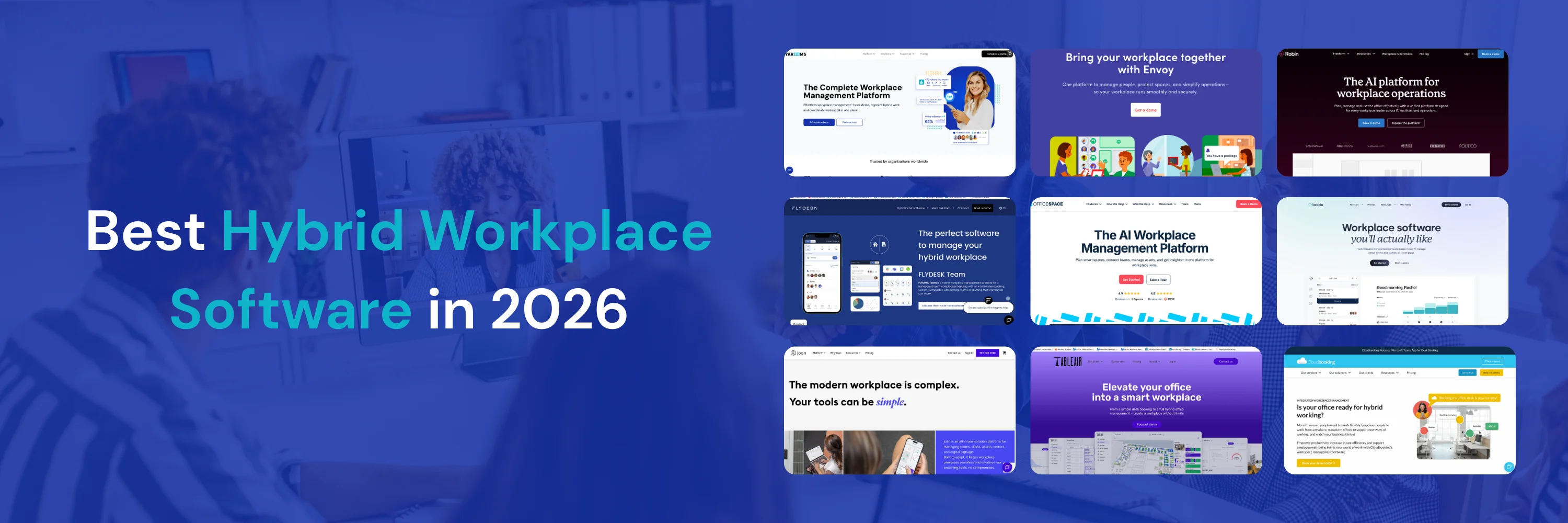
As of July 2026, the best hybrid workplace software platforms are YAROOMS (8.9/10), Envoy (8.7/10), Kadence (8.6/10), deskbird (8.6/10), and Tactic (8.5/10). They unify desk and room booking, hybrid scheduling, visitor management, and workplace analytics in a single system for organizations managing flexible work across one or more offices. Based on our evaluation of 15 platforms, each scored 1-10 across six criteria: core features, ease of use, integrations, compliance, pricing transparency, and verified customer feedback.
The hybrid workplace technology market was valued at $4.9 billion in 2023 and is projected to reach $21.1 billion by 2032 at a CAGR of 18.3% - driven by the shift to flexible work models, rising real estate costs, and the growing need for data-driven space decisions. As hybrid attendance creates unpredictable peaks and lulls, purpose-built software has moved from optional to essential infrastructure for workplace teams.
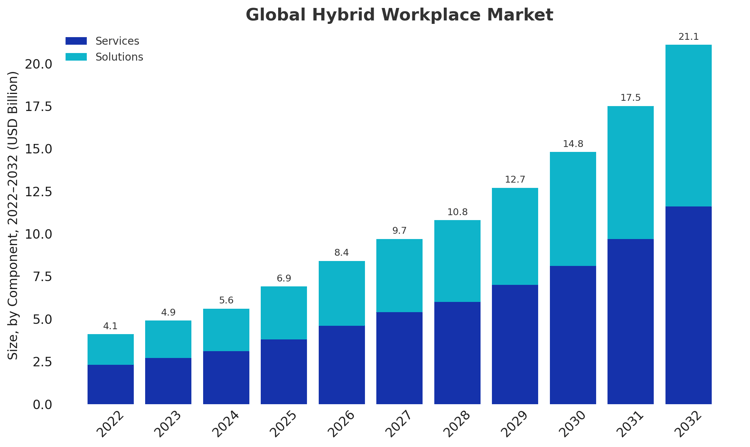
Global hybrid workplace market size 2022-2032. Source: market.us
In this guide you’ll find:
- Best hybrid work software solutions in 2026, scored 1-10 across six criteria
- Exact starting prices for all 15 platforms, verified July 2026
- Which platform fits your use case - enterprise, small teams, EU compliance, Microsoft 365, and more
- How to choose, what features matter, and what hybrid work software costs
How We Evaluated These Platforms
Each hybrid workplace platform in this guide receives a Workplace Software Score: six criteria rated 1-10, averaged to one decimal.
- Core features - desk and room booking, hybrid scheduling, visitor management, analytics, signage
- Ease of use and adoption - how quickly employees complete key tasks on web and mobile
- Integrations - Microsoft 365, Google Workspace, SSO/SCIM, HRIS, access control
- Compliance and security - SOC 2, ISO 27001, GDPR, data residency, role-based access
- Pricing transparency and value - public pricing, predictability as you scale
- Customer feedback - ratings and recurring themes across verified G2, Capterra, and Gartner Peer Insights reviews, all re-verified in July 2026.
And yes - YAROOMS builds one of these platforms. That's exactly why the criteria, weights, and scores are published in full: so you can weigh them yourself, disagree with them, and check every pricing claim against the vendor's own site.
Quick Picks: What Is the Best Hybrid Workplace Software for Your Use Case?
The right hybrid workplace software depends on your organization's size, compliance requirements, and how many workplace functions you need in one place. Use this table to shortlist fast.
| Use case | Best picks | Why |
|---|---|---|
| Best all-in-one platform | YAROOMS, Kadence | YAROOMS covers booking, scheduling, visitors, signage, and analytics with the broadest compliance stack; Kadence adds team coordination and workplace events on top of core booking. |
| Best for enterprise | YAROOMS, Robin, OfficeSpace | YAROOMS pairs enterprise compliance with transparent pricing; Robin brings AI booking and surveys at scale; OfficeSpace adds IWMS-grade space planning for real estate teams. |
| Best for Microsoft 365 users | YAROOMS, TableAir | YAROOMS offers native Teams/Outlook/Entra ID integration with Yarvis AI booking inside Teams; TableAir's whole ecosystem is built around two-way Microsoft sync. |
| Best for small teams | Officely, UnSpot, FLYDESK | Officely lives in Slack/Teams with a free tier; UnSpot starts at $50/company; FLYDESK adds leave management from ~$2/user. |
| Best for EU compliance | deskbird, YAROOMS, Joan | deskbird is Swiss-based and GDPR-first; YAROOMS adds SOC 2 Type II + ISO 27701 with EU residency; Joan keeps encrypted data on EU servers only. |
| Best for visitor-heavy offices | Envoy, YAROOMS | Envoy's visitor, delivery, and screening workflows are best-in-class; YAROOMS builds comparable visitor management into a full platform. |
| Best for AI-powered booking | YAROOMS, Robin, Kadence | Yarvis books via natural language in Teams; Robin recommends desks by preferences and teammates; Kadence includes its AI agent in every plan. |
| Best for hybrid culture | Kadence, Officely | Kadence runs workplace events and neighborhoods; Officely auto-creates office-day channels and suggests the best days to come in. |
| Best for digital signage & hardware | Joan, YAROOMS, elia | Joan's e-Paper displays lead the category; YAROOMS syncs room, desk, and lobby displays with live bookings; elia ships its own sensors and screens. |
| Best for HR-led coordination | Tactic, deskbird | Tactic uniquely pairs booking with time-off management; deskbird syncs with dozens of HRIS tools. |
| Best for regulated industries | YAROOMS, Cloudbooking, Robin | YAROOMS holds the broadest certification stack; Cloudbooking is built for government and aerospace; Robin adds ISO 27001 + CSA STAR. |
| Best for predictable pricing | TableAir, UnSpot, Archie | All three publish per-resource rates - you pay for spaces, not headcount. |
What Is Hybrid Workplace Software?
Hybrid workplace software is a category of digital tools that helps organizations manage flexible work models - coordinating employees who split time between home and office, managing shared spaces like desks and meeting rooms, and providing analytics to guide real estate and policy decisions.
Unlike older workplace management systems, hybrid workplace platforms are built with a people-first approach. They go beyond space management, helping teams organize hybrid work and make it run smoothly.
For employees, this means clarity: knowing who will be in the office, how to access shared resources, and where to collaborate. For organizations, it means visibility: reliable data on attendance and space use that informs real estate decisions, office layouts, and workplace policies.
In short, hybrid workplace software keeps flexible work practical for employees while giving organizations the insight they need to manage offices efficiently.
Examples of Hybrid Workplace Management Software
The market for hybrid workplace solutions has expanded quickly, and organizations now have a wide range of options to choose from. These tools vary in focus and scope:
Point solutions: Lightweight tools that solve a specific need, such as team coordination or desk booking.
Mid-range platforms: Apps that combine several core functions, like room booking and visitor management, in a single interface.
Comprehensive ecosystems: Full hybrid workplace platforms, such as YAROOMS, that unify scheduling, booking, visitor management, analytics, and digital workplace experiences.
Well-known examples in the space include Envoy, Kadence, OfficeSpace, deskbird, Tactic, Robin, Joan, and YAROOMS. We’ll explore these vendors in more detail below, looking at their strengths, challenges, and best-fit use cases.
How Does Hybrid Workplace Software Work?
At its core, hybrid workplace software connects three things: people, spaces, and data.
People: Employees move between home and the office. The software shows who will be on-site and when, helping teams coordinate face-to-face time, simplify collaboration, and reduce the friction of hybrid schedules.
Spaces: Desks, meeting rooms, and other shared resources are no longer fixed. Hybrid platforms make them visible and easy to reserve, preventing double bookings, overcrowding, or wasted space, while ensuring employees have a smoother, more predictable workplace experience.
Data: Every booking, schedule, and check-in builds a data trail. Over time, this creates a reliable picture of how offices are used. Facility managers and workplace operations teams can use these insights to refine layouts, adjust policies, and make smarter real estate decisions.
In short, hybrid workplace software works by giving people clarity and access to spaces, making collaboration in the office easier and the overall experience smoother. As those interactions happen, the system generates data that facility managers and workplace ops teams can rely on to run flexible offices efficiently and sustainably.
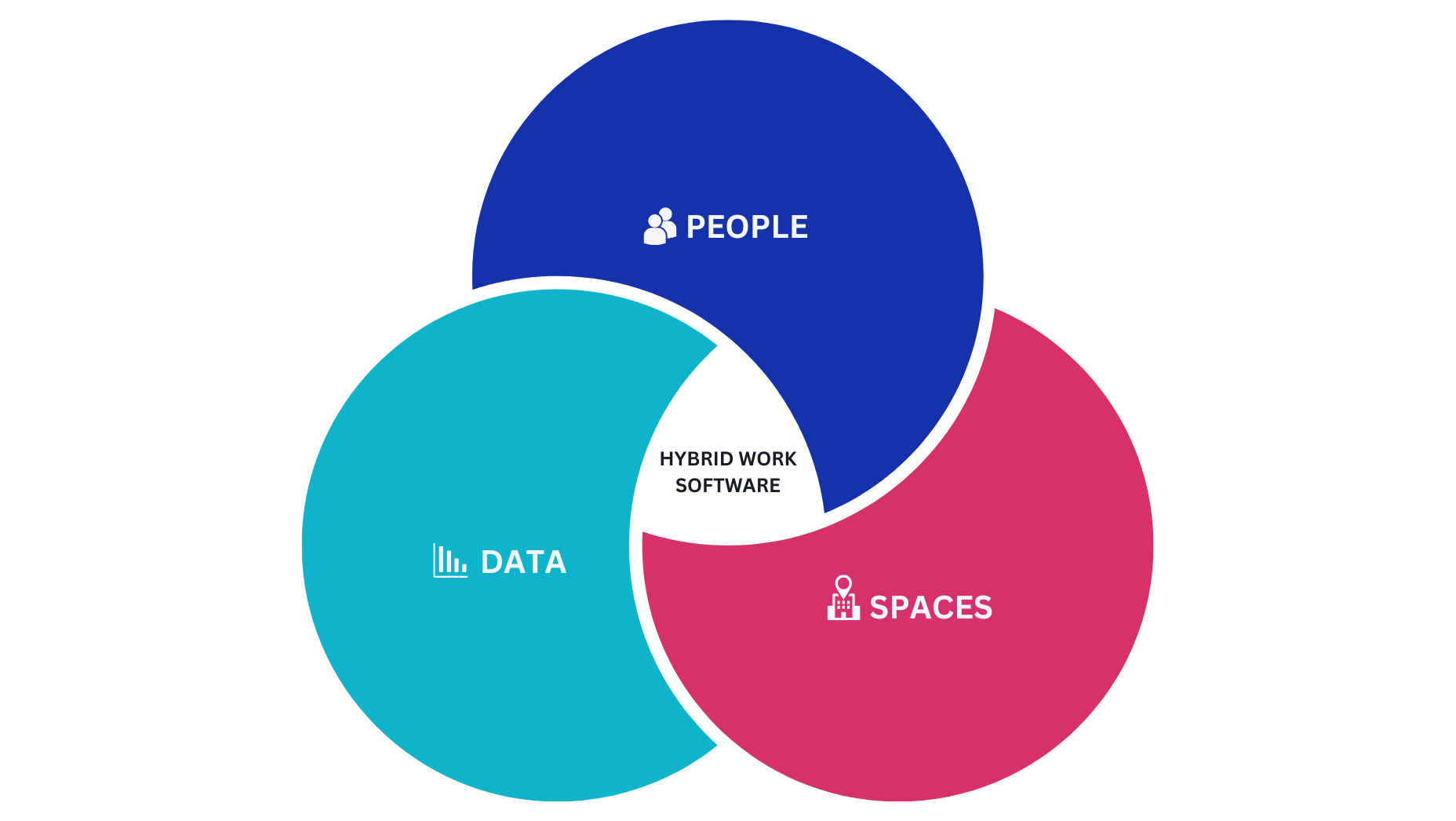
Hybrid workplace software connects people, spaces, and data.
What Features Should Hybrid Workplace Software Have?
The most important features in hybrid workplace software are desk and room booking, hybrid work scheduling, visitor management, occupancy analytics, digital signage, mobile access, and integrations with Microsoft 365 or Google Workspace. Hybrid work makes offices less predictable - people come in on different days, spaces are shared, and usage patterns change constantly. Without the right tools, employees lack clarity and managers lack visibility.
Hybrid work software solves this with a set of key features:
Space & Resource Booking
Employees need a simple way to reserve desks, rooms, or other shared resources. Booking systems prevent double reservations and wasted time, while giving workplace teams visibility into how space is actually used.
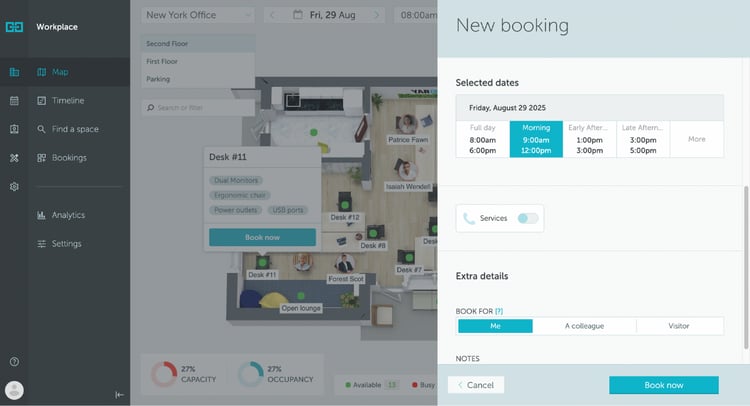
Example of a desk booking process
Hybrid Work Scheduling
A shared hybrid work calendar shows who’s working from home and who’s in the office. This makes coordination easier for teams and helps workplace ops balance office traffic across the week.
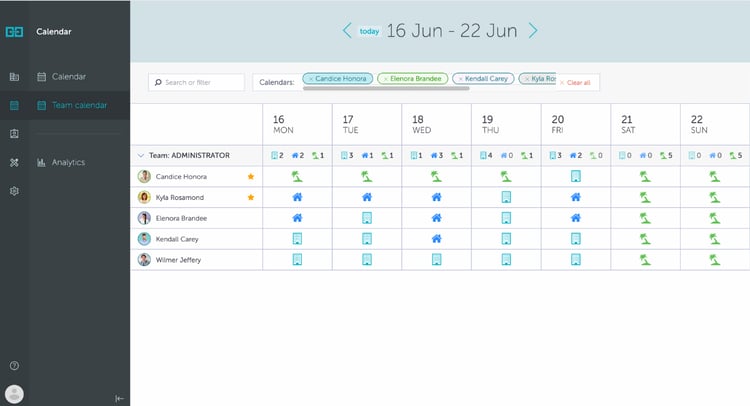
Shared hybrid work calendar that shows which team members are in the office and which are remote or on vacation.
Visitor Management
Hybrid workplaces welcome guests, contractors, and partners on irregular schedules. Digital visitor management ensures smooth check-ins, better security, and reliable records for compliance.
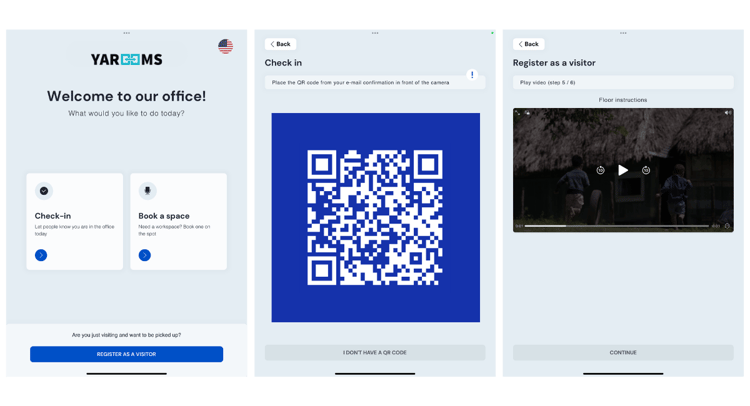
Example of visitor registration with QR code check-in and video preview
Analytics
Every booking and check-in generates data. Facility managers and workplace ops teams can use workplace analytics to optimize layouts, cut real estate costs, and adapt hybrid policies based on actual usage patterns.
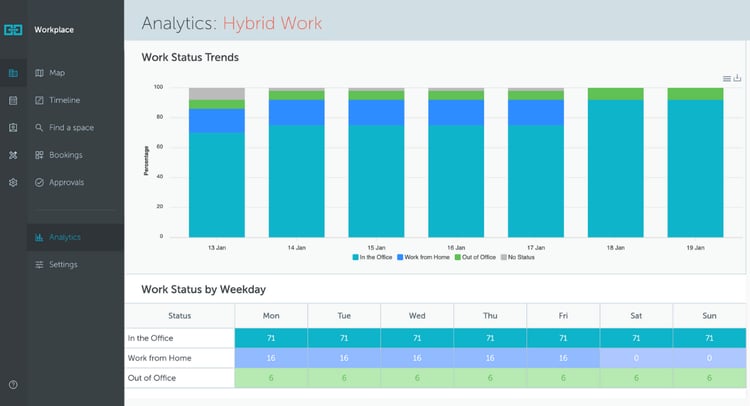
Example of hybrid work analytics
Digital Signage
Hybrid offices change often. Workplace digital signage (room panels, lobby screens, desk signs) shows real-time availability, wayfinding directions, and announcements. Employees and visitors navigate confidently, while workplace teams cut down on confusion and no-shows.
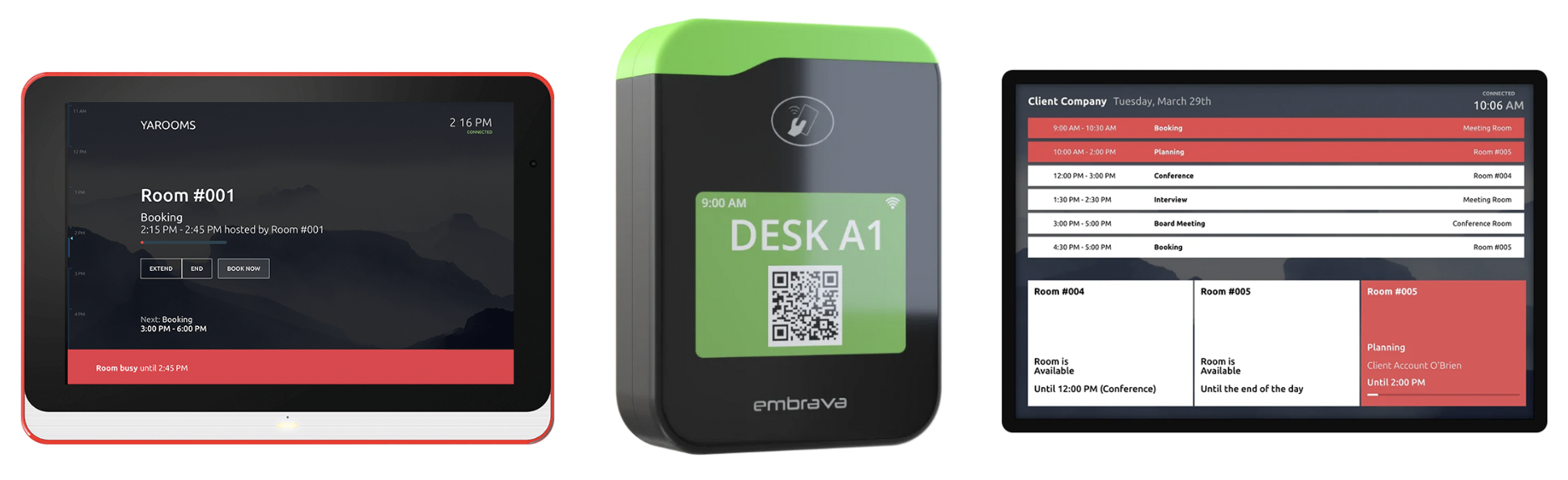
Digital signage devices showing live desk and room availability, plus upcoming office events.
Mobile Access
Employees plan their days on the go. Mobile apps let them book desks, see who’s in, or check visitors while away from their computer, keeping hybrid work flexible and accessible.
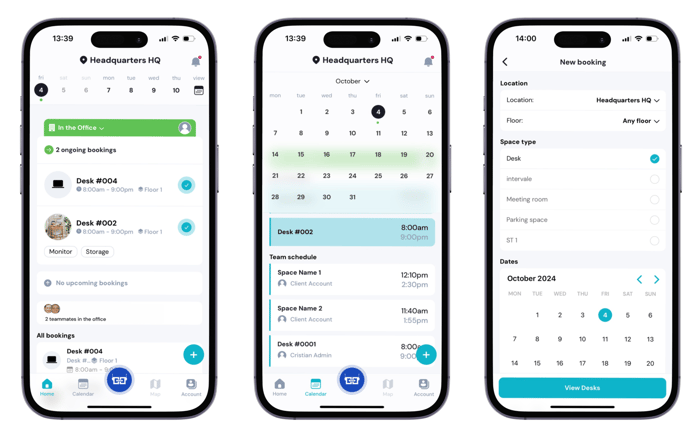
Hybrid workplace app for employees
Integrations
Hybrid work software should connect with the tools people already use - calendars, collaboration apps, and identity systems. This keeps adoption high and avoids creating another silo.
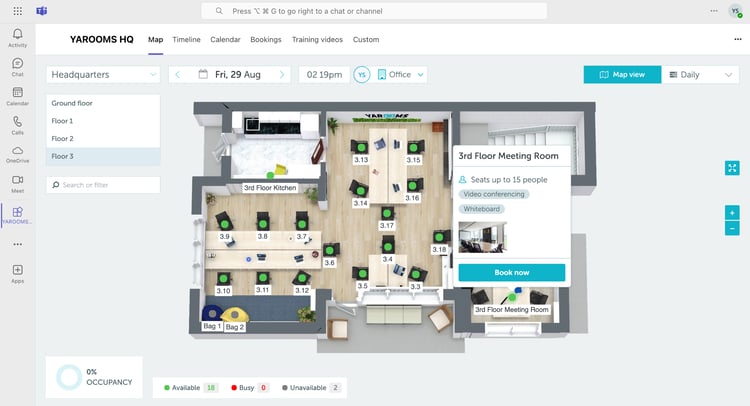
Hybrid workplace software with native Microsoft Teams integration
How Do You Choose the Right Hybrid Workplace Software?
Choosing the right hybrid workplace software comes down to seven factors: fit with your immediate challenges, ease of adoption, integration with existing tools, multi-site scalability, vendor support quality, compliance certifications, and pricing model relative to expected ROI. Despite the importance of individual features, the decision is less about ticking boxes and more about overall fit with your organization.
How Do You Match Hybrid Software Features to Your Needs?
The right hybrid workplace software features depend on your most pressing operational challenge - whether that is scheduling conflicts, visitor management, space underutilization, or multi-site coordination. Start by identifying your core challenges and prioritize tools that address today's pain points while leaving room to grow into advanced features over the next 12–24 months.
"There’s one thing that makes a software purchase a good one – it solves a problem or challenge you were facing that was costing a significant amount of time, money, or resources, or a combination of any of those things." -- Cynthia Davies, Founder & CEO at Cindy’s New Mexico LLC.
How Important Is Ease of Use in Hybrid Workplace Software?
Ease of use is the single biggest driver of hybrid workplace software ROI - a system employees find confusing or time-consuming will not be used consistently, which defeats the purpose of the platform. Even the most powerful system fails without adoption, so look for software where employees can complete key tasks in just a few clicks, ideally via mobile.
“Our priority was making sure the tool would be easy for our team to handle. We offered thorough training and walkthroughs to get everyone comfortable and didn’t hesitate to contact customer support.” -- Allan Stolc, CEO at Bankly
What Integrations Matter Most in Hybrid Workplace Software?
The most important integrations for hybrid workplace software are Microsoft 365 (Outlook, Teams, Azure AD), Google Workspace (Calendar, Directory), SSO providers (Okta, Azure AD), and HRIS systems for employee data sync. Hybrid work software should fit into your daily workflow, not add another silo - confirm it connects with your calendar system, collaboration tools, and identity systems before committing.
"One of the universal criteria we use to evaluate new tools is compatibility with our existing systems - we want to make sure it would be easy for our team to adapt to and integrate into their workflows" -- Michael Alexis, CEO at Teambuilding
How Scalable Does Hybrid Workplace Software Need to Be?
Hybrid workplace software needs to support multi-site management, region-specific compliance rules, and growing user bases without requiring a platform migration - making scalability a critical evaluation criterion for any organization with more than one office or plans to expand. As your office footprint evolves, the platform should scale with you.
What Should You Expect from a Hybrid Workplace Software Vendor?
A hybrid workplace software vendor should provide structured onboarding, training resources, defined SLAs, and responsive ongoing support - particularly for global or enterprise teams that need localized assistance across time zones. A smooth rollout depends on vendor support, and the quality of that support often determines long-term adoption.
"Customer support and training are also top of mind. It’s important to us that the provider delivers strong resources - comprehensive guides, effective training, and responsive assistance - so our team can fully leverage the software" -- Jon Morgan, CEO at Venture Smarter
What Security Standards Should Hybrid Workplace Software Meet?
Hybrid workplace software should meet SOC 2 Type II, ISO 27001, and GDPR as a minimum baseline - with HIPAA compliance required for healthcare organizations and FedRAMP or equivalent for government deployments. Workplace data includes sensitive employee and visitor information, so role-based access controls and SSO support are non-negotiable for enterprise deployments.
How Do You Calculate the ROI of Hybrid Workplace Software?
The ROI of hybrid workplace software is calculated by comparing real estate savings (from reduced desk ratios and freed floor space) against the annual software cost - most organizations recover their investment within 6–12 months once desk utilization data drives consolidation decisions. Evaluate how the pricing model scales with your organization, and ask vendors for an ROI calculator to quantify expected savings before committing.
"One of the key criteria I use when evaluating these tools is pricing. I know that good software often comes at a cost, but I also need to be sure it delivers real value. Since my company is a fast-growing startup, I pay close attention to how well the pricing model scales with our needs. It’s all about making sure that the software can scale with us without incurring excessive costs." -- Tomek Młodzki, CEO at PhotoAiD
| Factor | Why It Matters | Key Questions to Ask |
|---|---|---|
| Needs & Features | Solves your immediate challenges | Which problems must we fix first? |
| UX & Adoption | Drives ROI through employee use | Is it intuitive and mobile-friendly? |
| Integrations | Prevents new silos | Does it sync with our calendars, ID, and apps? |
| Scalability | Avoids costly migrations | Can it support multi-site, multi-region setups? |
| Support | Ensures smooth rollout & adoption | Do they offer onboarding & localized support? |
| Security | Protects sensitive data | Which standards/certifications are covered? |
| Pricing & ROI | Measures true value, not just cost | How soon can we see savings? |
Choosing hybrid work software: decision framework
What Are the Best Hybrid Workplace Software Solutions in 2026?
| Platform | Score | Starting price (July 2026) | Integrations | Certifications | Best for |
|---|---|---|---|---|---|
| YAROOMS | 8.9 | from $99/mo | Teams, M365/Outlook, Google Calendar, Entra ID, API | SOC 2 II, ISO 27001/27701, GDPR | All-in-one platform with enterprise compliance |
| Envoy | 8.7 | free tier; modules from $5/resource/mo | 100+: access control (Brivo, Verkada), calendars, Slack, Teams, SSO | SOC 2 II, GDPR, CPRA | Visitor-heavy, security-conscious offices |
| Kadence | 8.6 | quote only | Teams, Slack, calendars, SSO, HRIS, Jira/Zendesk, API | SOC 2, GDPR, Cyber Essentials | Hybrid culture and team coordination |
| deskbird | 8.6 | from €2.75/user/mo | 200+: native Teams, M365, HRIS (Workday, Personio), SSO, API | SOC 2 II, ISO 27001, GDPR | EU-based hybrid teams |
| Tactic | 8.5 | modular, per resource | Slack, Teams, calendars, HRIS, SSO, access control | SOC 2 I & II | HR-led coordination with time-off |
| Officely | 8.4 | free ≤5 users; from $2.50/user/mo | Slack, Teams, calendars, HR/payroll (BambooHR, Personio) | relies on Slack/Teams security | Slack/Teams-native simplicity |
| Robin | 8.4 | quote only | M365, Google, Slack, Zoom, Okta, access control | SOC 2 II, ISO 27001, CSA STAR | AI booking + surveys at enterprise scale |
| Archie | 8.4 | from $2.80/desk/mo (min $159/mo) | Teams, Slack, Google, Zoom, door access, Stripe, API | none published | Attendance visibility at per-resource prices |
| UnSpot | 8.3 | from $50/company/mo | M365, Teams, Google, Slack, Zoom, Zendesk | none published | Simple scheduling, lowest entry cost |
| Joan | 8.1 | from €49/mo | Google, M365, Slack, Teams, Webex, SSO, Zapier, API | ISO 27001:2022, GDPR | e-Paper signage-led workplaces |
| TableAir | 8.0 | from €3/desk/mo | Microsoft-centric: M365, Teams, Power BI, Azure AD; Google, Okta | ISO 27001, GDPR | Per-resource pricing + own hardware |
| elia | 8.0 | free ≤50 places; from $500/mo | Google Workspace, M365, Slack | ISO 27001:2022, ISO 9001, GDPR | Software + sensors + safety workflows |
| OfficeSpace | 7.9 | quote only | M365, Teams, Slack, Google, HRIS, sensors (VergeSense), API | SOC 2 | Enterprise space planning (IWMS) |
| Cloudbooking | 7.8 | from £99/mo | M365, Google Workspace, Entra ID | ISO 27001, Cyber Essentials | Secure sectors: gov, healthcare, aerospace |
| FLYDESK | 7.8 | from ~$2/user/mo | Slack, Teams, calendars, HRIS (BambooHR, Payfit) | none published | Budget scheduling + leave for small teams |
Top 15 hybrid workplace software platforms to consider in 2026: an overview
1. YAROOMS: Best All-In-One Hybrid Workplace Software
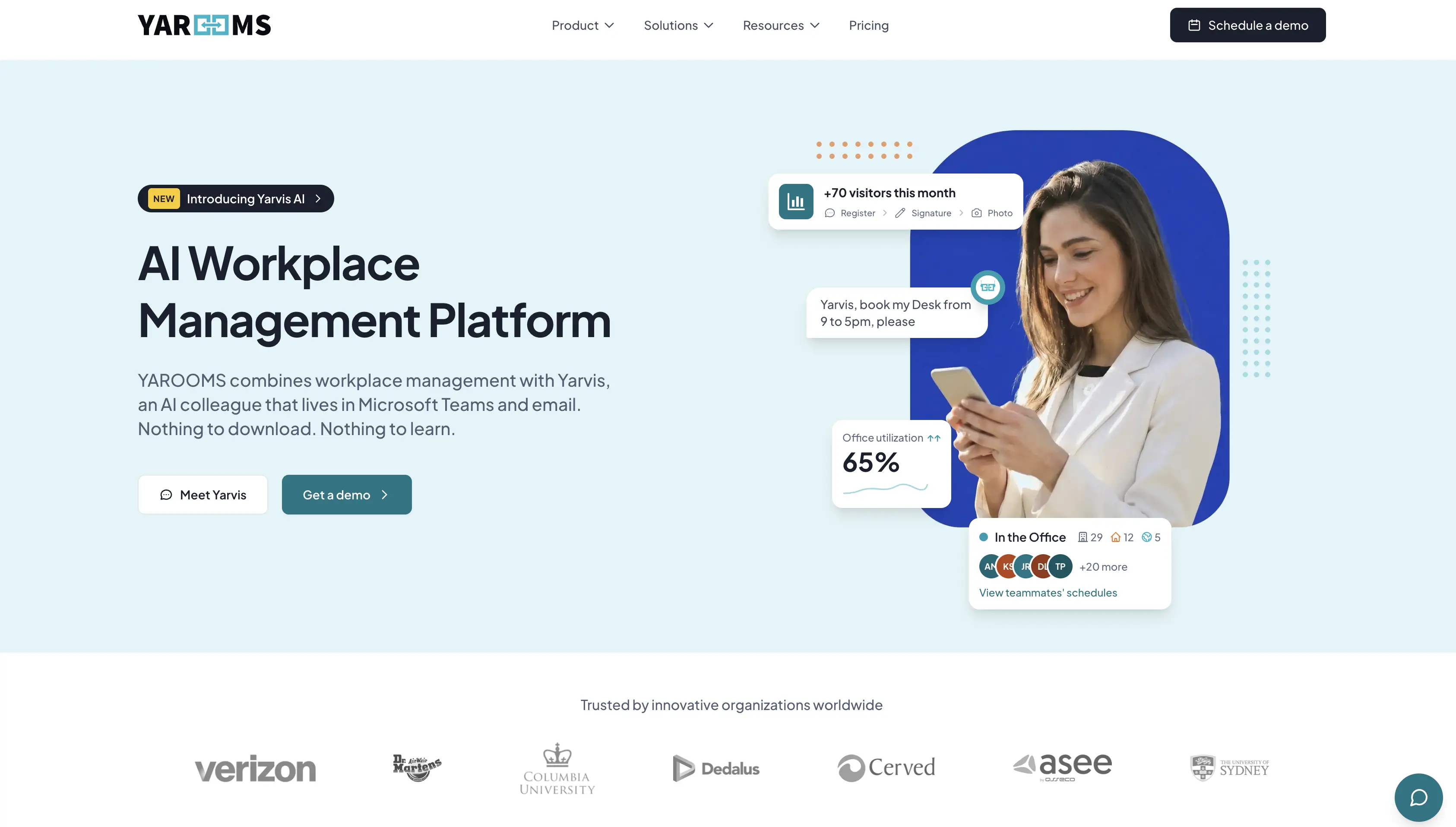
YAROOMS the complete hybrid workplace management platform that unifies desk and room booking, hybrid scheduling, visitor management, digital signage, and analytics in one system. It combines an easy experience for employees with clear business results - saving time on daily coordination and supporting smart decisions.
Feature Highlights
- Space & resource booking: Reserve desks, meeting rooms, parking, and workplace services (catering, IT, cleaning).
- Hybrid work scheduling: Shared team calendars improve visibility and help colleagues coordinate on-site days.
- Visitor management: Pre-registration, touchless check-in, and instant host notifications.
- Analytics & reporting: Dashboards show occupancy, no-shows, hybrid work patterns, employee satisfaction, and other useful reports.
- Mobile app: Employees can manage bookings and schedules on the go.
- Modern digital signage: Digital signage apps for room, desk or lobby displays.
Who It’s For
- Industry fit: YAROOMS is widely used in financial services, education, healthcare, government, and technology - sectors where hybrid workplace software must balance employee flexibility with compliance, security, and cost efficiency.
- Company size: Flexible enough for small teams but best suited for mid-size to large enterprises that manage multiple offices or regional locations. It’s especially valuable for companies that need strong Microsoft 365 integrations, detailed workplace analytics, and strong compliance.
Integrations
Microsoft Teams, Microsoft 365/Outlook, Google Calendar, Microsoft Entra ID, and API access for custom integrations.
Security & Compliance
YAROOMS is SOC 2 Type II, ISO 27001, ISO 27701, ISO 9001, ISO 14001, and GDPR compliant.
Pricing
YAROOMS pricing is flexible:
Small teams can get started with flexible work using the Starter plan from $99/month.
Growing companies can move up to the Business plan from $399/month, adding more complex integration and AI workplace agent.
Large enterprises can scale with the Enterprise plan from $899/month, which includes unlimited analytics, service requests, and custom integrations.
Visitor management is offered as a separate module, starting at $99 per location/month.
To support decision-makers, YAROOMS also provides an ROI calculator that helps estimate savings from reduced unused space, fewer no-shows, and more efficient workplace operations.
Estimate your hybrid workplace ROI
Add your country and team size to get a quick hybrid workplace savings estimate, then continue in the full ROI calculator.
Ease of Use and Adoption
Ease of use is where YAROOMS has the longest track record: for years running, it has been recognized on G2 and SoftwareReviews with badges like Easiest to Use and Easiest to Do Business With. Employees book a desk or room in a few clicks on web or mobile, and onboarding is consistently described as smooth. Yarvis AI agent takes this one step further by making the software effectively invisible - employees just type what they need in Microsoft Teams, and the booking happens without opening the platform at all.
Customer Feedback
- What customers like: Customers love YAROOMS for its intuitive interface, smooth onboarding, and strong Microsoft 365 integrations. Workplace managers highlight the depth of analytics for tracking occupancy and costs. They also note tangible ROI, like reducing unused office space, saving on real estate costs, and cutting down administrative overhead.
- Customer concerns: Some note that the platform may feel more advanced than small teams need. However, once configured, reviewers describe it as reliable, scalable, and future-proof.
Pros | Cons |
|---|---|
All-in-one hybrid workplace software (booking, scheduling, visitors, signage, analytics) | Initial setup might take planning to match company policies |
Strong integrations (Google Workspace, Microsoft 365, SSO, etc.) | May feel more advanced than very small teams need |
Delivers measurable ROI with space savings and efficiency gains | Frequent product updates mean admins need to stay up to date |
YAROOMS Workplace Management Platform: pros and cons
Final Score
8.9 for covering booking, scheduling, visitors, signage, and analytics in one system - with enterprise-grade compliance, transparent pricing, and award-winning ease of use on top. The tradeoff: initial setup takes planning, and the full platform can be more than very small teams need.
2. Envoy: Best for Visitor-Heavy Hybrid Workplaces
Envoy is an integrated workplace platform that brings together desk and meeting room booking, visitor and delivery management, and workspace analytics. It’s designed to make hybrid work feel seamless for both employees and managers.
Feature Highlights
- Booking & scheduling: Book desks and meeting rooms via mobile or web, with interactive floor plans, auto check-in, and reminders.
- Visitor & delivery management: Paperless sign-in with QR codes, pre-registration, badge printing, host notifications, and delivery alerts.
- Workplace safety & emergency tools: Visitor screening with blocklist and ID scanning, capacity limits, and emergency notifications to alert on-site employees.
- Analytics & space insights: Reports on occupancy, room usage, forecasting, and utilization trends to guide layout and real estate decisions.
Who It’s For
- Industry fit: Ideal for organizations that handle frequent visitors and deliveries (corporate offices, logistics-heavy environments) or high-security sectors like finance and healthcare.
- Company size: Designed for mid-sized to enterprise-level teams, especially those scaling across multiple locations or needing advanced compliance and integration capabilities.
Integrations
Envoy offers 100+ integrations, with particular depth in access control and physical security (Brivo, Verkada, Avigilon, C-CURE) alongside Outlook, Google Calendar, Slack, Teams, and identity providers.
Security & Compliance
Envoy holds SOC 2 Type II and complies with GDPR and CPRA, while visitor features like ID scanning, watchlist screening, and visitor logs help customers meet regulations such as ITAR, PCI DSS, and FISMA.
Pricing
Envoy prices everything as separate modules: Visitors starts free (100 entries/month), then $362 per location/month billed annually for Premium, with a custom Enterprise tier above it. Reservations run $5 per resource/month, Emergency Notifications $2 per user/month, Screens $12 per device/month, and Deliveries $250 per location/month - each with a platform fee stacked on top.
The real total is hard to pin down: it depends on your locations, users, resources, and module mix.
Ease of Use and Adoption
For everyday use, Envoy is one of the easiest platforms in this guide - employees, front-desk teams, and guests need minimal training. However, that simplicity doesn't extend to admins: initial setup can feel complex, according to the G2 reviews.
Customer Feedback
- What works well: Envoy is often praised for its intuitive design, smooth visitor check-ins, and reliable desk/room booking experience. Many highlight how easy it is for employees and guests to use without much training.
- Where users see challenges: Some admins mention the setup can be complex, and certain integrations (like printers or access systems) may require extra support. Advanced features are typically locked behind higher-tier plans, making some of the users look for Envoy alternatives.
Pros | Cons |
|---|---|
Highly intuitive booking and visitor workflows | Admin setup can feel complex or unintuitive |
Strong analytics for space optimization | Full suite requires higher-tier plans |
Robust visitor, delivery, and compliance features | Occasional integration hiccups (e.g., printers, badges) |
Broad integrations with business tools and systems | Per-user pricing can add up in large teams |
Envoy: advantages and limitations
Final Score
8.7, because Envoy delivers best-in-class visitor management and a polished booking experience, but complex setup and hard-to-predict modular pricing is what holds it behind.
3. Kadence: Best for Building Hybrid Culture Through Workplace Events
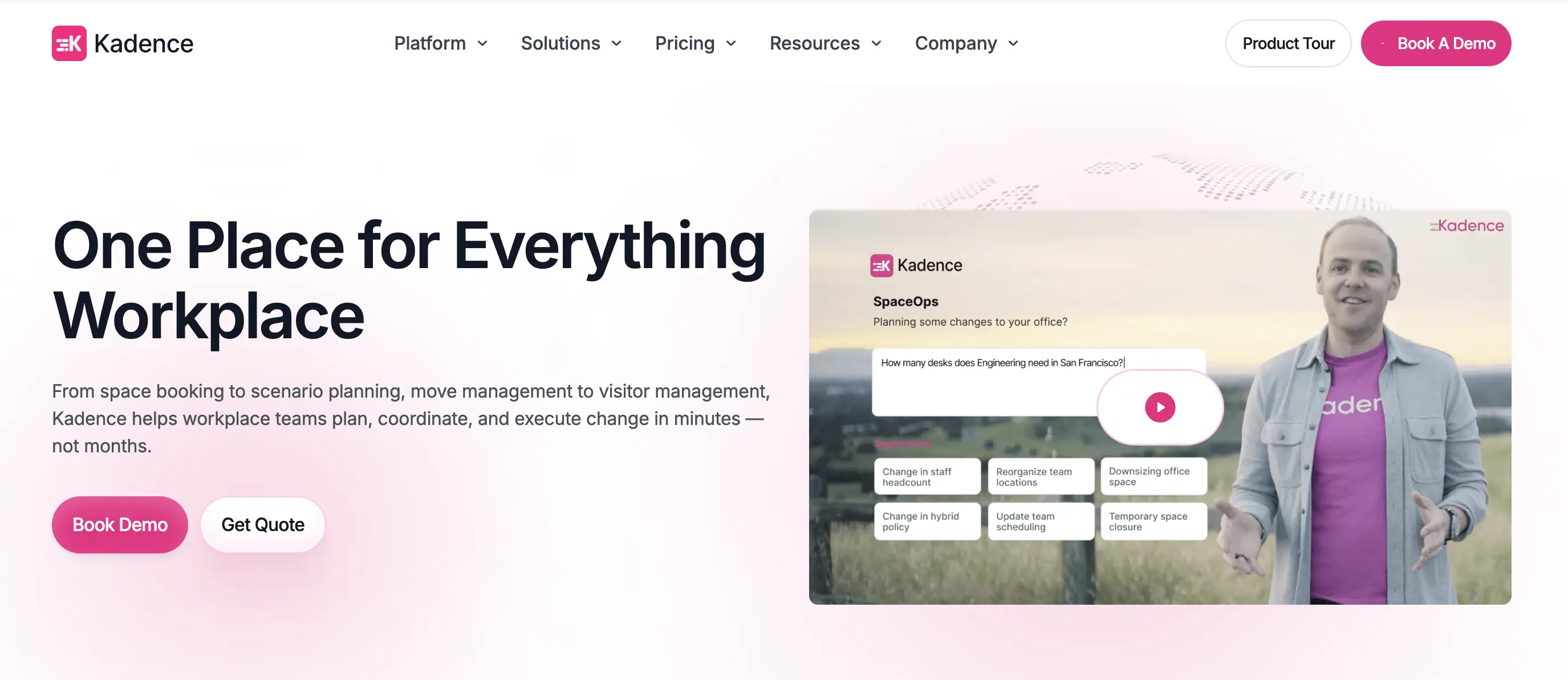
Kadence positions itself as the hybrid workplace "operating system," helping teams collaborate in-office with clarity and purpose. It blends desk and room booking, team scheduling, neighborhood zoning, workplace events, visitor workflows, and analytics into a cohesive platform.
Feature Highlights
- Desk & Room Booking: Reserve desks and meeting rooms through interactive floorplans, with visibility into availability and teammates nearby.
- Team Coordination: Coordinate hybrid schedules and team presence with shared planning tools that help align who’s in-office when.
- Workplace Events Management: Plan and promote internal events (team lunches, cross-department gatherings, or culture-building activities) within the platform.
- Neighborhoods: Assign “zones” of desks or areas to specific teams or departments.
- AI Agent: Built-in AI suggests where to sit, surfaces when teammates are in, and streamlines booking tasks through natural language input.
Who It’s For
Kadence is best for mid-sized to large organizations that want to coordinate hybrid schedules, assign team “neighborhoods,” and build stronger in-office culture. It’s especially useful for workplace, IT, and HR teams focused on collaboration and space efficiency.
Integrations
Connects to Microsoft Teams and Slack, plus calendars (Google, Outlook), SSO (Okta, Azure), HR systems (Workday, BambooHR), and ticketing tools (Jira, Zendesk). A public API is available.
Security & Compliance
Kadence is SOC 2, GDPR/CCPA compliant, and Cyber Essentials certified.
Pricing
As of July 2026, Kadence doesn't publish pricing. Both plans, WorkOps (day-to-day booking) and SpaceOps (space planning), are quote-only, plus a $250-per-floor setup fee for floor plans. Billing is per active user (only people who book that month), on annual contracts with a 1-year minimum.
Ease of Use and Adoption
Kadence is quick to set up and intuitive day to day. Reviewers call the scheduling experience smooth, though the advanced analytics and AI features come with a learning curve.
Customer Feedback
- What customers enjoy: Kadence is praised for its intuitive interface and powerful analytics, offering a smooth hybrid scheduling experience and insightful occupancy data.
- Challenges noted: Limitations in customization and occasional lag in customer support are common points of feedback.
Pros | Cons |
|---|---|
Quick to set up and easy to use | Limited customization for unique workflows |
Strong team coordination with scheduling and neighborhoods | Learning curve for advanced analytics and AI |
AI agent included in all plans | Support response can be slow without Enterprise |
Workplace events tools help foster culture and connection | No built-in survey or employee feedback tools |
Kadence: upsides and downsides
Final Score
8.6, because Kadence combines strong team coordination, neighborhoods, and workplace events with an AI agent in every plan, held back by quote-only pricing, limited customization, and slower support below Enterprise.
4. deskbird: Best For EU-Based Hybrid Workplaces
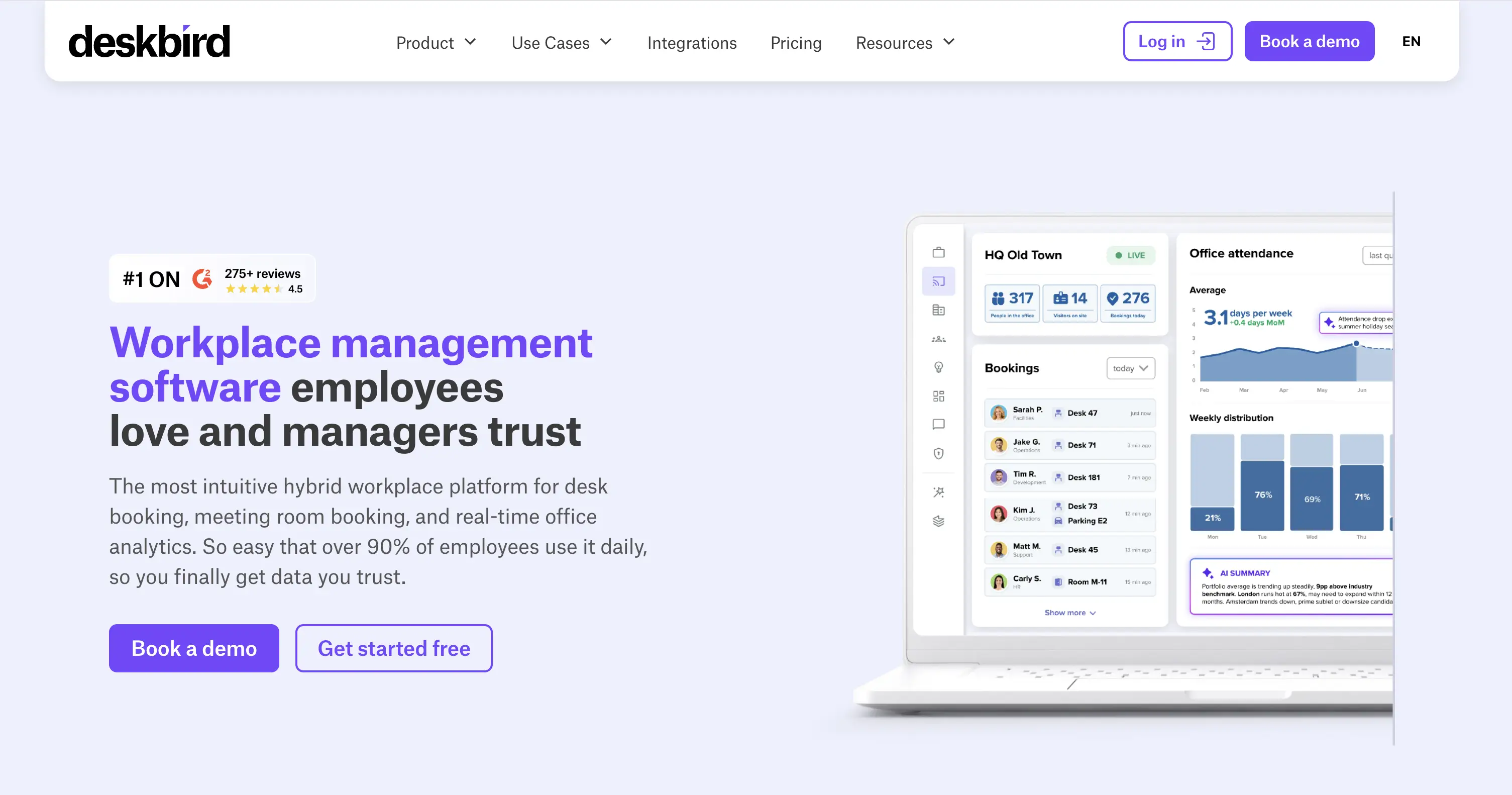
deskbird is a Switzerland-based hybrid office app built around simplicity and employee experience. It combines desk booking, hybrid scheduling, visitor flows, and integrations, while ensuring strict EU data privacy standards.
Feature Highlights
- Desk, room & parking booking: Reserve desks, meeting rooms, or parking spaces.
- Visitor booking: Pre-book resources for guests so their arrival is seamless.
- Hybrid week planning: Plan office days in advance, see who else will be in, and coordinate team presence.
- Visitor check-in: Digital check-ins streamline front-desk workflows and improve security.
Who It’s For
- Industry fit: Organizations prioritizing EU data residency/compliance (e.g., finance, healthcare, public sector) and teams seeking a clean, lightweight UX.
- Company size: Mid-size and enterprise teams running hybrid schedules across multiple sites; also viable for smaller teams via starter tiers.
Integrations
deskbird is built natively into MS Teams and supports Outlook, MS 365, Google Calendar, and Slack, plus dozens of HRIS tools (Personio, BambooHR, Workday) and SSO via Okta, OneLogin, and Entra ID - 200+ integrations in total, with an open API for the rest.
Security & Compliance
deskbird holds SOC 2 Type II, ISO 27001, and GDPR compliance.
Pricing
deskbird bills per active user (July 2026): Business at €2.75/user/month covers desk, room, and parking booking with Teams integration; Professional and Enterprise are custom-priced, adding advanced rules, analytics, and dedicated support. All tiers include unlimited desks and locations, so cost scales with headcount, not office size. SSO, kiosks, and visitor management are add-ons; free trial available.
Ease of Use and Adoption
One of the easiest rollouts in this guide: booking takes a few clicks, the mobile app is strong, and reviewers consistently call it quick to learn.
Customer Feedback
- What works for deskbird's customers: The solution is easy to use, quick to set up. Booking desks and rooms takes just a few clicks, the mobile app works well, and integrations with calendars and chat tools make adoption smooth.
- Where it falls short: Limited customization for complex workflows, analytics not as deep as some competitors, and occasional booking sync quirks (like canceled bookings still showing up or difficulty managing office closures).
Pros | Cons |
|---|---|
Clean, intuitive UI that’s quick to roll out and easy for employees to use | Limited customization for complex or unique workflows |
Fast desk, room, and parking booking via maps and mobile apps | Analytics depth lags behind some competitors |
Hybrid week planning improves visibility and team coordination | Modular pricing model (separate desks, rooms, visitors) can add up |
Solid integrations with Outlook, Google, Teams, Slack, plus SSO/SCIM | Some booking sync quirks (e.g., canceled bookings still showing) |
Swiss-based with strict EU security & compliance (GDPR, ISO 27001) | Feature set may feel lightweight for large, complex enterprises |
deskbird: strengths & trade-offs
Final Score
8.6, because deskbird combines a clean, GDPR-first booking experience with deep integrations and EU compliance - held back by lighter analytics and limited customization, which is what most often sends users looking for deskbird alternatives.
5. Tactic: Best for HR-Led Workplace Coordination
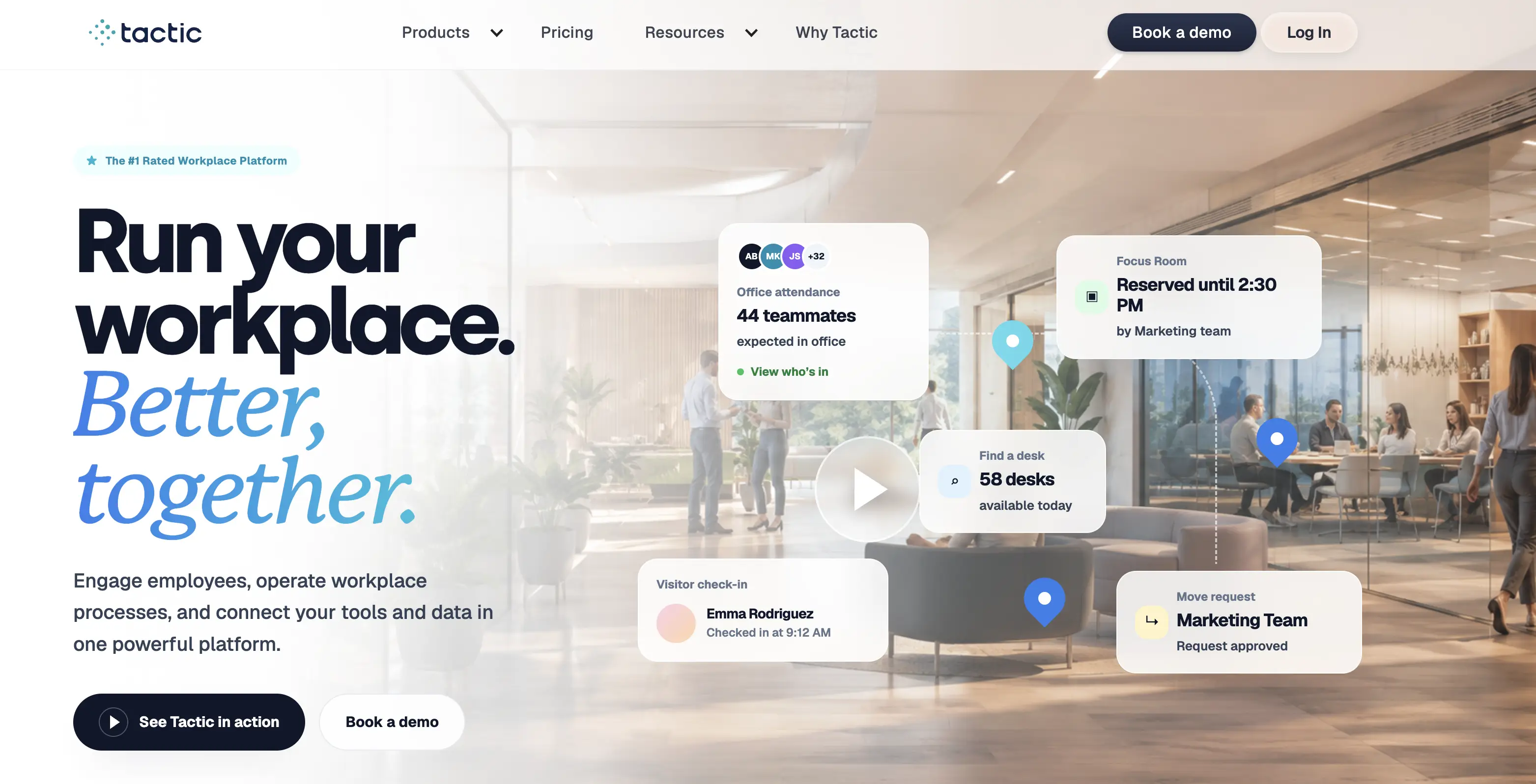
Tactic is a workspace management platform that combines everyday booking needs with integrations and occupancy data to help hybrid teams collaborate more effectively, reduce overhead, and improve employee satisfaction.
Feature Highlights
- Flexible booking: Reserve desks, rooms, or other resources with support for recurring bookings, check-in/out, and reminders.
- Office insights: Occupancy, utilization, and booking trends to guide workplace decisions.
- Team visibility: See who will be in the office and coordinate hybrid workdays.
- Leave management: Manage employee time-off requests.
- Visitor pre-registration: Register guests in advance for better front-desk coordination.
Who It’s For
- Industry fit: Tech startups, non-profits, and education organizations that need simple, flexible hybrid management.
- Company size: Best suited for small to mid-sized teams looking for an easy-to-adopt, all-in-one platform.
Integrations
Slack and Microsoft Teams, Google/Outlook calendars, HR systems (Workday, BambooHR, ADP, HiBob, Rippling), SSO providers (Okta, Entra ID, Auth0, SAML), and access control (Avigilon, Brivo, Honeywell).
Security & Compliance
SOC 2 Type I and Type II compliant.
Pricing
Tactic's pricing is fully modular, per resource (desks, rooms, locations) rather than headcount. Pick à la carte from Engage (booking), Operate (requests, space/move management), and Connect (SSO, integrations, Tessa AI). There is no flat rate; an online estimator gives a rough annual range.
Ease of Use and Adoption
Tactic's clean, modern interface makes day-to-day booking straightforward and setup fast, though the mobile app has minor UX inconsistencies compared to desktop.
Customer Feedback
- What users like: Clean interface, fast setup, and responsive support. Employees find day-to-day booking straightforward, and integrations with calendars and chat apps add convenience.
- Where users see challenges: Users mention quirks with recurring bookings, occasional calendar sync glitches, and some clunky UI elements when managing longer-term reservations. Advanced AI features and built-in help-desk tools are also missing.
Pros | Cons |
|---|---|
Fast adoption - many users onboard quickly | Some users report occasional app glitches and slow performance during booking or check-in |
Occupancy insights and analytics support smarter space use | Mobile app has minor UX inconsistencies compared to desktop |
Integrations with Microsoft 365, Google Workspace, Slack, etc. | No AI agent or built-in help-desk features like other modern platforms |
Time off and office day policy management makes it useful for HR teams | Modular pricing can result in higher costs as you add more features |
Tactic: pros and cons
Final Score
8.5, because Tactic's rare pairing of desk booking with time-off management makes it a natural fit for HR-led teams, held back by occasional booking glitches, calendar sync quirks, and complex modular pricing logic.
6. OfficeSpace: Best for Large Enterprises
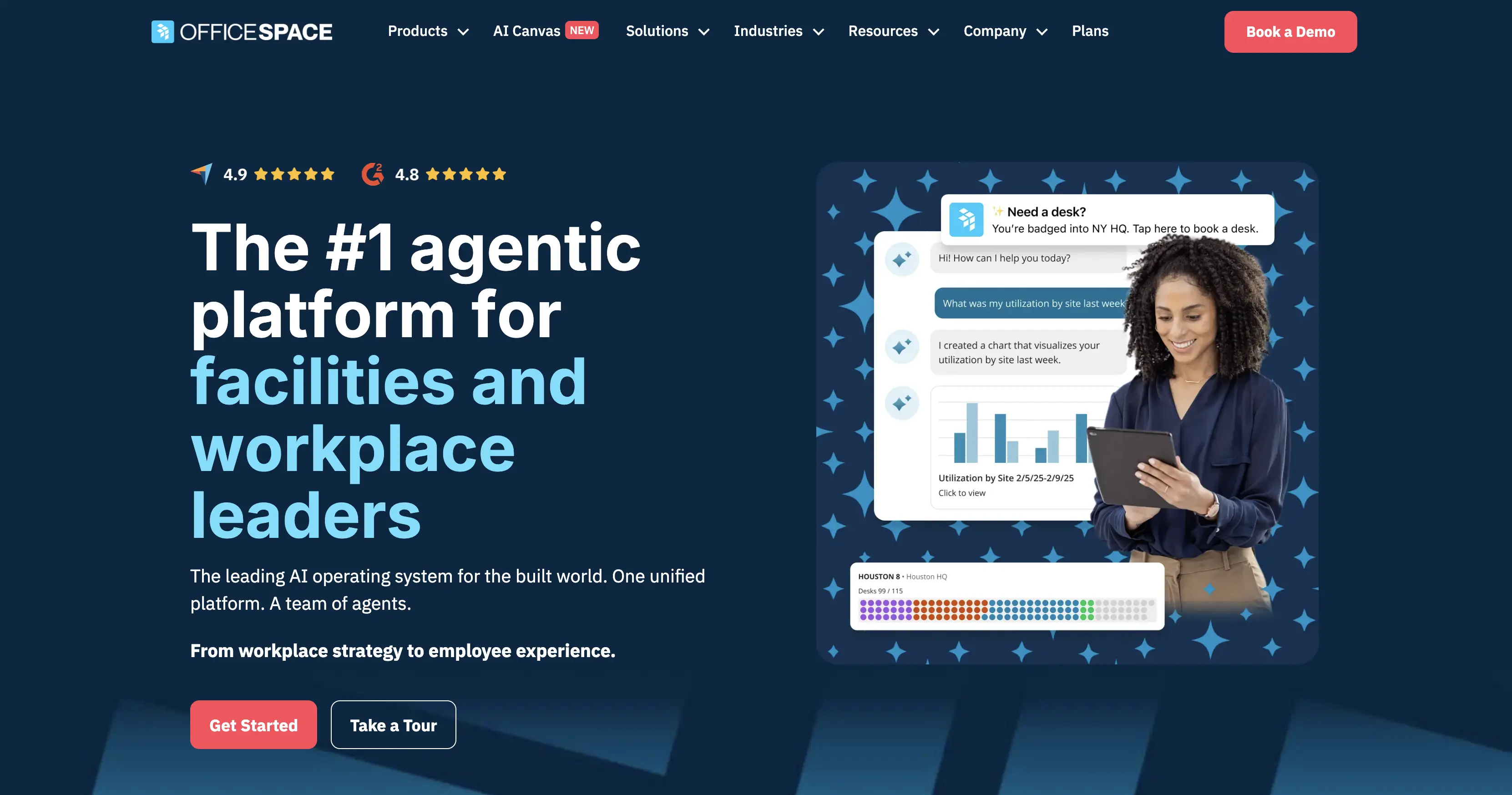
OfficeSpace brands itself as an agent platform for facilities and workplace leaders.
Feature Highlights
- Presence check-in: Employees can check in on arrival, giving managers visibility into office attendance.
- Space booking: Desk and room booking through maps, mobile apps, and calendar integrations.
- Workplace announcements: Broadcast messages across the platform to keep employees updated on office events, policies, or changes.
- Workplace data & analytics: Occupancy, booking patterns, and trends to guide space and resource decisions.
- Visitor & mailroom management: Visitor check-in plus mail/package tracking for a smoother front-desk experience.
Who It’s For
- Industry fit: Great for large corporate offices in energy, manufacturing, legal, or tech industries that need advanced space planning, asset tracking, moves/adds/changes, and analytics powered by AI.
- Company size: Best suited for mid‑sized to large enterprises that need fully scalable tools to manage hybrid workplaces and real estate strategies.
Integrations
OfficeSpace integrates with Microsoft 365, Teams, Slack, Google Workspace, and Zoom, plus HRIS (Workday, SAP, ADP), SSO providers, and a standout range of access control and sensor tools (Kisi, Verkada, VergeSense) for presence data - with an open API for custom connections.
Security & Compliance
OfficeSpace maintains SOC 2 compliance with AES-256 encryption, TLS 1.2+, third-party pen testing, and SSO/MFA. It does not hold its own ISO 27001 certification, only its hosting providers are certified, and detailed security docs require an NDA.
Pricing
OfficeSpace doesn't publish prices. Its two Workplace plans, Essentials Plus (AI space planning, booking, visitors, move management) and Pro Plus (adds portfolio management, real-time utilization, badge/WiFi/IoT connectors, and an AI Insights Agent), are both quote-only, as is the separate Asset Management product. Our past research suggests costs land on the higher end, with setup and implementation fees on top.
Ease of Use & Adoption
Daily booking and navigation are intuitive, and onboarding is described as smooth, but the platform is heavier on the admin side, and its depth can feel like overkill for simpler offices.
Customer Feedback
- What customers like: OfficeSpace is appreciated for its intuitive design and reliable support. Many highlight its value in space planning and daily booking, with onboarding and adoption described as smooth.
- Where customers see challenges: Some users point out limited customization and reporting options unless higher tiers are purchased. Frequent updates occasionally introduce bugs, and pricing is often seen as non-transparent or high, particularly for smaller teams.
Pros | Cons |
|---|---|
Intuitive interface makes booking and navigation easy | Pricing not public; seen as high, especially for smaller teams |
All-in-one platform (booking, space planning, move management, ticketing) | Limited customization and reporting unless higher tiers are purchased |
Responsive customer support and onboarding guidance | Calendar/booking sync quirks reported by some users |
Scales well for multi-site or enterprise organizations | Feature set may feel excessive for smaller or less complex offices |
OfficeSpace: benefits and limitations
Final Score
7.9, because while OfficeSpace handles hybrid work well, its real strength - space planning, moves, and asset tracking - pushes it into IWMS territory; if you don't need that real estate depth, there are better-fitting and more transparently priced choices for pure hybrid workplace management.
7. Officely: Best for Hybrid Teams That Value Simplicity
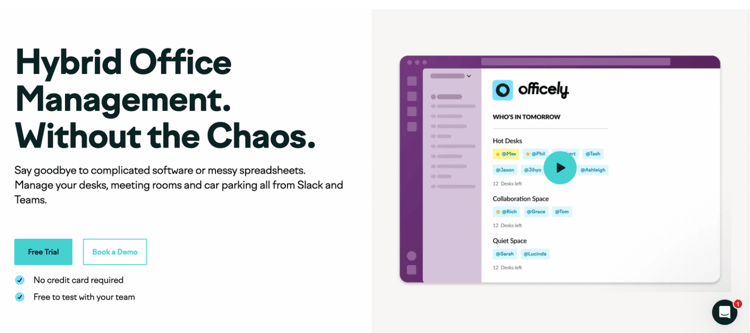
Officely is a hybrid work management solution that runs directly in Slack or Microsoft Teams. Built for simplicity, it lets teams see who’s in the office, book desks, and share updates without leaving their daily workflow.
Feature Highlights
- Lives 100% in Slack or Teams: Employees manage everything in the tools they already use daily.
- Hot desk & room booking: Simple reservations for desks and meeting rooms.
- Parking booking: Employees can also book parking spots alongside desks and rooms.
- Smart recommendations: The system suggests the best days to come in based on when teammates are present.
- Office chat channel: Automatically creates a dedicated channel for everyone coming into the office that day, helping teams connect.
Who It’s For
- Industry fit: Startups, agencies, and small businesses that rely heavily on Slack or Microsoft Teams for daily communication.
- Company size: Best for small to mid-sized teams (10–200 employees) looking for a simple, lightweight way to manage hybrid work without extra apps or complex setup.
Integrations
Officely integrates mainly with HR and payroll systems (BambooHR, Personio, Workday, Rippling, HiBob) plus Slack, Teams, Google Calendar, and Outlook.
Security & Compliance
Officely runs entirely inside Slack and Microsoft Teams, so it relies on their built-in security.
Pricing
Officely's pricing splits across three separate products: Desks (free up to 5 users, then from $2.50/user/month), Meeting Rooms ($12/space/month), and Parkly parking ($15/space/month), so desks, rooms, and parking are three line items, not one rate, which users often see as a drawback.
Ease of Use & Adoption
The highest ease-of-use score in this guide: Officely lives entirely inside Slack or Teams, so there's nothing new to open, learn, or install - adoption is effectively instant.
Customer Feedback
- What customers like: Users enjoy Officely’s ease of use and seamless Slack and Microsoft Teams integrations. The simplicity of booking desks and checking who’s in the office from within their daily communication tools has been a standout feature.
- Where they see challenges: Though loved for its simplicity, Officely’s feature set is relatively minimal. Users note limitations like basic analytics, absent auto-scheduling or advanced admin controls, and occasional bugs or notification hiccups.
Pros | Cons |
|---|---|
Seamless integration with Slack and Microsoft Teams | Limited features compared to other hybrid workplace solutions |
Very easy to set up and use, minimal training needed | Analytics and reporting are basic |
Real-time visibility of who’s in the office | Lacks advanced admin controls and auto-scheduling options |
Affordable pricing with free plan and trial available | Occasional bugs or notification issues |
Responsive and helpful customer support | Not ideal for organizations needing a complete hybrid work platform |
Officely: pros and cons overview
Final Score
8.4, because Officely nails frictionless desk booking where teams already work - held back by deliberately minimal depth: basic analytics, no visitor management, and per-product pricing that stacks up if you need rooms and parking too.
8. TableAir: Best for Companies Balancing Flexibility and Cost Efficiency
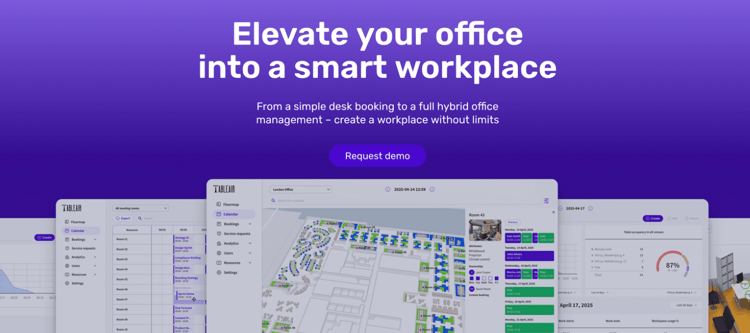
TableAir is a hybrid workplace solution that helps companies run flexible offices more efficiently. It includes everything from desk booking to parking, visitor management, analytics, and digital signage.
Feature Highlights
- Space booking: Reserve desks, meeting rooms, and parking spaces in one platform.
- Interactive floor maps: Visual layouts help employees find and book the right spot easily and see where their colleagues sit.
- Visitor self-check-in: Streamlined guest registration with digital check-in flows.
- Utilization analytics: Occupancy and usage reports to guide workplace planning.
- Multi-location support: Manage multiple offices or coworking hubs from a single system.
Who It’s For
- Industry fit: Corporates, coworking spaces, and multi-tenant offices that need integrated booking, analytics, and visitor management.
- Company size: Best for mid-sized to large organizations managing multiple locations or complex office setups.
Integrations
TableAir's integrations center on Microsoft - two-way Microsoft 365/Outlook calendar sync, Teams, Power BI analytics, and Azure AD provisioning - plus Google Workspace/Calendar, Okta, and BambooHR for user sync. The list is solid but short compared to bigger platforms.
Security & Compliance
TableAir is ISO 27001:2013 certified and GDPR compliant, hosted on AWS with cloud-grade security for data integrity and confidentiality.
Pricing
TableAir prices per resource, not per user, with unlimited users on every plan: desks at €3/desk/month, rooms from €5/room/month, and parking at €3/space/month, plus a custom-priced tier for branding, custom integrations, and own-hardware setups.
Ease of Use & Adoption
TableAir's interface is clean and booking straightforward, with quick setup. The main friction is refresh delays after making or canceling bookings, which can briefly confuse availability.
Customer Feedback
- What customers like: TableAir is appreciated for its clean interface, straightforward booking experience, and solid value for money. Support is described as responsive and helpful.
- Where customers see challenges: Users report refresh delays after making or canceling bookings, which can cause confusion about availability. Some also point out limited visibility into colleague schedules, and note that customization and integrations beyond Microsoft tools are lacking.
Pros | Cons |
|---|---|
Clean, intuitive interface for booking desks, rooms, parking | Refresh delays after bookings can cause confusion about availability |
Straightforward setup with reliable Outlook/Teams integrations | Limited visibility into colleague schedules for coordination |
Resource-based pricing model seen as good value | Customization options are limited compared to other hybrid work software |
Responsive and supportive customer service | Integrations beyond Microsoft tools are lacking |
Supports multi-location offices and coworking hubs | Feature depth may feel light for complex hybrid workplace requirements |
TableAir: upsides and downsides
Final Score
8.0, because for offices that want predictable per-resource pricing and hardware from one vendor, TableAir punches above its weight. It just doesn't reach far beyond the Microsoft ecosystem, and lighter customization keeps it out of the top tier.
9. Cloudbooking: Best For Space Management in Hybrid Workplace
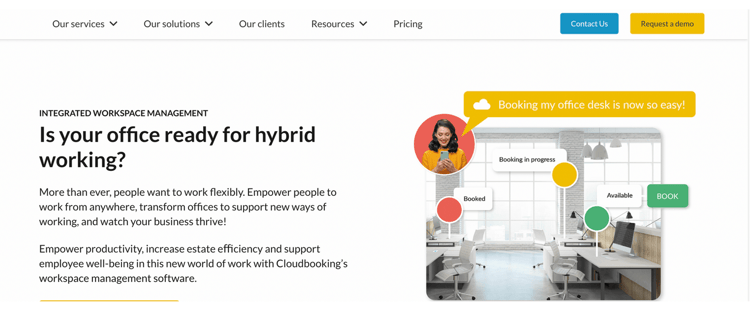
Cloudbooking is a UK-based workspace management solution that helps organizations manage flexible offices and make smarter decisions about their two most important assets: people and space.
Feature Highlights
- Space booking: Reserve desks, meeting rooms, and parking spots from any device.
- Mobile wayfinding: Navigate offices and locate resources easily with mobile-friendly maps.
- Meeting room digital signage: Real-time displays outside rooms show availability and bookings.
- QR code check-in: Touchless desk and room check-in via QR codes for smoother attendance tracking.
Integrations
Connects with Microsoft 365, Google Workspace, and identity systems like Microsoft Entra ID.
Security & Compliance
Cloudbooking holds ISO/IEC 27001, certified by LRQA in June 2022, excluding physical security as it's fully cloud-based, and Cyber Essentials.
Who It’s For
- Industry fit: Aerospace & defense, government, healthcare, and enterprise offices that need secure, integrated workplace management.
- Company size: Best for mid-sized to large organizations with multiple sites or strict compliance requirements.
Pricing
Cloudbooking offers tiered plans to fit different organization sizes:
- Micro (£99 / per month): entry plan with core booking features for small teams.
- SMB (£299 / per month): designed for growing organizations, adding more users and desks plus meeting room booking.
- Enterprise (Custom): custom solutions for large organizations with advanced security and compliance needs.
Ease of Use and Adoption
The interactive floor maps are intuitive and reviewers praise day-to-day reliability, but clunky UX in places and occasional slow loading keep this score below the leaders.
Customer Feedback
- What customers like: Users frequently praise Cloudbooking's intuitive interface, especially the interactive floor maps. Reviewers often highlight its reliability and customer support, describing it as responsive and client-focused.
- Where customers see challenges: Some mention a clunky UX, occasional slow loading times, and limited functions on floor plans, which can make it harder to manage mixed assigned and flexible seating.
Pros | Cons |
|---|---|
Intuitive booking with desks, rooms, parking, and visitors | Clunky UX in some areas |
Interactive 3D floor maps simplify navigation | Can take a while to load at times |
Strong customer support, responsive and client-focused | Limited floor plan functions (e.g., seat numbering/search) |
Cloudbooking: pros and cons
Final Score
7.8, because Cloudbooking is a strong fit where security comes first while a dated user experience and limited floor-plan functions hold it back for everyone else.
10. Joan: Best For Elevating Your Workplace With Digital Signage
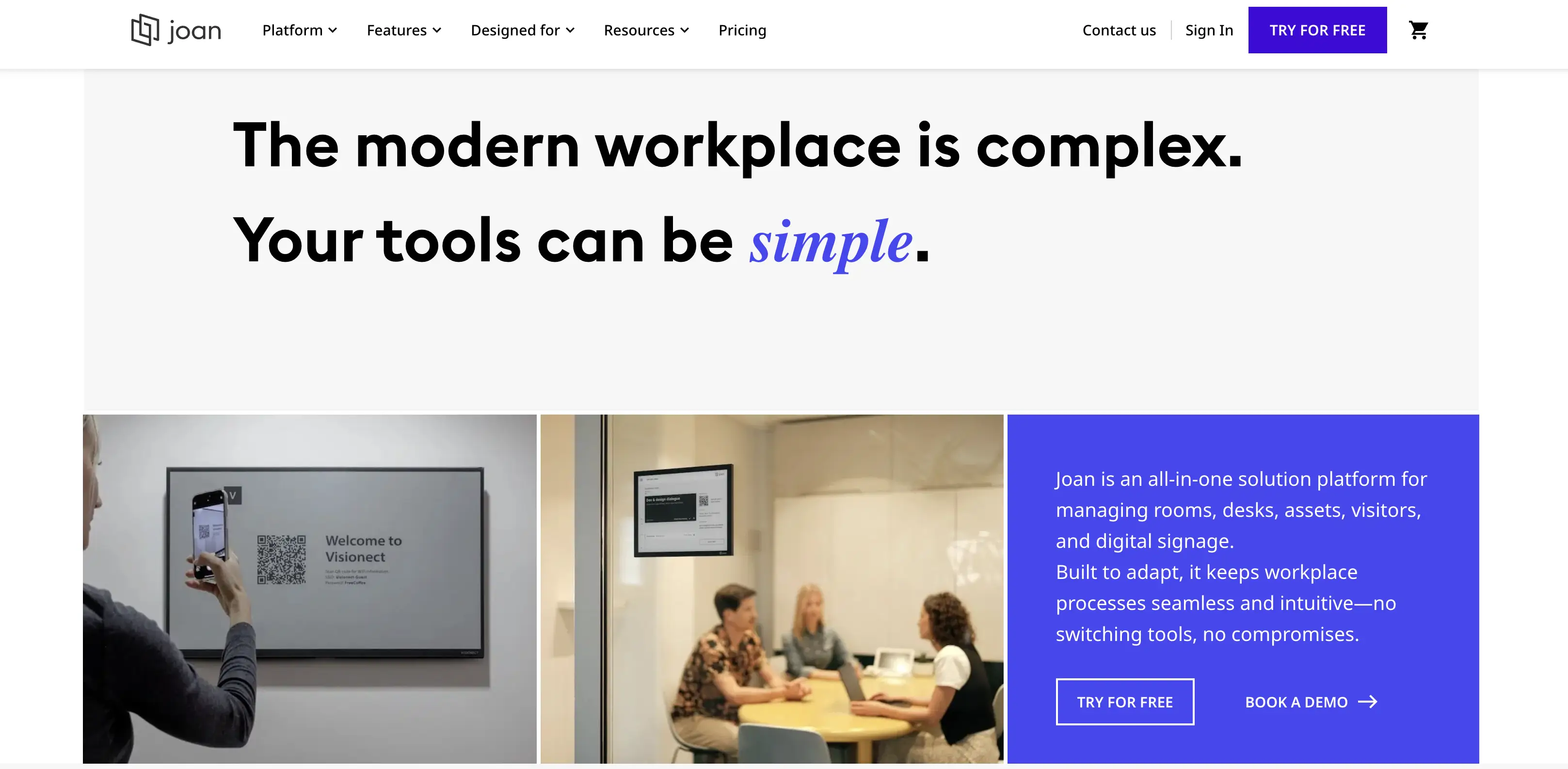
Joan Workplace is an all-inclusive platform that simplifies office reservations, optimizes space, and streamlines information flow. It supports meeting room, desk, and asset booking, along with visitor management and workplace digital signage.
Feature Highlights
- Space & asset booking: Reserve desks, meeting rooms, and shared resources with ease.
- Workplace digital signage: Display real-time availability, announcements, and wayfinding on Joan’s e-Paper and LCD devices.
- Visitor management: Manage guest check-ins, notifications, and access logs.
- Analytics: Track utilization, occupancy trends, and resource performance with dashboards.
- Mobile app: Book spaces, check schedules, and manage reservations on the go.
Who It’s For
- Industry fit: Professional services, corporate offices, education, and design-focused workplaces that value modern hardware, digital signage, and easy booking.
- Company size: Suitable for small to mid-sized companies seeking simplicity, as well as larger enterprises that want sleek, low-maintenance signage across multiple sites.
Integrations
Google Workspace, Microsoft 365, Slack, Teams, Webex, Okta, Azure AD, OneLogin, Zoom, Zapier, plus an open API.
Security & Compliance
Joan is ISO/IEC 27001:2022 certified and GDPR compliant. Data sits encrypted on EU-based Google Cloud servers in Belgium, and its devices keep calendar data in memory only, never on disk.
Pricing
Joan pricing is simple and flexible, adapting to different spaces and team sizes. Plans start at €49 per month, but this is about as much pricing detail available upfront - accurate costs require a quote. Every plan includes full access to the Joan platform.
Ease of Use & Adoption
Joan's e-Paper displays are genuinely plug-and-play, and both the hardware and booking interface need little to no training. Hardware quirks like laggy touchscreens are the only friction.
Customer Feedback
- What customers like: Joan is valued for its simple setup, intuitive interface, and seamless calendar integrations. The e-Paper displays are praised for being elegant, low-maintenance, and easy for employees to use.
- Where customers see challenges: Users mention sluggish touchscreens, short battery life, and occasional Wi-Fi connectivity issues. Some also note limited analytics and employee engagement features, which can restrict its usefulness in larger hybrid workplaces.
Pros | Cons |
|---|---|
Easy plug-and-play setup | Touchscreens can feel sluggish or laggy |
Elegant, low-maintenance e-Paper displays | Signage devices’ battery life often shorter than expected |
Seamless integrations with Google, Outlook, Slack, etc. | Occasional Wi-Fi connectivity issues |
Intuitive booking and signage interface | Limited analytics and employee engagement features |
Strong customer support, responsive and reliable | May feel too lightweight for complex hybrid office requirements |
Joan Workplace: benefits and trade-offs
Final Score
8.1. If signage-led simplicity is the goal, Joan is the standout. The tradeoff is a lightweight platform, with limited analytics and occasional hardware quirks.
11. Robin: Best For AI-Powered Hybrid Workplace Management
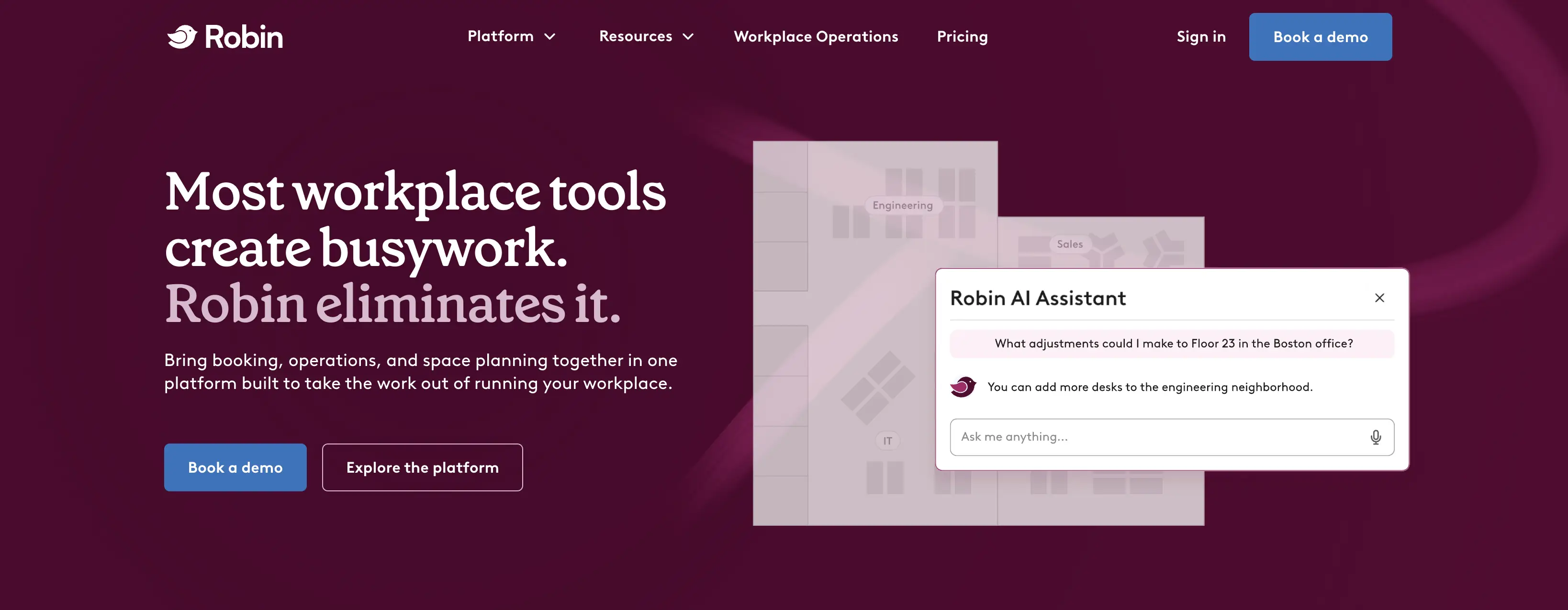
Robin positions itself as an AI-powered workplace operations platform. It brings together desk and room booking, hybrid scheduling, visitor management, and analytics into a single system designed to help companies optimize how offices are used.
Feature Highlights
- AI-powered booking: Smart recommendations help employees find the best desks or rooms based on preferences, teammates, and availability.
- Seat assignments: Assign permanent desks to employees, set up team pods, and design floor plans.
- Visitor management: Streamlined guest check-in with pre-registration, notifications, and secure access.
- Wayfinding: Interactive maps and digital signage guide employees and visitors to their desks, rooms, or meeting points.
- Employee experience surveys: Capture feedback on office experience, giving workplace teams data to act on.
Who It’s For
- Industry fit: Professional services, technology, and corporate offices that want to use AI to improve hybrid work experience.
- Company size: Best for mid-sized to large organizations with hybrid teams that need both flexible booking tools and deeper analytics.
Integrations
Microsoft 365 (Teams, Outlook, Entra ID), Google Workspace, Slack, Zoom, Okta, Rippling, plus access control (Avigilon, Brivo, Kisi).
Security & Compliance
SOC 2 Type 2 certified, ISO/IEC 27001:2022 certified, CSA STAR Level One compliant, GDPR compliant.
Pricing
Robin doesn't publish pricing. Every deal requires a custom quote, so costs are hard to assess upfront. For rough orientation only: external sources cited in our Robin alternatives article suggest buyers with 200-500 employees commonly land at $15,000-$40,000 in total annual contract value.
Ease of Use & Adoption
Employees find Robin intuitive for everyday booking, and the maps and wayfinding are polished. Admins face a steeper curve, with time-consuming floor plan edits and training needed to unlock the full feature set.
Customer Feedback
- What customers like: Robin’s customers enjoy the solution for its user-friendly interface and seamless integrations. Users find it efficient to book desks and rooms and appreciate the end-to-end experience it provides.
- What could be improved: Some users report clunky check-in flows and occasional booking glitches. Admins also mention that setup and floor plan edits can be time-consuming. Robin offers many capabilities, but not all users discover or fully utilize them; admins may need training to unlock the full value.
Pros | Cons |
|---|---|
Intuitive interface makes booking simple for employees | Check-in flows can feel clunky and unintuitive |
Strong integrations with Google, Outlook, and calendars | Occasional booking glitches, including double reservations |
AI-powered booking suggestions and seat assignments | Setup and floor plan edits can be time-consuming |
Covers full workplace flow: desks, rooms, parking, visitors | Pricing is not public, making budgeting less transparent |
Scales well for mid-to-large organizations | Advanced features often require training for admins to use fully |
Robin: advantages and disadvantages
Final Score
8.4. For enterprises that want AI-driven booking plus employee surveys in one platform, Robin is among the strongest options here. You just won't know what it costs until you talk to sales, and the admin experience takes work to master.
12. elia: Best for Companies Looking for Hardware and Software in One Place
elia is a unified workplace platform designed to simplify hybrid office operations from end to end. Its modular toolkit allows organizations to manage everything - from desk, room, and visitor bookings to safety tracking, service requests, and automated workflows.
Feature Highlights
- Desk & room booking: Easily reserve desks and meeting rooms.
- Visitor management: Streamlined guest pre-registration, check-in, and notifications.
- Hybrid office management: Tools to coordinate office attendance, shared resources, and team schedules.
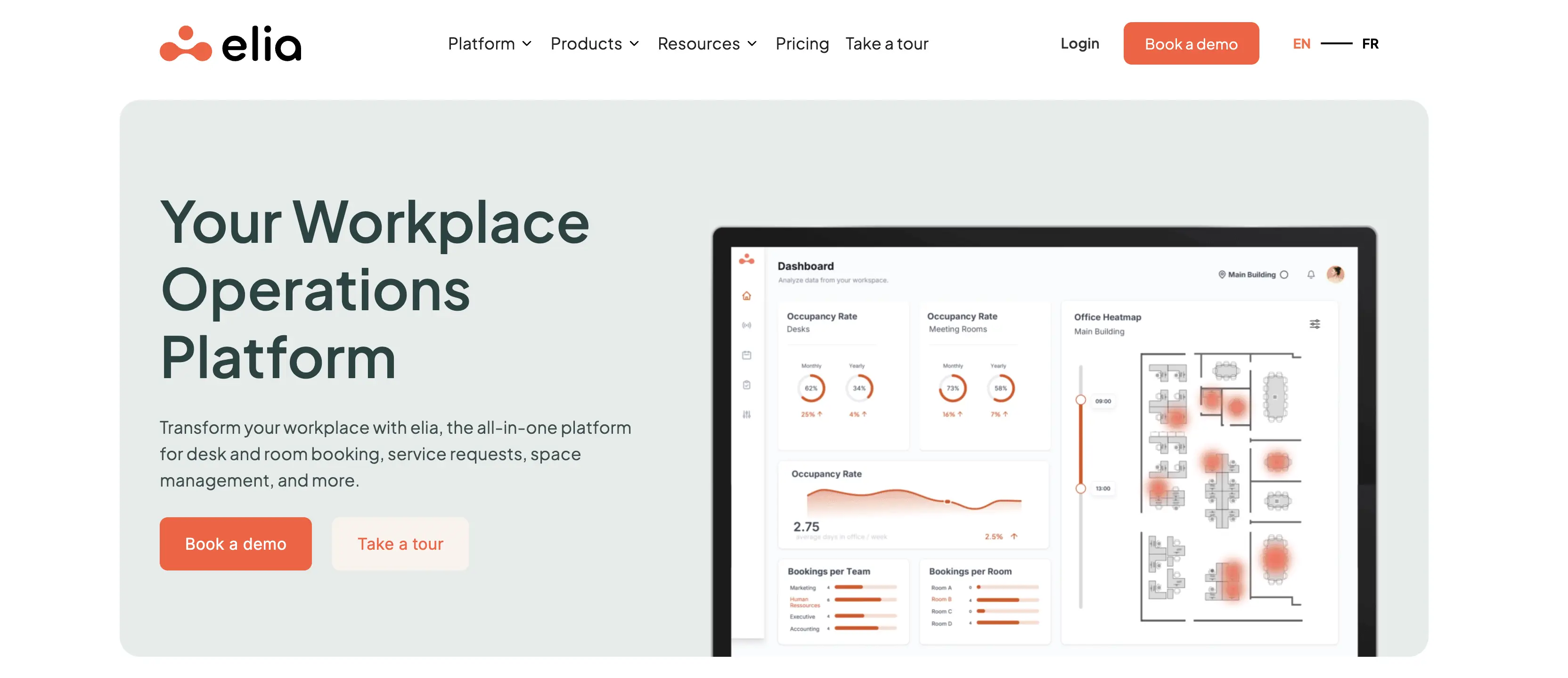
- Occupancy management: Real-time insights into how spaces are used to optimize layouts and policies.
- Health & safety management: Incident reporting, compliance tracking, and first responder workflows built in.
- Hardware - screens and tablets for space booking, visitor management, and occupancy sensors to collect reliable data.
Who It’s For
- Industry fit: Professional services, corporate offices, government, and organizations with strong compliance or safety requirements.
- Company size: Suitable for mid-sized to large companies that want a modular system combining booking, safety, and workplace management in one platform.
Integrations
elia natively integrates with Google Workspace, Microsoft 365, and Slack.
Security & Compliance
ISO 27001:2022, ISO 9001:2015, GDPR compliant.
Pricing
elia offers a free tier (up to 50 places, unlimited users). Paid plans start from $500/month, Enterprise custom-quoted. Hardware sold separately.
Ease of Use & Adoption
Reviewers consistently highlight elia's simplicity and quick onboarding, with visual floor-plan booking that clicks fast, though colleague search and invites can feel clunky.
Customer Feedback
- What customers like: Reviewers consistently highlight elia's simplicity and quick onboarding. Support is described as responsive, with regular product improvements noted by users.
- Where customers see challenges: Feedback calls out limited status options beyond “office” and “telework” (e.g., no clear choices for vacation or off-site events), granular policy gaps like setting different time limits for parking vs. meeting rooms, and search/invite friction when finding colleagues.
Pros | Cons |
|---|---|
Unified platform covering booking, safety, and workplace management | Limited hybrid work status options beyond “office” and “telework” |
Hardware (screens, tablets, sensors) adds value and reliable data | Policy gaps, e.g., different time limits for parking vs. meeting rooms |
Intuitive interface with quick onboarding | Search/invite functions can feel clunky when finding colleagues |
elia: pros and cons
Final Score
8.0 - elia's edge is that few vendors this size ship their own sensors, tablets, and booking screens alongside the software, and pair it with built-in health and safety workflows. What keeps it from scoring higher: SSO and integrations locked behind Premium, and hybrid statuses limited to just office or telework.
13. FLYDESK: Best for Small Teams and Simple Hybrid Scheduling
FLYDESK is a hybrid workplace management software that helps companies reduce office costs while building trust and transparency across teams working from anywhere.
Feature Highlights
- Space booking: Reserve desks and shared spaces with real-time availability.
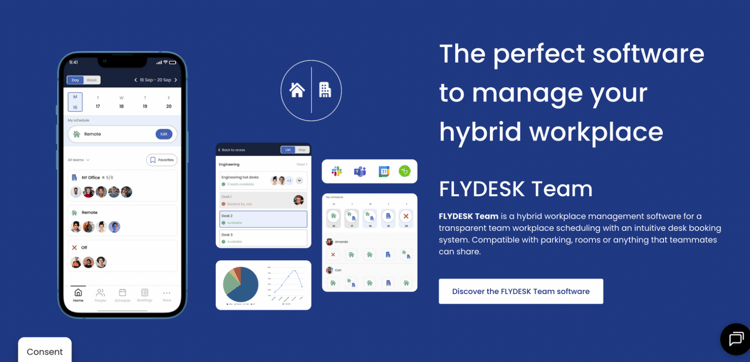
- Workspace scheduling: Plan office and remote days and share schedules with teammates.
- Leave management: Track time off and approvals directly in the platform.
- Integrations: Sync with Outlook, Google Calendar, and connect with HR information systems.
- Meeting & phone booths: Portable and easy to assemble booths.
Who It’s For
- Industry fit: Flexible teams, hybrid-first organizations, and co-working networks seeking unified workspace control.
- Company size: Great for small to mid-sized companies, especially those needing scheduling, booking, and leave tools in one app.
Integrations
FLYDESK integrates with Slack, Microsoft Teams, and Google/Outlook/Teams calendars to sync schedules and time-off, plus HRIS platforms like BambooHR and Payfit for leave management.
Security & Compliance
FLYDESK states that data security is a top priority, citing advanced encryption, secure servers, and regular security audits. However, no specific certifications or compliance documentation are publicly available to substantiate these claims.
Pricing
FLYDESK offers a subscription-based pricing model that scales per user and features.
- Starter Plan: Around $2 per user/month, includes basic scheduling and capacity controls.
- Advanced Plan: Around $4 per user/month, unlocking interactive maps, leave management, analytics, custom rules, and white-label branding.
- Enterprise Plan: Custom-priced with options like SSO, HRIS integrations, hardware support, and tailored onboarding.
A 14-day free trial is available.
Ease of Use & Adoption
FLYDESK's simple weekly planner makes hybrid coordination almost effortless, and users call the booking workflows easy, though some teams need a few days to build the habit.
Customer Feedback
- What customers like: Users love FLYDESK's ease of use, especially its booking workflows and employee schedule visibility, enabled through a simple weekly planner. Support is praised as "very responsive," and users report that FLYDESK enhances flexible working and transparency.
- Where customers see challenges: Some users note initial friction in getting employees to adopt the platform ("a couple days to understand the benefit of this app"). Others suggest it could evolve into a stronger team communication hub, not just a booking tool.
Pros | Cons |
|---|---|
Affordable hybrid workspace management solution | May not scale well for very large enterprises with complex needs |
Unified booking, scheduling, leave, and workspace visibility in one app | Employees may need a few days to internalize the value or routine of the app |
Simple, intuitive interface and weekly planner for easy hybrid coordination | Lacks deeper team communication or engagement features - not ideal if you're aiming for a centralized employee hub |
FLYDESK: advantages and limitations
Final Score
7.8 - as an affordable all-in-one for scheduling, booking, and leave management, FLYDESK is a good choice for small teams, but the absence of published security certifications makes it a difficult case for regulated or larger organizations.
14. Archie: Best For Streamlined Hybrid Office Management
Archie is an all-in-one hybrid workplace management platform designed to make office life more seamless. From employee schedules to desk reservations, Archie makes it easy to manage a hybrid office - so your team can focus on doing their best work.
Feature Highlights
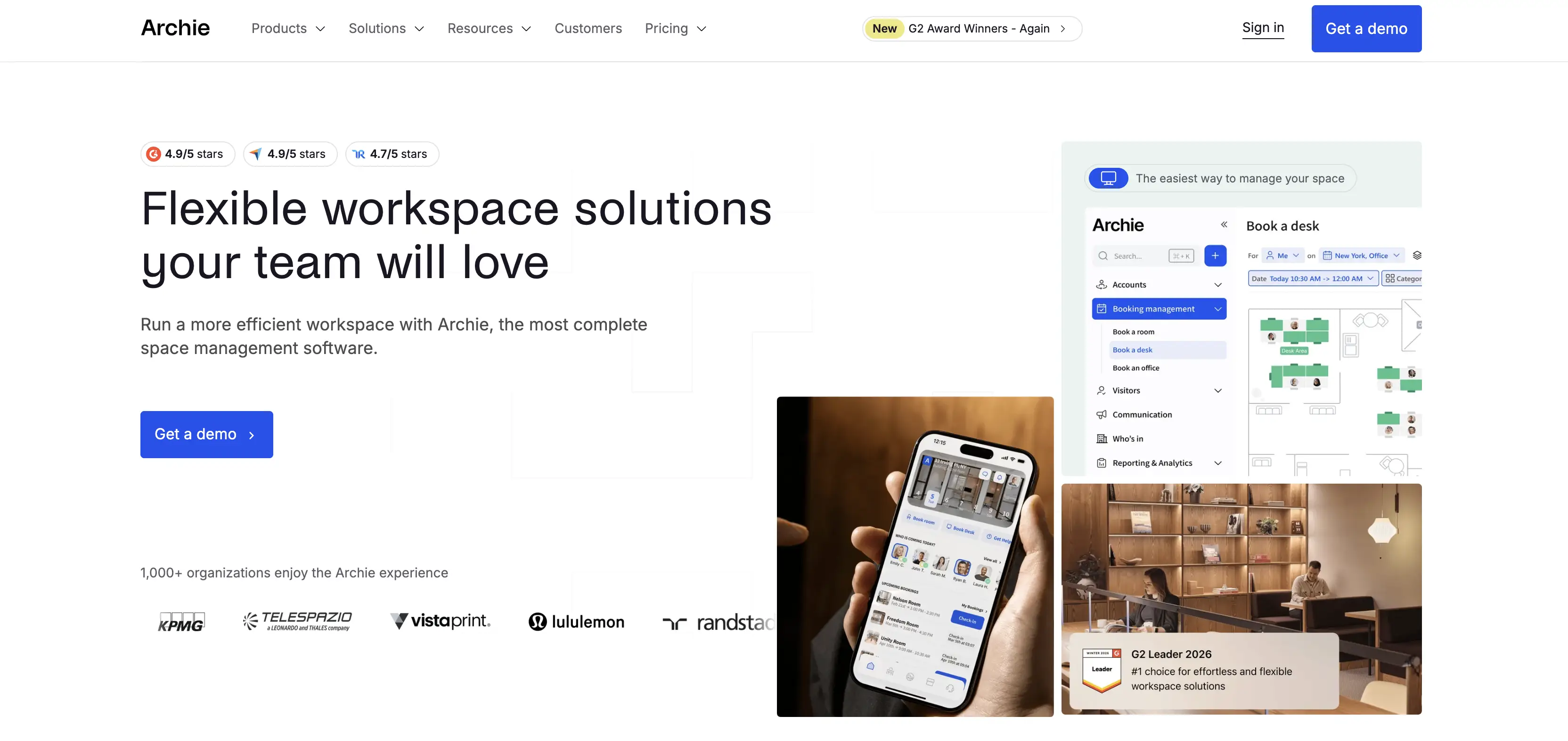
- Desk booking: Support hybrid teams with both assigned seating and flexible hot desks.
- Room booking: Quickly find and secure the right meeting space.
- Booking restrictions: Set rules like check-in windows, buffer times, or admin approvals.
- Workspace analytics: Monitor attendance, occupancy, and space utilization.
- Neighborhood zoning: Group desks by team to make collaboration easier.
- Employee attendance: Track how often individuals and teams come to the office.
- Peak times: Spot the busiest days and hours to better plan capacity.
- Who’s on site: See in real time which employees are at the office.
Who It’s For
- Industry fit: Ideal for real estate firms, corporate offices, coworking spaces, and higher education institutions that want to streamline workplace management.
- Company size: Works well for mid-sized and large organizations with flexible or hybrid teams, especially those managing multiple locations or shared workspaces.
Integrations
Microsoft Teams, Slack, Google Calendar/Workspace, Outlook, Zoom, and more (door access like Kisi and Salto, accounting via QuickBooks and Xero, payments via Stripe, SSO/SCIM), plus an open API.
Security & Compliance
Archie publishes no named certifications. Its security page says data is hosted on Google Cloud Platform with encryption and that certifications are "continuously improving," but none are specified.
Pricing
Archie prices each product separately, all with Starter/Pro/Enterprise tiers: desks at $2.80-3.50 per desk/month, rooms at $8-12 per room/month (both with $159-249 monthly minimums), visitor management at $109-185 per location/month, and coworking software from $165/month. Enterprise tiers are custom everywhere, and key features like Teams/Outlook booking, Slack, and SSO/SCIM only arrive at Pro level.
Ease of Use & Adoption
Day-to-day booking is easy, and the who's-on-site view takes the guesswork out of office planning, but some users find the interface slightly confusing at first, and initial setup takes time to configure floor plans and rules.
Customer Feedback
- What customers like: Users appreciate that Archie efficiently removes the guesswork from planning office days by clearly showing who’s on site. The platform is praised for its reliable development, quick response times, and attentive customer support team that provides clear, direct answers.
- What could be improved: Some customers mention that white labeling comes at an extra cost and that analytics could be more detailed. The initial setup may feel complex, requiring time to configure layouts and customization. A few users also find the interface slightly confusing at first.
Pros | Cons |
|---|---|
All-in-one platform for desks, rooms, schedules, and visitors | Minimum monthly cost may not suit very small teams |
Clear view of who’s on site and when | Workplace analytics could be more detailed |
Helpful customer support with quick response times | Initial setup requires some time and planning |
Archie: pros & cons
Final Score
8.4. Archie earns its place through a solid booking core, clear per-resource pricing, and a real-time view of who's in the office. What separates it from the top of this list is thin published compliance and key integrations gated behind Pro.
15. UnSpot: Best For Easy Office Scheduling
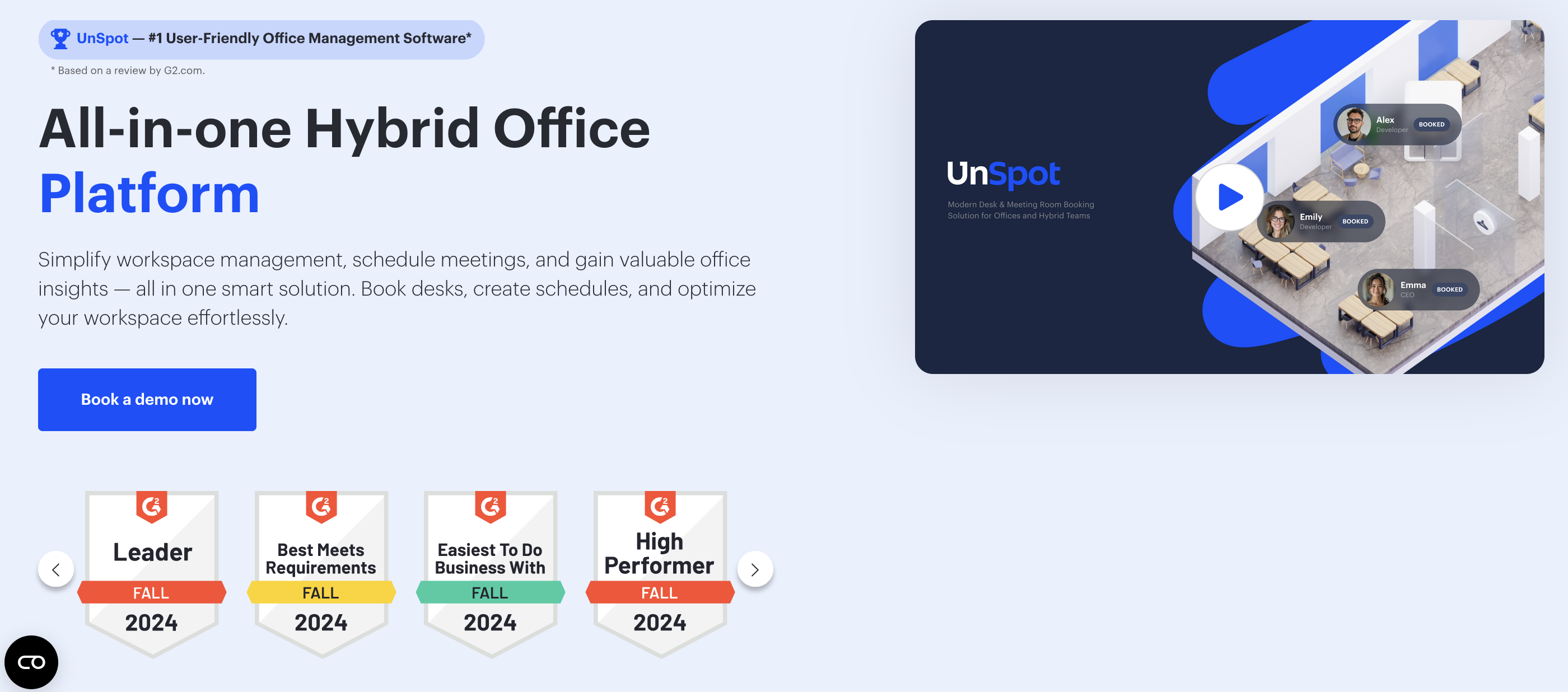
UnSpot scheduling software helps teams coordinate when and where they work. Employees can plan office days, book desks, and see their colleagues’ schedules, making it easier to collaborate in person.
Feature Highlights
- Schedule management: Supervisors can edit team schedules, with automatic notifications keeping everyone updated.
- Team visibility: See when coworkers are on-site and book a nearby desk or invite them to a meeting.
- Interactive maps: View real-time desk and meeting room availability before booking.
- Smart updates: On office days, UnSpot confirms attendance and updates schedules automatically.
- Team alerts: Get notified if a teammate comes in unexpectedly, so you don’t miss the chance to meet.
- One-click booking: Reserve desks or meeting rooms instantly.
Who It’s For
- Industry fit: Suited for technology companies, professional services, and any organization adopting hybrid work models.
- Company size: Works well for small to mid-sized teams that need simple scheduling, as well as larger organizations looking for better visibility into office attendance.
Integrations
UnSpot covers the essentials - Microsoft 365, Teams, Outlook, Exchange, Google Workspace/Calendar, Slack, Zoom, and Zendesk, a compact list focused on calendars and chat.
Security & Compliance
UnSpot publishes little about its security posture. No named certifications or compliance documentation appear on its site beyond a standard privacy policy, so security-conscious buyers will need to ask directly.
Pricing
UnSpot offers two models: per user, with Basic from $50/company and Advanced from $100/company (currently 50% off at $50), both covering desk, room, locker, and parking booking; or per resource, from $10/company for desks, parking, and lockers, and from $30/company for meeting rooms.
Ease of Use and Adoption
UnSpot's interface is user-friendly and employees pick it up quickly. Booking a desk or room takes one click, though initial setup and configuration take some time.
Customer Feedback
- What customers like: Users highlight UnSpot’s user-friendly interface. Many note that it has streamlined office management, especially in coordinating between remote and in-office staff. The workspace booking process is also praised for being quick and efficient, helping teams save time when reserving desks or meeting rooms.
- What could be improved: Some customers mention that updates from parallel systems don’t always sync immediately, leading to occasional booking discrepancies. Others found the initial setup a bit complex, requiring time for configuration and onboarding. A few users also reported that the help desk can be slow to respond, especially when urgent support is needed.
Pros | Cons |
|---|---|
Intuitive, user-friendly interface that employees adopt quickly | Initial setup and configuration can take time |
Makes hybrid scheduling and coordination between remote and on-site staff easier | Booking changes from connected systems may not sync instantly |
Flexible pricing models (per user or per resource) to fit different company structures | Help desk support is sometimes slower than expected |
UnSpot: advantages & limitations
Final Score
8.3. UnSpot proves that simple scheduling done well goes a long way. Flexible per-user or per-resource pricing at company level makes it one of the most accessible entry points here. The gaps are around the edges: little published security information, occasional sync delays with connected systems, and a feature set that stays quite narrow.
How Does YAROOMS Compare to Other Hybrid Workplace Software?
Hybrid workplace software ranges from lightweight scheduling apps to full enterprise platforms - and there's no single winner for every situation. Envoy leads on visitor workflows, Joan on signage hardware, Officely on Slack-native simplicity, OfficeSpace on space planning - each platform in this guide earned its place by doing something well.
We're obviously not a neutral party here, so rather than claim YAROOMS is best at everything, the table below shows honestly where each platform shines, what YAROOMS adds, and which choice makes sense depending on what you actually need.
| Comparison | Other platform strengths | What YAROOMS adds | Bottom line |
|---|---|---|---|
| YAROOMS vs Envoy | Visitor and delivery workflows for corporate offices | Hybrid scheduling, digital signage, broader compliance (ISO 27001, SOC 2 Type II) | Choose YAROOMS for visitor management inside a complete hybrid platform. Choose Envoy if visitor and delivery management is your primary need. |
| YAROOMS vs Kadence | Team coordination, workplace events, AI scheduling | Signage hardware, broader certification stack, Yarvis AI native in Teams | Choose YAROOMS for compliance-heavy enterprise deployments with AI. Choose Kadence if building in-office culture through events is the priority. |
| YAROOMS vs deskbird | Clean GDPR-first booking for EU mid-market teams | Digital signage, SOC 2 Type II, AI-assisted scheduling | Choose YAROOMS when your EU team needs a fuller workplace platform. Choose deskbird for lightweight, per-user booking with fast rollout. |
| YAROOMS vs Tactic | HR-led coordination with leave management at accessible prices | Enterprise compliance, multi-site admin, signage, AI via Teams | Choose YAROOMS when IT and compliance needs sit alongside HR coordination. Choose Tactic if time-off management inside your booking tool matters most. |
| YAROOMS vs OfficeSpace | AI space planning, move management, asset tracking | Hybrid scheduling, visitors, and signage in one platform - no separate modules | Choose YAROOMS for a complete hybrid workplace platform. Choose OfficeSpace if IWMS-grade space planning and asset tracking are core requirements. |
| YAROOMS vs Officely | Simple, affordable booking inside Slack/Teams | Compliance, visitor management, signage, multi-site admin, AI booking | Choose YAROOMS past ~200 employees or multiple locations. Choose Officely if your small team lives in Slack or Teams and wants zero setup. |
| YAROOMS vs TableAir | Per-resource pricing with own sensors, displays, kiosks | Hybrid scheduling, AI booking in Teams, stronger compliance and integrations | Choose YAROOMS when scheduling and AI matter alongside hardware. Choose TableAir for predictable per-resource pricing in a Microsoft-centric office. |
| YAROOMS vs Cloudbooking | Built for government, healthcare, aerospace; 3D maps | Same regulated-sector coverage plus scheduling, AI booking, and signage | Choose YAROOMS for a full platform with equal compliance depth. Choose Cloudbooking for sector-specific configurations in high-security environments. |
| YAROOMS vs Joan | e-Paper room and desk display hardware | Comparable signage inside a broader platform with visitors, analytics, AI | Choose YAROOMS when signage is one component of a bigger system. Choose Joan if elegant, low-maintenance displays are the main goal. |
| YAROOMS vs Robin | AI booking, workplace surveys, deep Microsoft/Slack integrations | Visitor management, signage hardware, broader certifications, transparent pricing | Choose YAROOMS for compliance depth, hardware, and public pricing. Choose Robin if built-in employee surveys alongside AI booking are decisive. |
| YAROOMS vs elia | Software plus own sensors, screens, and safety workflows | Comparable hardware plus visitor management, AI, broader compliance | Choose YAROOMS for a complete platform with AI and visitors. Choose elia if built-in health and safety workflows top your list. |
| YAROOMS vs FLYDESK | Lightweight scheduling, booking, and leave for small teams | Multi-site management, compliance, visitors, signage, AI in Teams | Choose YAROOMS when scaling into multiple sites and compliance needs. Choose FLYDESK for the most affordable all-in-one for a small team. |
| YAROOMS vs Archie | Booking core with attendance visibility for mid-sized offices | Compliance depth, M365 integration, Yarvis AI, wider hardware ecosystem | Choose YAROOMS for enterprise-grade compliance and AI on top of booking. Choose Archie for per-resource pricing with a clear who's-on-site view. |
| YAROOMS vs UnSpot | Simple scheduling and desk booking at accessible prices | Enterprise compliance, multi-location admin, visitors, signage, AI scheduling | Choose YAROOMS once you need more than scheduling basics. Choose UnSpot for the lowest-cost entry into hybrid scheduling. |
Other Hybrid Workspace Software Tools
The growth of hybrid workspace software market is forecasted to be huge - and with rapid growth comes plenty of choice. Beyond the 15 top platforms covered in detail, there's a wide range of other vendors. Some focus narrowly on desk booking or signage, while others expand into broader areas like smart buildings, facilities management, or employee experience.
To give you the full picture of what’s out there, here are some more solutions worth noting:
- Smartway2 – Intelligent desk scheduling and resource booking.
- HubStar – AI-powered analytics and digital assistant for workplace optimization.
- Eden – Workplace services scheduling and space management.
- Appspace – Workplace communication and management software.
- Roomz – Specialized in meeting room displays and scheduling panels.
- WorkInSync – Desk and room booking with optimization features.
- Gable – Event-based desk booking and global flexible office network.
- FM:Systems – IWMS platform with advanced analytics and facility automation.
- Nuvolo – Workplace and facilities management platform with integration depth.
- Matrix Booking – Multi-organization resource booking, works well for office hubs.
- Freespace – Hybrid Intelligence platform with branding and collaboration features.
- Eptura – A major workplace management provider, offering space booking, asset management, and analytics.
- Accruent EMS - Strong in meeting room scheduling, real estate management, and compliance-heavy workplaces.
What Is the State of Hybrid Work Software in 2026?
Hybrid workplace software has become core workplace infrastructure in 2026 - with the market projected to grow from $4.9 billion in 2023 to $21.1 billion by 2032, driven by the normalization of flexible work and the need for data-driven space decisions.
Hybrid workplace software has matured from simple desk booking tools into multi-functional platforms.
Most solutions now include the core essentials: desk and meeting room reservations, hybrid scheduling, visitor management, and mobile access. These features are table stakes that give employees visibility into who’s in the office, where to sit, and how to welcome guests.
Differentiation now comes from advanced features. Some vendors offer digital signage, workplace services booking, time-off and HR coordination, neighborhood zoning, or AI agents that recommend spaces and automate routine tasks.
A smaller group also develops dedicated hardware - such as Joan’s e-paper displays or Elia’s tablets and sensors - to bridge digital workflows with the physical workplace. Others achieve similar outcomes through partner ecosystems and device integrations.
The market is shifting firmly toward platform thinking. Lightweight tools like Officely and FLYDESK continue to resonate with smaller teams, but more established players (including YAROOMS, Envoy, OfficeSpace, and Robin) are evolving into all-in-one hybrid workplace platforms.
By unifying people, spaces, and data, they provide workplace managers and facility teams with analytics to optimize real estate and costs, while ensuring employees have a great hybrid work experience.
What’s Next in Hybrid Work Software?
The next wave of hybrid workplace software is driven by deeper integrations and AI. According to the Verdantix Hybrid Workplace Soltutions Buyer’s Guide 2025, vendors are embedding AI-enabled features to simplify processes, refine workplace strategies, and improve employee engagement. For decision-makers, the focus is shifting from booking and scheduling to how well platforms connect with broader business systems.
Emerging technologies are reshaping the workplace experience:
- IoT sensors feed real-time data on occupancy, air quality, and energy use directly into workplace platforms.
- VR and AR enable digital twins, immersive wayfinding, and new forms of remote collaboration.
- Building system integrations (security, HVAC, lighting) turn hybrid workplace platforms into connected ecosystems instead of stand-alone tools.
Podcast: how emerging technologies like IoT, automation, and real-time analytics are shaping the next generation of hybrid workplace solutions.
In short, hybrid workplace solutions are evolving from operational tools into strategic ecosystems that unify people, spaces, and data. The winners will be platforms that balance ease of use with the intelligence and integrations needed to future-proof the hybrid office.
See the Best Hybrid Workplace Management Software in Action
Choosing the right hybrid workplace platform is easier when you can experience how it works. With interactive demos, you can see how YAROOMS hybrid workplace software saves time on daily coordination, reduces real estate costs, and makes collaboration simpler.
Just click on the image below.👇
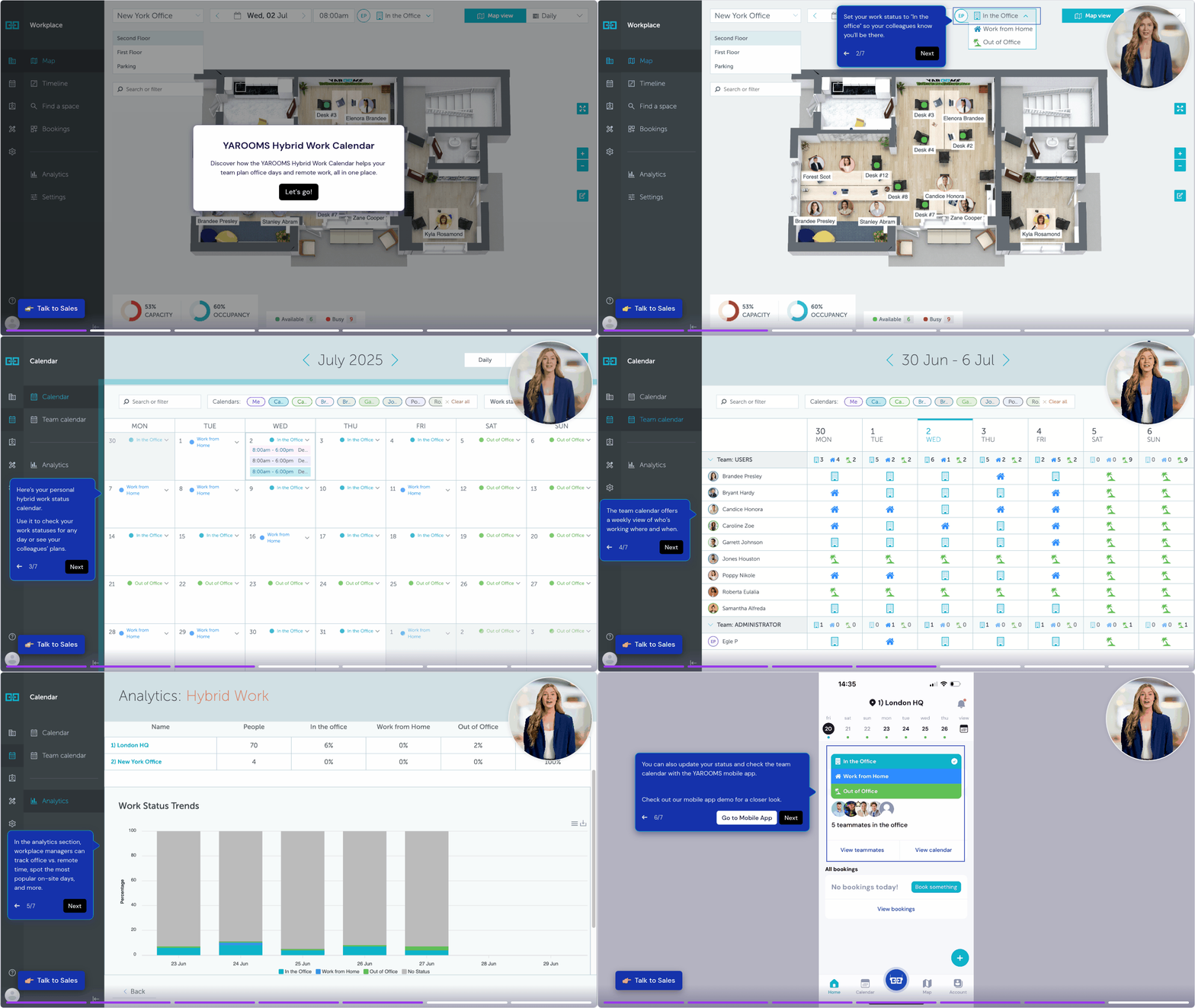
Resources and Further Reading
The insights presented here draw on multiple sources, including:
- Official vendor websites (product pages, pricing pages, and feature documentation).
- Independent review platforms, including G2, Capterra, Gartner Peer Insights, SourceForge.
- Reddit community discussions on hybrid work and workplace software adoption.
- Analyst research: Verdantix Buyer’s Guide 2025: Hybrid Workplace Solutions; Gartner’s Magic Quadrant for Workplace Experience Applications 2026.
Please note that vendors in this space are constantly improving their products to deliver the best possible workplace experience, which means features, capabilities, and pricing may evolve over time. For the most up-to-date information, we recommend visiting each vendor’s official website.
For more insights on selecting hybrid workplace tools, here are some recommended reads:
- Is Your Workplace Software User-Friendly? Here’s How to Tell If Employees Are Struggling
- Rethinking Workplace Tech for the Long Term
- Build vs Buy: Hybrid Workplace Software
- Workplace Software Pricing Explained: What to Expect (and What to Avoid)
- How Much Does That Old Workplace Software Cost You?
FAQ: Best Hybrid Work Software
Which Digital Workplace Solutions Are Known for Their Excellent Integration Capabilities?
YAROOMS, Robin, and Kadence are the hybrid workplace platforms most recognized for integration depth - covering Microsoft 365, Google Workspace, SSO providers, HRIS systems, and access control in a single connected platform. YAROOMS offers native integrations with Microsoft Teams, Outlook, Azure AD, Okta, and Google Calendar, with Yarvis AI enabling natural language booking directly inside Teams. Robin and Kadence both offer strong Slack and Teams integrations, with Kadence also supporting HRIS sync and LiquidSpace for flexible office access.
What Platforms Provide Visibility Into Hybrid Team Collaboration?
YAROOMS, Kadence, and Tactic provide the clearest visibility into hybrid team collaboration - showing who is in the office, who is remote, and when teammates will be on-site through shared scheduling calendars and presence dashboards. YAROOMS displays real-time team schedules across departments and locations, helping employees coordinate in-office days and managers track attendance patterns without manual reporting. Kadence adds neighborhood zoning and team presence suggestions, while Tactic gives HR teams a combined view of office days and time-off in one interface.
Which Hybrid Workplace Platforms Have the Best Customization Options?
YAROOMS, OfficeSpace, and Robin offer the most extensive customization options among the platforms in this guide - covering custom booking policies, role-based access controls, branded digital signage, and configurable analytics dashboards. YAROOMS supports custom workflows, location-specific booking rules, custom integrations via API, and white-label digital signage displays for organizations that need the platform to match their internal processes rather than adapt to a standard setup. OfficeSpace adds custom space planning scenarios and move management workflows for large enterprises managing complex real estate portfolios.
Which Digital Workplace Solutions Brands Stand Out for Their Cost-Effectiveness?
Officely, FLYDESK, and Tactic are the most cost-effective hybrid workplace platforms in this guide - with Officely offering a free tier for small teams, FLYDESK providing scheduling, booking, and leave management in one lightweight app at a low per-user cost, and Tactic covering core desk and room booking with analytics from $3 per workspace per month. For mid-sized organizations that need a more complete platform without enterprise pricing, deskbird and TableAir both offer transparent resource-based or per-user pricing with a solid core feature set. YAROOMS provides the strongest ROI at the enterprise level, where real estate savings from reduced desk ratios typically offset the platform cost within 6-12 months.
What Is the Best Scheduling Tool for Hybrid Teams?
The best scheduling tools for hybrid teams are YAROOMS, Kadence, and Tactic - each offering shared team calendars that show who is working from the office and who is remote on any given day, helping employees coordinate in-office time without relying on manual communication. YAROOMS includes a hybrid work scheduling module with department-level visibility, policy enforcement, and integration with Microsoft 365 and Google Calendar so schedules stay in sync with existing workflows. Kadence adds AI-powered suggestions that recommend the best days to come in based on when teammates are present, while Tactic combines scheduling with time-off management for HR-led teams.
Can Hybrid Workplace Software Support Visitor Check-Ins?
Yes - most full hybrid workplace platforms include visitor management as either a core feature or an add-on module, covering pre-registration, digital check-in, host notifications, badge printing, and compliance documentation. YAROOMS includes visitor management with QR code check-in, touchless arrival flows, watchlist screening, and GDPR-compliant visitor logs as part of its platform. Envoy, Kadence, TableAir, and Tactic also support visitor check-ins, though the depth of compliance features and multi-site visitor management varies significantly between platforms.
List Top-Rated Hybrid Work Management Software With Mobile App Support
The top-rated hybrid work management software with mobile app support includes YAROOMS, deskbird, Robin, Envoy, and Kadence. YAROOMS offers iOS and Android apps for booking desks, rooms, and parking, QR check-in, finding colleagues, and managing schedules on the go - with the Yarvis AI agent handling bookings in Microsoft Teams without opening the app at all. deskbird's mobile app is frequently cited as one of the easiest to use, Robin pairs mobile booking with wayfinding maps, Envoy adds visitor and delivery management to its mobile experience, and Kadence supports mobile scheduling with AI-suggested desk bookings.
Workplace of the future. Today.
See how YAROOMS integrates with Microsoft 365 to create a seamless workspace booking experience.