
14+ Best Visitor Management Systems to Consider in 2026
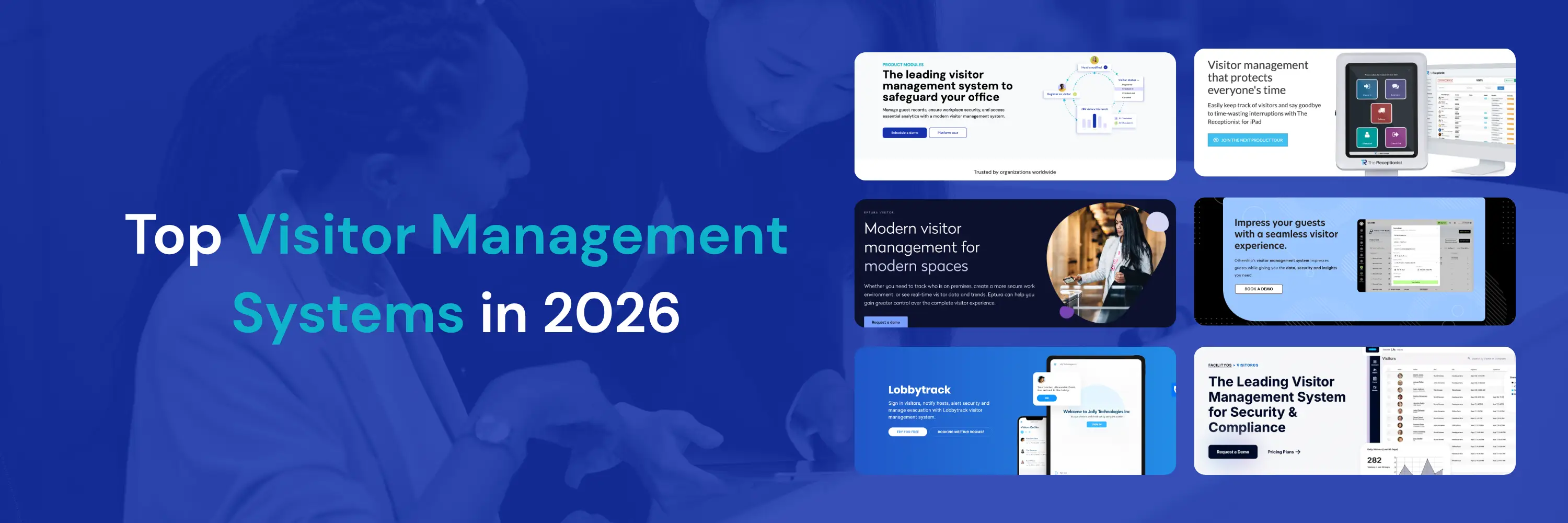
The best visitor management systems in 2026 are YAROOMS, Greetly, Envoy, Robin, and Eptura Visitor - platforms that handle the full visitor journey from pre-registration to checkout, with automated host notifications, compliance documentation, and real-time visibility into who's on-site.
Offices today receive a constant stream of visitors - contractors, clients, job candidates, delivery staff - and managing that flow manually creates real risks: compliance gaps, security blind spots, and a front desk experience that doesn't match the professionalism of the rest of the business. Visitor management software solves this by replacing paper sign-in sheets with digital check-in flows and audit-ready records that hold up to GDPR and CCPA scrutiny.
The market reflects this growing need: visitor management software was valued at $1.8 billion in 2025, with projections pointing to $2 billion by end of 2026 and $6.9 billion by 2035 (a CAGR of ~11.7%).
The systems reviewed in this guide vary significantly in pricing, feature depth, and ideal use case - whether you need a standalone visitor tool or visitor management as part of a broader workplace platform. Click on a vendor name to jump straight to its description:
- YAROOMS
- Greetly
- Envoy
- Robin
- Eptura Visitor
- Archie
- Lobbytrack
- Sign In App
- VisitorOS
- Visitly
- Othership
- Eden
- Kastle
- Vizito
| Need | Top pick | Runner-up | Why |
|---|---|---|---|
| Lowest entry price | Vizito: €29.95/location/mo | Lobbytrack: $50/location/mo | Vizito charges per location, not per device: one price covers unlimited kiosks, QR codes, and hosts at a site |
| Free tier | Lobbytrack: free up to 100 visitors/mo | Envoy Basic: free, 100 entries/mo | Lobbytrack’s free tier includes host notifications and visitor logs; Envoy caps most features until Premium |
| Under $200/month | Vizito, Sign In App (about €40/mo), Lobbytrack, Visitly (about $83/mo), Eden ($129), Greetly ($99), YAROOMS ($99), Archie ($109) | N/A | Eight of the fourteen systems reviewed start under $200/location/month |
| GDPR and EU data residency | Vizito: EU-hosted, 31 languages | YAROOMS: GDPR, ISO 27001, ISO 27701, SOC 2 Type II | Vizito is EU-native and ISO 27001 certified; YAROOMS adds SOC 2 Type II assurance for multi-site enterprises |
| Small teams on a budget | Eden: $129/location/mo | Greetly: $99/mo Essential | Eden covers branded kiosk, NDA management, badge printing, and Slack/Teams at entry tier |
| Android or mixed hardware | Lobbytrack: iPad, Android, Surface, Windows/Mac desktop | YAROOMS: hardware-agnostic, any tablet or kiosk | Envoy is iPad-only (iPadOS 15+); Sign In App’s Android build is still in beta and lacks ID scanning |
| High-security and access control | Kastle: quote only | Visitly: $1,000/location/yr | Kastle runs on managed building infrastructure with QR lobby readers and Apple/Google Wallet credentials |
| Coworking and flexible offices | Othership: quote only | Archie: $109/office/mo | Workspace assignment for guests alongside member management |
| Visitor management inside a full workplace platform | YAROOMS: $99/location/mo | Robin, Archie | Visitor check-in alongside desk booking, room scheduling, hybrid planning, and analytics in one system |
Quick picks: best visitor management system by need
What Is a Visitor Management System?
A visitor management system (VMS) is software that replaces paper sign-in sheets with a digital reception process to track, manage, and record everyone entering the workplace. Beyond simple check-ins, modern systems support ID verification, badge printing, contactless entry, and GDPR/CCPA compliance.
For reception teams, facility managers, and security staff, this means clearer visibility and easier monitoring of who’s on-site, while guests enjoy a smoother, faster, and more professional welcome.
Examples of Visitor Management Software
VMS come in many shapes and sizes - some widely used visitor management software examples include YAROOMS, which offers visitor management as part of a complete workplace platform (alongside space booking, hybrid work scheduling, and analytics). More front-desk focused tools like Greetly specialize in quick guest check-in, badges, and host notifications. Others, like Genea, integrate visitor management with access control for added security.
What Types of Visitor Management Systems Are There?
Visitor management systems come in 11 main types, including cloud-based platforms, self-service kiosks, biometric systems, and mobile app-based tools, each suited to different security levels and office setups.
- Cloud-Based Visitor Management Systems: Run on remote servers and work on any device with internet access. They’re flexible, easy to scale, and ideal for workplaces with remote teams.
- On-Premise Visitor Management Software: Installed directly on company servers and managed internally. Best for organizations that want maximum control over data and infrastructure.
- Self-Service Kiosks: Placed at entrances to let visitors check themselves in using a touchscreen. Suitable for busy lobbies, but setup is required at every access point.
- Front Desk Check-In Systems: Let reception staff log guests directly into the platform. They centralize visitor records and work well in workplaces with a staffed reception.
- Biometric Visitor Management Systems: Use fingerprints, facial recognition, or iris scans for identity checks. A strong fit for high-security environments where accuracy is critical.
- Mobile App-Based Visitor Management: Allow pre-registration, check-in, and digital passes through smartphones. Convenient for tech-forward workplaces and frequent returning guests.
- Contactless Visitor Management Systems: Enable QR code, NFC, or facial recognition check-ins without physical touch. Popular since the pandemic for safer, faster entry.
- Event-Specific Visitor Management: Designed for conferences and trade shows with high visitor volume. Handle pre-registration, badge printing, and real-time attendee tracking.
- Gate Management Systems: Used at gated offices, campuses, or communities to monitor entry points. Often integrate license plate recognition or entry codes for vehicles and pedestrians.
- Integrated Visitor Management Systems: Connect seamlessly with access control, HR, or CRM tools. Streamline workflows by automating check-ins and linking visitor data across platforms.
- Enterprise Visitor Management Systems: Built for large organizations with multiple sites and strict security needs. Provide advanced customization, centralized dashboards, and enterprise-level integrations.
How Does a Visitor Management System Work?
A visitor management system works by guiding visitors through a digital check-in flow: they pre-register online before arrival, check in on a tablet or kiosk, receive a printed or digital badge, and their host is notified automatically. Here’s a typical process from start to finish:
- Pre-registration (optional): Guests receive an invite link to submit details (name, purpose, host) and documents in advance. The VMS generates a QR code or confirmation.
- Arrival & check-in point: Visitors scan a QR, use a kiosk/tablet, or speak to the front desk to start check-in. The VMS time-stamps the entry.
- Compliance & consent: The VMS presents NDAs, safety notices, or privacy terms (GDPR/CCPA) for e-signature and stores the consent record.
- Badging & credentials: A temporary badge is printed or a mobile pass is issued with access level, host, and expiration.
- Host notification: The host gets an instant alert (app, SMS, email) with the visitor’s details and arrival status.
- Access control sync (if enabled): The VMS updates door/turnstile systems to grant the right zones for the right time window.
- On-site monitoring: Real-time dashboards and digital visitor logs show who is on-site; alerts trigger for overstays, restricted areas, or policy exceptions.
- Checkout: Visitors scan out (kiosk, QR, or front desk) so the log reflects accurate dwell time and current occupancy.
- Records & reporting: The visitor management software retains logs, consents, and badges per policy; admins export audits, analytics, and compliance reports.
This flow unifies security, compliance, and guest experience at the front desk - turning a manual sign-in into a controlled, auditable, and welcoming process.
What Are the Benefits of Visitor Management Software?
For front desk staff and facilities teams:
- Less stress at busy times: Automated check-ins take the pressure off staff, streamlining the process and cutting administrative workload by as much as 80%.
- More time for hospitality: With admin tasks handled in the background, teams can focus on greeting people warmly.
- Fewer errors: Digital logs reduce mistakes like misspelled names or lost visitor slips.
- Confidence in compliance: Staff know visitor records are accurate and audit-ready without extra effort.
- Better planning: Analytics reveal peak visitor times, helping facilities prepare resources in advance. In fact, companies that utilize operational data from visitor management systems are 5 times more likely to make faster business decisions than their peers, leveraging real-time visitor traffic analytics for smarter resource allocation.
For visitors:
- Quick, smooth arrival: With an electronic visitor management system, guests check in within seconds - cutting wait times by up to 63%.
- Clearer directions: They know where to go and who they’re meeting right away.
- Professional welcome: A polished process makes the organization look organized and trustworthy.
- Modern experience: Touchless or mobile check-in feels easy and up to date.
For employees:
- Less disruption: Employees get instant notifications from the visitor management system instead of front desk calls.
- Meetings start on time: Pre-registered visitors arrive prepared and ready.
- Peace of mind: Knowing only authorized visitors are inside helps employees feel safe.
- More focus: Fewer interruptions mean more time to concentrate on work.
What Features Should Visitor Management Software Have?
The most important features in visitor management software are visitor pre-registration, self-service check-in, automated host notifications, compliance tools (GDPR/CCPA), and analytics dashboards.
Visitor Pre-Registration & Scheduling
Visitor pre-registration lets organizations know who is coming, when they’ll arrive, and what they’ll need. By preparing badges or access passes in advance, check-in is faster and less stressful for both visitors and front desk teams. It also helps avoid bottlenecks during busy times or large events.
Self Check-In
A visitor management system with self check-in allows guests to register their arrival using a kiosk, tablet, or their own device - without needing direct help from front desk staff. This speeds up the process, reduces bottlenecks in busy lobbies, and frees staff to focus on more valuable tasks like greeting guests.
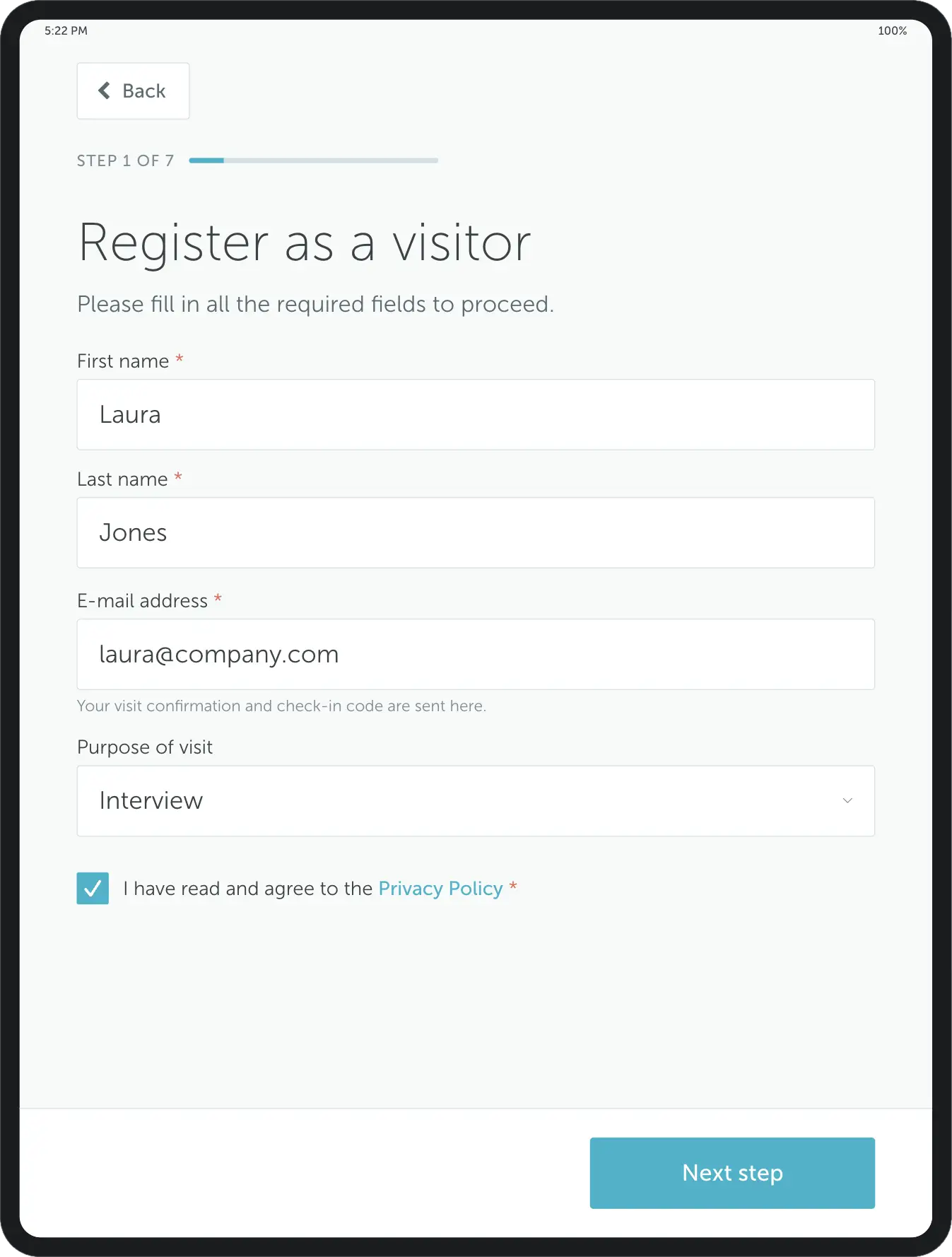
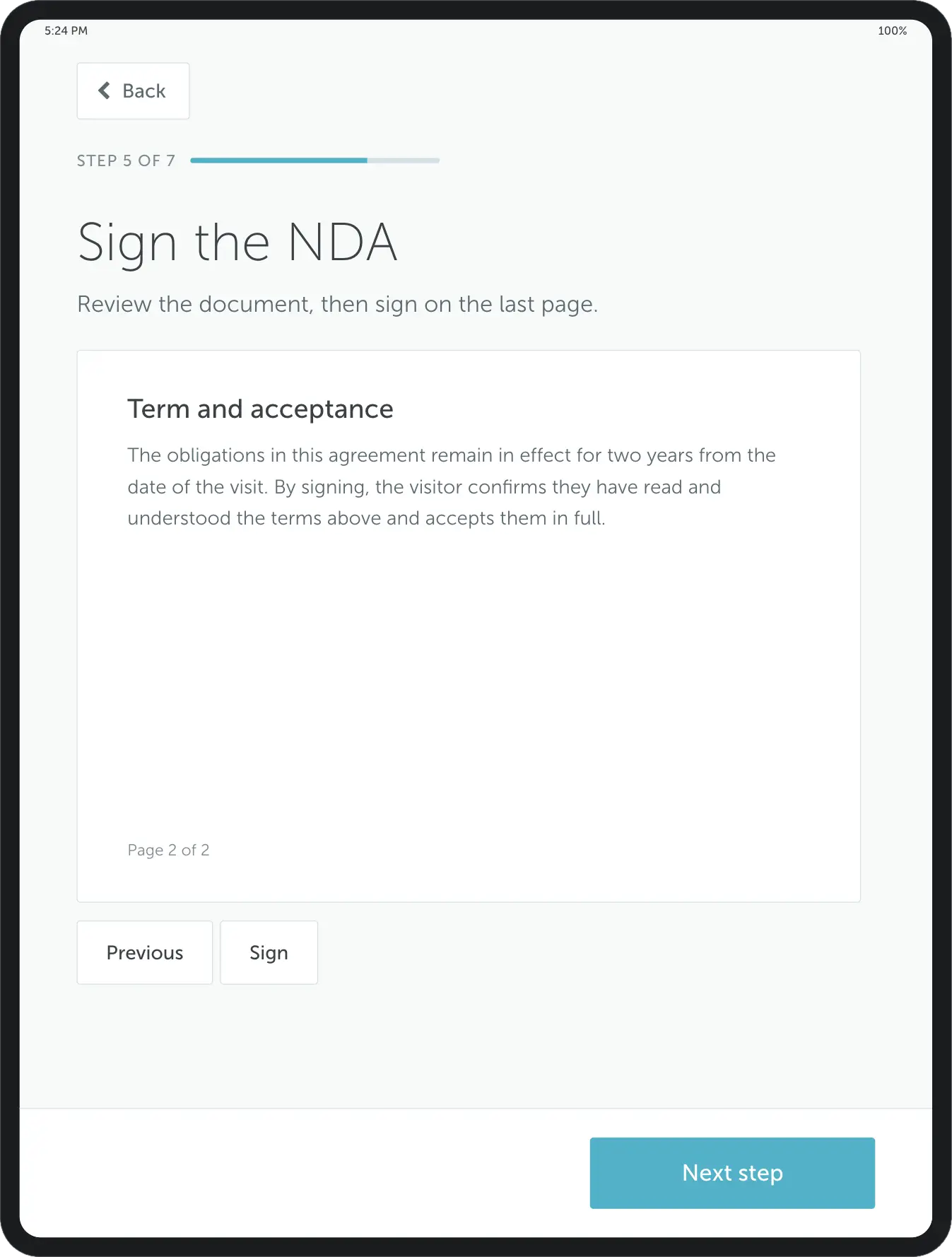
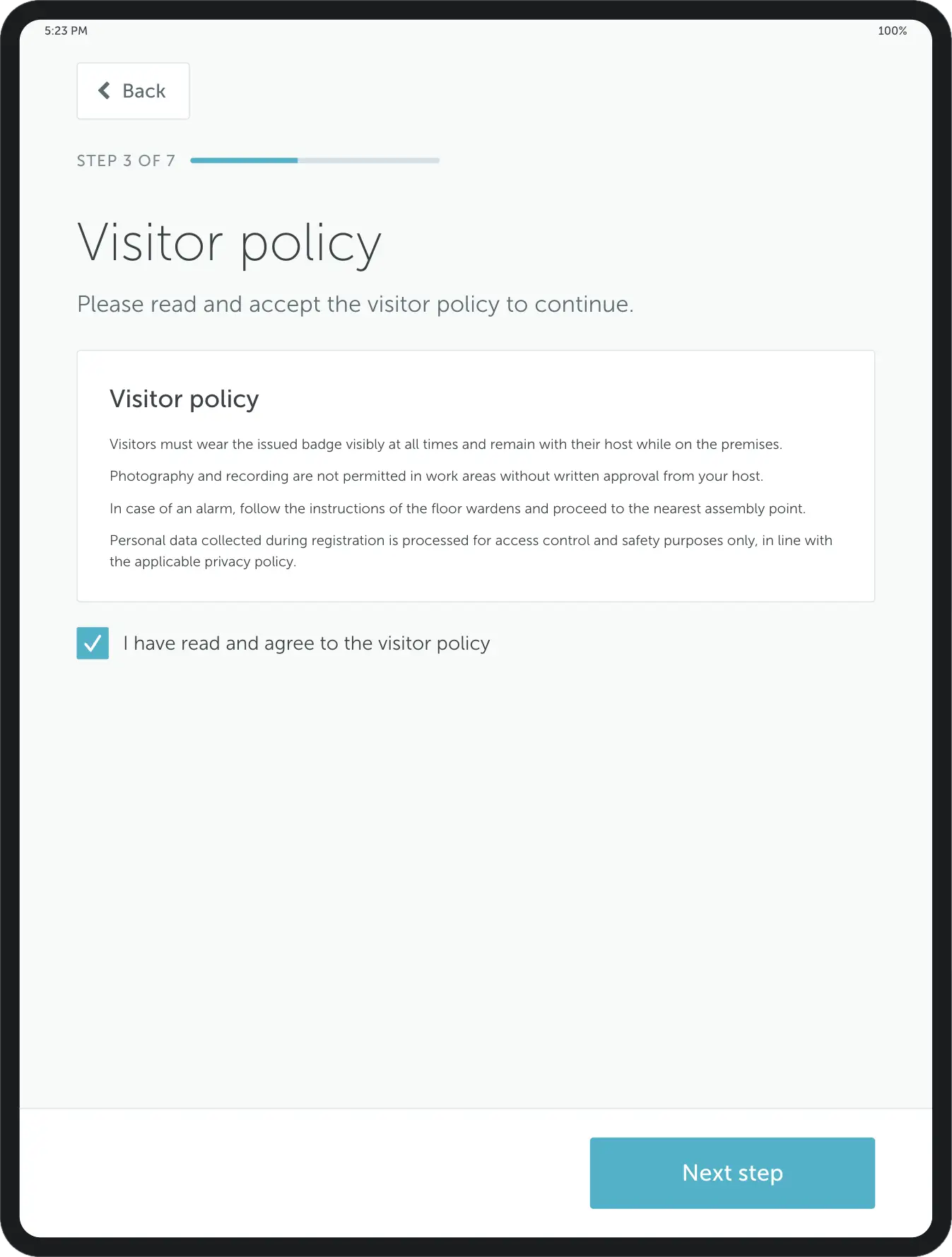
Example: YAROOMS visitor registration steps for capturing details, collecting signatures, and confirming policies.
Custom Check-In Workflows
Not every visitor is the same - contractors, clients, and vendors often require different registration steps. A customizable workflow ensures each group follows the right process, from photo capture to signing NDAs. This keeps security tight without slowing everyone down.
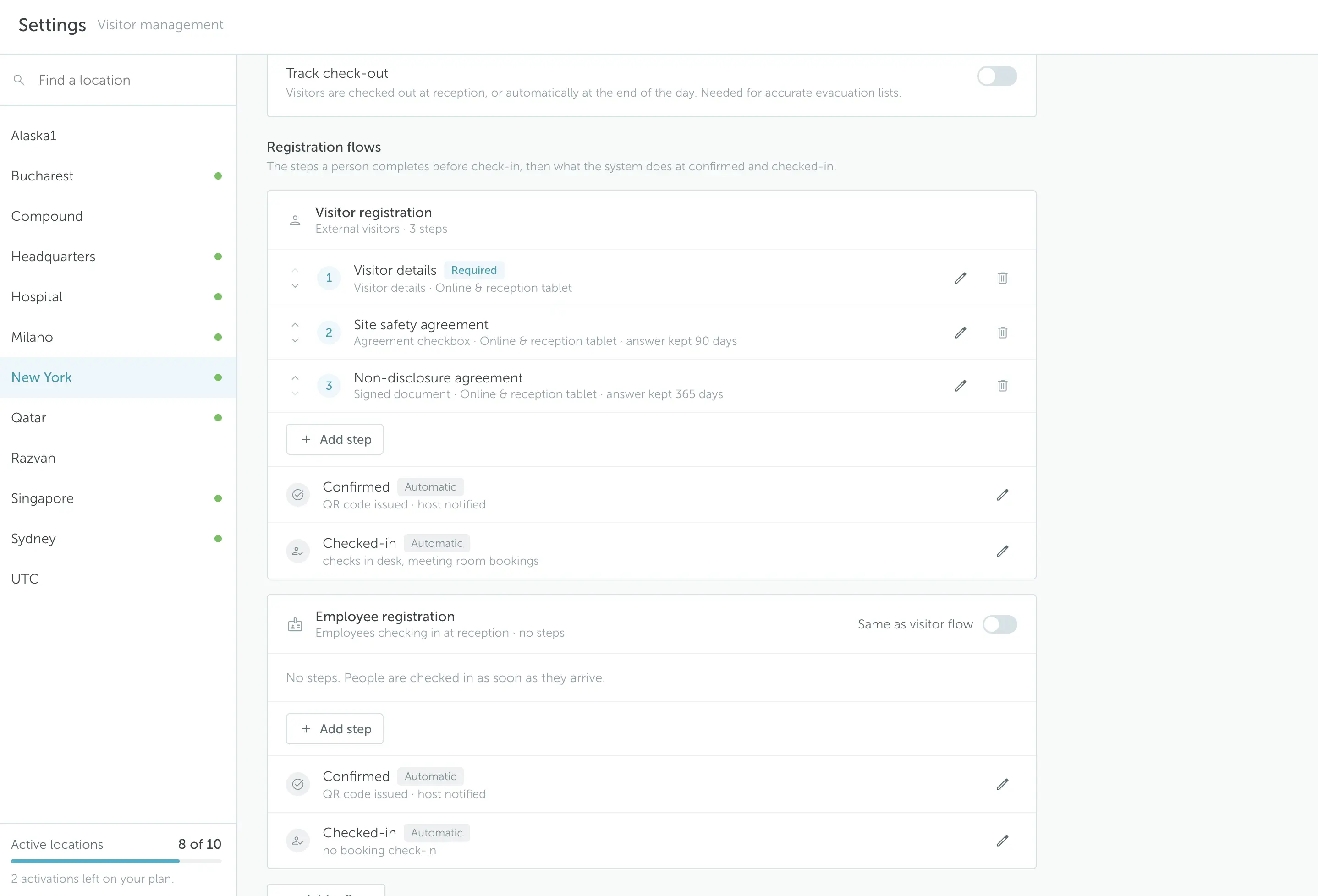 Example: setting up a custom visitor check-in flow with YAROOMS
Automated Host Notifications
Nobody likes waiting in the lobby. With automated notifications, employees are instantly alerted when their guest checks in. This means visitors are welcomed promptly, and front desk staff spend less time chasing down hosts.
Visitor Tracking Dashboards
Real-time dashboards show who is currently on-site, where they’re supposed to be, and how long they’ve been there. For facilities and security teams, this visibility is critical during emergencies and ensures compliance with safety regulations.
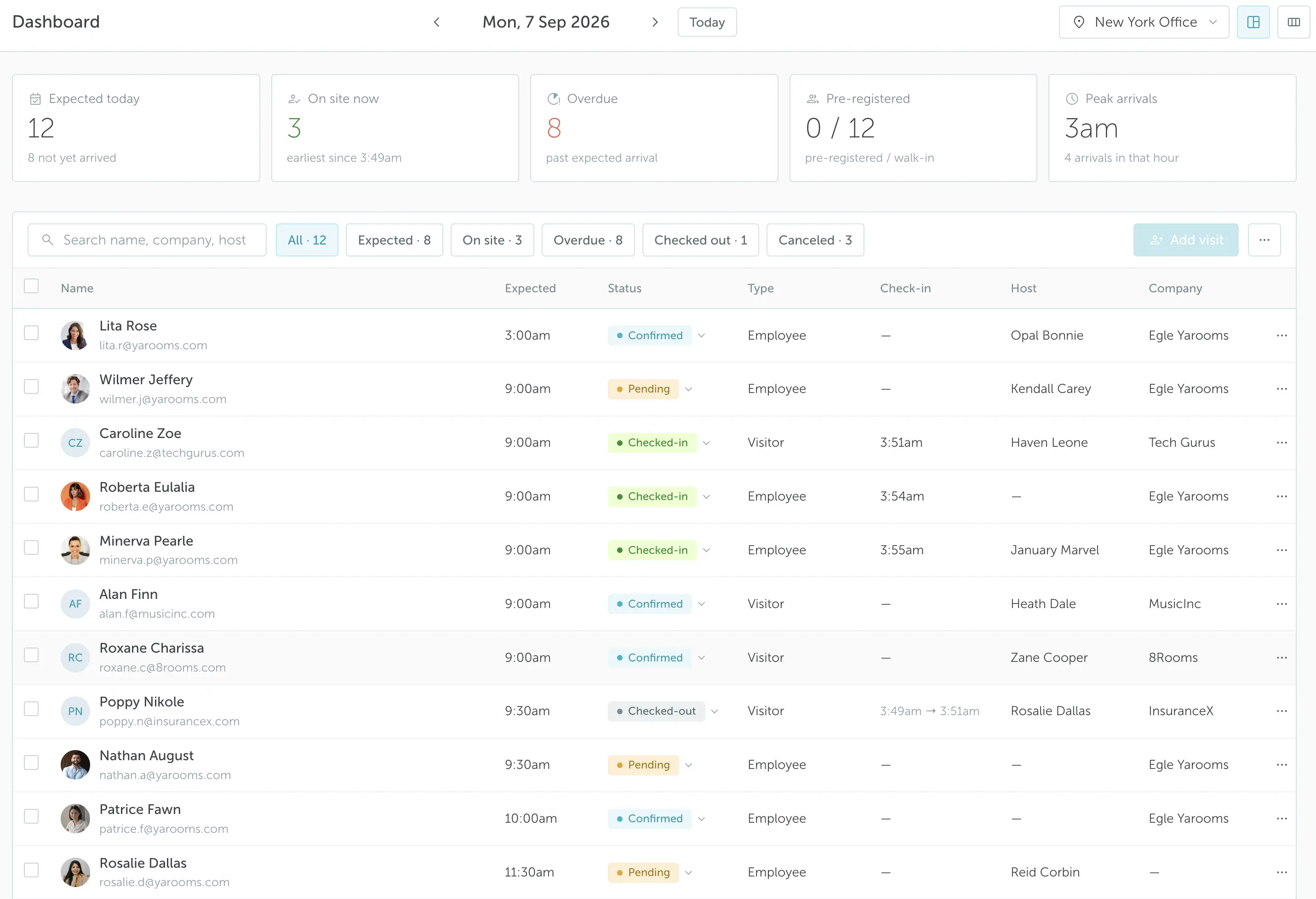 Example: YAROOMS visitor dashboard with check-in status, host details, visitor type, and other information.
Branding & Personalization
A polished welcome matters. Visitor management systems that support branded check-in screens and customized visitor badges create a professional first impression. It’s a subtle but powerful way to reinforce your company’s identity from the moment a guest arrives.
Visitor Analytics
Beyond check-in, analytics reveal patterns such as peak visitor times, frequent guests, and average visit durations. These insights help facilities plan staffing, improve efficiency, and even spot unusual activity that may indicate a security risk. See how visitor analytics works in YAROOMS.
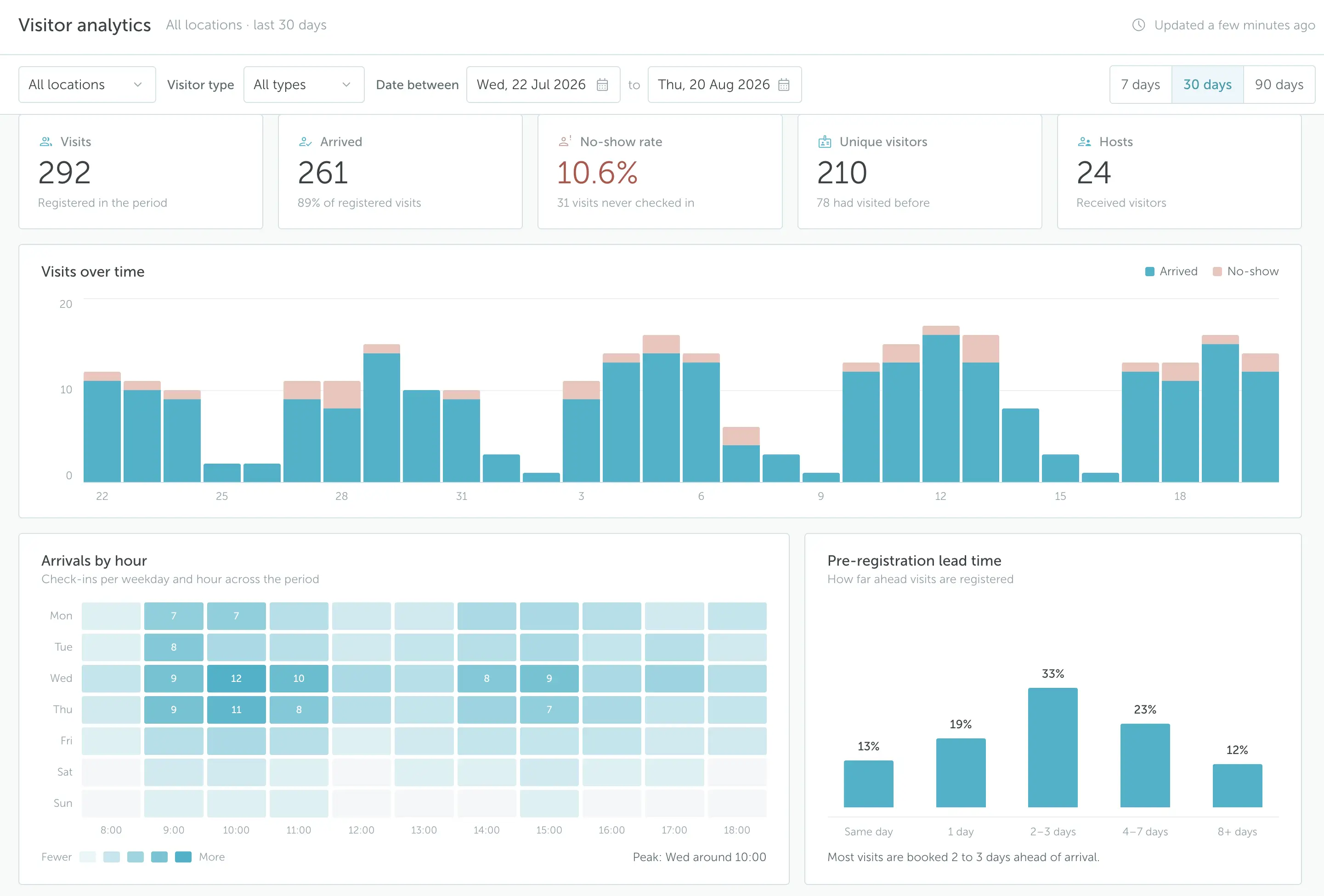 Example: YAROOMS visitor analytics
Data Security & Compliance
With strict regulations like GDPR, HIPAA, and CCPA, organizations need systems that handle visitor data responsibly. A good VMS automates consent collection, encrypts sensitive records, and provides clear audit trails. This protects visitors’ information while keeping the business compliant.
Granular Access Control
Not every guest should have the same level of access. Features like photo capture, ID scanning, and integration with door systems ensure visitors only enter approved areas. This extra layer of security protects sensitive spaces without adding friction for guests.
Desk & Room Booking Integration
Integrating visitor management with desk and meeting room booking ensures every guest has a space waiting. Hosts can pre-book resources, reducing last-minute scrambles and making visits smoother for everyone involved. It’s especially useful in hybrid workplaces where space is at a premium.
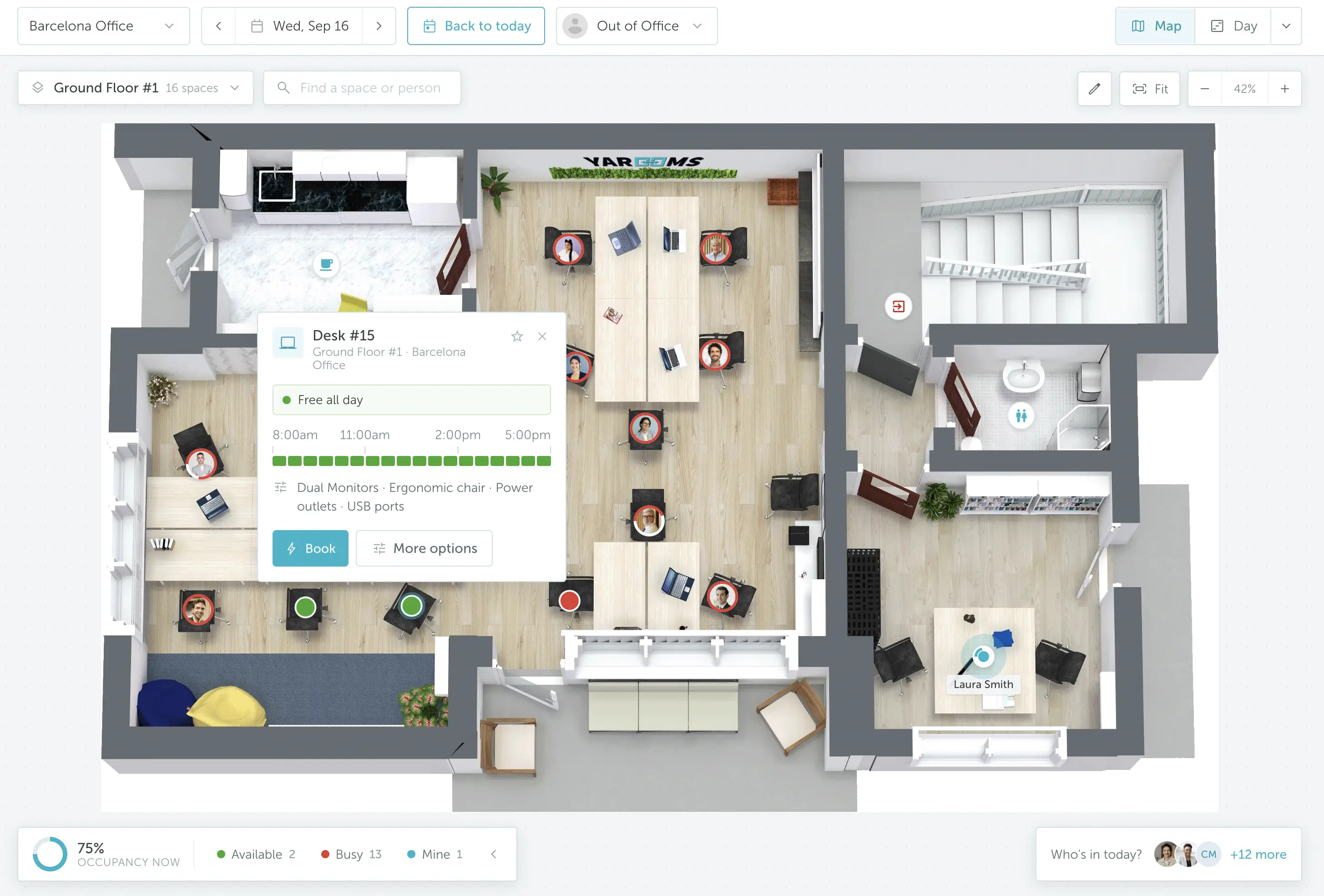 Example: YAROOMS visitor management system is part of a broader workplace management platform that also covers desk, meeting room, and parking space booking.
What Are the Best Visitor Management Systems in 2026?
We scored every system - including our own - on feature breadth, hardware support, pricing, and verified user reviews on G2 and Capterra. While our own platform appears first in this guide, that's simply because we published it - not because it received the highest score. As you'll see, every solution is evaluated using the same methodology, and the overall scores determine the rankings. Pricing and ratings were checked against vendor pages and review platforms in October 2026, and we aim to review this list every quarter so the information stays current.
A fair amount has shifted since we first published this list. SwipedOn and The Receptionist have consolidated under Sign In App, Visitly has pivoted from mid-market to enterprise, and several vendors have repriced - Envoy and VisitorOS most notably. Across the board, security and compliance capabilities have deepened, with certifications and screening features that were once enterprise-only now appearing further down the range.
System | Our score | G2 score | Starting price | Free option | Hardware | Best For |
|---|---|---|---|---|---|---|
8.8/10 | 4.3/5 | $99/location/mo ($960/yr) | Demo | Hardware-agnostic - any tablet or kiosk | Enterprise workplace and visitor management | |
8.9/10 | 4.8/5 | $99/mo (Essential) | Free trial | iPad (Air 5th gen+), select Android tablets | Customizable, branded check-in experiences | |
8.8/10 | 4.7/5 | $362/location/mo (Premium) | Free Basic tier (100 entries/mo) | iPad only (iPadOS 15+); Brother QL printers | Mid-to-large cloud-based deployments | |
8.8/10 | 4.4/5 | Quote only | Demo | iPads, Neat Frame, badge printers, access control | Hybrid offices needing visitor and space booking | |
8.7/10 | 4.6/5 | Quote only | Demo | Tablets, kiosks, badge printers, access control | Large multi-site compliance-heavy organizations | |
8.7/10 | 4.9/5 | $109/office/mo | Free trial | Standard iPads and Android tablets | Hybrid offices combining visitor and desk booking | |
8.5/10 | 4.6/5 | $50/location/mo (Basic) | Free Starter (100 visitors/mo) | iPad, Android, Surface, Windows/Mac desktop | Schools, healthcare, and government | |
8.4/10 | 4.6/5 | €485/site/yr (~€40/mo) | 15-day trial | iPad; Android in beta; Brother QL printers | Compliance-led visitor and employee sign-in | |
8.3/10 | 4.7/5 (FacilityOS) | $225/mo (Corporate) | Demo | iPad supplied by FacilityOS; virtual kiosks | Security-first enterprise deployments | |
8.3/10 | 4.4/5 | $1,000/location/yr (~$83/mo) | 14-day trial | BYO iPad and standard printers | Secure multi-site deployments | |
8.2/10 | No category presence | Quote only | Demo | Standard tablets, touchscreens, mobile devices | Coworking and flexible offices | |
8.1/10 | 4.7/5 | Accelerate: $129/location/mo; Scale: $249/location/mo (monthly billing). Yearly billing costs about 15% less. | Demo | iPad (iOS 11+), Amazon Fire, Android tablets | Small hybrid teams on a budget | |
8.0/10 | 4.6/5 | Quote only | Demo | Kastle building infrastructure + iPad kiosk | High-security and commercial real estate offices | |
8.0/10 | 4.9/5 | €29.95/location/mo | 14-day trial, no card | iPad, Android, Windows kiosk PC | EU-based multi-language GDPR compliance |
Best visitor management systems in 2026: a comparison
1. YAROOMS: Best for Enterprise Workplace and Visitor Management
YAROOMS is a full-featured visitor management system integrated into a broader workplace management platform. Beyond handling guest and reception management, it brings together space and resource booking, hybrid work scheduling, and office analytics - delivering an end-to-end solution for all workplace operations.
G2 score: 4.3/5
Our score: 8.8/10
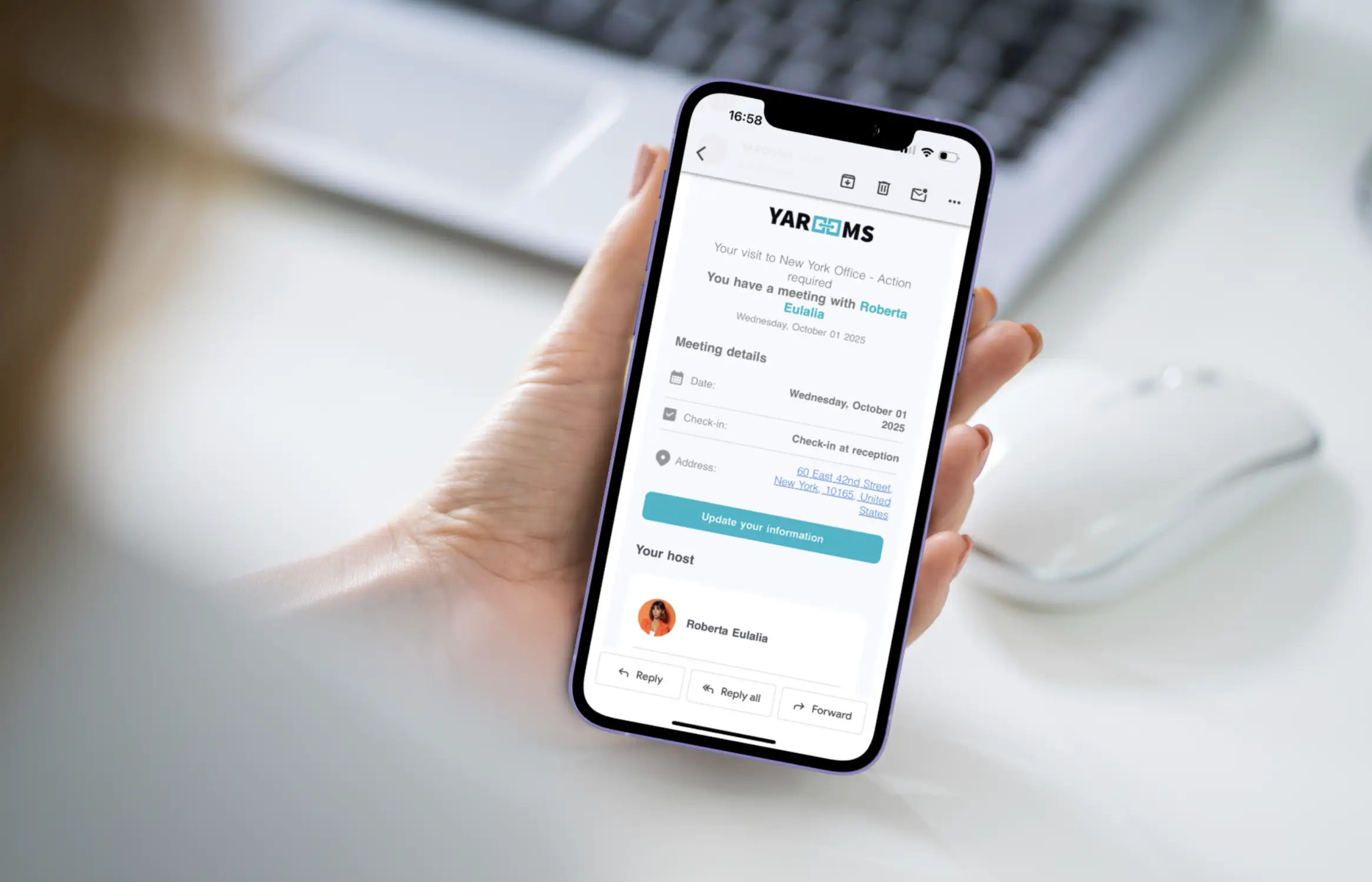
YAROOMS: the leading visitor management system to safeguard your office
Feature Highlights
YAROOMS has been recognized in the Best Visitor Management Software of 2025 report by Software Advice, earning the title of Best Functionality:
- Visitor pre-registration & self-registration – Hosts can pre-register guests in advance, or visitors can sign themselves in using a digital reception app.
- Arrival notifications – Hosts get instant alerts when their guests arrive, ensuring no one is left waiting in the lobby.
- Custom branding – Configure the check-in interface with your company’s logo, colors, and style for a professional welcome.
- Visitor details – Capture and store essential data like name, contact details, or license plate number for better record-keeping.
- Digital signatures & checkbox agreements – Collect signatures on documents or require agreement to policies (NDAs) directly at check-in to stay compliant.
- Visitor photos & safety videos – Add an extra layer of security with visitor photos, or share key safety and orientation videos before access is granted.
- Questionnaires & document uploads – Gather health, compliance, or custom information, and request files when needed to simplify verification.
- Visitor badge printing - Print visitor badges as soon as guests check in.
- Visitor watchlists - Automatically check every visitor against your company’s blacklist.
- Multi-location management – Apply tailored visitor management policies across different offices within a single system.
- Analytics & digital logs – Monitor visitor traffic, access history, and host details, with easy data exports for reporting or audits.
Best For
YAROOMS visitor management is a strong fit for schools, healthcare institutions, tech offices, financial and government organizations that deal with high visitor traffic and strict compliance requirements. Built for mid-sized to enterprise workplaces, it goes beyond secure guest check-ins by offering broader workplace management solutions such as space booking, hybrid work scheduling, and analytics - making it a practical choice for organizations that want everything managed in one platform.
Hardware Support
YAROOMS visitor management system is hardware-agnostic and works seamlessly with any tablet or visitor management kiosk, giving flexibility in how you deploy it.
Pricing
The YAROOMS visitor management module is available at $99 per location per month (or $960 if billed yearly). To help organizations understand the value, YAROOMS also provides an ROI calculator to estimate potential savings from improved efficiency and reduced administrative workload.
Estimate your visitor management ROI
Share a few details about your workplace, then calculate the projected ROI of the YAROOMS visitor management system.
Customer Feedback
The strengths: Customers praise YAROOMS for its intuitive interface and smooth onboarding. Front desk managers and receptionists also value the depth of analytics, saying it “makes it easy to see where space and costs can be optimized.” Many point to tangible ROI, from reducing unused office space to saving on real estate and cutting administrative overhead.
The limitations: Some reviewers mention that the platform can feel more advanced than smaller teams really need. However, once configured, it’s widely described as reliable, scalable, and future-proof for organizations with long-term workplace goals.
Pros | Cons |
|---|---|
Part of all-in-one workplace management platform (booking, scheduling, visitors, signage, analytics). | Initial setup might take planning to match company policies. |
Intuitive interface with smooth onboarding. | May feel more advanced than very small teams need. |
Delivers measurable ROI with space savings and efficiency gains. | Frequent product updates mean admins need to stay up to date. |
YAROOMS visitor management system: pros & cons at a glance
2. Greetly: Best for Customizable, Branded Check-In Experiences
Greetly is a visitor management system built around customizable, branded check-in - giving smaller organizations a polished, professional front desk without the complexity of an enterprise platform.
G2 score: 4.8/5
Our score: 8.9/10
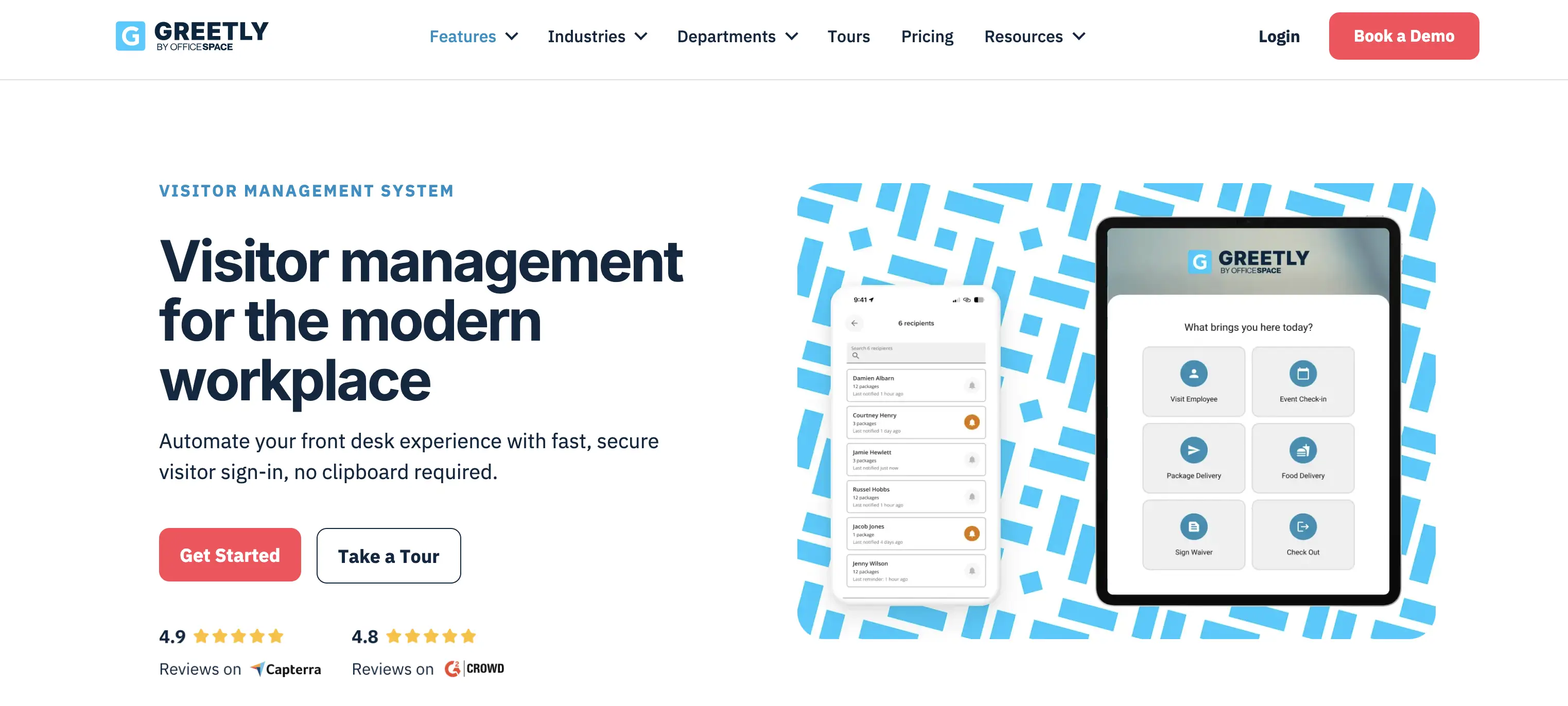
Greetly visitor management system
Feature Highlights
- Instant notifications – Alert the right employee as soon as a guest checks in, no matter where they are in the building.
- Comprehensive customization – Tailor check-in workflows, data collection, and branding to reflect your company’s style and needs.
- Visitor badges – Print badges instantly with guest details and photos, improving security and helping staff identify visitors.
- Third-party integrations – Connect with messaging platforms, CRMs, and databases to share visitor data and keep staff informed.
Best For
Greetly is best for small to mid-sized organizations that want a highly customizable visitor management system tailored to their brand. It’s popular across industries such as finance, staffing agencies, technology, government, coworking, and creative services, where flexibility and branding are important alongside security and efficiency.
Hardware Support
Greetly runs on iPads (iPad Air 5th gen or newer, iPadOS 16.6+) and select Android tablets (Android 12+, such as Samsung Galaxy Tab S8), with your choice of desktop stand, floor kiosk, or wall mount. Badge printing is optional and requires a Brother QL-820NWB or QL-820NWBc.
Pricing
Greetly offers two public visitor management plans:
- Essential: $99/month, billed annually, covering unlimited users, check-ins, and hosts, with touchless check-in, multi-channel notifications, watchlist alerts, and document signing.
- Pro: $159/month, adding badge printing, two-way texting, government ID verification and driver's license scanning, digital mailroom, and multi-kiosk support.
Customer Feedback
The strengths: Many reviewers highlight Greetly’s professional look and straightforward setup, calling it “very easy to set up and start using immediately.” The software is praised for being intuitive and adaptable - “I love that I can change the functionality of Greetly on my own” - which makes it easy to adjust check-in flows as office needs change. Overall, users describe the experience as smooth, flexible, and reliable.
The limitations: Some reviewers say Greetly’s pricing feels high for smaller startups, noting that you “need to buy premium to access available features.” Others mention that certain integrations require additional setup time and that installation can be challenging, though it generally works well once running.
Pros | Cons |
|---|---|
Intuitive and quick to set up, making it easy to get started. | Pricing can be high for startups, with key features locked behind premium plans. |
Highly flexible customization that adapts to changing office needs. | Some integrations require additional setup time, and installation can be tricky. |
Professional look and user-friendly design for both staff and visitors. |
|
Pros and cons of Greetly visitor management
3. Envoy: Best for Mid-to-Large Cloud-Based Deployments
Envoy Visitors is an easy-to-use digital visitor management system that helps workplaces handle every stage of the guest experience. It allows you to invite, register, screen, and greet visitors seamlessly as they arrive.
G2 score: 4.7/5
Our score: 8.8/10
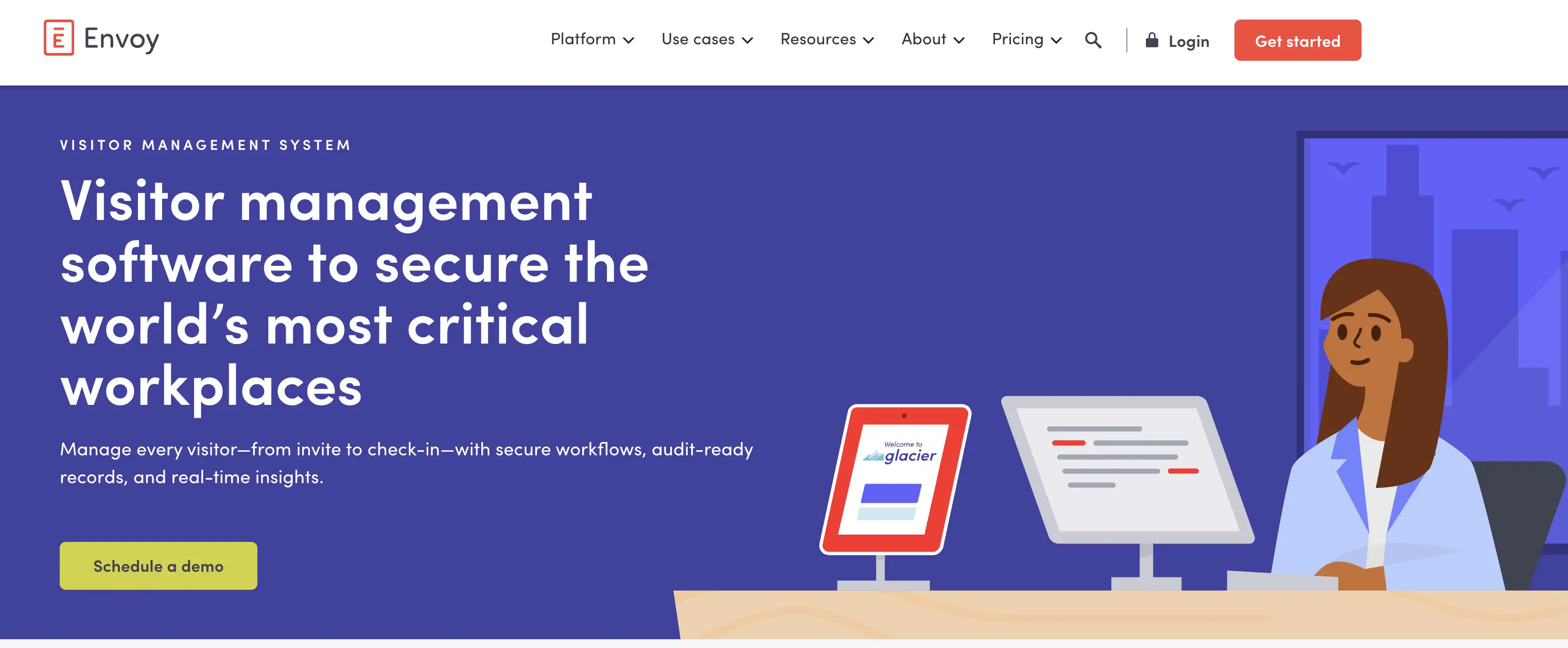
Envoy: visitor management software to secure the world’s most critical workplaces
Feature Highlights
- Customizable sign-in – Create tailored check-in flows with different questions based on visitor type.
- Emergency notifications – Send instant alerts through SMS, Slack, Microsoft Teams, or email to keep people onsite informed.
- Visitor log – Keep detailed, audit-ready records of every guest, with easy data exports.
- Digital document signing – Collect NDAs, waivers, or policies during or before sign-in.
- Multi-location invites – Grant secure access to multiple buildings with a single QR code or email.
- Identity verification – Confirm visitor identities by scanning IDs and checking against blocklists or watchlists.
Best For
Envoy Visitors is best for mid-sized to large organizations that need a modern visitor authentication and management system. It’s widely used in corporate offices, manufacturing, healthcare, and education, making it a strong fit for companies that prioritize compliance, security, and smooth guest experiences across multiple locations.
Hardware Support
Envoy Visitors requires an iPad (iPadOS 15+). Badge printing uses Brother QL-series label printers, with Envoy Print adding support for more models including full color. An iPad stand is recommended but optional. Workplaces standardized on Android or mixed hardware will need to consider Envoy alternatives.
Pricing
Envoy Visitors pricing is organized across three tiers:
- Basic: free, with host notifications and up to 100 entries per month.
- Premium: $362/location/month, billed annually, adding badge printing, visitor photos, custom branding, and SSO.
- Enterprise: custom pricing, including blocklist scanning, access control integration, and ID scanning.
Customer Feedback
The strengths: Users highlight Envoy Visitors for its simple setup and intuitive design. One reviewer noted it “can be easily installed on any device,” while another shared that “people just recognize and know what to do right away,” saving time at the front desk. Reviewers also value that it’s cloud-based, making it easy to manage from anywhere without hardware dependencies.
The limitations: Envoy Visitors is often seen as polished but comes at a higher price point, with useful features like photo capture, visitor analytics, and access control integrations locked behind premium tiers. Reviewers also note that customizing visitor badges isn’t straightforward, and the printing process can feel slow. For workplaces that want more flexibility in tailoring the experience to different visitor types, the system can feel a bit rigid.
Pros | Cons |
|---|---|
Easy to set up and install on any device. | Pricing is relatively high, with advanced features locked in higher tiers. |
Intuitive design - visitors quickly understand the check-in process without guidance. | Limited badge customization and a slow printing process. |
Cloud-based, allowing management from anywhere. | Less flexibility in tailoring check-in flows for different visitor types. |
Envoy Visitors: evaluating pros and cons
4. Robin: Best for Hybrid Offices Needing Visitor and Space Booking
Robin is a workplace operations platform that combines visitor management with space booking and resource scheduling.
G2 score: 4.4/5
Our score: 8.8/10
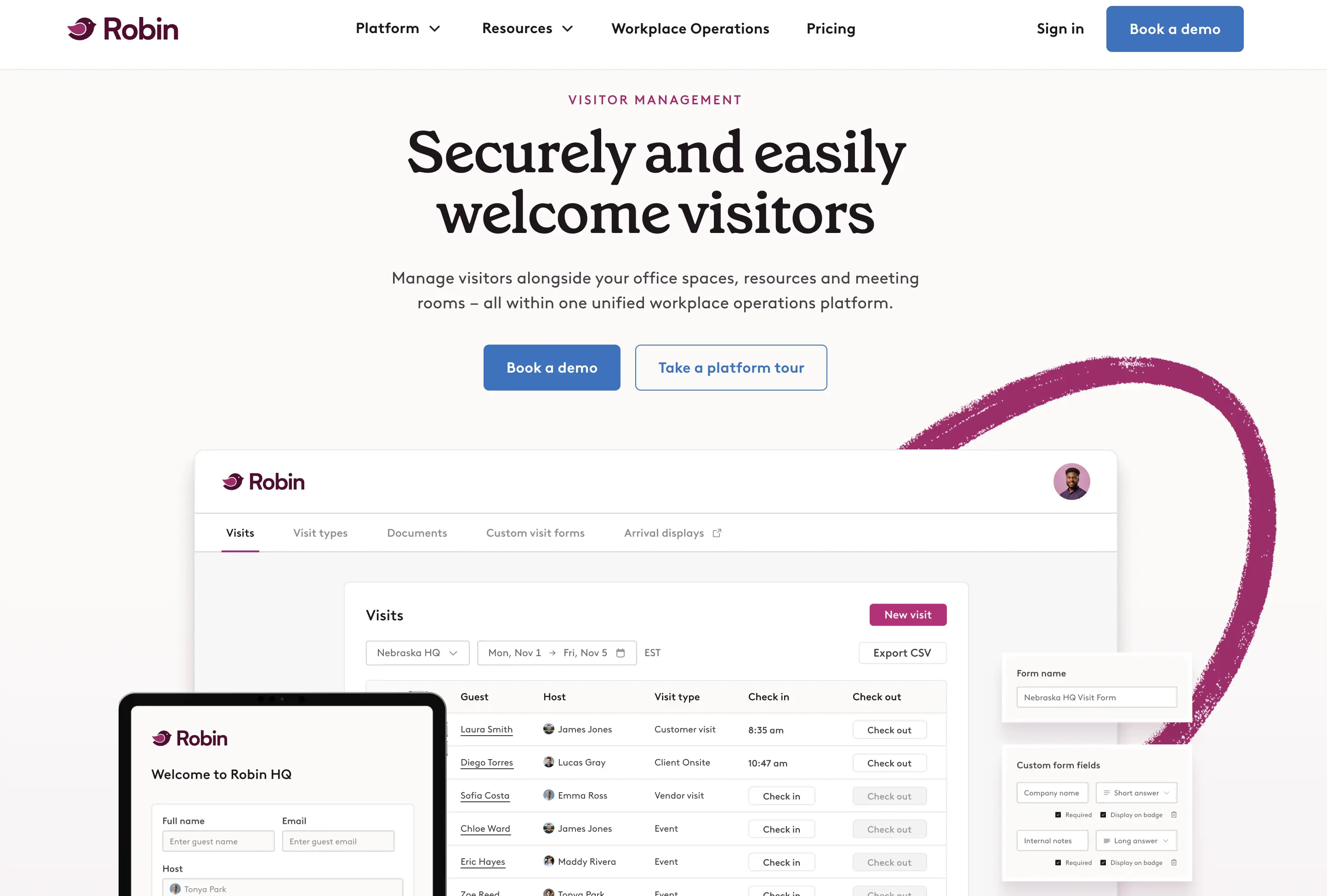
Robin: welcome visitors easily and securely
Feature Highlights
- Documents and registration – Send NDAs, health questionnaires, or check-in instructions before arrival.
- Arrival notifications – Alert hosts automatically via email, Slack, or Teams when guests arrive.
- Visitor badges – Print badges to identify guests throughout the office.
- Visitor data – Export visitor logs and track who comes in and out for compliance and reporting.
- Arrival displays – Let guests self-register and check in at reception displays.
- Custom forms – Collect specific visitor information with tailored registration forms.
- Delivery management – Log, track, and notify recipients of incoming packages.
- Bulk visitor invites – Add groups of guests quickly with CSV uploads, ideal for events or client meetings.
Best For
Robin is best for mid-sized and large organizations that want to manage visitors, desks, and meeting rooms in one platform. It’s a strong fit for hybrid workplaces that need to streamline guest check-ins while also optimizing how employees use office space and resources.
Hardware Support
Robin runs on standard tablets like iPads as well as dedicated devices such as the Neat Frame for lobby check-in, and pairs with badge printers and access control systems.
Pricing
Robin's visitor management pricing isn't published - potential customers must request a quote. Tailored packages have their appeal, but the lack of transparency makes it hard to gauge affordability against competitors, and leads some buyers to weigh Robin alternatives with public pricing.
Customer Feedback
The strengths: Reviewers describe Robin as easy to use with a clean interface, saying “Robin has a clean UI, some interesting analytics which are always engaging to check in on.” Many also value how it integrates with company systems like contact info and admin tools, making it feel well connected to everyday workflows.
The limitations: Some reviewers feel Robin’s pricing is high, especially if a company is only looking for visitor management and not its broader workplace platform. The product can be seen as too complex or costly for organizations that don’t need desk booking or resource management features alongside guest check-in.
Pros | Cons |
|---|---|
Easy to use with a clean, modern interface. | Pricing can feel high, especially if only visitor management features are needed. |
Useful analytics that are “always engaging to check in on.” | May be too complex for organizations that don’t need full workplace management. |
Integrates smoothly with other workplace tools |
Robin: overview of advantages and limitations
5. Eptura Visitor: Best for Large Multi-Site Compliance-Heavy Organizations
Eptura Visitor (former Proxyclick) is a modern visitor management system designed to track who is onsite, strengthen workplace security, and provide real-time visitor data. It helps organizations host guests more effectively, improve the overall visitor experience, and maintain secure records that protect both people and information.
G2 score: 4.6/5
Our score: 8.7/10
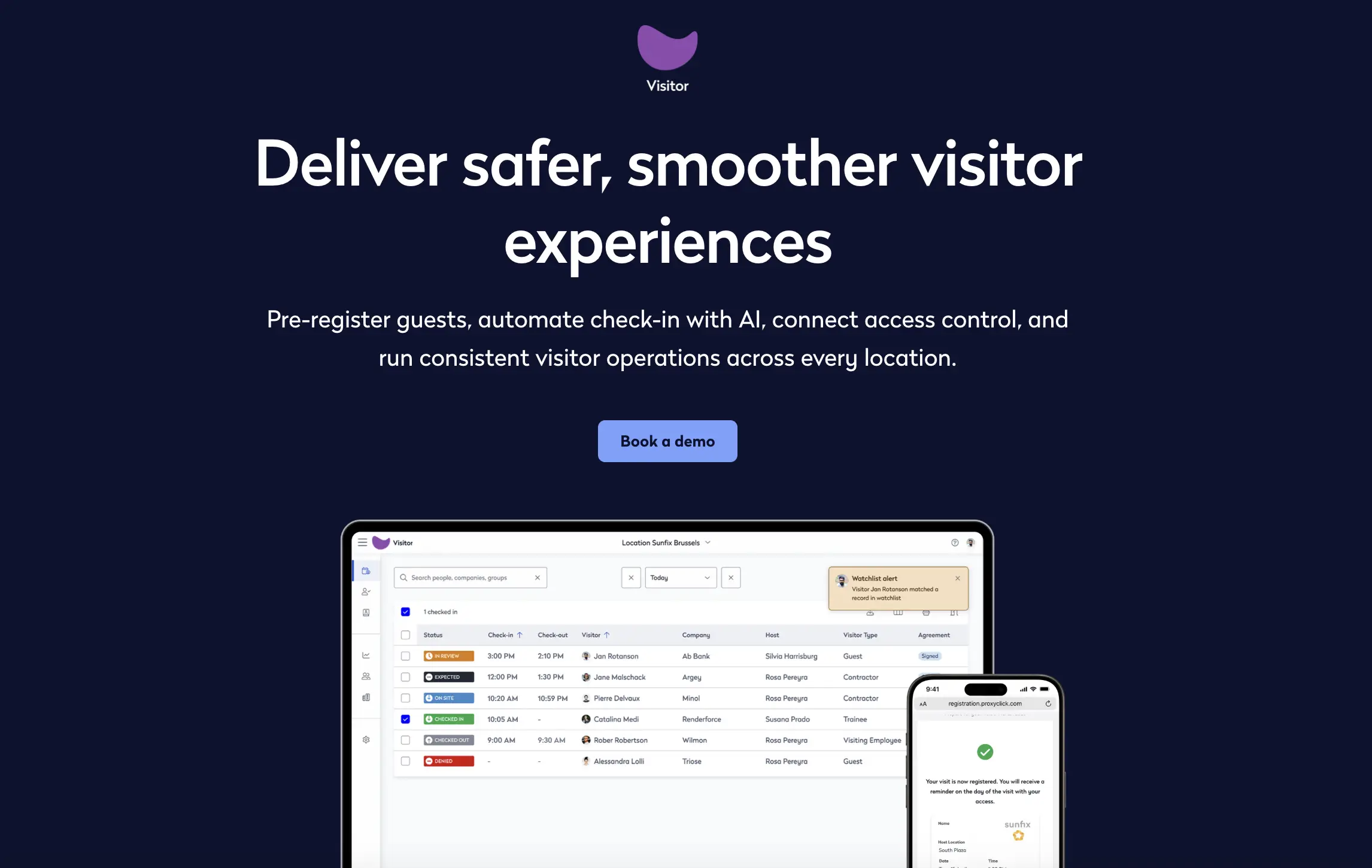
Eptura Visitor: modern visitor management for modern spaces
Feature Highlights
- Destination dispatch – Direct visitors to the right floor or area quickly, reducing congestion in lobbies and elevators.
- Visitor types – Configure different workflows for guests, contractors, or employees to match security and compliance needs.
- Self-service check-in – Allow guests to sign in at visitor management system kiosks or tablets, reducing front desk workload.
- Pre-registration – Register visitors in advance for faster check-in and a smoother arrival.
- Touchless experience – Enable QR code or RFIDcards-based check-ins for a safe, hygienic, and convenient process.
Best For
Eptura Visitor is best for large organizations and multi-site workplaces that need advanced security and compliance features. It’s a strong fit for corporate offices, manufacturing, and high-security facilities where smooth, touchless check-ins and detailed visitor tracking are essential.
Hardware Support
Eptura Visitor hardware is flexible, supporting standard tablets, self-service kiosks, badge printers, and access control integrations.
Pricing
Eptura Visitor pricing is quote-only across two tiers:
- Advanced: covers core digital visitor management, including check-in, custom badges and workflows, eSignatures, and analytics.
- Power: adds access control integration, approval workflows by visitor type, and QR/RFID credentials.
Customer Feedback
The strengths: Reviewers note that Eptura Visitor is easy for guests to use and offers strong customization options. Many highlight the quick deployment, saying it was “easy to deploy, set up, and go live” with some organizations fully operational within days.
The limitations: Some users mention that integrations with other platforms are not always straightforward, and communication with support can be inconsistent. Others note that servers occasionally run slowly, and the system is often seen as very expensive compared to alternatives.
Pros | Cons |
|---|---|
Simple for visitors to use, with flexible customization. | Integration with other platforms can be difficult. |
Fast to deploy and set up - many teams are live within days. | Support communication is not always reliable. |
Strengthens workplace security with structured check-in workflows. | Performance can lag at times, and pricing is considered high. |
Eptura Visitor: pros and cons to consider
6. Archie: Best for Hybrid Offices Combining Visitor and Desk Booking
Archie is a digital visitor management system designed for offices and flexible workspaces. It focuses on making guest check-ins seamless while improving security and helping organizations deliver a professional first impression.
G2 score: 4.9/5
Our score: 8.7/10
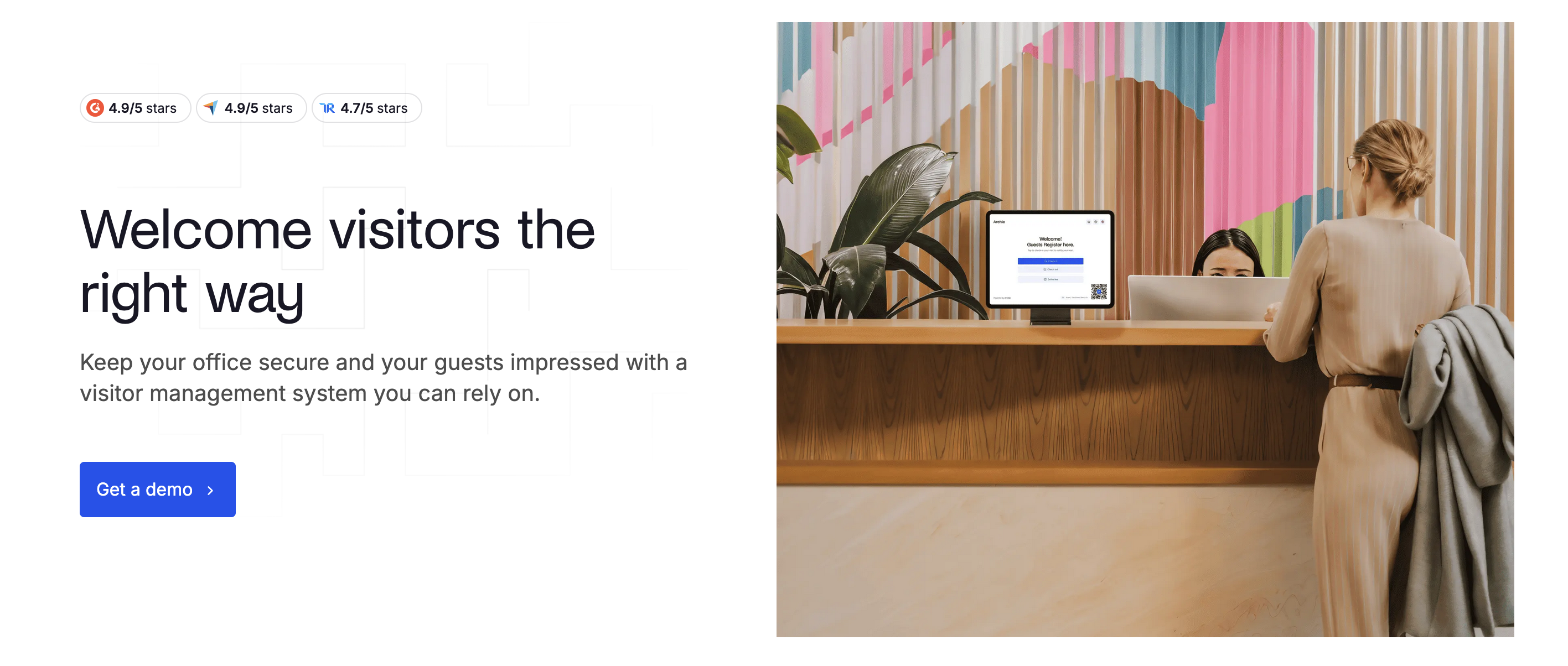
Archie: welcome visitors the right way
Feature Highlights
- Pre-registrations – Schedule visits in advance and automatically notify guests.
- QR codes – Share visit details by email or QR code for easy check-in.
- Recurring visits – Save time by setting up recurring visitor schedules.
- Delivery management – Track incoming mail and packages and notify recipients.
- Data export – Export visitor logs and reports as CSV files for compliance or analysis.
- Check-out policies – Define or automate visitor check-out procedures.
- Restrictions – Create time-based or location-based access restrictions to enhance security.
- Emergency notifications – Alert everyone in the building during emergencies and simplify roll calls.
- Visitor instructions – Provide clear instructions to guests once they complete check-in.
Best For
Archie is best for mid-sized and large hybrid offices that want visitor check-in, desk and room booking, and workplace analytics all in one platform. It’s a strong fit for organizations looking to unify visitor management with broader workplace operations.
Hardware Support
Archie doesn't tie you to proprietary kiosks - it runs on standard iPads and Android tablets, so you can use hardware you already own or buy off the shelf.
Pricing
Archie offers three pricing tiers for visitor management:
- Starter: $109/office/month.
- Pro: $185/office/month.
- Enterprise: custom pricing.
Customer Feedback
The strengths: Reviewers describe Archie as a well-functioning, stable visitor management system that’s easy to use. One noted that “setup was surprisingly quick” and others highlighted how simple it is to train new staff, with visitors checking in smoothly at the front desk.
The limitations: Some users report “minor bugs especially when new features are rolled out,” and mention these updates aren’t always well-communicated. Others say that “some of the reporting is a bit limited if you want granular data beyond the basics,” and note that badge printing can occasionally be delayed.
Pros | Cons |
|---|---|
Well-functioning, stable system that’s easy to use. | Occasional bugs when new features are rolled out. |
Quick to set up and simple to train new staff on. | Reporting lacks depth for more detailed analytics. |
Smooth visitor check-in process that saves time at the front desk. | Visitor badge printing can be slightly delayed. |
Pros and cons of Archie VMS
7. Lobbytrack: Best for Schools, Healthcare, and Government
Lobbytrack is a platform for electronic visitor management that simplifies registering and tracking guests, notifying hosts, screening visitors, and managing emergency evacuations.
G2 score: 4.6/5
Our score: 8.5/10
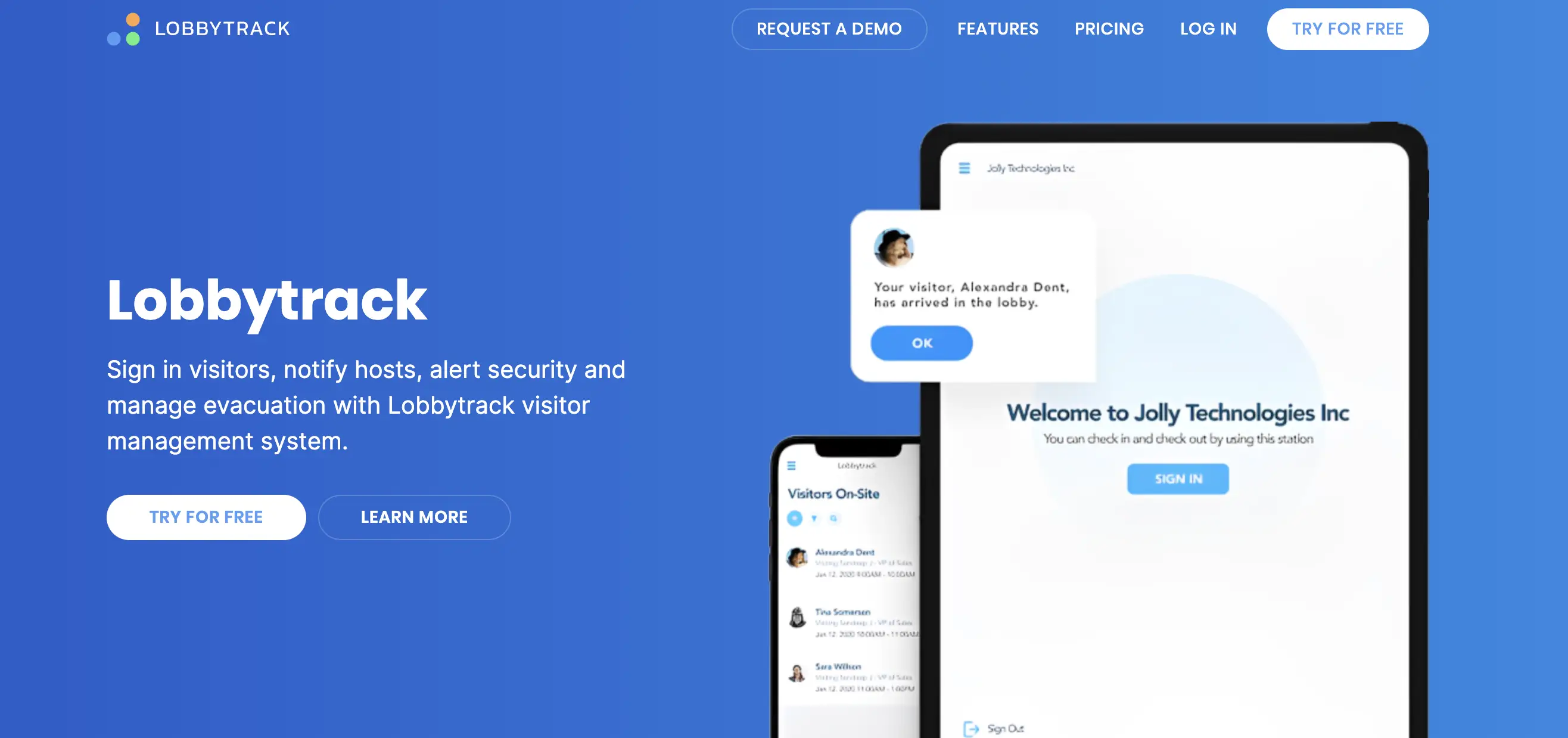
Lobbytrack: sign in visitors, notify hosts, alert security, and manage evacuation
Feature Highlights
- Pre-registration and confirmations – Let employees pre-register visitors, send confirmation emails with directions, and speed up check-ins.
- Self-service check-in – Allow guests to sign in and out at kiosks or tablets without front desk assistance.
- Visitor types and workflows – Customize sign-in flows for contractors, guests, or staff to meet compliance needs.
- Screening and security – Ask health or compliance questions, scan IDs, and check against watchlists with alerts to security if needed.
- Evacuation management – Access real-time visitor lists to support safety and emergency procedures.
- Multi-language support – Offer check-in in multiple languages to accommodate global visitors.
- Workplace tools – Extend beyond visitor management with desk and meeting room booking.
Best For
Lobbytrack is best for schools, healthcare facilities, government offices, and large organizations that need reliable visitor tracking and compliance. With features like watchlist screening, evacuation management, and desk or meeting room booking, it’s also a strong choice for multi-site enterprises that want visitor management connected to broader workplace tools.
Hardware Support
Lobbytrack runs on iPads, Android tablets, and Surface Pro kiosks, plus Windows or Mac desktops for front-desk admin. It supports Brother QL and Zebra badge printers alongside standard network printers, making it one of the most hardware-flexible options here.
Pricing
Lobbytrack offers four tiers, with nonprofit and school discounts available:
- Starter: free for up to 100 visitors/month.
- Basic: $50/month/location, lifting the visitor cap.
- Professional: $100/month/location, adding staff sign-in, visit agreements, and ID scanning.
- Ultimate: quote-only, adding watchlists, SSO, access control integration, and emergency management.
Customer Feedback
The strengths: Reviewers describe Lobbytrack as easy to set up and manage, with one noting that “deployment to iPad was a breeze.” End users find it simple to log in or out using QR codes, the mobile app, or signatures, making adoption straightforward. Customers also highlight its strong security benefits and say support has been “fantastic and rarely needed.”
The limitations: Some users feel Lobbytrack is pricey for advanced features, especially at higher tiers. Others mention it can be difficult to check sign-ins from mobile devices, and point out a lack of clear documentation. A few reviewers also note that SSO is limited and that there’s a bit of a learning curve when organizing visitors.
Pros | Cons |
|---|---|
Easy for employees and visitors to check in. | Advanced features can be expensive. |
Quick to set up | Harder to check sign-ins from mobile devices. |
Helps improve security while reducing front desk work. | Limited documentation, basic SSO, and a bit of a learning curve. |
Pros and cons of Lobbytrack
8. Sign In App: Best for Compliance-Led Visitor and Employee Sign-In
Sign In App is a visitor management platform that combines guest check-in with security controls in a single connected system. It's built to scale across sites of any size and complexity, with intelligent features designed to flag risks proactively rather than just log arrivals.
G2 score: 4.6/5
Our score: 8.4/10
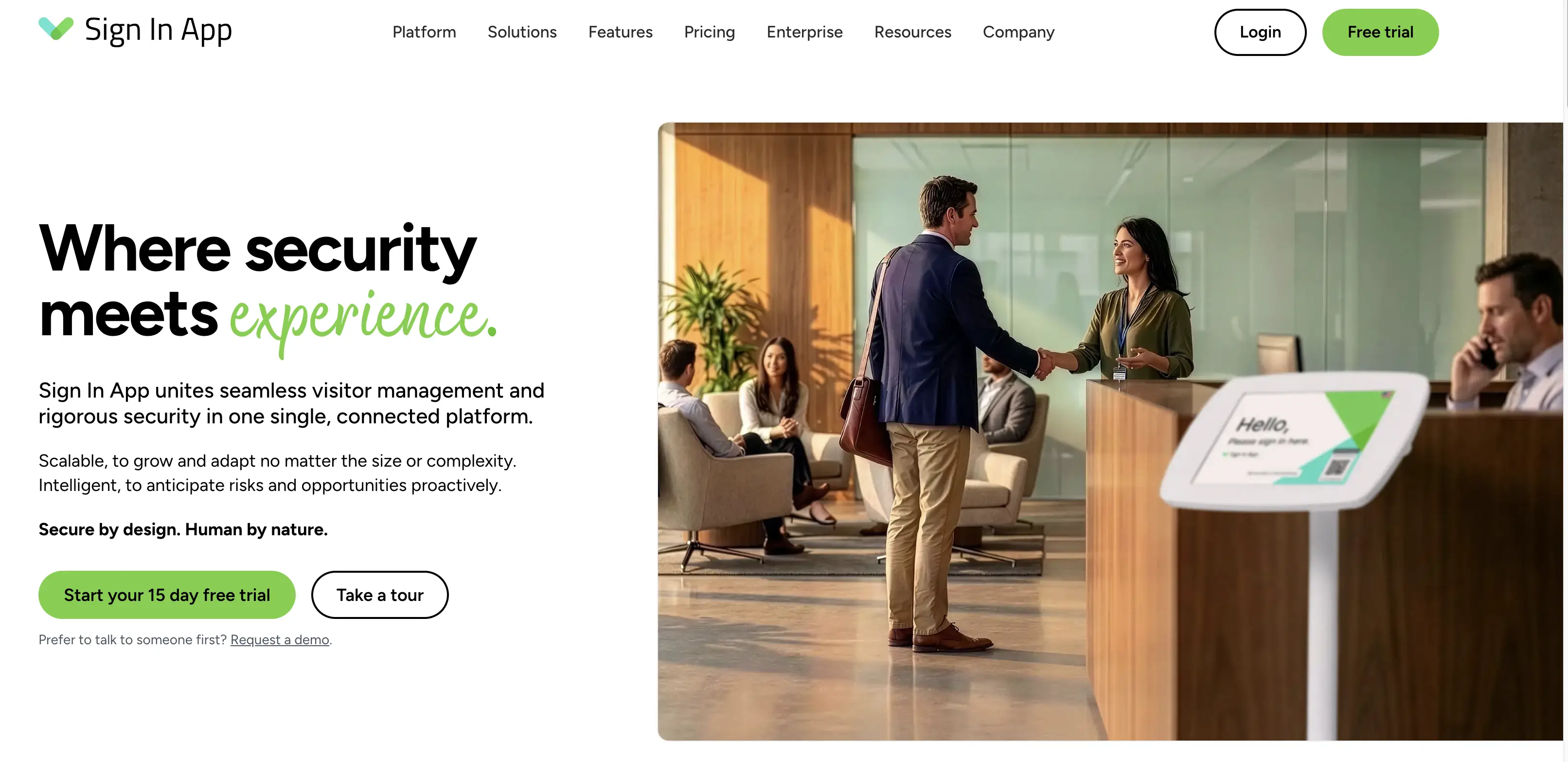
Sign In App: compliance-led visitor and employee sign-in
Feature Highlights
- Pre-registration & invites - register guests in advance and send them arrival details before they turn up.
- Mobile & kiosk sign-in - check in via tablet kiosk, a phone, or contactless with Sign In App Tap.
- ID scan & identity match - verify visitor identity against scanned ID documents at check-in.
- Visitor approvals & risk insights - approve or deny guests ahead of arrival and flag potential risks proactively.
- Visitor badges & notifications - print badges on check-in and alert hosts automatically.
- Evacuation management - real-time on-site lists and evacuation reports for emergencies.
- Onboarding & credentials - collect documents, inductions, and credentials from contractors and staff.
- Activity dashboard - live view of who's on site, with reporting across locations.
Best For
Mid-sized to large organizations that want visitor management, employee sign-in, and safety compliance in one system - especially those running iPad-based reception and needing evacuation reports, contractor onboarding, and ID verification. Less of a fit for Android-first workplaces, where tablet support is still in beta.
Hardware Support
Sign In App runs on iPads (iOS 13+), with Android tablet support (Android 11+) still in beta and missing ID scanning. Employee sign-in works via the Companion app on iOS and Android phones, badge printing is limited to Brother QL-series label printers, and the admin portal runs in any modern browser.
Pricing
Sign In App charges per site per year:
- Core: €485/site/year for visitor management, Companion app, and evacuations.
- Enhanced: €970/site/year, adding pre-visit registration, ID scanning, Spaces, and time and attendance.
- Pro: €1,450/site/year, adding SSO/SCIM, unlimited SMS, and a dedicated account manager.
- Executive: custom pricing for enterprise deployments.
This works out to roughly €40/site/month at entry level - cheaper than most per-location monthly plans in the comparison, though billed annually up front. Also, a 15-day free trial is available.
Customer Feedback
The strengths: Reviewers describe Sign In App as simple to manage and reliable day to day, with visitors signing in quickly and a dashboard that makes it easy to see who's on site at any moment. Several highlight the visitor photo capture alongside automatic host alerts and a searchable visitor log. Documentation is also called out as helpful when setting up new areas.
The limitations: Some users mention that "syncing can be a bit slow", and that "a few features feel limited when you need deeper customization or reporting."
Pros | Cons |
|---|---|
Simple to manage and reliable for daily visitor tracking | Syncing can be slow at times |
Visitor photos and email alerts let hosts recognize guests before meeting them | Customization and reporting feel limited for deeper needs |
Clear dashboard showing who's on site in real time | Small review base compared to category leaders |
Sign In App: pros & cons
9. VisitorOS: Best for Security-First Enterprise Deployments
VisitorOS is an enterprise visitor management system that combines ease of use with strong security and customizable workflows, making it suitable for scaling across multiple facilities.
G2 score: 4.7/5 for FacilityOS, the platform VisitorOS is part of
Our score: 8.3/10
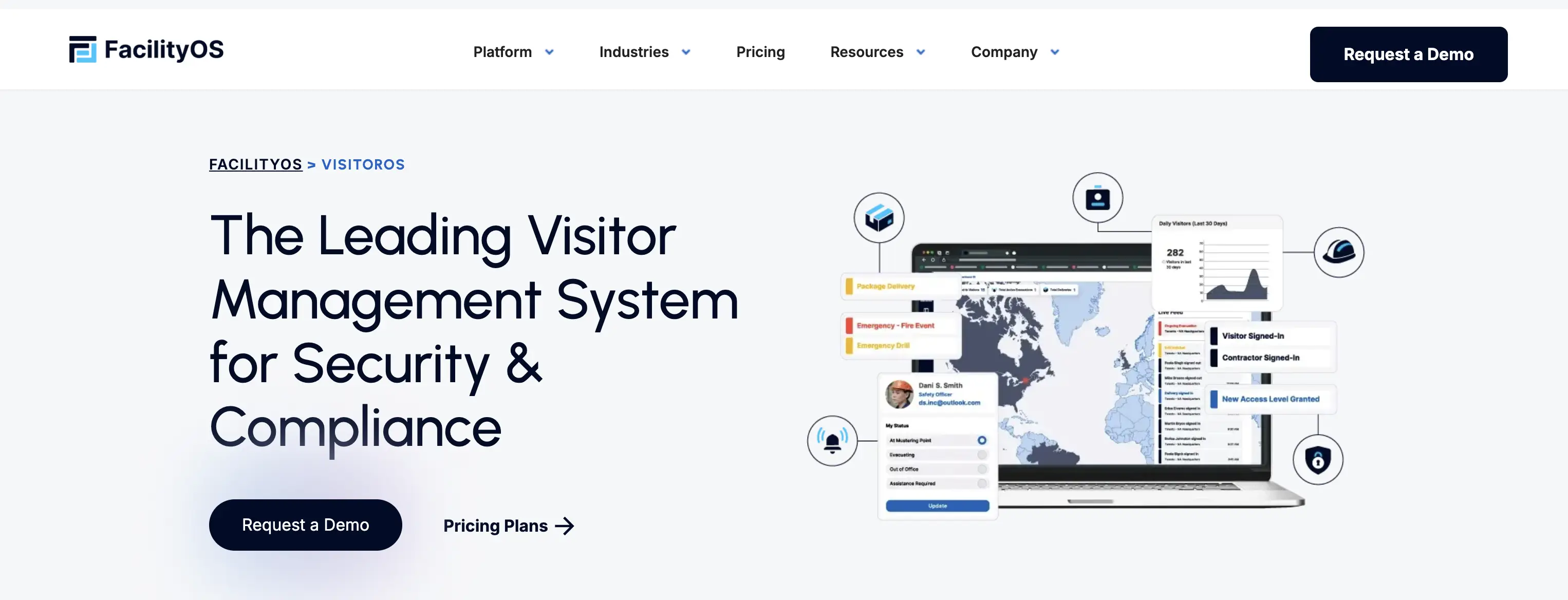
VisitorOS: a VMS for security and compliance
Feature Highlights
- Preconfigured hardware and software – Get started quickly with a pre-loaded, ready-to-use visitor management solution.
- Customizable workflows – Adapt guest check-in and security processes to your organization’s needs.
- Pre-registration and instant notifications – Speed up arrivals with pre-booked visits and automatic host alerts.
- Real-time data and analytics – Track visitor activity and resource usage as it happens.
- Centralized dashboard – Monitor visitor traffic across sites with company-wide reporting.
Best For
VisitorOS is best for large enterprises and multi-site organizations that need a visitor management system capable of scaling across facilities. It’s especially valuable in industries with strict compliance needs where centralized reporting, security, and efficiency are critical.
Hardware Support
VisitorOS runs on iPads supplied by FacilityOS, pre-enrolled in mobile device management and shipped ready to deploy with an anti-theft mount. Virtual kiosks let visitors sign in via QR code on their own phone where a physical kiosk isn't practical, though ID scanning, badge printing, and pre-registration still require an iPad.
Pricing
VisitorOS pricing bundles hardware and support into the subscription rather than selling them separately:
- Corporate: $225/month, with an iPad included, unlimited sign-ins, SSO, and analytics.
- Enhanced: $299/month, adding touchless sign-in, pre-registration, and badge printing with printer.
- Enterprise: quote-only, adding watchlists, visitor screening, ID scanning, and approval workflows.
Customer Feedback
The strengths: Users describe VisitorOS as a great visitor management system that improves both efficiency and security. They highlight its seamless integration with access control, security systems, and active directories, which simplifies information management. Reviewers also note that it’s easy to learn and use, with one pointing out that even less tech-savvy employees can operate it, and customer service is consistently praised as responsive and helpful.
The limitations: Some users note that VisitorOS has limited offline functionality, which can be restrictive in certain environments. Its customization options, while powerful, can feel complex to configure, and organizations often need to rely on customer support to make adjustments.
Pros | Cons |
|---|---|
Seamless integration with access control, security systems, and active directories. | Limited offline functionality reduces flexibility. |
Responsive and helpful customer service. | Customization can be complex to set up. |
Easy to learn and use, even for less tech-savvy employees. | Users often need to rely on customer support. |
VisitorOS: and overview of strengths and limitations
10. Visitly: Best for Secure Multi-Site Deployments
Visitly is an enterprise visitor management platform built for security, safety, and compliance. It combines a frictionless lobby experience with audit-ready records across multiple sites, designed to satisfy security and IT teams as much as the people at the front desk.
G2 score: 4.4/5
Our score: 8.3/10
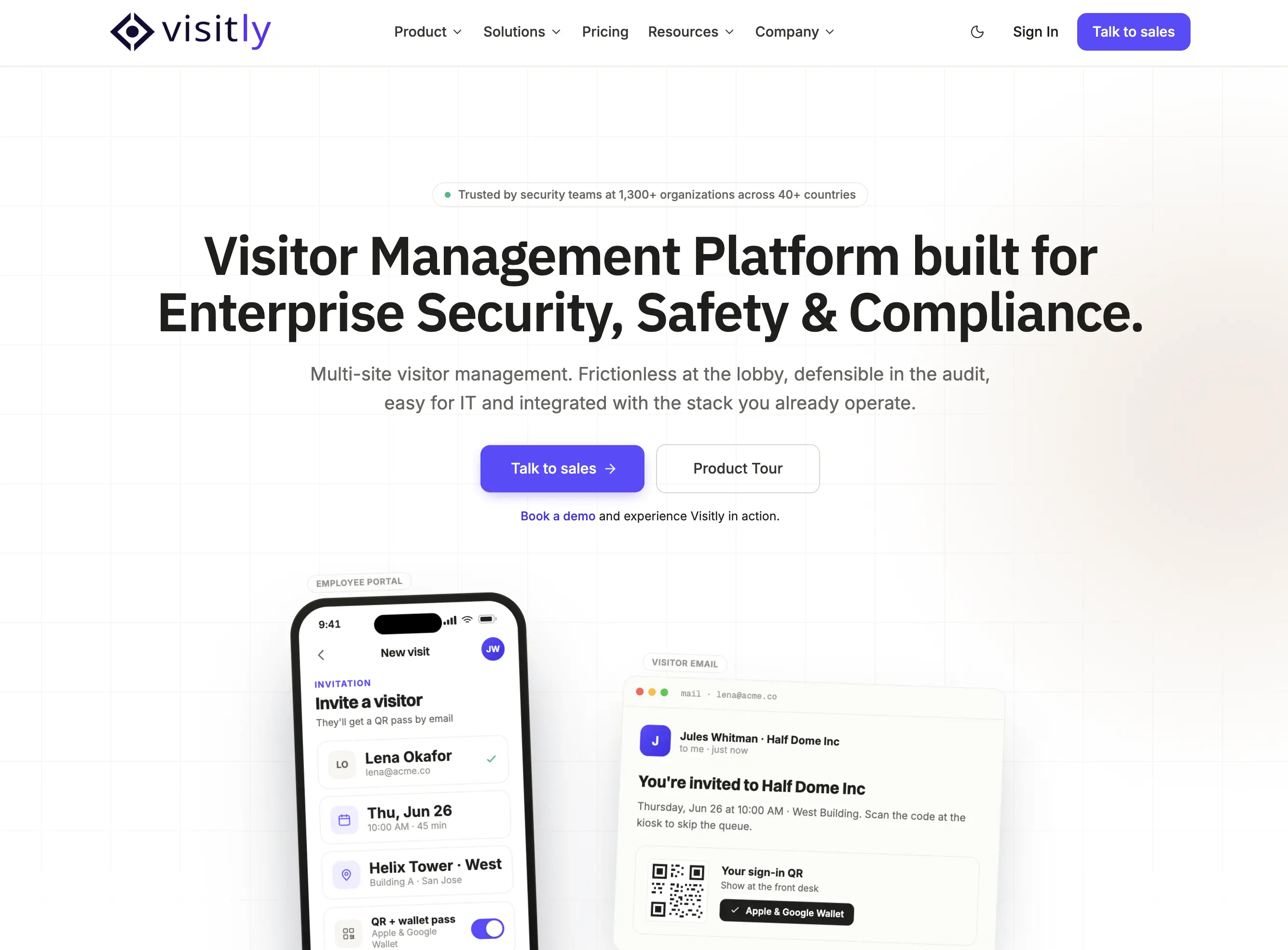
Visitly: visitor sign-in app for safe and smart check-ins
Feature Highlights
- Customizable visitor flows – Design different check-in experiences for clients, contractors, or candidates, with tailored questions for each.
- Policy & NDA signing – Collect digital signatures for NDAs or policies, with secure copies stored in the Visitly portal or sent by email.
- Host notifications – Notify employees instantly through their preferred channel when a visitor arrives.
- Visitor records – Keep a digital log of all onsite visitors and export reports for audits or compliance.
- Visitor badges – Print customized badges with details like photo, company, timestamp, and host name.
- Visitor approvals – Approve or deny access on arrival for stronger control and security.
Best For
Multi-site enterprises in regulated industries - manufacturing, healthcare, energy, transport, and government contracting - where visitor management is owned by security or IT rather than the front desk, and check-in records need to hold up to audit.
Pricing
Visitly offers three tiers, with a 14-day free trial:
- Starter: $1,000/location/year, roughly $83/month, for up to 5 sites, with SSO and audit log included.
- Business: $2,000, adding watchlist screening, facial recognition, and advanced badges across up to 15 sites.
- Enterprise: custom pricing, adding SCIM, access control integrations, and ITAR/CMMC/HIPAA compliance.
Customer Feedback
The strengths: Reviewers say Visitly is quick to set up and simple to use every day, with one noting, “As admins, there is a lot of visibility.” They value the customizable workflows and praise the team for being responsive and improving the software with new features over time. Many describe it as a professional, reliable solution that feels like a big step up from pen-and-paper sign-in sheets.
The limitations: Some users note that the “dashboard can be slow at times”, and certain features take extra effort to learn. The “manual sign-in process feels tap-heavy”, which can slow check-ins. Others mention that the integration process can be complex, often requiring IT support to complete.
Pros | Cons |
|---|---|
Quick to set up and seamless to use for daily check-ins. | Dashboard can be slow at times. |
Customizable workflows that adapt to different company needs. | Some features require extra effort to learn. |
Responsive support team that adds new features and resolves issues quickly. | Manual sign-in process can feel tap-heavy, and integrations may require IT support. |
Visitly: benefits and limitations to keep in mind
11. Othership: Best for Coworking and Flexible Offices
Othership’s electronic visitor management system is designed to create a strong first impression for guests while providing organizations with the data, security, and insights needed to manage visitors effectively.
G2 score: no established presence in visitor management category
Our score: 8.2/10
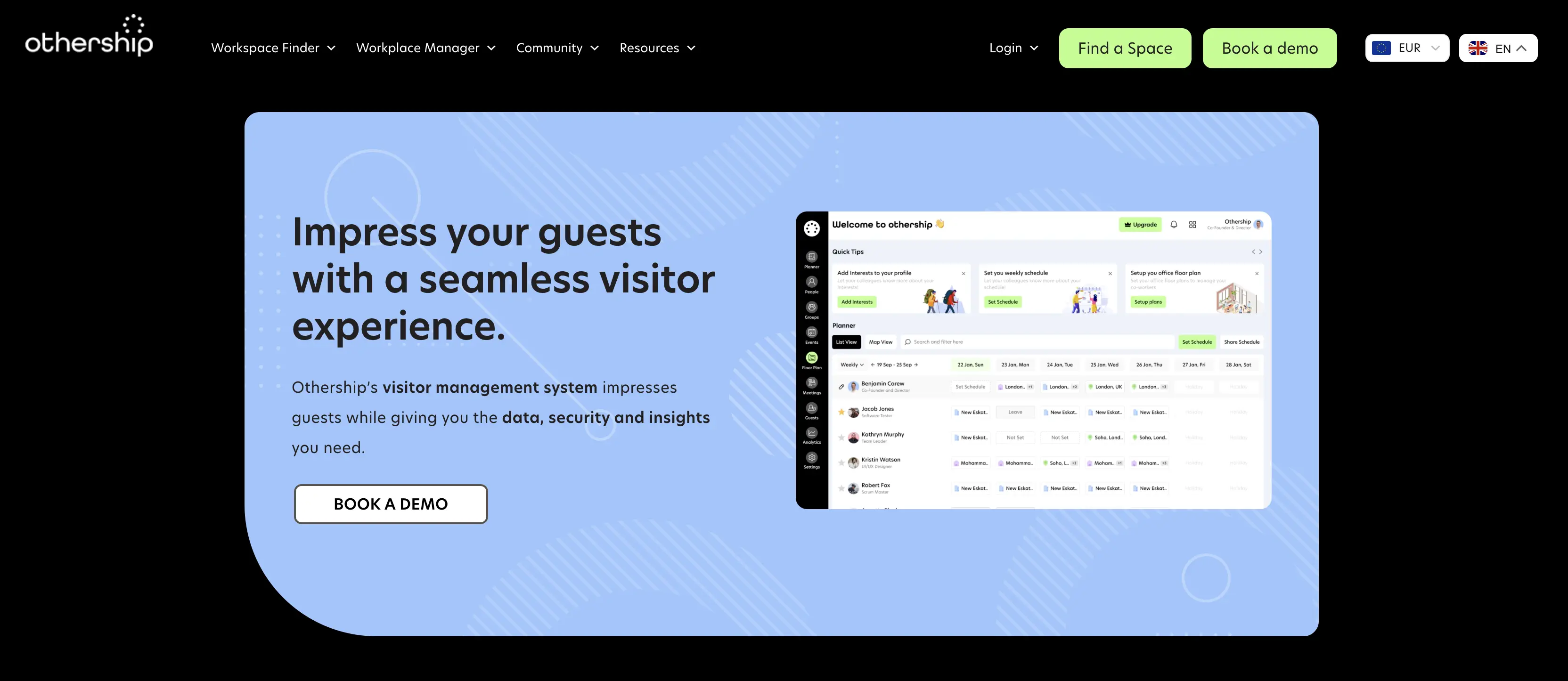
Othership: impress your guests with a seamless visitor experience
Feature Highlights
- Guest registration and sign-in – Capture visitor details quickly and securely.
- Workspace assignment – Allocate desks or areas so guests know exactly where to go.
- Host notifications – Alert employees instantly when their visitors arrive.
- Visitor screening – Check guests against requirements or policies before granting access.
- Analytics and reporting – Track visitor data for insights, compliance, and planning.
- Pre-arrival documents – Share NDAs, safety instructions, or forms ahead of time.
Best For
Othership’s VMS is best suited for small to mid-sized companies that want a straightforward, easy-to-use system without heavy IT requirements. It’s also a strong fit for coworking spaces and flexible office providers that need to manage both internal teams and external guests seamlessly.
Hardware Support
Although public information is limited, sources we found claim that Othership runs on standard hardware - tablets, touchscreens, and mobile devices - rather than proprietary kit, and works with common front-desk setups for guest check-in and host notifications.
Pricing
Othership’s pricing for its office visitor management solution is not publicly available. Organizations need to contact the vendor directly to receive a tailored quote.
Customer Feedback
The strengths: Users highlight Othership as a great platform for welcoming guests, with one reviewer noting it’s “a great platform to find meeting rooms and to host clients with tea, coffee and facilities.” The rollout process is often described as smooth, and the sales and support team receives praise for being responsive and helpful in resolving issues quickly.
The limitations: Some users mention that the user interface could be improved, suggesting that certain areas still need optimization. Others note they would like to see a faster rollout of new versions, indicating room for quicker product updates.
Pros | Cons |
|---|---|
Creates a strong first impression for guests with polished check-ins. | Some users feel the UI needs further optimization. |
Easy to use, straightforward rollout with minimal IT overhead. | Requests for a faster rollout of new versions. |
Customer support and sales team praised as responsive and helpful. | Pricing is not publicly listed, requiring direct contact for quotes. |
Othership: overview of advantages and limitations
12. Eden: Best for Small Hybrid Teams on a Budget
Eden, like YAROOMS, Envoy, and Robin, is a workplace management platform that includes a visitor management system as part of its broader suite. The tool makes check-ins simple with pre-registration, document signing, and security steps built in, helping offices create a smooth visitor experience while maintaining compliance and safety.
G2 score: 4.7/5
Our score: 8.1/10
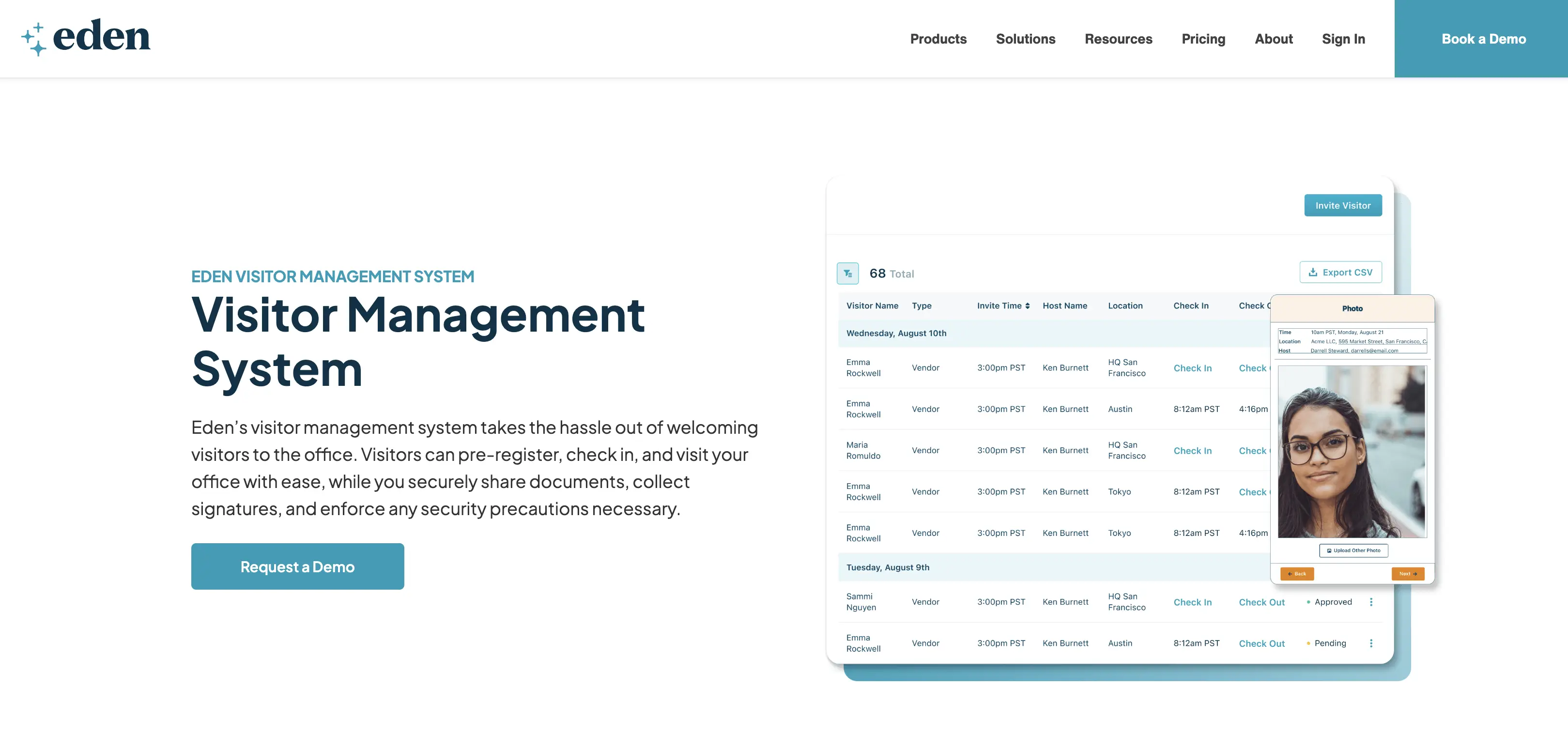
Eden: taking the hassle out of welcoming visitors to the office
Feature Highlights
- Customizable check-in experience – Brand the kiosk with your company’s look to create a professional first impression.
- Instant notifications – Alert hosts via email, Slack, or Teams as soon as visitors arrive.
- Digital document signatures – Collect NDAs or other forms digitally, before or during check-in, for smooth compliance.
- Guest registration – Pre-register visitors, recognize repeat guests, and send them arrival details.
- Badge printing – Print personalized visitor badges instantly at check-in.
- Visitor logs – Keep a complete record of past, current, and upcoming visitors for full visibility.
Best For
Eden is best for small to mid-sized businesses and hybrid teams that want a simple, modern way to welcome visitors. It’s particularly useful for companies hosting candidates, clients, or deliveries where both admins and employees need easy tools to create a smooth and professional guest experience.
Hardware Support
Eden's documentation lists iPads (iOS 11+), Amazon Fire tablets (HD7 2021+, HD8 2022+, HD10 2021+), and Android devices with at least a 1.6 GHz processor, 2 GB RAM, and 32 GB storage. Worth confirming with Eden before buying hardware - their VM kiosk setup Help page was last updated at the end of 2024.
Pricing
As of October 2026, Eden's visitor management pricing is split into two tiers:
- Accelerate: $129/month per location, covering employee registration, branded sign-in kiosk, visitor logs, Slack and Teams integration, NDA management, badge printing, and touchless sign-in.
- Scale: $249/month, adding visitor photos, custom forms and sign-in flows, file storage integrations, and SSO or directory sync.
Prices are based on monthly billing. Yearly billing costs about 15% less.
Customer Feedback
The strengths: Reviewers say Eden delivers practical workplace and visitor management, helping teams stay organized and efficient. Many also highlight its affordable pricing and note that it reliably covers their current visitor management needs.
The limitations: Some users report glitches in the mobile and desktop apps, including occasional syncing issues. Others mention that notifications can be excessive and that the platform isn’t always as user-friendly as they’d like.
Pros | Cons |
|---|---|
Affordable pricing compared to many competitors. | Occasional glitches or syncing issues in the mobile and desktop apps. |
Practical and reliable for organizing all workplace ops in one place. | Notifications can be excessive. |
Easy tools for admins and employees to create a smooth guest experience. | Some users find the platform less user-friendly than expected. |
Eden: pros and cons
13. Kastle: Best for High-Security and Commercial Real Estate Offices
Kastle offers a cloud-based platform that brings together access control, video surveillance, visitor management, identity management, and other security services, delivering a unified approach to workplace safety and efficiency.
G2 score: 4.6/5
Our score: 8.0/10

Kastle: managing visitors for safer spaces and better experiences
Feature Highlights
- Calendar integration – Schedule visitors directly through Outlook or Google Calendar.
- Email automation – Send automatic email invites with QR access codes before meetings.
- Fast, secure mobile access – Visitors use QR codes at lobby readers for same-day, area-specific access.
- Badge credentials – Print visitor badges at the front desk or process check-ins via iPad kiosks.
- Vendor PIN codes – Provide unique PINs for delivery providers to simplify package handling.
Best For
Kastle is best for mid-sized to large organizations that want visitor management tightly integrated with building security and access control. It’s especially well-suited for multi-tenant offices, commercial real estate, and high-security environments where controlling who can enter specific areas is a top priority.
Hardware Support
Kastle's visitor management runs on its own building security infrastructure rather than off-the-shelf tablets alone. Visitor Pass uses an iPad kiosk in the lobby, QR codes are scanned at Kastle lobby readers, and badges are printed at the front desk. KastleVideocom adds video intercom for walk-in visitors and vendor PIN entry, with credentials also supported in Apple and Google Wallet. This makes Kastle the most infrastructure-dependent option in this comparison - the hardware is part of a managed access control deployment rather than something you assemble yourself.
Pricing
Kastle does not publicly list pricing for its visitor access management solution. Organizations must request a quote directly, which allows for tailored packages but makes it harder to compare costs with other providers.
Customer Feedback
The strengths: Users value Kastle for its remote management capabilities, which let them control access from anywhere. They highlight its seamless integration with other property management systems and a user-friendly interface that makes daily tasks straightforward. Reviewers also appreciate the convenience of single credential access, allowing one key card or smartphone app to unlock multiple locations.
The limitations: Some customers report installation delays, noting that projects can take longer than expected and require careful planning. Others mention inconsistent project management, including changes in assigned managers during a rollout, which at times creates communication gaps and slows progress.
Pros | Cons |
|---|---|
Visitors enjoy a smoother arrival with calendar-based invites and pre-sent QR codes. | Installation projects can face delays, requiring extra planning. |
Mobile and badge-based access improve both convenience for guests and security for staff. | Project management can be inconsistent, causing communication gaps. |
Integration with access control ensures visitors only reach approved areas, enhancing workplace safety. | Pricing is not publicly available, making comparisons difficult. |
Kastle: strengths and limitations
14. Vizito: Best for EU-Based Multi-Language GDPR Compliance
Vizito is a visitor management system designed to create a safe, compliant, and welcoming workplace. GDPR compliant and hosted in Europe, it helps organizations streamline guest check-ins while ensuring security and regulatory standards are met.
G2 score: 4.9/5
Our score: 8.0/10
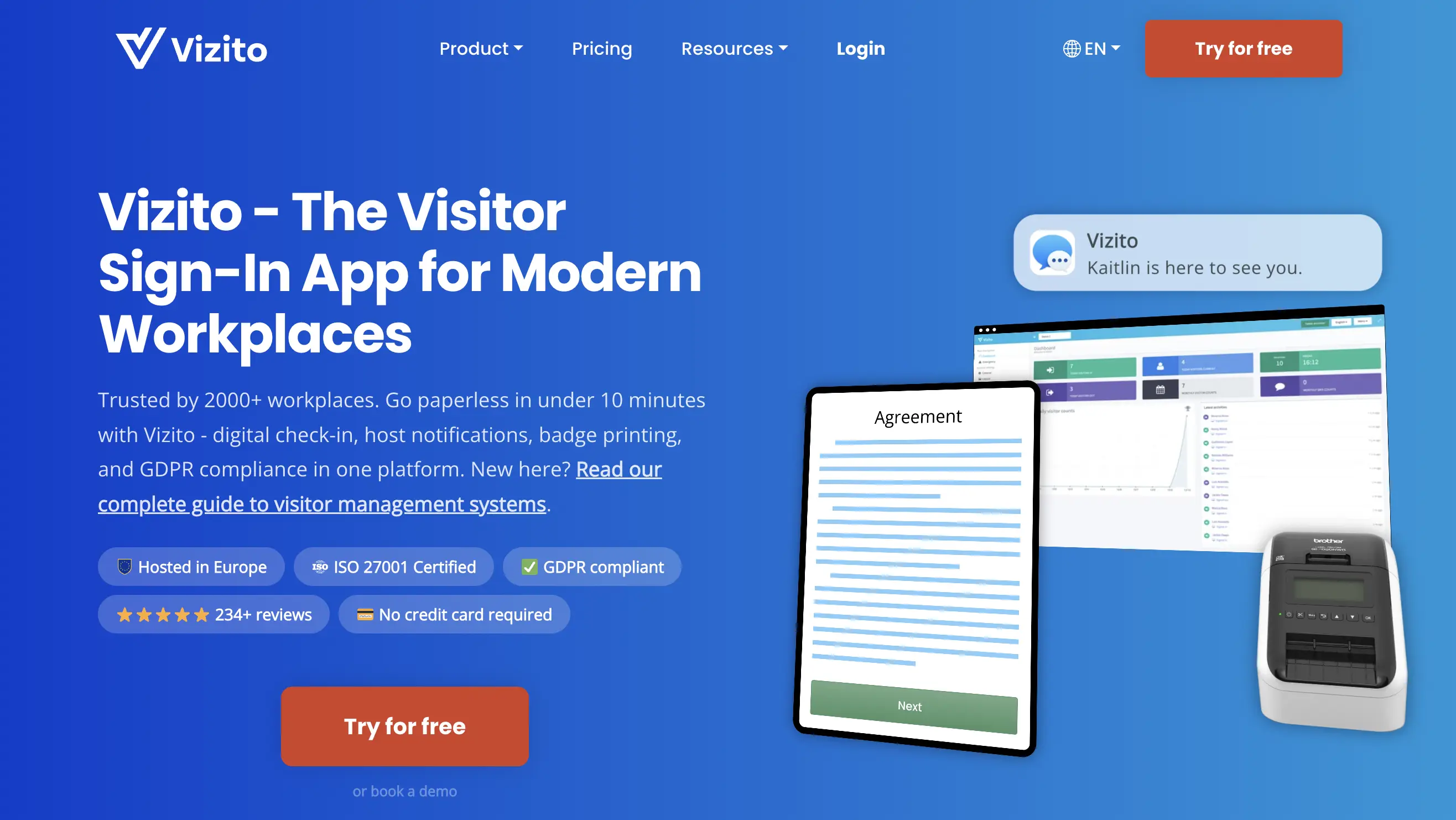
Vizito: the visitor management system that optimizes your workplace
Feature Highlights
- Automatic notifications – Hosts get instant alerts when visitors arrive, so no one is left waiting.
- Visitor screening & approvals – Let hosts approve or deny visitors at sign-in for tighter control.
- Multi-language support – Welcome guests in their own language (supports 31 languages).
- Emergency alerts – Notify everyone onsite in an emergency and keep a record of who’s present.
- Contactless sign-in – Offer QR/mobile check-ins to avoid shared touchpoints.
- Badge printing – Print visitor badges for quick identification around the building.
Best For
Vizito is best for small to large organizations in Europe that need a flexible visitor management system with strong compliance and multilingual support. It’s used across industries like healthcare, education, logistics, construction, manufacturing, technology, utilities, food & beverage, tourism, coworking, and elderly care, making it a versatile choice for workplaces where safety and efficiency are priorities.
Hardware Support
Vizito runs on almost anything - iPads, Android tablets, or Windows kiosk PCs with a touchscreen for organizations with stricter IT standards. The recommended setup pairs a tablet with a stand or mount and a Brother QL-series label printer for badges. Visitors can also skip the kiosk entirely and sign in by QR code on their own phone, which removes hardware cost at unstaffed entrances.
Pricing
Vizito charges per location, not per device: one price covers unlimited kiosks, QR codes, and hosts at a site. All plans include the full feature set, yearly billing saves 16%, and a 14-day free trial is available with no credit card required.
- Standard: €29.95/location/month for 100 visits.
- Pro: €59.95/location/month for 300 visits.
- Enterprise: €99.95/location/month for unlimited visits, plus SAML SSO, Entra ID, and Google Workspace sync.
Customer Feedback
The strengths: Reviewers describe Vizito as “easy to handle” and appreciate that “everything can be managed centrally.” The integration with Microsoft Teams is often called out as very helpful, and many praise the “modern, intuitive interface” that can be customized for each company or event. Users also highlight that the reports are extremely valuable for compliance and oversight.
The limitations: Some note that “the Azure/M365 integration is only available for Enterprise customers,” leaving important features locked behind higher price tiers. Others add that the system has “room for growth in terms of technology,” suggesting improvements like video backgrounds or more advanced customization options.
Pros | Cons |
|---|---|
Easy to handle with everything managed centrally. | Some key integrations, like Azure/M365, are only available on Enterprise plans. |
Strong Microsoft Teams integration and responsive support. | Important features locked behind higher tiers. |
Modern, intuitive interface that’s highly customizable. | Still has room for growth with more advanced technical improvements. |
Vizito: pros and cons
How Does YAROOMS Compare to Other Visitor Management Systems?
YAROOMS competes across the full visitor management market - from lightweight front-desk tools like Greetly to enterprise platforms like Eptura Visitor and VisitorOS - and differentiates primarily on its breadth as a complete workplace platform, its compliance depth, and its Microsoft 365 integration.
Comparison | Competitor strength | Where YAROOMS differs | Best fit |
|---|---|---|---|
YAROOMS vs Sign In App | Sign In App is compliance-led, with strong ID verification, evacuation reporting, and contractor onboarding. | YAROOMS covers visitor management inside a broader workplace platform with desk booking, room scheduling, hybrid work planning, analytics, and deeper Microsoft 365 integration. | Choose YAROOMS when visitor management should be managed with wider workplace operations in one system. |
YAROOMS vs Othership | Othership handles visitor check-in and workspace assignment well for small to mid-sized teams and coworking providers. | YAROOMS adds hybrid work scheduling, room booking, and analytics alongside comparable visitor functionality. | Choose YAROOMS when you need more than a standalone visitor tool. |
YAROOMS vs Envoy | Envoy is a polished, widely adopted visitor management system with strong compliance tools and a clean guest experience. | YAROOMS matches visitor management needs while offering more flexible pricing, deeper Microsoft 365 integration, and built-in desk booking, hybrid scheduling, and analytics without separate modules. | Choose YAROOMS when visitor management should sit inside a broader workplace platform. |
YAROOMS vs Robin | Robin combines visitor management with desk and room booking in a capable workplace platform. | YAROOMS competes on visitor, desk, and room workflows while adding stronger compliance certifications, digital desk signs, and AI-assisted scheduling through Yarvis. | Choose YAROOMS for regulated industries that need one auditable workplace system. |
YAROOMS vs Greetly | Greetly is a customizable, quick-to-deploy check-in tool for small and mid-sized organizations that want branded visitor flows at a low price point. | YAROOMS is built for organizations that need visitor management as part of a complete workplace platform with SSO, audit logs, and multi-site management. | Choose YAROOMS for enterprise workplace operations, not only front-desk branding. |
YAROOMS vs Eptura Visitor | Eptura Visitor is a strong enterprise option with advanced compliance tools, touchless check-in, and flexible workflows for large multi-site organizations. | YAROOMS covers similar enterprise requirements while integrating visitor management with desk booking, room scheduling, and hybrid work planning in one platform. | Choose YAROOMS when visitor management should not be a standalone module. |
YAROOMS vs Kastle | Kastle is purpose-built for high-security environments, with deep physical access control and mobile credentialing for commercial real estate. | YAROOMS focuses more on the digital visitor experience and workplace management layer, with compliance, analytics, and workplace operations in one system. | Choose YAROOMS when workplace operations matter more than managed physical security infrastructure. |
YAROOMS vs VisitorOS | VisitorOS is an enterprise-grade platform with customizable workflows and centralized reporting for large, compliance-heavy organizations. | YAROOMS covers similar enterprise visitor requirements while adding desk booking, hybrid scheduling, and AI capabilities. | Choose YAROOMS when visitor management should connect to broader workplace planning. |
YAROOMS vs Eden | Eden offers affordable visitor management as part of a lightweight workplace platform for small to mid-sized hybrid teams. | YAROOMS is stronger for organizations that have grown past Eden's scale, especially around compliance certifications, multi-location management, and enterprise integrations. | Choose YAROOMS for larger or more regulated workplace environments. |
YAROOMS vs Lobbytrack | Lobbytrack is flexible and budget-friendly, with strong visitor screening and evacuation tools for schools, healthcare, and government. | YAROOMS covers regulated-sector needs with a more complete compliance stack and a broader workplace platform. | Choose YAROOMS when screening and safety features need to scale into full workplace management. |
YAROOMS vs Visitly | Visitly is built for security and IT teams that treat the front door as a security perimeter, with deep screening and compliance tooling. | YAROOMS meets similar compliance standards while solving a broader problem: visitor management alongside desk booking, room scheduling, hybrid work planning, and analytics. | Choose YAROOMS when security needs should connect to workplace operations. |
YAROOMS vs Archie | Archie combines visitor management with desk and room booking for hybrid offices, making it a direct scope competitor. | YAROOMS differentiates on compliance certifications, Microsoft 365 integration depth, and AI-assisted scheduling. | Choose YAROOMS when compliance, Microsoft 365, and AI-assisted planning are priorities. |
YAROOMS vs Vizito | Vizito is an ISO 27001-certified, GDPR-focused, multi-language visitor management tool with EU data hosting for European organizations. | YAROOMS also meets GDPR requirements and adds SOC 2 Type II assurance, multi-site admin, and a complete workplace platform. | Choose YAROOMS when GDPR needs come with broader enterprise workplace requirements. |
Other Visitor Management Software
We’ve highlighted the top 14 visitor management systems in this guide, but the market is far larger and constantly evolving. To give you a broader view, we’ve also compiled a list of 25 additional providers - each offering different functionalities, industry or regional specializations, and integration options. This extended list helps you explore alternatives beyond the leaders:
- Verkada Guest - A visitor management system integrated with video security and access control.
- Smartway2 - Integrated visitor management and meeting room booking.
- Kadence - Enterprise visitor management system that prioritizes safety, efficiency, and a seamless visitor experience.
- WorkInSync - Visitor management software is tailored for flexible work environments.
- DeskFlex - An office visitor management system that enables companies to track, manage, and process guests or external visitors using their facilities.
- Matrix Booking - visitor management systems that can be used across both - single-occupancy and shared buildings.
- Tactic - A modern visitor entry management system for hybrid offices.
- Add-On Products - A VMS suitable for unsupervised lobbies or high-traffic offices with a virtual receptionist-like self-registration kiosk.
- Teamgo - A security-focused digital visitor management system.
- Genea - Visitor management and access control combined.
- Spintly - Contactless visitor management system.
- VisitUs - Australia-based visitor management system focussed on workplaces in the region.
- Veris - Secure, personalized, and responsive office visitor management.
- Splan - Enterprise visitor management and physical identity and access management (PIAM) solutions.
- Smartspaces - A modern visitor management system for a touch-free experience.
- Joan - A streamlined VMS that replaces paper-based sign-ins and makes guest check-ins digital, fast, and compliant.
- GoBright - Electronic visitor management for a warm welcome, streamlined check-ins, and full compliance.
- Vizitor - Visitor management app for smart and touchless check-ins.
- VMFree - Free visitor management system (with paid plans available for more advanced functionality).
- Raptor Visitorsafe - Flexible visitor management software for schools.
- MRI Software - A comprehensive visitor management system to control guest access and manage foot traffic.
- OpenBlue Visitors (by fm:systems) - A visitor and reception management solution that reduces your security and compliance risks.
- Cloudbooking - An advanced visitor management solution ensuring health and safety, security, and privacy.
- Digital Reception - a digital reception app built for workplaces, facilities, plant floors, labs, campuses, and more.
How to Choose the Right Visitor Management System?
With so many visitor management systems available, choosing one can feel overwhelming. These criteria will help you focus on what matters most for your organization.
Who Will Be Using Your Visitor Management System?
Every visitor management system is first and foremost a tool for your guests. If your workplace hosts contractors and delivery staff daily, you’ll want fast self check-in kiosks and instant badge printing. A healthcare facility or university might prioritize personalization options and staff-assisted check-ins to guide less tech-savvy visitors. By matching visitor types to features, you ensure the system improves - not complicates - the arrival experience.
What Organizational Factors Should You Consider?
A visitor management system should fit seamlessly into your daily operations. A co-working space may need integrations with access control to manage high volumes of short-term visitors, while a corporate office might require pre-registration workflows and audit logs for compliance. Clarifying whether your goal is faster check-ins, tighter security, or better reporting narrows your options to systems that align with your actual workflows.
How Quickly Can Visitor Management Software Be Deployed?
The best visitor management system is one your team can adopt quickly. Cloud-based VMS platforms usually integrate with existing security tools and update automatically, making them easier to deploy than heavily customized on-premise systems. If you need to be ready for a major client visit or event, choose a solution that minimizes IT overhead and allows staff to learn the basics in hours, not weeks.
What Compliance Standards Should a VMS Meet?
Look for systems with GDPR-compliant consent collection, encrypted storage, and clear separation between visitor and employee records. For example, if your organization collects payments during check-in (such as parking fees), PCI-DSS certification protects sensitive financial data. Strong compliance features safeguard your workplace and reassure visitors that their information is handled responsibly.
Who Needs to Be Involved in Choosing a VMS?
A visitor management system succeeds only if the people using it every day see the value. Receptionists often care about fast badge printing and smooth workflows, while IT teams look for encryption and role-based permissions. Security teams want real-time dashboards to monitor who is on-site. By collecting input across roles, you avoid blind spots and choose a system that feels like a shared upgrade rather than a top-down decision.
Where Is the Visitor Management Software Market Headed in 2026 and Beyond?
The visitor management software market is on track for strong expansion in 2026 and beyond, as noted earlier in this article. Analysts expect steady double-digit percentage growth over the next decade, driven by higher security expectations, stricter compliance demands, and the shift toward contactless, automated reception experiences.
- Growth drivers: Organizations increasingly need to comply with data protection rules like GDPR and CCPA while also creating safe and efficient check-in processes. Post-pandemic, contactless sign-ins have become standard, and technologies like AI-powered analytics and biometric authentication are moving into mainstream use.
- Technology trends: Cloud-based visitor management continues to dominate because of its scalability, centralized data management, and easier compliance. Mobile app-based systems are also expanding rapidly, enabling visitors to pre-register and check in on the go.
- Market segments: Corporate offices are the biggest adopters, particularly to support hybrid work and workplace safety requirements. Healthcare, education, financial services, and government organizations are also investing heavily. Beyond software, services such as installation, integration, and ongoing support are growing alongside demand.
In short, visitor management is becoming a core workplace system across industries, with rapid adoption fueled by security, compliance, and technology innovation.

Visitor management hardware example: VGreet self-service kiosk combined with YAROOMS VMS
Resources and Further Reading
The insights presented here draw on multiple sources, including:
- Official vendor websites (visitor management solution pages, pricing pages, and feature documentation).
- Independent review platforms, including G2, Capterra, Gartner Peer Insights, SoftwareAdvice.
- Reddit community discussions about front desk problems and visitor management systems.
Please note that vendors in the visitor and reception management space are constantly improving their products to deliver the best possible experience, which means features, capabilities, and pricing may evolve over time. For the most up-to-date information, we recommend visiting each vendor’s official website.
If you’re searching for other workplace technology solutions, you might find these helpful:
- Custom Visitor Registration: Why Not Every Guest Should Check In the Same Way
- Visitor Management Platforms With Mobile Check-In: What to Choose in 2026
- 5 Simple and User-Friendly Visitor Management Apps for Your Office (Under $200/Month)
- Visitor Management System Integrations: The 2026 Buyer’s Guide
- Visitor Management System Cost: What You Should Expect to Pay in 2026
- What Are the Best Meeting Room Booking Systems in 2026?
- 15 Best Hybrid Workplace Software in 2026: Tested & Scored
- 16+ Best Desk Booking Software in 2026: Compared for Enterprise and Hybrid Teams
- Best Hybrid Meeting Technology: The Definitive List
Frequently Asked Questions
Workplace of the future. Today.
See how YAROOMS integrates with Microsoft 365 to create a seamless workspace booking experience.