
Best Meeting Room Technology: 20+ Great Tools for 2026

Meeting and conference rooms are some of the most important spaces in the office. They’re where teams make decisions, run workshops, interview candidates, and connect with colleagues joining remotely. But none of that works smoothly without reliable, modern meeting room technology.
And because collaboration now happens across multiple locations, even small technical issues can derail an entire meeting. If audio drops or the screen won’t connect, the momentum is lost. That’s why companies expect room technology to be reliable, intuitive, and fully supportive of hybrid teamwork.
This guide brings together the 20+ best meeting room technology tools for 2026 - including booking systems, digital signage, video and audio solutions, display systems, and screen sharing tools. Whether you’re upgrading one conference room or modernizing your entire workplace, these are the systems that create a future-ready setup.
Key Takeaways:
- Meeting rooms need reliable booking systems like YAROOMS, digital signage, and hybrid-ready AV to prevent conflicts and keep meetings running smoothly.
- Clear audio, intelligent cameras, and wireless content sharing are now essential for remote participants to see and hear everything equally.
- Small rooms work best with compact all-in-one video bars, simple wireless sharing, and quick mobile booking.
- Medium rooms need wider camera coverage, beamforming microphones, touch-capable displays, and calendar-integrated scheduling.
- Large rooms and boardrooms require multi-camera setups, room-wide microphone arrays, large displays or video walls, dual-screen layouts, and advanced room management workflows.
- In 2026, expect rapid growth in AI meeting assistants, IoT-connected room systems, immersive collaboration tools, and usage analytics that optimize space and experience.
What Is Meeting Room Technology?
Meeting room technology refers to the tools, systems, and hardware that make collaboration in conference rooms and shared spaces work smoothly. It helps teams to:
- reserve and access meeting spaces
- connect in-person and remote participants
- present and share information clearly
- maintain a consistent, reliable meeting experience
In modern workplaces, conference room tech typically falls into several key categories:
- Meeting room booking systems - tools to schedule rooms, avoid conflicts, and coordinate availability
- Digital room signage - displays outside conference rooms that show availability, upcoming meetings, and booking options
- Video conferencing solutions - cameras, software, and codecs that enable high-quality virtual collaboration
- Audio conferencing equipment - microphones, speakers, and audio processors that ensure clear communication
- Display systems - screens, monitors, and interactive boards for presenting and collaborating
- Screen mirroring solutions - tools for sharing screens and media during meetings
Together, these tools create a reliable conference room technology setup - one that supports hybrid work, reduces friction, and ensures teams can focus on the conversation instead of the equipment.
How We Selected the Best Meeting Room Technology for 2026
To identify the best meeting room technology and conference room solutions for 2026, we focused on criteria that matter most in modern hybrid workplaces:
- Reliability – tools must work every time; no audio or screen issues in any meeting room system.
- Ease of use – simple, intuitive setups that don’t require IT support.
- Hybrid collaboration – strong audio, video, and content-sharing for modern conference room technologies.
- Integrations – smooth compatibility with Microsoft 365, Google Workspace, Zoom, Teams, and more.
- Scalability – works for huddle rooms, conference rooms, boardrooms, and other meeting spaces.
- Value – fair pricing and long-term ROI.
- Great user + admin experience – easy for employees and simple to manage.
Top Meeting Room Tech You Need in 2026
If you’re planning your next conference room upgrade, start with the technologies teams rely on every day. These are the tools that make meetings smoother, faster, and easier to run.
Best Meeting Room Booking Systems
A successful meeting begins long before anyone enters the room. Teams need to know which spaces are available, when they can book them, and how to avoid scheduling conflicts. That’s why meeting room booking systems are at the top of our list - they create order, clarity, and reliable access to every conference room.
1. YAROOMS - End-to-End Meeting Room Booking Software
YAROOMS is the complete workplace management platform that streamlines meeting room scheduling from start to finish. It supports booking on mobile, desktop, or digital signage devices, includes approval workflows, and allows service requests (catering, equipment, cleaning, etc.), making it one of the most comprehensive meeting room booking solutions on the market.
Key capabilities:
- Interactive floor plans: View availability on an office map and choose the ideal room for any meeting.
- Booking from anywhere: Reserve rooms via web, mobile, digital signage, or by chatting with YARVIS AI agent directly in Microsoft Teams or by email.
- Approval workflows: Set rules by user, time, or location to keep scheduling compliant and organized.
- Service booking: Request catering, equipment, or cleaning alongside the room booking.
- Integrations: Connects with Microsoft Outlook, Teams, Zoom, Google Calendar, and other workplace tools for smooth scheduling.
- Room utilization insights: Track occupancy, no-shows, and room usage to improve meeting space efficiency.
It’s an ideal solution for organizations looking for a scalable, all-in-one meeting room management platform.
Click on the media for a short demo of YAROOMS room booking system
Pricing: Starting at $99/month for small teams, $399/month for growing companies, and $899/month for enterprises. See YAROOMS pricing plans.
2. Skedda - Modern Conference Room Booking Software
A meeting and conference room booking platform designed to help teams reserve shared spaces and manage room availability efficiently with straightforward scheduling tools and customizable rules.
Key capabilities:
- Real-time availability viewing on Skedda Scheduler or tablet displays
- Booking quotas limiting reservation frequency
- Check-in system to prevent no-shows
- Two-way calendar sync with Microsoft 365, Outlook, Google Workspace
- Utilization analytics reviewing usage trends
Pricing: Plans start at $99/month, scaling based on the number of bookable spaces.
3. Robin - Flexible Room Scheduling Platform
A platform simplifying conference room scheduling across multiple locations with clear booking rules, smart room suggestions, and collaboration tool integrations.
Key capabilities:
- Space booking policies customizable by meeting length, booking windows, advance reservations
- Smart room matching based on capacity, layout, available resources
- Mobile app filtering by amenities or room size
- Slack and Teams integrations for direct booking and suggestions
- Issue reporting via mobile, desktop, or QR code
Pricing: Custom quotes required; pricing not publicly listed.
4. Roomzilla - Smart Resource Scheduling Platform
Supports flexible meeting room booking, hot desk reservations, and other resource scheduling, offering a unified system for coordinating spaces across the workplace.
Key capabilities:
- Room management with automated scheduling and real-time availability
- Room displays showing instant booking options
- Interactive maps for navigation
- Automation and analytics improving space utilization
Pricing: Free plan for up to three resources; paid plans from $12 per resource/month with 14-day free trial.
5. Clearooms - Fast and Simple Conference Room Booking Solution
Designed for simple, real-time conference room scheduling in hybrid work environments, emphasizing quick setup, easy configuration, and smooth integrations.
Key capabilities:
- Quick setup allowing office layout and floor plan creation within minutes
- Custom branding on meeting details and room signage
- Privacy modes hiding confidential meeting details
- Digital calendar integration with Google Calendar and Outlook
Pricing: Meeting room plans from $15 per resource/month with no minimum terms or setup fees; free trial available.
| Room Booking System | Best For | Standout Capabilities | Key Integrations | Pricing |
|---|---|---|---|---|
| YAROOMS | Organizations needing an all-in-one, scalable workplace + meeting room management platform | Interactive floor plans; approvals; service booking; utilization insights; booking via web/mobile/signage/AI | Microsoft 365, Zoom, Google Calendar, SSO, custom API, and more | $99–$899/month |
| Skedda | Teams wanting a simple, rule-based conference room booking system | Booking quotas; check-ins; real-time availability; usage analytics | Microsoft 365, Outlook, Google Workspace | From $99/month |
| [Robin](/compare/robin-alternative) | Multi-office organizations needing smart scheduling + collaboration-tool integrations | Smart room matching; booking policies; mobile app; Slack/Teams integrations; issue reporting | Slack, Microsoft Teams, Outlook, Google Workspace | Custom quote required |
| [Roomzilla](/compare/roomzilla-alternative) | Workplaces needing centralized scheduling for rooms, desks, and shared resources | Room displays; interactive maps; resource booking; automation + insights | Google Calendar, Outlook (via iCal) | Free plan + from $12/resource/month |
| Clearooms | Small to mid-sized teams needing fast setup + simple booking | Quick setup; custom branding; privacy modes; Google + Outlook sync | Google Calendar, Outlook | From $15/resource/month |
Best Digital Meeting Room Signage Solutions
Once rooms are booked, digital signage brings that scheduling to life at the door. These displays show real-time availability, upcoming meetings, and last minute booking options, helping teams find the right space fast and improving overall room utilization. Here are the top digital meeting room signage solutions for a smooth, on-the-spot experience (all of them pair well with the YAROOMS meeting room booking system).
1. ProDVX - Dependable Meeting Room Displays
ProDVX offers reliable, commercial-grade meeting room displays designed for continuous use. These touchscreens make it easy for employees to check availability, view upcoming meetings, or book a room directly at the door. They integrate with popular calendar systems - such as Outlook 365, Office, and Google Calendar - so scheduled meetings appear instantly on the display.
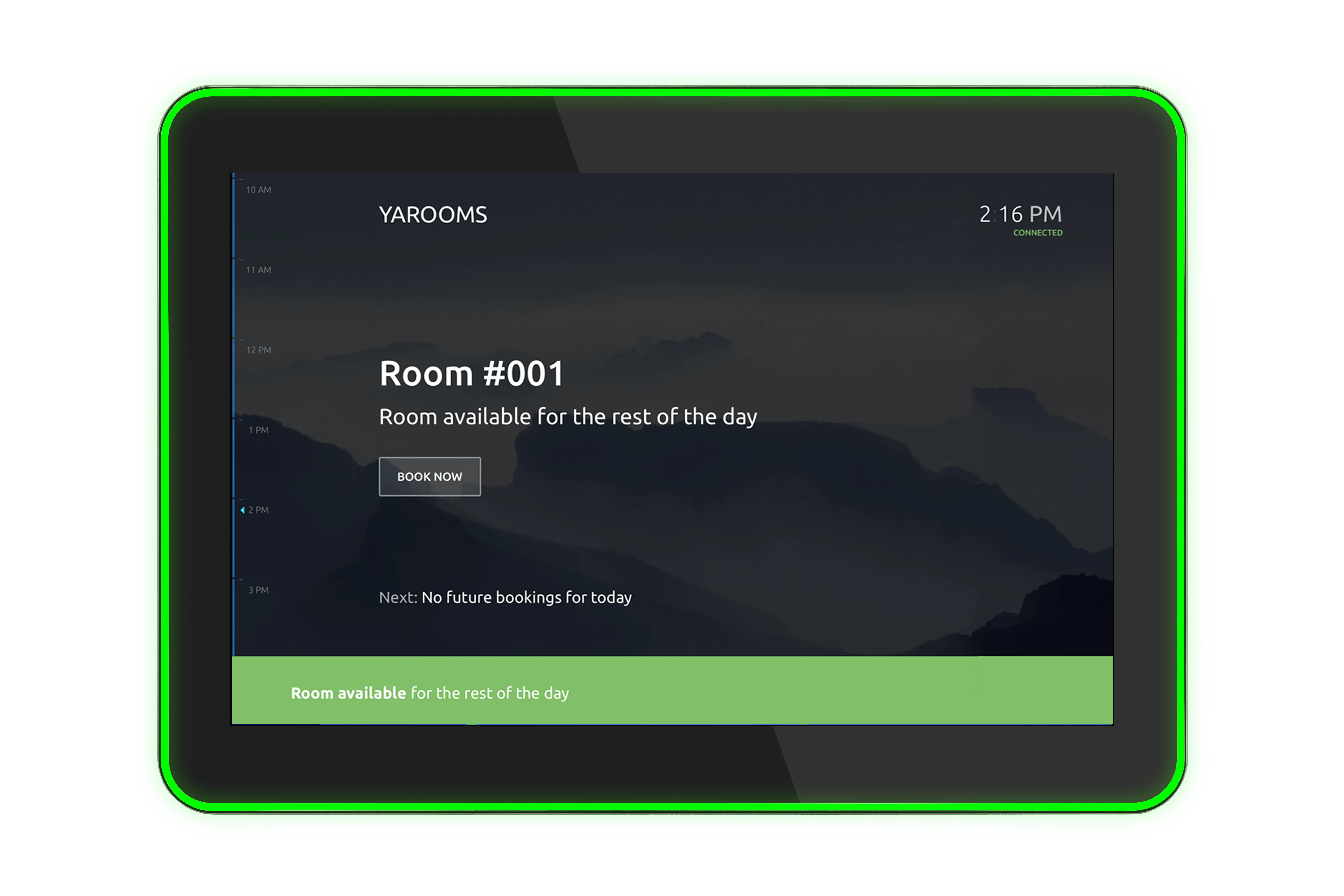
Key capabilities:
- 24/7 operation purpose-built for continuous uptime
- Surround LED indicators clearly showing room status (available, occupied, pending)
- Instant booking capability from touchscreen
- Strong CPU performance with ample memory and storage
- Flexible connectivity: USB, micro-USB, HDMI, LAN ports
- Power-over-Ethernet + Wi-Fi: Easy installation with PoE power and reliable wireless connectivity.
It’s an excellent choice for organizations needing durable, easy-to-use digital meeting room displays that stay responsive around the clock and integrate with existing booking and calendar systems.
2. IAdea - Smart Room Panels
IAdea provides a range of display panels designed to enhance room management and workplace communication. They help teams see room status at a glance, support corporate branding, and improve the overall meeting experience.
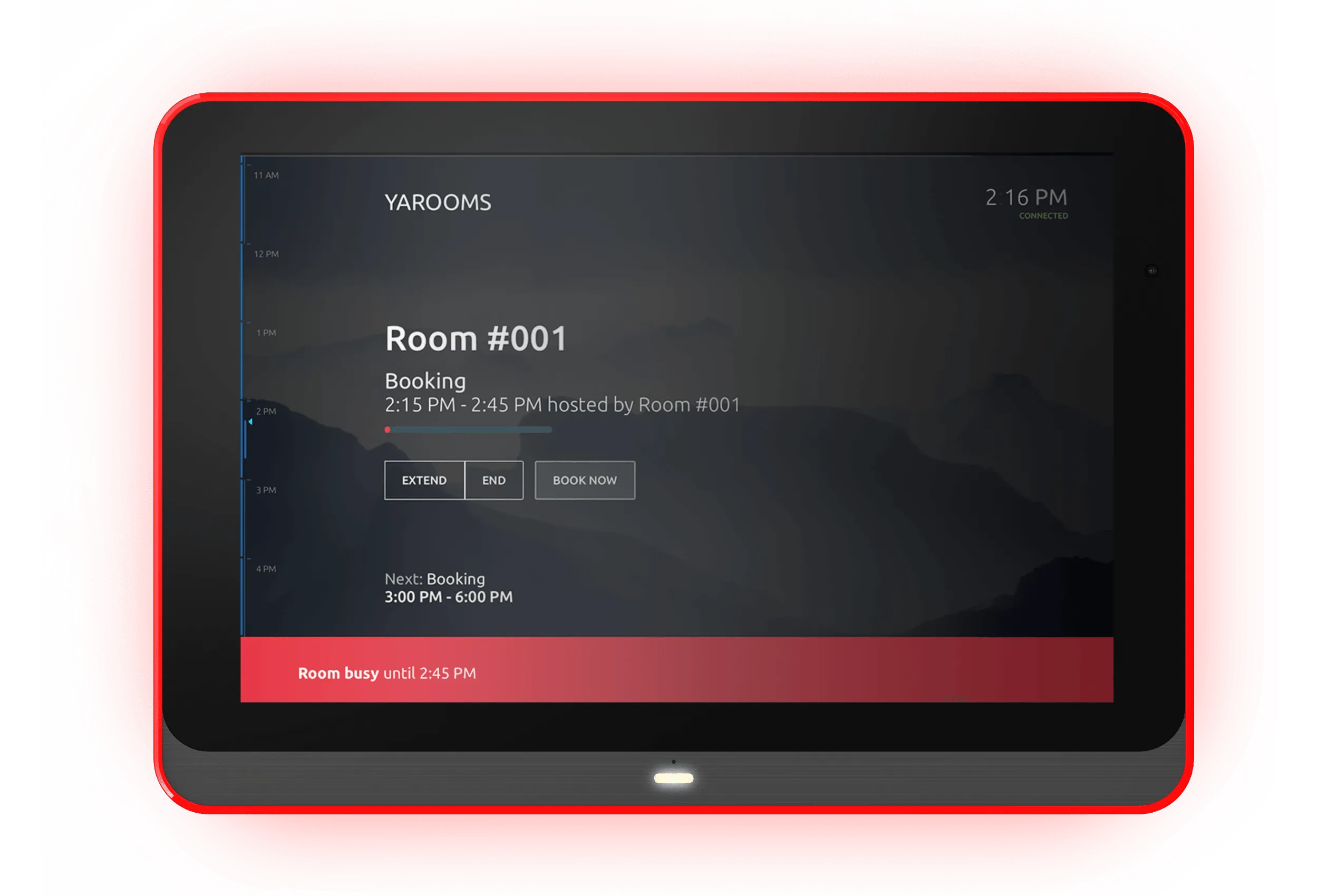
Key capabilities:
- Room status visibility: LED light bars or halo projection indicators make it easy to see whether a room is available, in use, or awaiting check-in.
- Touch interaction: All panels support touchscreen booking and adjustments directly at the door.
- Advanced authentication: Select models include NFC and HID Mobile Access for secure room check-ins and door access control.
- Built-in sensors and components: Options for microphones (with echo cancellation) and optical scanners enhance meeting room workflows.
- Strong performance: All models run Android 12.0 and offer high-resolution 1280x800 displays with 300-350 nits brightness.
- Flexible connectivity: PoE+/PoE for simplified installation, plus Wi-Fi support for versatile placement.
IAdea’s devices are ideal for workplaces wanting durable, enterprise-ready digital meeting room displays with advanced authentication, clear status indicators, and flexible installation options.
3. Qbic - Powerful Room Display Devices
Qbic provides modern meeting room display panels designed to improve room booking, workplace navigation, and daily collaboration. Known for their award-winning design and strong security features, Qbic devices support reliable space management in busy office environments.
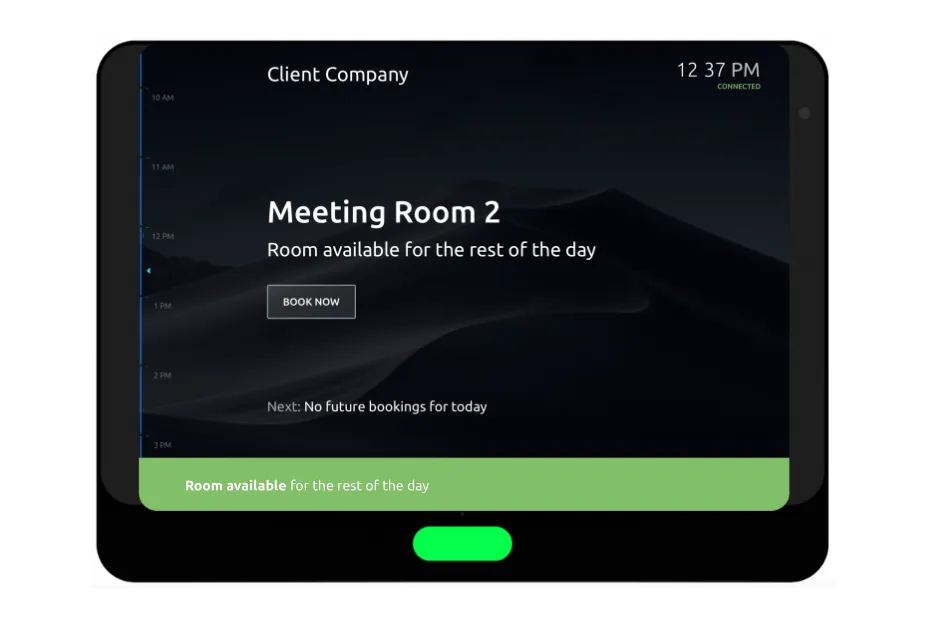
Key capabilities:
- Real-time room booking showing live status and availability
- Workplace navigation supporting visitor and employee check-ins
- Android-based platform supporting Android 14 for long-term performance
- Antimicrobial touchscreens enhancing hygiene in high-traffic spaces
- Centralized device management via Qbic RDM or RCC tools
- Security-focused design: Features Qbic Fortify+ multi-layered protection against cyber threats.
Qbic works well for teams that want modern, secure meeting room displays with room signage, navigation, and centralized device management.
| Digital Signage Solution | Best For | Key Strengths | Unique Features |
|---|---|---|---|
| ProDVX | Organizations needing durable, always-on room displays | 24/7 operation; instant booking at the door; calendar integration | Prize-winning Surround LED indicators; PoE + Wi-Fi; strong CPU performance |
| IAdea | Workplaces wanting enterprise-ready displays with advanced authentication | LED status indicators; touch-enabled booking; flexible connectivity | NFC and HID Mobile Access; built-in microphones with echo cancellation; optical scanners |
| Qbic | Teams wanting modern, secure displays with centralized management | Real-time booking; workplace navigation; Android 14 platform | Antimicrobial touchscreens; Qbic Fortify+ cyber protection; centralized device management |
Best Video Conferencing Tools
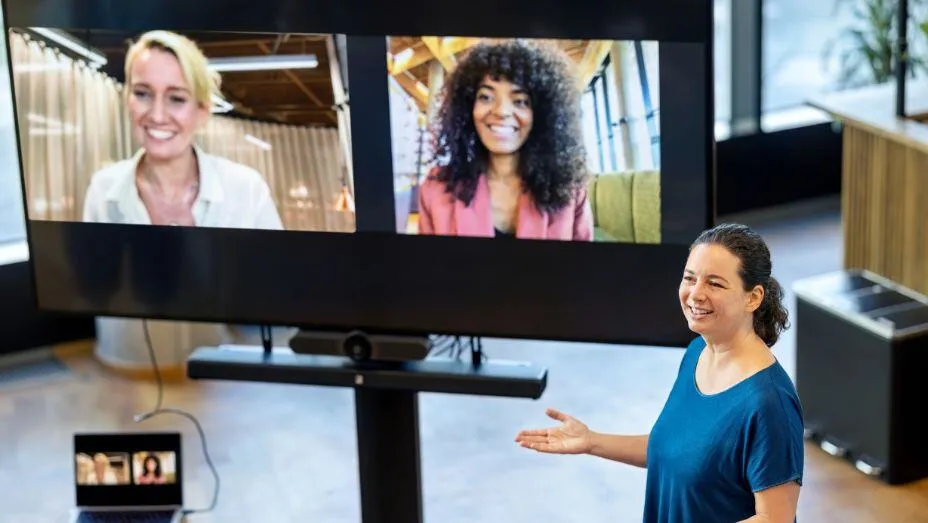
Video conferencing is now a standard part of workplace communication. The market was valued $12.5 billion and $37.29 billion in 2024-2025, and it’s expected to reach $19.17 billion to $60.17 billion by 2031-2032. Many organizations now prefer to prep meeting content using a simple online video editor or quick browser-based video editor before screen sharing, ensuring that demos and internal updates look clean and professional. With 75% of organizations already using video conferencing for daily collaboration, it’s hard to imagine a modern workplace operating without it. Here are the top tools powering that shift.
1. Zoom - Top Video Conferencing Software
Zoom is a popular video conferencing platform built for virtual meetings, large group sessions, and online events. It combines video calls with collaboration features that make remote communication more interactive and engaging.
Key capabilities:
- Digital whiteboarding: Create and share ideas visually during meetings.
- Team chat: Keep conversations going before, during, and after calls.
- Breakout rooms: Move participants into smaller groups for discussions or workshops.
- Virtual backgrounds: Customize your meeting backdrop for privacy or branding.
It’s great for organizations that host frequent large meetings, trainings, or webinars and need a reliable, scalable video conferencing solution. Zoom offers a free version, with paid plans starting at $13.33-$18.33 per user/month.
2. Google Meet - Video Conferencing for Google Workspace Users
Google Meet is a secure video conferencing tool built into the Google Workspace ecosystem, making it easy for teams to start meetings directly from Gmail, Calendar, or Drive. It focuses on simple, reliable video calls with helpful collaboration features.
Key capabilities:
- Pooled storage: Up to 5 TB of shared storage per user, depending on the plan.
- Digital whiteboarding: Collaborate visually during meetings through integrated whiteboard tools.
- Noise cancellation: Reduce background sounds for clearer, more focused conversations.
Best for remote and hybrid teams that already rely on Google Workspace tools. Offers a free plan, with paid plans ranging from $7 to $35 per user/month.
3. Microsoft Teams - Video Conferencing for Microsoft 365 Users
Microsoft Teams is a collaboration and video conferencing platform built into the Microsoft 365 ecosystem. It brings meetings, chat, file sharing, and apps together in one place, making it easy for teams to stay connected and work together in real time.
Key capabilities:
- Customized backgrounds: Personalize your meeting backdrop for focus or branding.
- Avatars: Join meetings with expressive 3D avatars when you prefer not to be on camera.
- Whiteboard: Share ideas visually using the built-in Microsoft Whiteboard.
- Live captions: Automatic captions available in more than 30 languages for better accessibility.
Microsoft Teams offers three paid plans, ranging from $4 to $12.50 per user/month.
4. Webex - AI-Powered Communications Platform
Webex is a video conferencing and collaboration platform designed to support meetings, webinars, and virtual events at scale. It offers strong security features, flexible hosting controls, and tools that help teams run polished, organized sessions from anywhere.
Key capabilities:
- Co-host privileges: Share hosting responsibilities to manage meetings more effectively.
- Closed captions: Improve accessibility with automatic captions for participants.
- Secure lobby: Control who can enter meetings and when, enhancing security.
- Practice mode for webinars: Rehearse presentations and setups before going live.
- Sync Stage: Set a custom viewing layout for all attendees to keep sessions consistent.
It’s great for global teams and organizations that need a scalable, secure video conferencing platform for meetings and large virtual events. Webex offers a free plan, with paid tiers starting at $12 to $22.50+ per user/month.
| Video Conferencing Tool | Best For | Key Strengths | Notable Features | Pricing |
|---|---|---|---|---|
| Zoom | Large meetings, trainings, webinars | Scalable, reliable, highly adopted | Breakout rooms, digital whiteboard, team chat, virtual backgrounds | Free plan + $13.33–$18.33/user/month |
| Google Meet | Google Workspace users | Simple, secure, natively integrated | Noise cancellation, digital whiteboarding, up to 5 TB pooled storage | Free plan + $7–$35/user/month |
| Microsoft Teams | Microsoft 365 organizations | Fully integrated collaboration + meetings | 3D avatars, whiteboard, live captions, custom backgrounds | $4–$12.50/user/month |
| Webex | Global teams needing enterprise-grade controls | Strong security, webinar-friendly | Co-hosting, closed captions, secure lobby, practice mode, Sync Stage | Free plan + $12–$22.50+/user/month |
Best Audio Conferencing Equipment
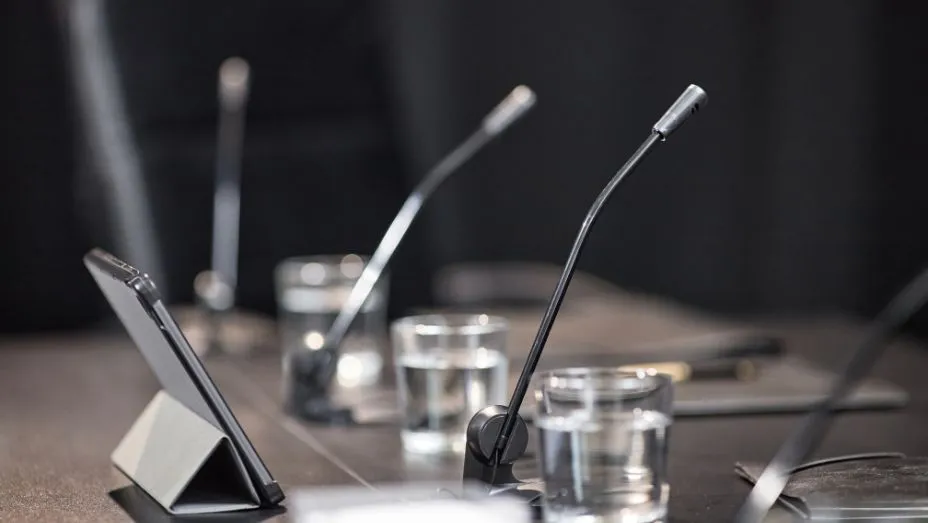
Clear, reliable audio is the foundation of every productive meeting. Even the most advanced displays or room systems can’t fix a conversation that’s hard to hear. As hybrid collaboration becomes the norm, organizations need audio solutions that pick up every voice, reduce background noise, and ensure remote participants feel fully included.
1. ClearOne’s Professional Microphones
ClearOne provides a wide range of professional microphones designed for clear, reliable audio capture in meeting rooms, classrooms, and larger presentation spaces. Their lineup includes beamforming arrays, ceiling microphones, wireless options, and other specialized models built to support different room sizes and acoustic needs.
Key microphone types:
- Beamforming microphone arrays: Capture voices clearly across the room and focus on active speakers.
- Ceiling microphone arrays: Provide unobtrusive audio pickup while keeping tables cable-free.
- Wireless microphones: Flexible options for presenters, facilitators, or mobile meeting spaces.
- Other professional microphones: Additional models engineered for clarity, durability, and everyday use.
It’s a great choice for organizations that need dependable, high-quality audio solutions for anything from small meeting rooms to large auditoriums.
2. Nureva’s Full-Room Audio Conferencing Systems
Nureva provides audio conferencing solutions designed to deliver consistent, room-wide voice pickup without complex AV setups. Their systems are built for meeting rooms of all sizes and use the company’s patented Microphone Mist™ technology to create thousands of virtual microphones throughout the space, ensuring clear audio no matter where participants sit or move.
Key systems:
- HDL410 (extra-large rooms): Pro-AV performance for extra-large meeting rooms and classrooms, designed for IT-friendly deployment.
- HDL310 (large rooms): High-capacity audio pickup for large rooms, using the same advanced processing and simplified installation.
- HDL300 (large rooms): Full-room microphone coverage for large meeting spaces with a straightforward, nonintrusive setup.
- HDL200 (medium rooms): Designed for medium-sized meeting rooms and flex spaces, offering powerful, unobtrusive voice capture.
Best for organizations seeking simple, scalable audio conferencing systems that deliver full-room voice pickup without complex installation or traditional AV infrastructure.
3. Jabra’s Conference Speakerphones
Jabra offers a range of portable, professional speakerphones designed for hybrid work and small meeting spaces. The Speak2 series delivers clear, wideband audio, strong noise reduction, and flexible Bluetooth connectivity, making it easy for teams to join calls from anywhere with consistent sound quality.
Key capabilities:
- Super-wideband audio: Enhanced voice clarity that captures the full natural range of speech.
- Omnidirectional microphones: Pickup sound from all directions, ensuring everyone in the room is heard.
- Noise cancellation: Filters out background noise to improve focus and meeting quality.
- Bluetooth + multi-device pairing: Connect to up to two active devices and store pairing for up to eight for seamless switching.
- Portable design: Compact, durable speakerphones suitable for desks, small meeting rooms, or on-the-go calls.
It’s a wise choice for individuals and small teams that need portable, easy-to-use audio conferencing devices for hybrid meetings, home offices, huddle rooms, or mobile work setups.
| Audio Conferencing Solution | Focus Area | Best For | Notable Strengths |
|---|---|---|---|
| ClearOne | Professional microphones | Small meeting rooms to large auditoriums | High-quality voice pickup, choice of beamforming, ceiling, and wireless microphone options |
| Nureva | Full-room audio systems | Medium to extra-large meeting rooms | Room-wide voice coverage, simplified installation, Microphone Mist™ virtual microphone technology |
| Jabra | Portable speakerphones | Hybrid workers, huddle rooms, mobile work setups | Wideband audio, Bluetooth connectivity, noise reduction, omnidirectional pickup |
Best Display Systems for Meetings

Display systems are the screens teams rely on to present ideas, share content, and collaborate during meetings. They range from large-format monitors to interactive touch displays, and they play a critical role in making discussions smoother, more visual, and more engaging. In modern meeting rooms, a reliable display ensures that everyone - whether in the room or joining remotely - can see shared content clearly, follow the conversation, and contribute effectively.
1. Hikvision LED Video Walls and Interactive Flat Panel Displays
Hikvision offers high-resolution LED video walls and interactive flat panel displays designed for large meeting rooms, boardrooms, and collaboration spaces. Their fine-pitch LED panels create a seamless, high-clarity viewing surface, making them suitable for presentations, data visualization, and hybrid meeting environments.
Feature highlights:
- Fine-pitch LED panels deliver seamless, high-resolution visuals ideal for large indoor spaces
- Interactive collaboration supports synchronized annotations for more engaging presentations and teamwork
- Large-format visibility designed for boardrooms, training rooms, and other environments where clarity at a distance is essential
- Suitable for presentations, digital signage, content sharing, and hybrid meetings
Best for organizations that need large, immersive display systems to enhance presentations, boost engagement, and improve visibility in high-capacity meeting spaces.
2. Avocor Meeting Room Display Tech
Avocor provides a range of interactive and non-interactive displays designed to support modern meeting rooms and hybrid collaboration. From small huddle spaces to large conference rooms, Avocor displays improve visual clarity, enhance presentations, and enable real-time engagement between in-room and remote participants.
Feature highlights:
- High-impact visuals ensure presentations and shared content are easy to see from anywhere in the room
- Interactive collaboration via touch-enabled displays supports annotation, digital whiteboarding, and co-creation
- Non-interactive options provide professional presentation displays designed to integrate with existing AV setups
- Hybrid-ready works seamlessly with Microsoft Teams, Zoom, Google Meet, and other UC platforms
- Flexible integration designed to fit within a wide range of AV ecosystems and room configurations
- Modern design features slimline, professional aesthetics
Avocor is a great choice for companies needing versatile display systems tailored to different meeting room sizes - whether the focus is interactivity, high-quality presentations, or seamless hybrid collaboration.
3. Microsoft Surface Hub 2S Interactive Collaboration Display
The Microsoft Surface Hub 2S is a large-format interactive display designed for group collaboration in modern meeting rooms, boardrooms, and larger huddle spaces. Available in 50-inch and 85-inch models, it combines high-resolution 4K+ visuals with touch and digital ink capabilities to support brainstorming, hybrid meetings, and interactive presentations.
Feature highlights:
- Designed for group collaboration with support for simultaneous inking and multi-touch input
- Makes it easy for multiple participants to sketch, annotate, or co-create in Microsoft Whiteboard
- Optimized for Teams with deep integration enabling seamless video meetings, content sharing, and hybrid collaboration
- Provides large, lifelike remote participant views
- AV system integration works with Microsoft Teams Rooms setups and Teams-certified peripherals
- Built for visibility with large, bright displays making content easy to read from anywhere in the room
It’s the best choice for organizations that rely on the Microsoft ecosystem and need an all-in-one interactive display system for hybrid collaboration, visual teamwork, and high-impact presentations in medium to large meeting rooms.
4. Samsung Flip 2 Digital Flipchart
The Samsung Flip 2 is a 55" 4K UHD interactive display designed to replace traditional flipcharts and whiteboards with a more flexible, digital collaboration experience. Portable and easy to position, it supports real-time ideation, presentations, and group work in meeting rooms, classrooms, and training environments.
Feature highlights:
- Pen-to-paper writing experience provides smooth, natural inking on a 55" 4K display
- Touch-out functionality syncs with personal devices for real-time content sharing and two-way control
- Easy content recap securely stores session notes and allows sharing via email, network, USB drive, or print
- Flexible placement via optional slim stand improves mobility and workspace layout
Best for teams looking for an easy-to-use interactive flipchart that supports brainstorming, training sessions, and collaborative meetings without traditional whiteboard limitations.
| Digital Display Solution | Focus Area | Room Types | Strengths |
|---|---|---|---|
| Hikvision | LED video walls & interactive flat panels | Large meeting rooms, boardrooms, collaboration spaces | Seamless fine-pitch LEDs; high-resolution visuals; interactive annotation; strong visibility for big spaces |
| Avocor | Interactive & non-interactive displays | Small rooms, huddle spaces, conference rooms | High-impact visuals; interactive whiteboarding; hybrid-ready; integrates with major UC platforms; flexible AV fit |
| Microsoft Surface Hub 2S | Interactive collaboration display | Medium to large rooms, boardrooms, hybrid spaces | Multi-user inking; deep Microsoft Teams integration; 4K+ visuals; strong AV ecosystem compatibility |
| Samsung Flip 2 | Digital flipchart for ideation & training | Small meeting rooms, classrooms, training spaces | Pen-to-paper writing; device sync; easy content sharing; portable setup with optional stand |
Best Screen Mirroring Solutions for Meetings

Finally, once your display systems are in place, you need an easy way for people to share their screens. Screen mirroring solutions let anyone present from their laptop or mobile device without cables or setup hassles. Here are the top options that make sharing fast, reliable, and seamless in any meeting room.
1. Apple TV - Screen Mirroring with AirPlay
Apple TV uses AirPlay to enable wireless content sharing from Apple devices. It supports mirroring from iPhones, iPads, and Macs over Wi-Fi or via cable and offers a simple, intuitive interface familiar to most Apple users.
Pros:
- AirPlay support enables easy wireless mirroring from iOS and macOS devices
- Flexible connectivity works over Wi-Fi or through a direct cable connection
- Simple interface is user-friendly and consistent with other Apple products
Cons:
- Apple-only mirroring limited to Apple devices
- Larger hardware footprint requires its own AC power plug and takes up more space than smaller alternatives
Best for teams and meeting rooms where most users rely on iPhones, iPads, or MacBooks and need a reliable, familiar AirPlay-based mirroring solution.
2. Miracast - Peer-to-Peer Wireless Screen Mirroring
Miracast is a wireless screen-mirroring standard designed for cross-platform use. It allows devices to connect directly to a display using a peer-to-peer (P2P) connection, so no Wi-Fi network or access point is required. This makes it useful in environments where network access is limited or where multiple locations operate independently.
Pros:
- Cross-platform standard works with many Windows and Android devices
- No network required connects directly via P2P, ideal for spaces without reliable Wi-Fi
- Doesn’t impact user Wi-Fi as screen mirroring works without interrupting personal network connections
Cons:
- Single-device limitation allows only one device to mirror to the screen at a time
- Variable compatibility support differs by device manufacturer, which can lead to inconsistent user experiences
Great choice for organizations that need simple, network-independent screen mirroring, especially in distributed locations or rooms without stable Wi-Fi.
3. Google Chromecast - Compact Screen Casting for Multiple Devices
Google Chromecast is a small, portable streaming and screen-casting device that plugs directly into a display’s HDMI port. Its compact design makes it easy to move between rooms, and it supports casting from a wide range of devices, including Apple, Android, and Google platforms.
Pros:
- Portable and compact about the size of a flash drive, making it easy to carry and set up in different meeting spaces
- Cross-device support works with Apple, Android, and Google devices for flexible screen casting
- Simple plug-in setup connects via HDMI and can be quickly deployed in any room
Cons:
- App requirements some devices and file types need specific apps to cast
- Common programs like Keynote or PowerPoint may not work directly
- VPN limitations Chromecast cannot cast through a VPN, which may cause issues in highly secured environments
- Easy to misplace its small size makes it more prone to being lost or removed accidentally
Good choice for teams that need a portable, budget-friendly casting device for occasional presentations - especially in smaller meeting rooms or ad-hoc collaboration spaces.
| Screen Mirroring Solution | Best For | Key Strengths | Potential Limitations |
|---|---|---|---|
| Apple TV | Teams using Apple devices (iPhone, iPad, Mac) | Simple AirPlay mirroring; Wi-Fi and cable support; familiar interface | Apple-only mirroring; requires separate AC power; larger hardware footprint |
| Miracast | Network-independent meeting spaces; Windows/Android environments | Peer-to-peer connection (no Wi-Fi needed); cross-platform; doesn't impact user Wi-Fi | Single device mirroring; uneven compatibility across manufacturers |
| Google Chromecast | Small or flexible meeting rooms needing portable casting | Compact and easy to move; supports Apple/Android/Google devices; simple HDMI setup | App-dependent casting; no VPN support; easy to misplace due to size |
Checklist: How to Choose the Right Meeting Room Technology
Choosing the right conference room tech is about understanding your spaces, workflows, and hybrid collaboration needs. Use this practical checklist to evaluate any conference room technology setup, including booking systems, conference room AV, signage, and screen-sharing tools.
Evaluate Your Room Size
Room size dictates almost every technology requirement. A setup meant for a four-person huddle room will fail in a 20-person boardroom. Visibility, acoustics, and coverage depend on square footage and seating layout.
Questions to ask:
- How many people will typically use the room?
- What’s the maximum viewing distance to the display?
- Are there acoustic challenges (glass walls, high ceilings)?
- Do we need a high-tech conference room or a simple meeting space?
What to calculate:
- Display size: Small rooms: 43"-55" / Medium rooms: 65"-75" / Large/boardrooms: 86"-98" or LED walls
- Microphone coverage: Small rooms -> single bar mic / Medium rooms -> table mics + ceiling pickup / Large rooms -> beamforming arrays or full conference room AV system
Understand the Meeting Types
Different meetings require different meeting room technologies. A brainstorming room needs touch displays; a presentation room needs large screens; hybrid rooms need top-tier audio/video.
Questions to ask:
- Do we host clients?
- Are meetings mostly hybrid?
- Do we run training sessions or workshops?
What to choose:
- Brainstorm rooms: interactive displays, digital whiteboarding
- Client meeting rooms: dual displays, premium audio, room systems
- Training spaces: screen mirroring + capture tools
Prioritize Hybrid Collaboration
75%+ of meetings now have at least one remote participant. Poor hybrid support breaks engagement.
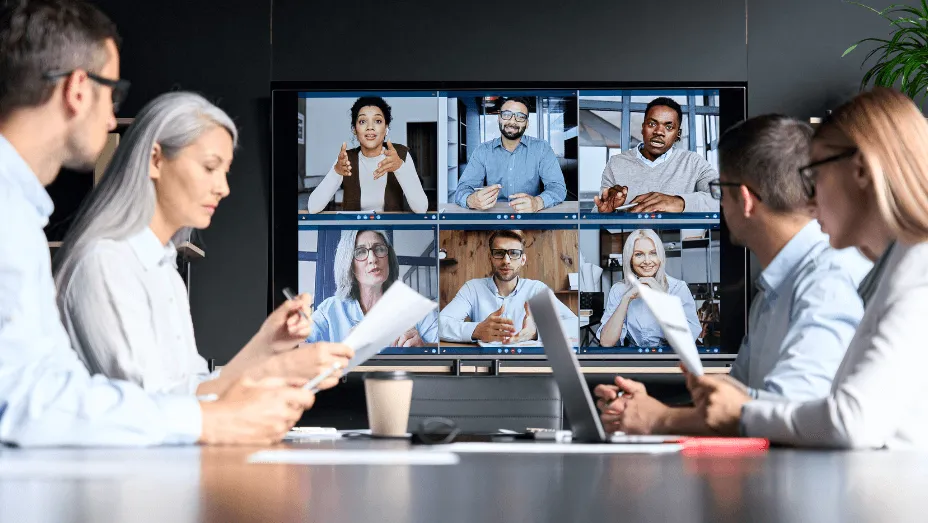
What to look for: Auto-framing cameras, speaker tracking, noise suppression, multi-device content sharing, one-touch join functionality, and support for Teams, Zoom, and Google Meet.
Questions to ask:
- Do remote users see and hear everyone clearly?
- Does the camera show the room at the right angles?
Evaluate Ease of Use & User Experience
If users can’t operate the tech, it doesn’t matter how good it is. Complicated systems lead to frustration, meeting delays, and unnecessary support tickets.
Questions to ask:
- Can someone start a meeting in under 30 seconds?
- Is screen sharing obvious?
- Does the signage clearly show room availability?
Do a “zero-instruction test” - let an employee try the room with no guidance.
Assess Security & Network Requirements
Screen sharing, casting, and conferencing all introduce risk, so this step is critical for organizations with strict IT policies.
What to consider: Encrypted communication, SSO and MFA support, VPN compatibility, and guest access controls.
Practical example: Google Chromecast doesn’t work over VPN, making it unsuitable for secure corporate environments.
Calculate Total Cost of Ownership (TCO)
Some solutions look inexpensive upfront but costly to maintain or scale. Budget beyond the sticker price.
To calculate true cost, factor in the full lifecycle of your meeting room technology:
- Hardware + peripherals: cameras, microphones, speakers, displays, mounts, cabling
- Licensing: Zoom Rooms, Teams Rooms, device management fees
- Installation + setup: AV labor, configuration, calibration, training
- Support + warranties: extended warranties, onsite support contracts
- Replacement cycles: most AV hardware needs refreshing every 3-5 years
Formula: TCO per room = (Hardware + Software + Support + Install) / Lifecycle years
This gives you a realistic annual cost per meeting room - helping you compare solutions fairly and avoid hidden expenses.
Test in Real Conditions
Real environments expose problems that labs cannot predict - acoustic issues, sunlight glare, camera angles, Wi-Fi weak spots.
Run a full test:
- Book the room
- Check in on signage
- Start a video meeting
- Share content
- Use the digital whiteboard
- Switch presenters
- Add remote participants
Evaluation questions:
- Did the room feel easy to use?
- Did anything interrupt the flow of the meeting?
- Did the technology get out of the way - or get in the way?
- Did the setup support how you naturally collaborate?
- Did remote participants feel like an equal part of the meeting?
- Did the room give you confidence or hesitation?
- Did the experience match your expectations of a modern meeting room?
Recommended Tech Setups for Every Meeting Room Size
Meeting rooms vary widely in purpose and size, but the technology inside them should always support collaboration, clarity, and a seamless hybrid experience. Below are the essential technology setups for small, medium, and large meeting rooms - designed to help teams choose the right mix of meeting room technology without over- or under-equipping their spaces.
Small Meeting Rooms (2-4 People)
Small rooms thrive on simplicity and speed. These spaces support quick discussions, hybrid check-ins, and spontaneous collaboration, so the technology must be easy to use, minimal, and always ready. The best setups remove friction: instant booking, clear availability, reliable video calls, and effortless screen sharing. In small rooms, the goal is to keep the technology invisible, letting teams focus on the conversation rather than the controls.
Recommended Setup:
- Booking & Signage: Mobile/desktop booking, small touchscreen signage, real-time availability
- Video & Audio: Compact all-in-one device, built-in camera/mic/speaker, noise reduction + auto-framing
- Display: 43-55" screen
- Content Sharing: Simple wireless mirroring, minimal setup, no cables required
Medium Meeting Rooms (4-10 People)
Medium-sized rooms host a wide mix of meeting styles - from routine team updates to workshops and hybrid collaboration. Because these spaces serve more people and more complex interactions, they require flexible, reliable, hybrid-ready meeting room technology. Clear audio coverage, strong video framing, smooth presenter switching, and intuitive content sharing become essential. The priority here is versatility: the room must adapt easily to whatever the team needs that day.
Recommended Setup:
- Booking & Signage: Calendar integrations, approval workflows, check-in and usage rules, LED status indicators
- Video & Audio: Wide field-of-view camera, beamforming mics, room-filling speakers, auto-framing & tracking
- Display: 65-75" display, optional interactive whiteboard, brightness suited for mid-size spaces
- Content Sharing: Wireless + optional HDMI, multi-device presenter switching
Large Conference Rooms & Boardrooms (10-20+ People)
Large rooms carry higher stakes: leadership meetings, client presentations, and hybrid sessions where every detail needs to run smoothly. These spaces require enterprise-grade technology that ensures everyone - whether in the room or remote - can see, hear, and engage clearly. Strong audio distribution, larger displays, structured scheduling, and multi-source content sharing are key. The focus is on delivering a polished, inclusive experience that supports visibility, presence, and clear communication at scale.
Recommended Setup:
- Booking & Signage: Advanced scheduling rules, service booking (catering, AV), large signage panels, authentication (NFC/PIN)
- Video & Audio: Multi-camera or tracking system, full-room mic coverage, high-power speakers, echo cancelling + noise suppression
- Display: 85"+ display or video wall, dual-screen setups, high brightness for long distances
- Content Sharing: Wired + wireless options, multiple content streams, presenter handoff support
| Room Size | Typical Use Cases | Booking & Signage | Audio & Video | Display System | Content Sharing |
|---|---|---|---|---|---|
| Small (2–4 people) | Quick discussions, hybrid check-ins, spontaneous collaboration | Mobile/desktop booking, small touchscreen signage, real-time availability | Compact all-in-one device, built-in camera/mic/speaker, noise reduction + auto-framing | 43–55" screen | Simple wireless mirroring, minimal setup, no cables required |
| Medium (4–10 people) | Team updates, workshops, hybrid collaboration | Calendar integrations, approval workflows, check-in and usage rules, LED status indicators | Wide field-of-view camera, beamforming mics, room-filling speakers, auto-framing & tracking | 65–75" display, optional interactive whiteboard | Wireless + optional HDMI, multi-device presenter switching |
| Large (10–20+ people) | Leadership meetings, client presentations, hybrid sessions | Advanced scheduling rules, service booking (catering, AV), large signage panels, authentication (NFC/PIN) | Multi-camera or tracking system, full-room mic coverage, high-power speakers, echo cancelling + noise suppression | 85"+ display or video wall, dual-screen setups | Wired + wireless options, multiple content streams, presenter handoff support |
Meeting Room Technology Trends to Watch in 2026
The way teams meet is evolving fast - and so is the technology behind every conference room. As hybrid work matures, organizations are shifting toward solutions that reduce friction, automate routine tasks, and make collaboration feel effortless for everyone. Here are the key meeting room technology trends shaping 2026:
AI-Powered Meeting Enhancements
What’s changing: AI is becoming a foundational part of meeting room technology.
Key shifts:
- Auto-framing + speaker tracking: Cameras adjust automatically to keep all participants visible.
- Noise suppression: AI filters background sounds for clearer hybrid conversations.
- Meeting assistants: Automated transcription, action items, and summaries reduce manual work.
- Space analytics: AI uses occupancy and usage patterns to improve room allocation and scheduling.
Why it matters: AI reduces friction, increases meeting equity, and helps organizations understand how rooms are actually being used.
Immersive Hybrid Collaboration
What’s changing: Hybrid meetings are becoming more lifelike and presence-based.
Key shifts:
- AR/XR overlays: Enhanced visuals help remote users feel physically present.
- 3D/Spatial video: More natural capture of gestures, eye contact, and non-verbal cues.
- Multi-camera layouts: Wider coverage that mirrors an in-room perspective.
Why it matters: Remote participants can follow discussions more naturally and feel truly included.
Next-Generation Displays & Audio
What’s changing: Visual and audio systems are moving toward higher clarity, interactivity, and adaptability.
Key shifts:
- High-res, bright displays: Better readability at all distances.
- Touch-enabled collaboration: Real-time annotation and digital whiteboarding.
- Spatial audio: Directional sound for more natural conversations.
- Beamforming microphones: Accurate pickup across different seating layouts.
Why it matters: Better visibility + better sound = smoother communication for both in-room and remote attendees.
Smarter Room Management & IoT Integration
What’s changing: Booking systems and room controls are becoming automated and sensor-driven.
Key shifts:
- Occupancy detection: Real-time room status and automated check-ins.
- Conflict prevention: Systems block double-bookings and release unused rooms.
- Energy optimization: Lighting, displays, and climate adapt based on presence.
- Cross-platform joining: Easier switching between Teams, Zoom, and Meet.
Why it matters: Rooms stay available, efficient, and easier to operate - no matter who uses them. Learn more about how IoT enhances efficiency, cuts costs & makes workplaces more sustainable.
Data-Driven Personalization & Security
What’s changing: Meeting technology is becoming smarter, more tailored, and more secure.
Key shifts:
- Engagement analytics: Insights on participation and meeting quality.
- Space utilization reports: Clear data for workplace planning and optimization.
- Identity-based access: NFC, PINs, and secure authentication for rooms and devices.
- End-to-end encryption: Stronger protection for video, content, and room systems.
Why it matters: Organizations get deeper insight into behavior and performance while keeping operations safe and compliant.
Final Thoughts
Great meeting experiences don’t happen by accident. They’re built on the right mix of room design, reliable equipment, and seamless workflows. As hybrid work continues to redefine how people connect, meeting room technology has become a core part of workplace strategy.
Whether you’re equipping a small huddle room or transforming a large boardroom, the goal is the same: make collaboration feel effortless for everyone - on-site and remote.
By choosing solutions that match your room size, support your meeting patterns, and integrate smoothly with your existing tools, you create spaces where teams can focus on ideas, not the equipment. And with emerging trends like AI-assisted meetings, immersive collaboration, and smarter room management, the opportunities to improve the workplace will only continue to grow.
Invest thoughtfully, test in real conditions, and keep the user experience at the center. That’s the path to meeting rooms that truly work in 2026 and beyond.
Workplace of the future. Today.
See how YAROOMS integrates with Microsoft 365 to create a seamless workspace booking experience.