
Visitor Management System Features: 11 Essentials For 2026

Most visitor management systems do the same basic things: pre-registration, host notifications, a digital log, and check-in you can configure. The differences show up at the edges: can you build a different check-in flow for a contractor than for a client? Will the badge open your doors? What happens to visitor data after the visit? Does the system know the guest needs a meeting room?
This article covers the 11 features that matter in almost every office, the advanced ones for regulated and multi-site environments, and how to work out what your office actually needs.
TL;DR:
- Eleven features cover most offices: pre-registration, host notifications, workflows by visitor type, a real-time visitor log, branded badges, compliant data management, multi-language, mobile check-in, analytics, watchlist screening, and integration with desk and room booking.
- Nearly every vendor has the basics, depth is what separates them.
- Regulated and multi-site offices also need ID verification, access control, audit trails, and data residency.
- Small offices need far less than they are usually sold.
What Are the Essential Visitor Management System Features?
The features found in most modern visitor management systems:
- Visitor pre-registration and scheduling
- Automated host notifications on arrival
- Customizable check-in workflows by visitor type
- Real-time digital visitor log
- Branded welcome screens and badges
- Compliant visitor data management
- Multi-language support
- Contactless and mobile check-in
- Visitor analytics and reporting
- Watchlist and blocklist screening
- Integration with desk and room booking
Each is explained in detail below.
#1: Visitor Pre-Registration and Scheduling
What it is: The ability for employees to register expected guests in advance , so the visit is already in the system before the visitor arrives.
Why it matters: Pre-registration moves data entry away from the lobby. Instead of a line of people typing their details into a tablet, guests arrive with a QR code and check in within seconds.
How it works:
- Hosts can invite guests directly from Outlook or Google Calendar
- Invitations include directions, parking details, and site rules
- Guests complete required forms and documents before arrival
- Bulk or group pre-registration for events, interviews, and training sessions
- Recurring registration for contractors and regular visitors
- Automatic reminders sent before the visit
Things to consider: Pre-registration itself is close to universal in modern visitor management systems , so the question is not whether a tool has it, it is how much work the invitation actually does. Ask the vendor what the guest receives: a plain confirmation email, or a branded pass with directions, parking, and a scannable code. And if you host events, interview panels, or training sessions, check group pre-registration specifically.
#2: Automated Host Notifications on Arrival
What it is: An instant alert to the employee hosting a visitor the moment that visitor checks in.
Why it matters: It removes the single most common friction point at the front desk: a guest standing in the lobby while someone tries to find their host.
How it works:
- Notifications by email and SMS as standard
- Slack and Microsoft Teams notifications for teams that live in those tools
- Configurable message templates
- Alerts to security or facilities for specific visitor types
- Escalation to a backup contact if the host does not respond
- Two-way messaging so the host can reply “on my way” from the notification
Things to consider: Email and SMS are standard everywhere. Two things are not: whether alerts reach Slack, Teams, or mobile push, and whether different visitor types can route to different channels. Also, think about what happens when nobody responds. Many systems notify one person and stop. Escalation to a backup contact is what prevents that.

#3: Customizable Check-In Workflows by Visitor Type
What it is: Different check-in paths for different visitor types : client, contractor, interview candidate, delivery driver, auditor.
Why it matters: A courier dropping a package should not complete the same eight-step flow as a contractor who needs a safety briefing and an NDA. One flow for everyone means either over-screening low-risk visitors or under-screening high-risk ones.
How it works:
- Separate workflows per visitor type , each with its own fields
- Different documents triggered by visitor type
- Conditional logic, questions that appear based on earlier answers
- Host approval required before entry for selected types
- Different badge designs per type, so security can identify categories visually
- Configurable data fields, so you collect only what you need
Things to consider: Most visitor management platforms support at least basic visitor types. The depth varies: some offer a handful of preset categories, while others allow fully custom flows with conditional logic. If you regularly host contractors, this is the feature to test properly during a trial.
#4: Real-Time Digital Visitor Log
What it is: Digital visitor log is a live view of everyone currently on site, with entry times, hosts, and contact details.
Why it matters: In an evacuation, you need an accurate headcount within seconds. Day to day, it answers questions like “is the auditor still in the building?” without walking the floor.
How it works:
- Live on-site list covering both visitors and employees
- Entry time, host name, and expected departure per record
- Searchable and filterable by date, host, visitor type, or location
- Exportable to CSV or Excel
- Visible across multiple sites from one dashboard
- Accessible on mobile, so it works when you are standing at the assembly point
Things to consider: Two things get conflated here: the live view of who is on site, and the historical log you search months later. Test both, systems are often strong at one, weak at the other. The live view’s weak point is check-out: visitors rarely remember, so ask whether the system auto-checks-out or just lets the data rot. A roll call built on stale data is worse than none.
#5: Branded Welcome Screens and Badges
What it is: Control over how the check-in experience looks: your logo, colors, wording, and badge design.
Why it matters: The visitor management kiosk is often the first thing a candidate or client interacts with. A default template with another company’s branding on it undercuts the impression.
How it works:
- Logo, color scheme, and background image on the kiosk
- Custom welcome and farewell messages
- Configurable badge templates: logo, photo, QR code, access level, color coding
- White-label option with no vendor branding
- Per-location branding for organizations with distinct sites or brands
- Multi-tenant branding for shared or serviced buildings
Things to consider: Basic logo-and-color customization is standard. Full white-labeling, removing the vendor’s name entirely, is often reserved for higher tiers, so check which plan it sits on if it matters to you.
#6: Compliant Visitor Data Management
What it is: How the system collects, stores, secures, and deletes personal data about visitors.
Why it matters: A visitor log is a personal data record. Under GDPR and similar regimes, you need a lawful basis for collecting it, a retention limit, and the ability to delete records on request. A visitor book left open on a desk fails on several counts at once.
How it works:
- Explicit consent capture at check-in
- Configurable retention periods with automatic deletion
- Data anonymization options
- Encryption in transit and at rest
- Choice of hosting region (EU, US, APAC)
- Role-based access, so front desk staff cannot export the full visitor history
- Independent certification: SOC 2 Type II, ISO 27001, ISO 27701
- Audit trails showing who accessed visitor data and when
In practice: Vendors vary widely here, and marketing language often outruns the substance. “GDPR compliant” on a homepage is a claim; SOC 2 Type II and ISO 27001 are audited certifications. Ask for the certificates. YAROOMS , for example, holds SOC 2 Type II, ISO 27001, and ISO 27701 alongside GDPR compliance.

#7: Multi-Language Support
What it is: A check-in experience available in the visitor’s own language.
Why it matters: Beyond courtesy, it is a data quality and safety issue. A visitor who cannot read a safety declaration cannot meaningfully agree to it, and a contractor who misreads a screening question gives you an inaccurate answer.
How it works:
- Language selection on the kiosk welcome screen
- Automatic detection based on device settings for mobile check-in
- Translated documents and forms, not just interface labels
- Translated email invitations and notifications
- Ability to add custom translations for company-specific wording
Things to consider: The vendor translates the interface. You translate everything else: screening questions, form labels, the NDA itself. So ask whether the system can hold one document per language, or only one per visitor type.
#8: Contactless and Mobile Check-In
What it is: Check-in completed on the visitor’s own phone rather than a shared kiosk screen.
Why it matters: It is faster at peak times, removes the shared-surface problem, and lets large groups arrive without forming a line at a single tablet.
How it works:
- QR code sent in advance and scanned on arrival
- Mobile web check-in with no app download required
- Digital visitor passes stored on the phone
- Forms and signatures completed on the visitor’s device before arrival
- Geofenced or beacon-based automatic check-in on entering the building
- Kiosk fallback for walk-ins and guests without a smartphone
Things to consider: Requiring guests to download an app to enter your building is a poor experience, and most vendors have moved to browser-based mobile check-in . Confirm that whatever you choose does not require an install.
#9: Visitor Analytics and Reporting
What it is: Aggregated data about visitor volumes, patterns, and types, rather than individual visit records.
Why it matters: It tells you when the front desk is actually busy, which teams host the most guests, and whether your staffing matches demand.
How it works:
- Visitor volume by day, week, and hour
- Peak-time identification for staffing decisions
- Breakdown by visitor type, host, department, and location
- Average visit duration
- Multi-site comparison
- Scheduled reports emailed to admins
- Audit-ready exports for compliance reviews
- CSV and Excel export for analysis elsewhere
Things to consider: Most systems report visitor counts. Fewer break the data down by type or department, and fewer still let you schedule recurring reports. If visitor data needs to feed a wider workplace reporting process, check the export options before committing.
#10: Watchlist and Blocklist Screening
What it is: Automatic screening of arriving visitors against a deny list, so flagged individuals are identified at the moment of check-in rather than after they are already inside the building.
Why it matters: Front desk staff cannot be expected to remember names, and turnover means institutional memory disappears. Screening moves the check from human recall to an automated match performed before a badge is issued, which is the only point at which stopping someone is straightforward.
How it works:
- An internal blocklist maintained by the security team
- Automatic matching at check-in against name and, where captured, ID document
- Silent alerts to security rather than a message on the kiosk screen
- Entry blocked, or held pending manual approval, on a match
- Fuzzy matching that catches name variants, misspellings, and middle initials
- Screening against external databases where required, sanctions and denied-party lists
- An audit record of every screening event, including clears, not just matches
- The ability to add someone to the list directly from a past visit record
In practice: Internal blocklists are increasingly common; third-party database screening stays niche, mostly finance, defense, and pharma. Two things to test. First, are alerts silent? A kiosk flashing “access denied” creates the confrontation screening exists to prevent. Second, is matching exact-only? A blocklist defeated by a middle initial is not really a control.
#11: Integration With Desk and Room Booking
What it is: A connection between visitor management and the systems that book desks and meeting rooms.
Why it matters: A visitor arriving for a meeting needs somewhere to have it. When the two systems are separate, someone books a room in one tool and registers the guest in another, and the two records drift apart.
How it works:
- Creating a visitor invitation directly from a room booking
- Automatic room reservation when a visit is scheduled
- Desk allocation for visiting colleagues from other offices
- Host availability visible when scheduling a visit
- Canceling the visit releases the room
- Combined occupancy view covering employees and guests
Things to consider: This is the clearest dividing line between standalone visitor sign-in apps and broader workplace platforms. A dedicated visitor tool will handle check-in well but has no concept of a desk or a room. Platforms like YAROOMS, Envoy , and Robin combine the two, which matters if visitors regularly need meeting space or if you want one occupancy figure covering everyone on site.
How These Features Work Together: The 10-Step Visitor Journey
Individually the features above are a shopping list. In use, they form a sequence, and seeing where each one fires makes it easier to spot which you actually need:
- Invitation. The host creates a visit. The guest receives an email with the date, time, directions, parking information, and any forms to complete in advance. (Feature #1)
- Pre-registration. The visitor confirms their details and completes required documents. The system issues a QR code or digital pass. (Features #1, #7)
- Arrival and check-in. On site, the visitor scans their QR code, checks in at a kiosk, or is signed in manually by the front desk. (Features #3, #5, #8)
- Identity verification. Depending on the security level, the system may scan a government ID, capture a photo, or match the visitor against their pre-registration record. (Advanced)
- Screening. Safety, health, or compliance questions where required, plus an automatic check against the blocklist. Visitors who do not meet the criteria are flagged before a badge is issued. (Feature #10)
- Document signing. NDAs, site safety rules, or confidentiality agreements are presented on screen and signed digitally. Signed copies are stored against the visit record. (Feature #3)
- Badge issue. A badge is printed or issued digitally, typically showing the visitor’s name, photo, host, date, and access level. (Feature #5)
- Host notification. The system alerts the host by email, SMS, Slack, or Microsoft Teams that their guest has arrived. (Feature #2)
- Meeting the host. The visitor is directed to the meeting room or desk reserved as part of the invitation, so the space is already booked rather than found on the day. (Feature #11)
- Check-out. The visitor checks out at the kiosk or is checked out automatically at the end of the day. The visit record closes, the room is released, and the visit enters the visitor log. (Features #4, #6, #9)
Not every workplace needs all ten steps. A small office might use only invitation, check-in, and host notification. A pharmaceutical site will typically use all of them.

Advanced Features for Regulated and Multi-Site Environments
Offices in finance , healthcare , government , and critical infrastructure, and any organization running several sites , typically need capabilities beyond the standard set.
Identity Verification and Physical Access
- Photo capture at check-in. A photograph taken on arrival and printed on the badge, so staff can match the badge to the person wearing it.
- Government ID scanning. Driver’s license or passport scanning with automatic field extraction, turning a typed claim into a verified record.
- Access control integration. Connect the badge to your door system so it opens permitted doors and nothing else. Commonly supported systems include Kisi, Brivo, SALTO, and Openpath. This depends entirely on your existing door hardware, so confirm your specific system is supported before shortlisting, it is where deals most often fall down.
- Zone-based permissions. Restrict visitors to specific floors, wings, or areas.
- Expiring badges. Credentials that deactivate automatically after a set period.
Screening and Monitoring
- Health and safety screening. Configurable questionnaires at check-in, with entry refused on a failed response.
- Overstay alerts. Notify security when a visitor has not checked out by an expected time.
- Escort requirements. Flag visitor types that cannot move through the building unaccompanied.
Compliance and Audit
- Complete audit trails. An exportable record of every visit, document signature, and data access event.
- Data residency. Choose whether visitor data is stored in the EU, US, or APAC, often a hard requirement in the public sector .
- Retention policies. Automatic deletion after a defined period, configurable per visitor type.
- Contact tracing. Historical records of which visitors and employees were on site simultaneously.
Emergency Management
- Evacuation roll call. A live list of everyone on site, accessible on mobile from the assembly point.
- Mark-safe tracking. Record who has been accounted for and who is still missing.
- Mass notifications. Send alerts to all on-site visitors and employees at once.
Multi-Site Operations
- Centralized administration across all locations from one console.
- Location-specific configuration, different workflows, documents, and languages per site.
- Multi-tenant branding for shared or serviced buildings.
- Consolidated reporting across all sites.
- Role-based permissions scoped by site, so local front desk staff see only their own location.
Visitor Management Integrations That Extend These Features
A visitor management system is only as useful as its connections to the tools already in use . The integrations most often required:
- Calendar: Google Calendar, Microsoft Outlook, Microsoft 365, so hosts invite guests from the meeting they are already creating.
- Messaging: Microsoft Teams, Slack, for arrival notifications where people actually work.
- Identity and directory: Entra ID, Okta, SAML SSO, SCIM provisioning, so the host list stays current as staff join and leave.
- Access control: Kisi, Brivo, SALTO, Openpath, so a visitor badge can open the doors it should and none of the ones it should not.
- HR systems: Workday, BambooHR, to sync employee records automatically.
- Automation: Zapier, webhooks, and a documented API for custom workflows.
Directory sync is the integration most often underestimated. Without it, the host list is maintained by hand and quietly goes stale, leaving new hires unselectable and departed employees still listed.
Hardware Required for Visitor Management Systems
At minimum, a visitor management system needs one tablet and a reliable Wi-Fi connection. Everything below that is optional and depends on which features you turn on.
- Tablet or kiosk. An iPad or Android tablet in a stand is the standard front desk setup. Wall-mounted displays suit narrow lobbies.
- Badge printer. Required for physical badges. Brother and Zebra label printers are the most widely supported.
- Kiosk stand. Floor or desk mounted, ideally lockable and at accessible height.
- QR scanner. Optional, most tablet cameras handle QR codes without dedicated hardware.
- Network connection. Cloud systems need reliable Wi-Fi. If your connection is unreliable, check whether offline check-in is supported.
See our visitor management hardware guide for specifications and setup.
Which Visitor Management System Features Do You Actually Need?
Visitor management system feature requirements differ sharply by office profile. Three common patterns:
| Office profile | Must have | Nice to have | Usually unnecessary |
|---|---|---|---|
| Small office Under 50 employees | Pre-registration; host notifications; digital visitor log; basic branding; single-tablet kiosk check-in | Badge printing; calendar integration; simple analytics | ID scanning; watchlist screening; multi-site management; data residency controls |
| Mid-size or multi-site 50-500 employees | Everything above, plus customizable workflows by visitor type; multi-location dashboard; badge printing with photo capture; calendar and directory sync; role-based admin permissions; exportable reporting | Access control integration; desk and room booking integration; delivery management; multi-language support | Facial recognition; contact tracing |
| Regulated industries Finance, healthcare, government, pharma | Everything above, plus ID verification; watchlist screening; mandatory document signing; audit trails; configurable retention; data residency choice; evacuation roll call; access control integration; SOC 2 Type II and ISO 27001 | Escort tracking; zone-based access permissions; contact tracing | Little is optional at this level |
Small offices: the common mistake is over-buying. A 30-person office rarely needs government ID scanning, and paying for an enterprise tier to get it is a wasted budget.
Mid-size: the critical question is whether visitor management should be standalone or part of a wider workplace platform . If you already run desk or room booking, a combined system avoids maintaining two directories and two occupancy figures.
Regulated: the requirement is usually driven by an auditor rather than a facilities team. Ask vendors for certification documentation early, it filters the shortlist faster than any feature comparison.
YAROOMS Visitor Management Features
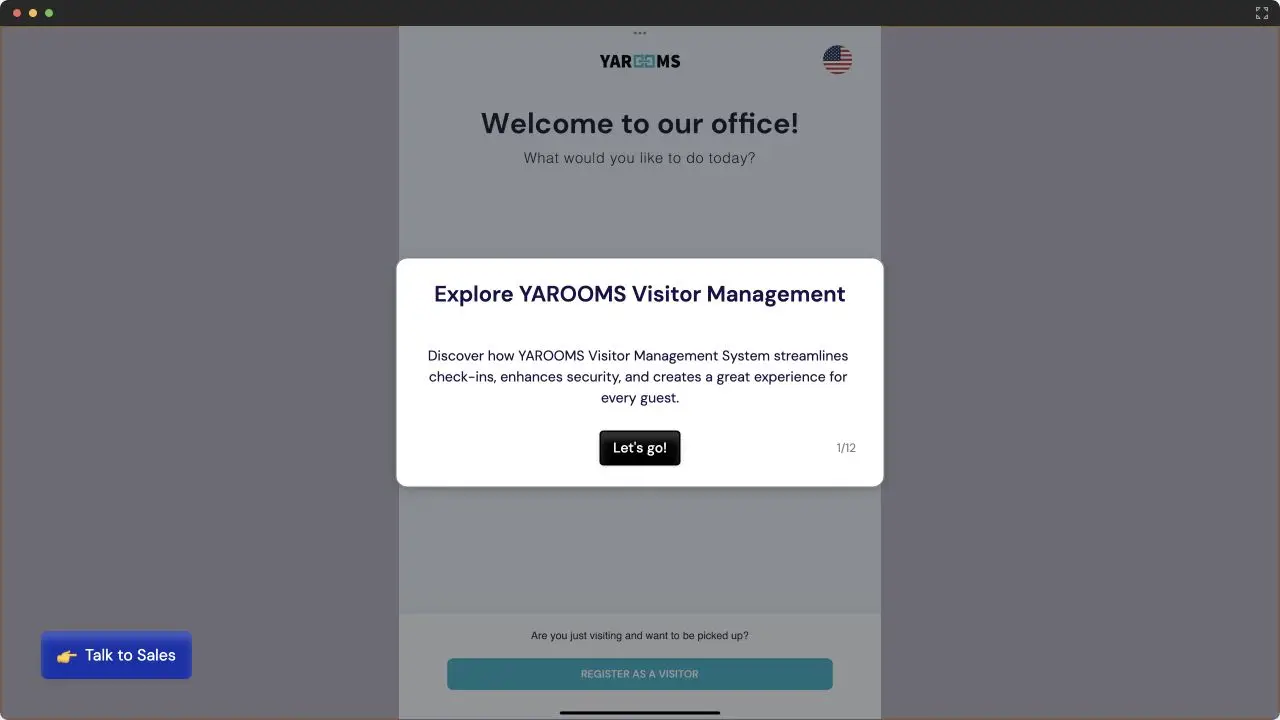
Mapped against the eleven features above, here is where YAROOMS Visitor Management System sits:
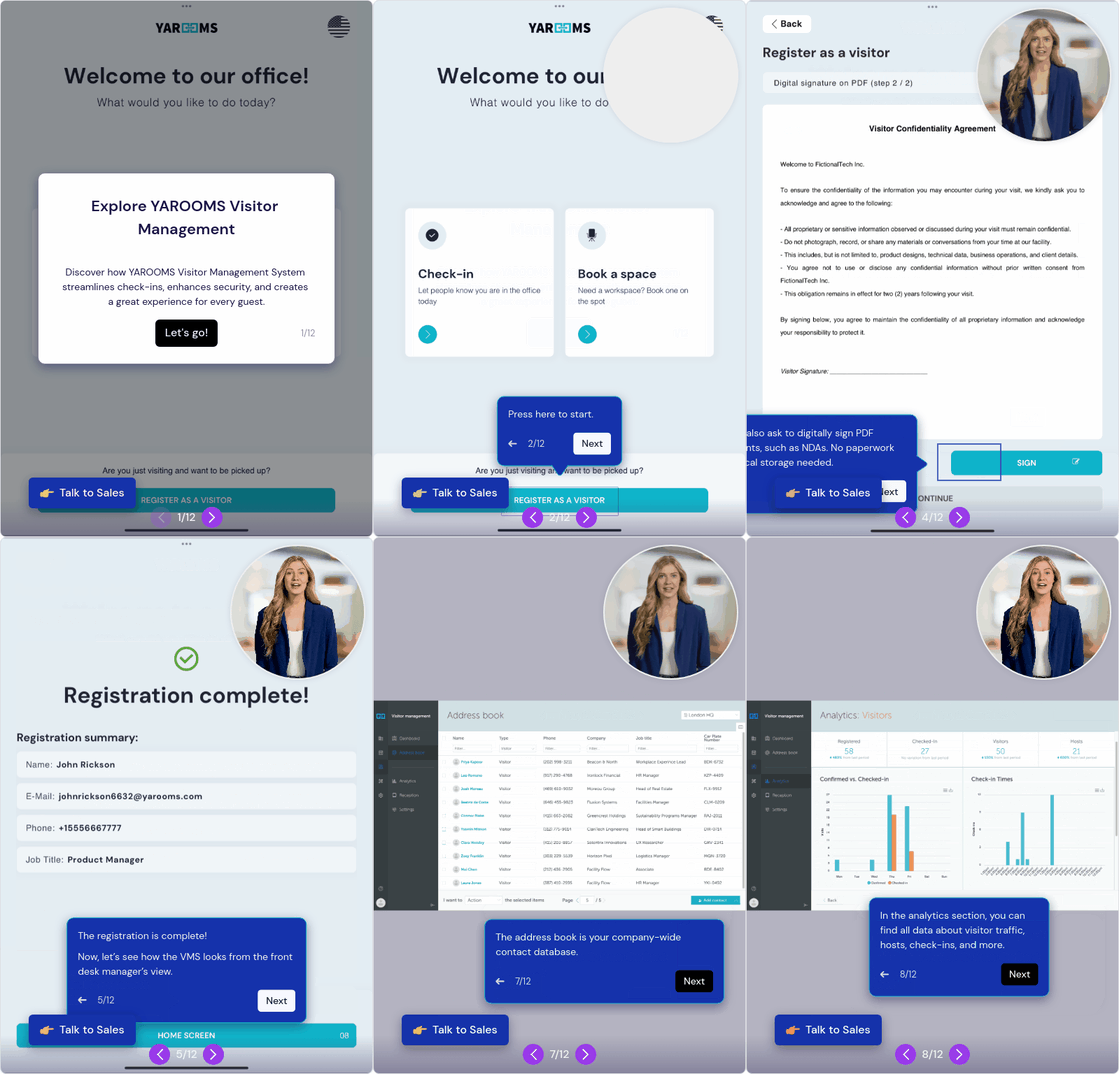
- Pre-registration and welcome emails. Hosts add guest details ahead of time, and pre-registered visitors receive customized emails with visit information, directions, and parking details. An office address book stores returning contacts so repeat guests can be registered faster.
- Mobile and kiosk check-in. Guests check in by scanning a QR code on their own phone, no app to install, or at a tablet running the digital reception app. Mobile check-in means large groups arrive without queuing at a single screen, while the kiosk stays available for walk-ins.
- Configurable registration flows. The visitor registration flow is assembled from steps you choose: capture details including car plate, collect a digital signature, confirm a policy checkbox, take a visitor photo, play a video, run a questionnaire, request document uploads, or send an email. Flows differ by guest type, and you can set up a separate registration flow for employees.
- Host notifications. Automatic email alerts to hosts when their visitor arrives.
- Badge printing and branding. Design and print visitor badges, and customize the digital reception app with your logo, colors, and messages.
- Watchlist screening and NDAs. Screen every visitor against company blacklists and flag unauthorized individuals, and require digital NDA signing before check-in can complete.
- Visitor log and analytics. The digital visitor log shows who was on site at any given time; analytics cover visitor traffic, host details, and building activity, with one-click CSV export.
- Multi-location control. Define unique visitor policies and access rules per office from one centralized dashboard.
- Workplace platform integration. The part a standalone sign-in app cannot replicate: book desks or rooms for guests as part of the visit, plus parking and catering . Integrations include Microsoft 365 (Teams, Outlook), Google Calendar, Zoom, Google Meet, SAML 2.0 SSO, Google and Slack login, MappedIn wayfinding, and a REST API. Support is 24/5.
- Compliance. ISO 27001, ISO 27701, ISO 9001, ISO 14001, SOC 2 Type II, and GDPR compliant.
Frequently Asked Questions
What Features Should I Look for in a Visitor Management System?
Start with the four every office uses: pre-registration, host notifications, a searchable visitor log, and check-in on both kiosk and phone. Almost every product has these, so they will not separate a shortlist. What will: badge printing, NDA signing, watchlist screening, access control integration, and desk or room booking for guests.
What Is the Difference Between a Visitor Management System and a Sign-In App?
A sign-in app handles one moment, the visitor types their details, the host is notified. A visitor management system covers the whole visit: pre-registration, screening, document signing, badges, check-out, and reporting. The dividing line is proof. If you need to show who was in the building, what they signed, and when they left, you need the system.
What Is the Difference Between a Visitor Management System and a Broader Workplace Platform?
A visitor system is built around the guest. A platform treats the visitor as one occupant among many, alongside employees booking desks and rooms. That shows up in occupancy (one figure covering staff and guests, not half a building), booking (the room is reserved inside the visit invitation), and directory (one employee list, not two that drift). Pick a dedicated tool if visitors are your only requirement.
Workplace of the future. Today.
See how YAROOMS integrates with Microsoft 365 to create a seamless workspace booking experience.