
Hot Desk Booking in Microsoft Teams: 2 Options Explained

With more than 320 million monthly active users as of early 2024 - and continued growth well into 2025 - Microsoft Teams has become the backbone of daily work for millions of employees worldwide. Over 1 million companies rely on it to communicate, collaborate, and coordinate their hybrid workdays.
It’s also one of the most connected business platforms on the market, offering 1,900+ third-party app integrations that extend its functionality far beyond chat and meetings. From task management to visitor check-ins, Teams is evolving into a single workspace where people manage every aspect of their workday - including desk booking.
As offices become more flexible, the ability to reserve a desk directly within Microsoft Teams helps organizations streamline hybrid work planning, improve space utilization , and keep everyone connected to the same digital ecosystem.
There are two popular ways to enable desk booking in Microsoft Teams - either by setting up bookable hot desks natively or by integrating a dedicated desk booking system that connects seamlessly with Teams and Microsoft 365. In this article, we’ll walk you through both options, compare their pros and limitations, and help you choose the best fit for your workplace.
TL;DR:
- Microsoft Teams supports Bookable desks (native option) or integration with specialized workplace platforms like YAROOMS.
- Bookable desks work well for small offices needing a quick, built-in solution.
- Integrated software offers advanced features like interactive floor plans, hybrid scheduling, analytics, and AI assistance.
- Desk booking inside Teams helps reduce app overload, improve collaboration visibility, and optimize office space use.
- The best choice depends on your workplace size, complexity, and how much control or insight you need.
What Is Microsoft Teams Desk Booking Software?
Microsoft Teams desk booking software is a workplace management solution that integrates with Microsoft Teams to help organizations manage desk reservations, meeting room booking, and hybrid work scheduling. Instead of using a separate booking tool, employees can reserve desks, check office availability, coordinate office days, and manage workplace bookings directly inside the Microsoft Teams environment.
Most Microsoft Teams desk booking systems also integrate with Microsoft Outlook, combining workplace scheduling and hybrid work coordination in one connected platform.
How Does Desk Booking in Microsoft Teams Work?
Microsoft Teams desk booking works by connecting a workplace management platform directly to Microsoft 365. Employees can reserve desks, meeting rooms, and other office spaces inside the Teams environment while workplace managers track office usage and hybrid work schedules in real time.
Most Microsoft Teams desk booking systems follow a simple process:
- Employees open the desk booking app in Microsoft Teams
- They view available desks or meeting rooms
- They select a workspace and booking time
- The system confirms the reservation and syncs it with Outlook calendars
- Employees receive booking notifications and reminders
- Workplace managers track attendance, occupancy, and workplace analytics
This process helps organizations simplify hybrid work coordination, improve office space utilization, and reduce scheduling conflicts.
What Are the Benefits of Microsoft Teams Hot Desk Booking
Hot desking in Microsoft Teams helps organizations simplify hybrid work coordination by combining desk booking , workplace visibility, and team collaboration in one platform. Instead of switching between multiple tools, employees can reserve desks, plan office days, and see where teammates are working directly inside Microsoft Teams.
The key benefits of Microsoft Teams desk booking include:
- Easier hybrid work coordination
- Faster desk and room booking
- Better visibility into office attendance
- Improved workplace collaboration
- Reduced app switching
- Better office space utilization
- Real-time workplace availability
- Simpler workplace management for employees and admins
Centralized Desk Booking in a Familiar Workspace
When desk booking lives inside Microsoft Teams, it instantly becomes part of employees’ natural workflow. People already open Teams every morning to chat, join meetings, or check calendars - now they can also reserve their desks there.
This consolidation matters more than ever. Fragmented workflows caused by underused or overlapping apps waste nearly 30% of SaaS budgets , and 56% of workers say they feel overwhelmed by the pace and volume of work, often because they’re switching between too many systems.
Bringing desk booking into the same hub where people already collaborate reduces that digital noise. It helps employees stay focused, simplifies IT management, and ensures everyone can find and book a workspace without breaking their flow.
Better Collaboration and Team Visibility
Hybrid work has made office attendance unpredictable. As of 2025, only 39% of employees come in three to four days a week, 38% just one or two days, and 22% work onsite full-time. With such variability, it’s often hard to know who will be in the office on any given day (or where they’ll sit).
Microsoft Teams hot desk booking helps solve this by giving everyone visibility into others’ plans. Employees can quickly check who’s scheduled to be onsite , find nearby desks, and coordinate face-to-face collaboration. Team leads can also use booking data to plan shared office days and make sure space is used efficiently.
Smarter Space Utilization and Real-Time Insights
In hybrid workplaces, office occupancy changes from day to day, making it difficult to know how much space is really needed. A Microsoft Teams desk booking system helps organizations make those decisions based on data, not guesswork.
By tracking desk reservations and attendance patterns , workplace teams can see which areas are busy, which stay empty, and how often employees actually use their assigned spaces. These real-time insights reveal opportunities to reduce underused space, redesign layouts, or create more collaborative zones.
Over time, this data-driven approach helps cut costs, improve sustainability, and ensure that every square meter of the office supports how people actually work.
Improved Employee Experience and Convenience
A great hybrid experience starts with simplicity. Desk booking in Microsoft Teams lets employees manage their workdays without extra apps or logins - everything happens in one familiar place.
With Teams hot desking , they can quickly check availability, reserve a preferred spot, or book a desk near teammates from desktop or mobile. This convenience reduces friction and helps people feel more in control of their workday.
When booking a workspace takes seconds, employees are more likely to plan ahead, show up, and make the most of their time in the office. It’s a small change that makes hybrid work smoother, more predictable, and more enjoyable for everyone.
How to Book a Desk With Microsoft Teams (2 Ways)
You can set up desk booking in Microsoft Teams in two main ways, depending on how simple or advanced you want your setup to be:
- Create Bookable desks directly in Microsoft Teams.
- Integrate a dedicated desk booking app that connects with Microsoft Teams for extra functionality and insights.
Let’s take a closer look at how each option works.
Option #1: Setting up Bookable Desks in Microsoft Teams
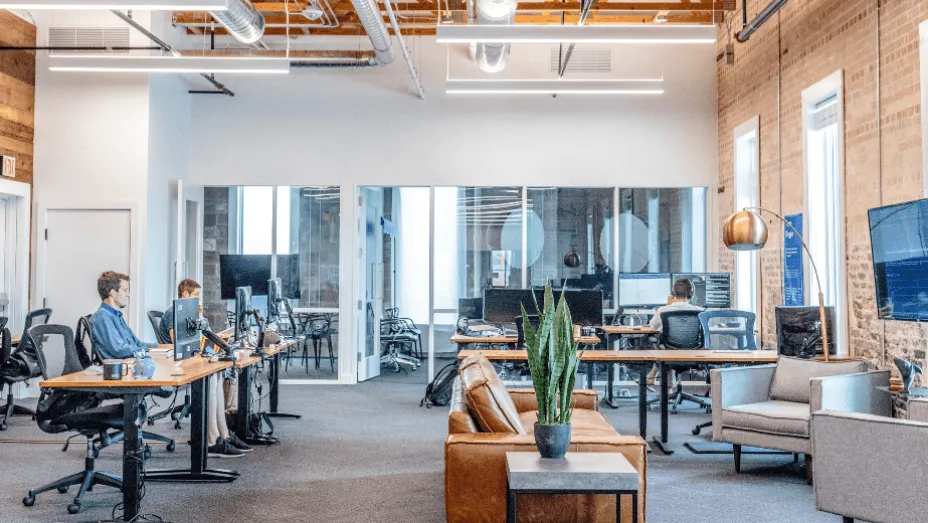
Bookable desks in Microsoft Teams is a practical option for companies that want a straightforward way to manage hybrid seating without using additional software.
Here’s a short overview of how to set it up and what to check along the way:
Before You Start
Before you start, make sure your organization has the right setup and permissions in place. Admins need access to the Teams Management portal, and users should be on the latest version of Microsoft Teams. Some advanced features, like individual desk booking, may require additional licenses such as Teams Premium.
Verifying these details upfront helps avoid configuration issues later on.
Create Desk or Desk Pool Accounts
Next, create the resource accounts that make desks bookable:
- A desk pool (called a workspace in Exchange) represents multiple seats - for example, two employees can reserve the same pool until capacity is full.
- An individual desk represents a specific seat assigned to one person at a time.
You can create these accounts in Exchange by following Microsoft’s Configure Desk Booking steps.
Link Desk Peripherals
Connect each desk’s peripherals (monitors, docks, etc.) to the corresponding desk account. This can be done manually using a PowerShell script or automatically through the Teams Rooms Pro portal when users plug in their devices.
Enable Work Location Updates
You can improve user experience by turning on automatic work location updates. When this policy is enabled, Teams automatically switches a user’s status to In the office when they connect to a booked desk.
This helps colleagues see who’s onsite and improves real-time collaboration visibility. The update lasts through the user’s workday and resets automatically, making hybrid transitions smoother.
Test the Employee Experience
After setup, wait about 24 hours before testing. Then, sign in to Teams on a Windows or Mac laptop, plug it into a peripheral you associated with the desk, and check for the pop-up notification: “This desk is reserved and ready for you.”
You can also make a reservation for a future time slot. If the booking and calendar sync work correctly, your hot desking setup is ready to roll out.
Monitor Desk Usage
Once employees start using the system, monitor adoption in the Teams Rooms Pro Management Portal → Reports → Desk Usage.
These insights show which desks or pools are booked most often, how often they’re available, and overall utilization trends. Tracking this data helps workplace teams adjust layouts, identify unused areas, and refine desk-sharing policies over time.
Option #2: Integrating Microsoft Teams With Desk Booking Software
Another option is to integrate Microsoft Teams with desk booking software such as YAROOMS, Robin , Kadence , and others
These tools have evolved far beyond basic booking systems - most are now complete workplace operations platforms that bring together desk and room reservations , visitor management , and analytics in a single environment.
When connected to Microsoft Teams, these platforms allow employees to book hot desks directly within Teams, creating a seamless workflow that fits naturally into their daily routines. Integration also introduces advanced capabilities like interactive floor plans, hybrid work scheduling , service coordination, and real-time usage insights.
Let’s take a closer look at how it works using YAROOMS as an example.
Setting Up the Microsoft Teams and YAROOMS Integration
The integration between Microsoft Teams and YAROOMS is simple to configure. An administrator connects the two platforms through Microsoft Entra ID (formerly Azure AD) and activates the Login with Microsoft option in YAROOMS.
Once connected, YAROOMS can be installed as a Teams channel tab or as a personal ribbon app.
From there, employees can open Map, Timeline, or Calendar views, and sign in automatically using Single Sign-On (SSO). This ensures a seamless experience: one login, one platform, and instant access to desk and room bookings.
YAROOMS Desk Booking in Microsoft Teams
Once the integration is active, employees can manage their entire desk booking process directly within Microsoft Teams - on desktop or mobile. Here’s how it works step by step:
Set your work status: Employees begin by updating their work location - whether they’ll be working remotely or in the office. This can be done directly in Teams, helping colleagues see who plans to be onsite each day.
Explore the interactive office map: Inside Teams, employees can open a live floor plan that displays available desks, team zones, and where coworkers are seated, making it easy to find the right space for collaboration or focus work.
Book a desk or meeting room: With just a few clicks, employees can reserve their preferred workspace. The booking instantly syncs with their calendar.
Collect space utilization data: As bookings happen, workplace managers can monitor occupancy levels, attendance patterns, and space utilization through YAROOMS analytics dashboards , ensuring the office is used efficiently.
Click on the image above for a self-guided demo of YAROOMS x Microsoft Teams desk booking
Advanced Capabilities: AI Desk Booking in Microsoft Teams
AI is redefining how employees interact with workplace tools - and YARVIS , the AI workplace assistant in YAROOMS, brings that intelligence directly into Microsoft Teams.
Here’s how it works:
Ask in Natural Language
Employees simply type what they need right inside Microsoft Teams chat. YARVIS understands natural language, so requests can sound just like messages to a colleague, for example:
- “Book me a desk with a dual monitor for this afternoon.”
- “Show me who’s in the office today.”
- “Move my current desk booking to Friday.”
YARVIS Processes the Request
Once the message is sent, YARVIS instantly analyzes real-time data from YAROOMS, including desk availability, team seating zones, and booking policies.
It interprets the employee’s intent, finds suitable options, and checks any rules around preferences, capacity, or hybrid schedules to ensure accuracy.
Get Instant Results
Within seconds, YARVIS replies directly in the Teams chat with relevant suggestions or confirmations.
Employees can review available options, select a desk, or modify a booking - all without leaving the conversation. Every action automatically updates in the YAROOMS platform and syncs with the employee’s calendar for full visibility.
By turning desk booking into a conversation, AI desk booking in Microsoft Teams saves time, reduces distractions, and eliminates unnecessary tool-switching.
Microsoft Teams Hot Desking: Bookable Desks vs. Integrated Software
Both options make desk booking in Microsoft Teams easier, but they serve different needs. Bookable desks are ideal for smaller teams that want a quick, built-in solution, while integrated software delivers the flexibility, analytics, and automation larger or hybrid workplaces need.
The right choice depends on your office size, level of complexity, and how much insight you want into how your spaces are used.
| Aspect | Bookable Desks: Benefits | Bookable Desks: Limitations | Integrated Desk Booking Software: Benefits | Integrated Desk Booking Software: Limitations |
|---|---|---|---|---|
| Setup & admin | Uses existing Microsoft ecosystem and is straightforward for small deployments. | Admin-heavy configuration, fewer guardrails, and limited workflow automation. | Guided onboarding, mature admin controls, and policy templates speed rollout. | Requires an extra subscription and initial IT involvement. |
| User experience | Booking inside Microsoft Teams with a familiar UI. | No visual floor plans and basic seat selection. | Interactive office maps, richer search and filters, amenities, and services booking. | UX depth varies by vendor, so testing before rollout is important. |
| Hybrid work features | Basic day-of booking flows. | Limited work status automation and hybrid scheduling logic. | Work status updates (in-office or remote), recurring bookings, and approvals. | More options can mean more configuration upfront. |
| Policies & rules | Minimal policy support. | Hard to enforce complex rules like team proximity or priority access. | Robust policies for time windows, approval flows, neighborhoods, and amenities. | Needs clear governance to avoid over-complexity. |
| Analytics & reporting | Core usage reports in Teams Rooms Pro portal. | Limited drill-down and less actionable insight. | Office occupancy, historical utilization trends, and exports. | Advanced analytics are typically on higher tiers. |
| Multi-site scale | Works for a single office or small footprint. | Scaling, standardization, and change control get harder. | Built for multi-location management. | Cross-site complexity still requires process discipline. |
| Integrations & extensibility | Deep Microsoft 365 native fit. | Few extensibility hooks beyond the Microsoft stack. | Connects desks, rooms, services (catering, IT, cleaning), and visitors. | Integration depth differs by platform, so validate critical flows. |
| SSO & identity | Native Microsoft identity out of the box. | Limited flexibility outside Microsoft identity patterns. | SSO with Microsoft. | Needs coordination with IT. |
| AI assistance | None built for desk booking flows. | Limited AI support for natural language actions. | AI workplace assistants with conversational booking and quick insights. | AI features vary by plan and organization policy. |
| Cost & licensing | Included with existing Microsoft licensing (Premium may be needed for individual desks). | Feature ceiling may require workarounds. | More capabilities for an added cost and clearer ROI at scale. | Additional license line item to justify. |
| Time to value | Fast for simple needs. | Gaps appear as requirements grow. | Quick wins plus room to expand as needs mature. | Slightly longer initial setup. |
What to Look For in a Desk Booking App for Teams
If you’ve decided that your workplace needs more functionality than the Bookable desks setup in Microsoft Teams, the next step is choosing the right software to integrate .
A good desk booking app for Teams should feel seamless to employees while giving workplace managers the visibility and control they need.
Here are a few key aspects to consider:
True two-way sync with Microsoft 365 : Ensure all bookings, changes, and cancellations automatically update across Teams, Outlook, and calendars in real time.
Floor plan visualization: Look for interactive maps that let employees see available desks, amenities, and teammates’ locations directly in Teams.
Hybrid scheduling integration: Choose a platform that supports hybrid work scheduling for added visibility.
Advanced analytics and utilization reporting: Opt for software that turns booking data into insights, helping you understand occupancy trends, desk demand, and cost efficiency.
Simple admin setup in Microsoft Teams: The integration should be easy to configure and manage through Teams, with intuitive controls for policies, multiple locations , and permissions.
Enterprise-grade data security and compliance: Confirm that the platform follows strong security standards (such as ISO 27001 or GDPR compliance) to protect employee and workplace data.
Together, these features ensure your Microsoft Teams desk booking experience scales with your hybrid workplace - making it easy for employees to plan their days and for organizations to optimize every square meter.
Wrapping Up: Making Desk Booking in Microsoft Teams Work for You
Whether you use the Bookable desks setup or integrate a dedicated desk booking platform, the goal is the same - to make hybrid work simple, transparent, and efficient. Microsoft Teams already anchors daily collaboration, and connecting it with workspace booking brings that experience full circle.
If your organization is small or just starting with flexible seating, the built-in option may be enough. But if you need interactive floor plans, hybrid scheduling, real-time analytics, or even AI-powered space reservations, an integrated solution like YAROOMS will help you take desk booking in Microsoft Teams to the next level.
Workplace of the future. Today.
See how YAROOMS integrates with Microsoft 365 to create a seamless workspace booking experience.