
Room booking system for meeting rooms and conference rooms
YAROOMS is a room booking system that lets employees find and reserve meeting rooms from Outlook, Google Calendar, Microsoft Teams, the mobile app or a door display.
Rated 4.6/5 from 102 reviews on Capterra
Last updated: October 1, 2026

Trusted by innovative organizations worldwide







What is the YAROOMS room booking system?
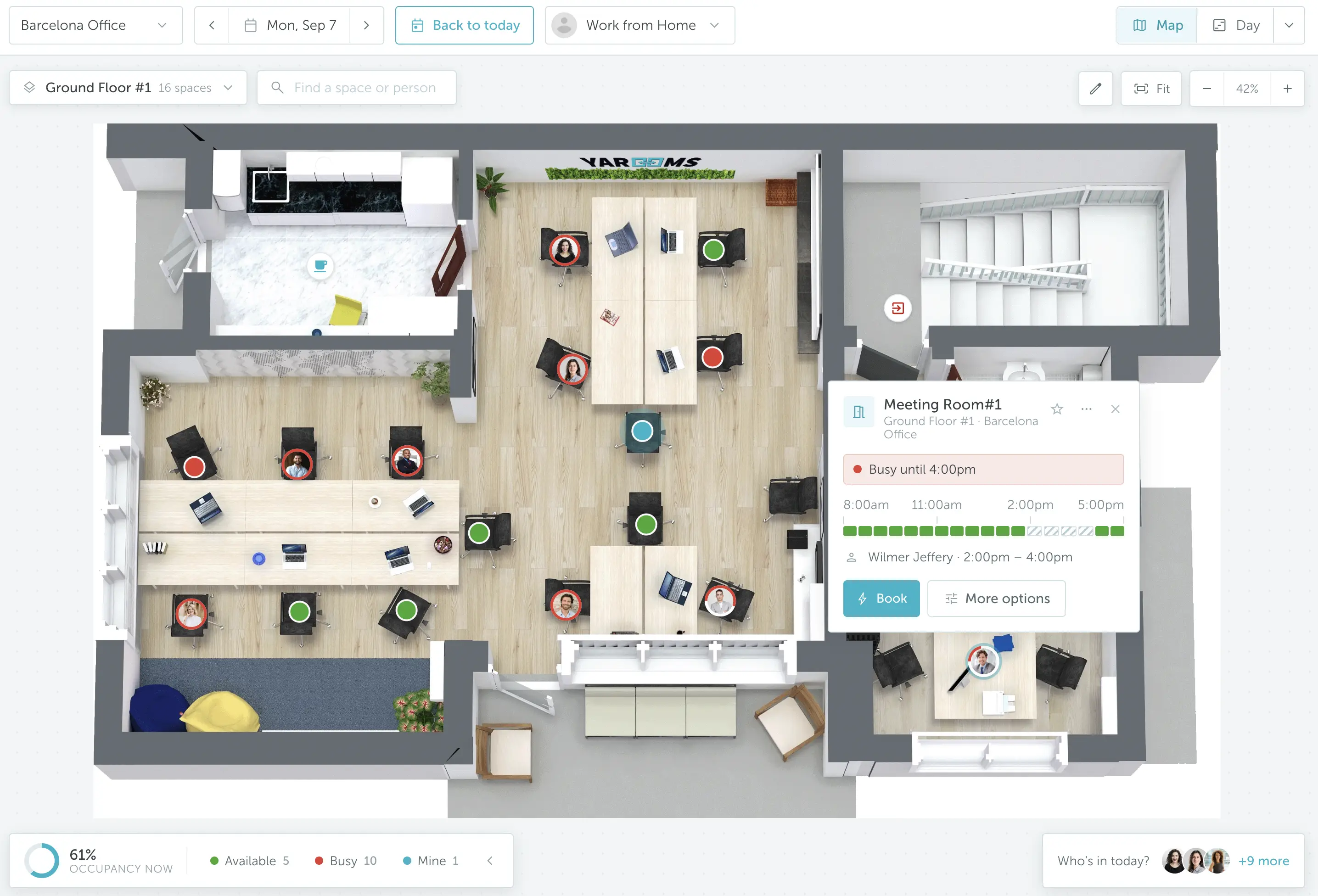
YAROOMS room booking is a room booking system for meeting rooms and conference rooms. Employees find a free room on a floor map and book it from Outlook, Google Calendar, Microsoft Teams, the mobile app or a door display. They check in on arrival, and unclaimed rooms release automatically. Admins get room utilization reports.
Everything you need for smooth meeting room booking
Keep meeting planning perfectly simple: find a conference room, book it, and move on with your day.
Booking from any device
Book rooms through the web app, mobile app, digital door display, or by chatting with YARVIS AI agent in Microsoft Teams or by email.
Room finder
Filter rooms by size or amenities - from video conferencing setups to whiteboards.
Easy check-in
Confirm your meeting in seconds with the room booking app, a door display, or a quick QR scan.
Jai Kasturi
IT Director
Columbia University's Faculty of Arts and Sciences manages 178 rooms in 28 buildings with YAROOMS
"YAROOMS has been very stable for us and easy to use and was widely adopted by the end users in our institution very quickly. It is in use now across our divisions."
Read the full storyTake full control of meeting room management
Your command center for booking rules, conference room capacity, and meeting schedules.
Approval workflows
Create smart approval rules by user, booking time, or location to keep meeting room reservations under control.
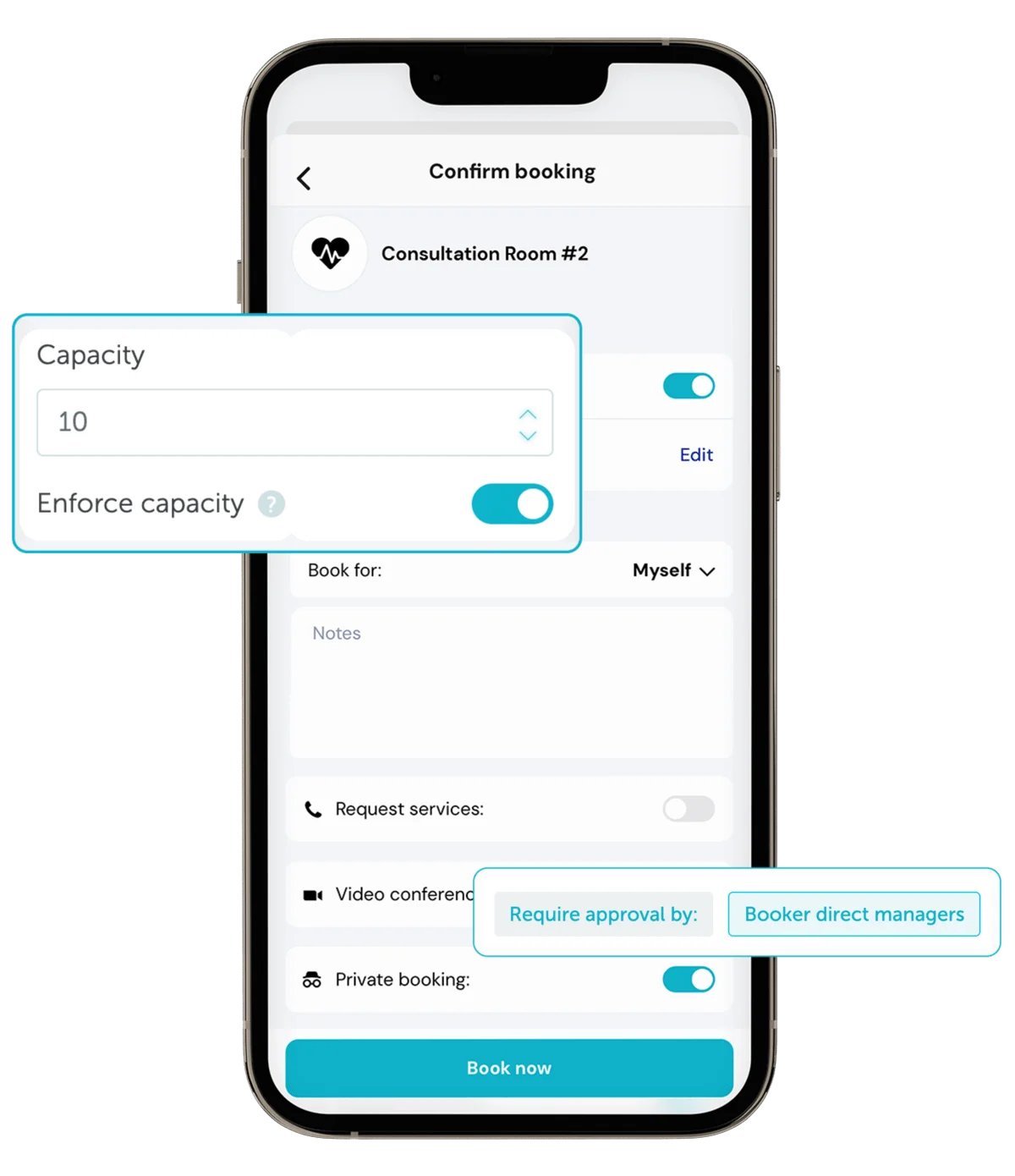
Meeting room capacity
Control room capacity by setting a maximum number of meeting attendees. Offer different setups with their own seat counts using Room Layouts.
No-show prevention
Avoid ghost bookings by requiring check-ins. If no one checks in, the conference room is automatically released.
Book conference rooms right at the door

Check live availability status, book on the spot, and adjust meetings in seconds - right from the digital display at the meeting room door.
Real-time room availability
One quick look at the color-coded display tells you if a room is free, who reserved it, and when it’s available next.
End or extend meetings
Running late or finished early? Tap the display to extend your time or free up the room for others.
Hardware agnostic
Use any room display: YAROOMS digital signage app works smoothly with a wide range of devices.
Reserve meeting rooms and book services in one go
Reserve a room and arrange services like catering or cleaning at the same time. No separate requests needed.
Catering menu
Order coffee, snacks, or full meals for your meeting while booking the room. See meeting room services booking.
Room equipment booking
Make sure every meeting has what it needs by requesting equipment like projectors, microphones, or extra screens when reserving a room. See equipment booking.
Services dashboard
Get a clear timeline view of all scheduled services - what’s booked, where it’s needed, and when it’s happening.
Seamless integrations for effortless meeting room scheduling
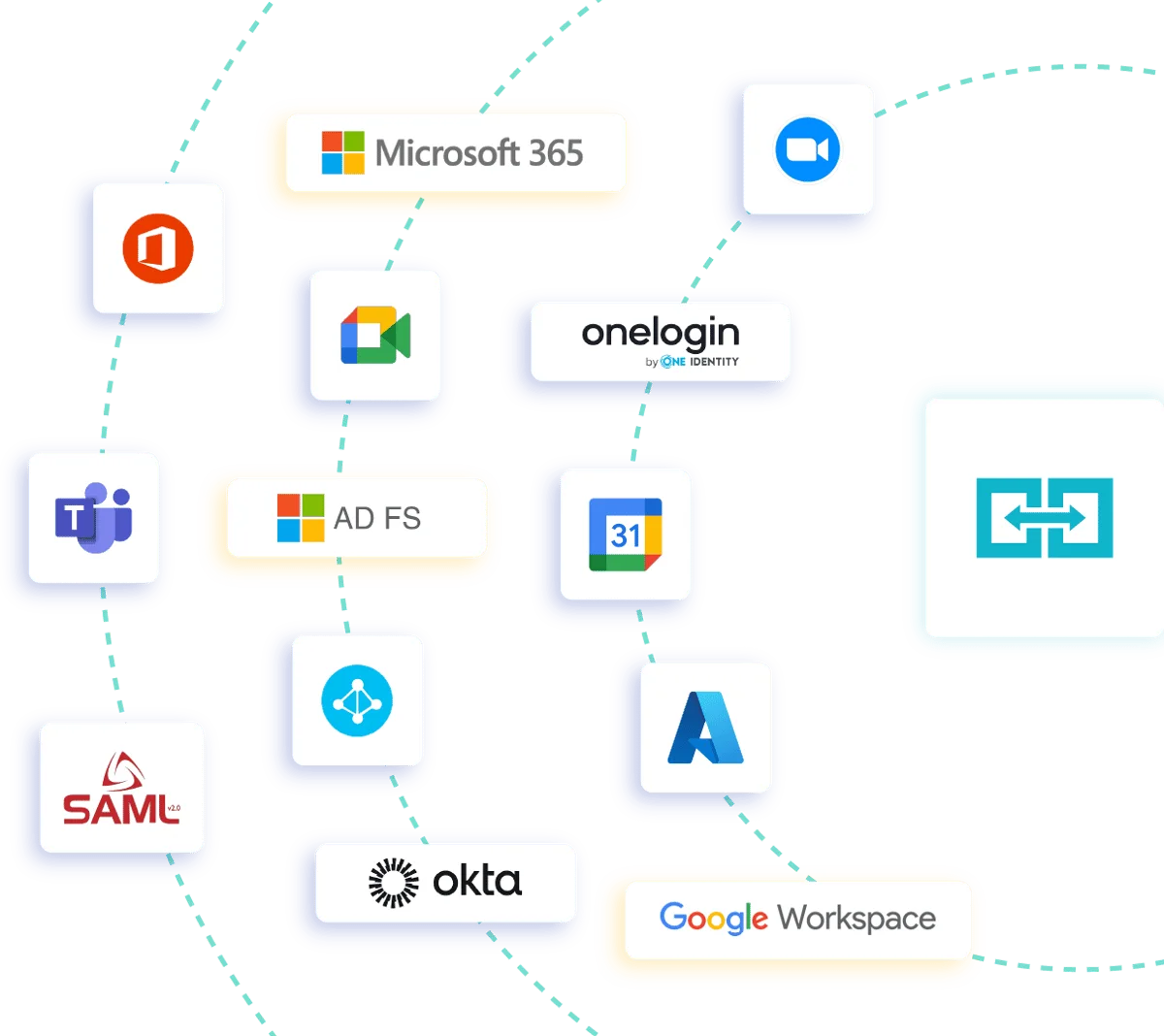
YAROOMS integrates with Outlook, Teams, Zoom, Google Calendar, and other workplace tools you already use.
Microsoft Outlook
Book, edit, or cancel meeting room reservations directly from your Microsoft Outlook calendar.
Google Calendar
Reserve and manage meeting rooms right inside Google Calendar, keeping your schedule and bookings perfectly in sync.
Video conferencing
Create a Microsoft Teams, Zoom, or Google Meet conference when booking a meeting room in YAROOMS.
Measure, analyze, and improve meeting room usage
Access detailed reports showing your most used rooms, underutilized spaces, and no-show trends.
Room utilization report
See how your meeting rooms are really used - which ones stay busy, which sit empty, and how often no-shows happen.
Services report
Easily track service requests, usage patterns, and expenses to improve operational efficiency.
Employee satisfaction survey
Send a quick survey to office attendees and view all responses in a structured satisfaction report.
Key benefits of meeting room booking software
Enterprise-grade security
Your data is protected with industry-leading certifications


All you need for meeting room booking in one platform
Booking experience
Book and manage conference rooms with ease
Interactive floor plans
See available conference rooms on an interactive office map and choose the space that best fits your meeting needs.
Recurring meetings
Set up recurring room bookings that match your team’s meeting cadence: daily, weekly, or monthly.
Multi-day room bookings
Reserve a meeting room for multiple consecutive days for workshops, training sessions, or long-term projects.
Booking on behalf of others
Create or manage meeting room bookings for colleagues. Handy for assistants, team leads, or office managers.
Private (incognito) bookings
Book a meeting room privately so your name and meeting details stay hidden from others.
Mobile app for room booking
Book meeting rooms on the go with the YAROOMS mobile app.
One shared room calendar
Keep every conference room reservation in one shared calendar, where users only see the spaces they’re allowed to access.
Calendar sync
Every time you book a meeting room, it’s automatically added to your Microsoft Outlook or Google Calendar.
Wayfinding
Use the interactive floor map and wayfinding directions to find conference rooms and reach your next meeting fast.
Cleaning requests
Easily schedule cleaning before or after meetings to keep conference rooms neat and organized.
Report an issue
Projector not working? Missing cables? Report it to the location manager in just a few clicks.
AI workplace agent (YARVIS)
Chat with YARVIS in Microsoft Teams or by email to reserve rooms, find colleagues, or adjust recurring meetings.
How YAROOMS compares
YAROOMS, Robin, Skedda and Envoy all book meeting rooms and sync with Outlook and Google Calendar. They differ on check-in options, floor plans, AI in Microsoft Teams and pricing.
| YAROOMS | Robin | Skedda | Envoy | |
|---|---|---|---|---|
| Meeting room booking | Yes | Yes | Yes | Yes |
| Microsoft Outlook sync | Yes | Yes | Yes | Yes |
| Google Calendar sync | Yes | Yes | Yes | Yes |
| Digital room signage | Yes | Yes | Yes | Yes |
| Booking approvals | Yes | Yes | Yes | Yes |
| Service requests (catering, equipment) | Yes | Yes | Yes | Yes |
| Zoom Meetings integration | Yes | Yes | Yes | No |
| Wi-Fi check-in | Yes | Yes | Yes | No |
| 3D interactive floor plans | Yes | No (2D only) | No (2D only) | No (2D only) |
| Conversational AI agent in Microsoft Teams | Yes (Yarvis) | No | No | No |
| Pricing | Public, from $99/month, no annual commitment | Custom quote, no public pricing | From $99/month (15 spaces), billed annually | Reservations from $5 per resource per month, billed annually |
Full comparisons: YAROOMS vs Robin, YAROOMS vs Skedda and YAROOMS vs Envoy.
Ready to see the big picture?
Learn how thousands of forward-thinking organizations use YAROOMS to manage meeting rooms, hot desks, and the entire workplace.
Meeting room booking software: FAQ
Answering the most popular questions about meeting room booking systems.
A meeting room booking system is software that lets employees see which rooms are free, reserve one, and have that booking appear on everyone's calendar automatically. It replaces the shared spreadsheet and the "is anyone using this room?" walk, and gives administrators control over who can book which spaces, for how long, and how far in advance.
YAROOMS is a meeting room booking system built for hybrid workplaces, with two-way sync to Microsoft 365, Outlook, Microsoft Teams and Google Calendar.
A meeting room booking system works by holding every room as a bookable resource and keeping its availability in sync with the calendars people already use. Four steps:
- Find - an employee browses an interactive floor map or list, filtering by capacity, amenities or location.
- Reserve - they pick a time slot, and the room is blocked instantly across every connected calendar.
- Invite - attendees receive a calendar invite, with a Teams, Zoom or Google Meet link attached if the meeting is hybrid.
- Check in - arrival is confirmed at the door panel or in the app. If nobody checks in, the room is released.
Step 4 is what separates a booking system from a shared calendar. A calendar records intentions; a booking system records attendance. YAROOMS releases unclaimed rooms automatically after a configurable grace period, and that recovered capacity is usually where the return on the software comes from.
Yes. With YAROOMS, employees can choose from the meeting room layouts available for a space, such as Boardroom, Classroom or Theatre. Each layout has its own capacity, photo and setup time, so people can book the arrangement that fits their meeting. The selected layout appears in the booking details, Outlook, emails and on the room display.
Meeting room booking software is priced either per room or per user, and the two produce very different totals for the same office - worth checking which model a quote uses.
Based on our August 2026 research, entry-level tools run €8-€20 per room per month (€1.50-€3.50 per user), mid-range platforms €20-€50 per room (€3.50-€7.50 per user), and enterprise platforms €50-€100+ per room (€7.50-€14+ per user).
Three things drive the number: how many rooms you manage, how many people need access, and whether room displays are included, since panel software and panel hardware are almost always priced separately.
YAROOMS room booking software pricing as of October 2026, in USD, billed monthly:
- Starter plan starts at $99 per month for 10 users (up to 20 users on the same plan), 1 location and 2 floors with interactive floor map
- Business plan starts at $399 per month and covers up to 200 users, 2 locations and 90 days of workplace analytics
- Enterprise plan starts at $899 per month and it's suggested for organizations with 300+ users. The plan covers 5+ locations and unlimited workplace analytics.
Annual billing saves 20% on every plan.
The top meeting room booking platforms most often shortlisted in 2026 are Envoy, Joan, Robin, Skedda, Teem and YAROOMS. Which is best depends on three things: whether you need room booking on its own or alongside desks, parking and visitors; which calendar ecosystem you already run; and whether you need physical room displays at the door.
YAROOMS fits best when rooms sit in the same platform as desk booking, parking, meeting room services booking and visitor management; when you need booking native to Outlook or Microsoft Teams; and when you want hardware-agnostic room panels that run on any iPad or Android tablet rather than proprietary displays.
If you only need to book a handful of rooms in a single office and already run everything in Outlook, native Microsoft 365 room resources may be enough on their own.
Companies need a room booking system when informal coordination stops working - typically when several teams compete for the same handful of rooms, or when an office spans more than one floor. Three problems appear at that point: double bookings, ghost bookings where a room is reserved and never used, and no data on which rooms are genuinely needed.
YAROOMS addresses all three: real-time two-way calendar sync prevents double bookings, required check-in with automatic release recovers ghost bookings, and utilization reporting by room, floor and location shows which spaces are over- or under-provisioned.
You eliminate double bookings by making one system the single source of truth for room availability, then syncing it two ways with every calendar people actually use. Double bookings almost always come from two systems holding separate versions of the same room - someone books in Outlook, someone else books the same room in a separate tool, and neither sees the other.
In YAROOMS, reserving a room blocks it instantly across Outlook, Microsoft Teams and Google Calendar, and a change made in any of them flows back. Booking rules add a second layer: approval workflows, capacity limits, and buffer times between meetings so back-to-back bookings do not overlap during setup or cleanup.
Most enterprise room booking platforms support automated release, YAROOMS among them. The mechanism is standard: whoever booked the room must check in within a set window, and if they do not, the room returns to the pool.
What differs between platforms is how check-in happens. YAROOMS accepts it from the room door panel, the mobile app, a QR scan, or automatically by Wi-Fi presence, so employees are not forced through a single route - the most common reason auto-release gets switched off after rollout. The grace period is configurable per room or location, and every released booking is logged, so no-show patterns appear in the utilization report rather than disappearing.
Yes. YAROOMS syncs two ways with Microsoft Outlook and Microsoft 365: a room booked in YAROOMS appears in Outlook, and a room booked in Outlook appears in YAROOMS. Employees can book, edit or cancel a room reservation directly from the Outlook calendar using the YAROOMS add-in, and a Microsoft Teams meeting link is attached automatically when the meeting is hybrid.
Yes. YAROOMS syncs two ways with Google Calendar and Google Workspace. YAROOMS spaces are matched to Google resource calendars, so a room reserved in either system is blocked in both, and changes or cancellations flow through automatically. A Google Meet link can be attached to the booking in the same step.
Room scheduling software supports hybrid meetings when it books the physical room and creates the video link in the same step, so remote attendees are not an afterthought added later. YAROOMS attaches a Microsoft Teams, Zoom or Google Meet link automatically when a room is booked, and the door panel shows whether a meeting is hybrid. Attendee count is captured at booking, so utilization reports show whether rooms are sized for the people who actually show up in person rather than for the invite list.
Related Products
Desk Booking
YAROOMS desk booking: employees reserve desks on an interactive floor map from web, mobile, Teams or Outlook, in one platform with rooms and visitors.
Equipment Booking
Equipment booking system for labs and offices: book instruments on a timeline or add AV and laptops to a room booking, with no double bookings.
Room Panel
Intuitive meeting room display application to enhance workplace experience and improve meeting room usage.
Yarvis AI Workplace Agent
Yarvis works where your people already work. In Teams, in email, and soon in SMS, it handles workplace coordination before friction starts.
We use cookies to analyze traffic and improve your experience.
Cookie preferences
Required for the site to function
Help us understand how visitors use the site
Used to deliver relevant ads