
Hybrid work software: team scheduling & office day coordination
Seamlessly manage people and spaces in a flexible work environment with modern and user-friendly hybrid workplace software.
Last updated: September 15, 2026
Trusted by innovative organizations worldwide







See it in action
Take a quick tour of hybrid workplace planning and see how teams can coordinate office days with less effort.
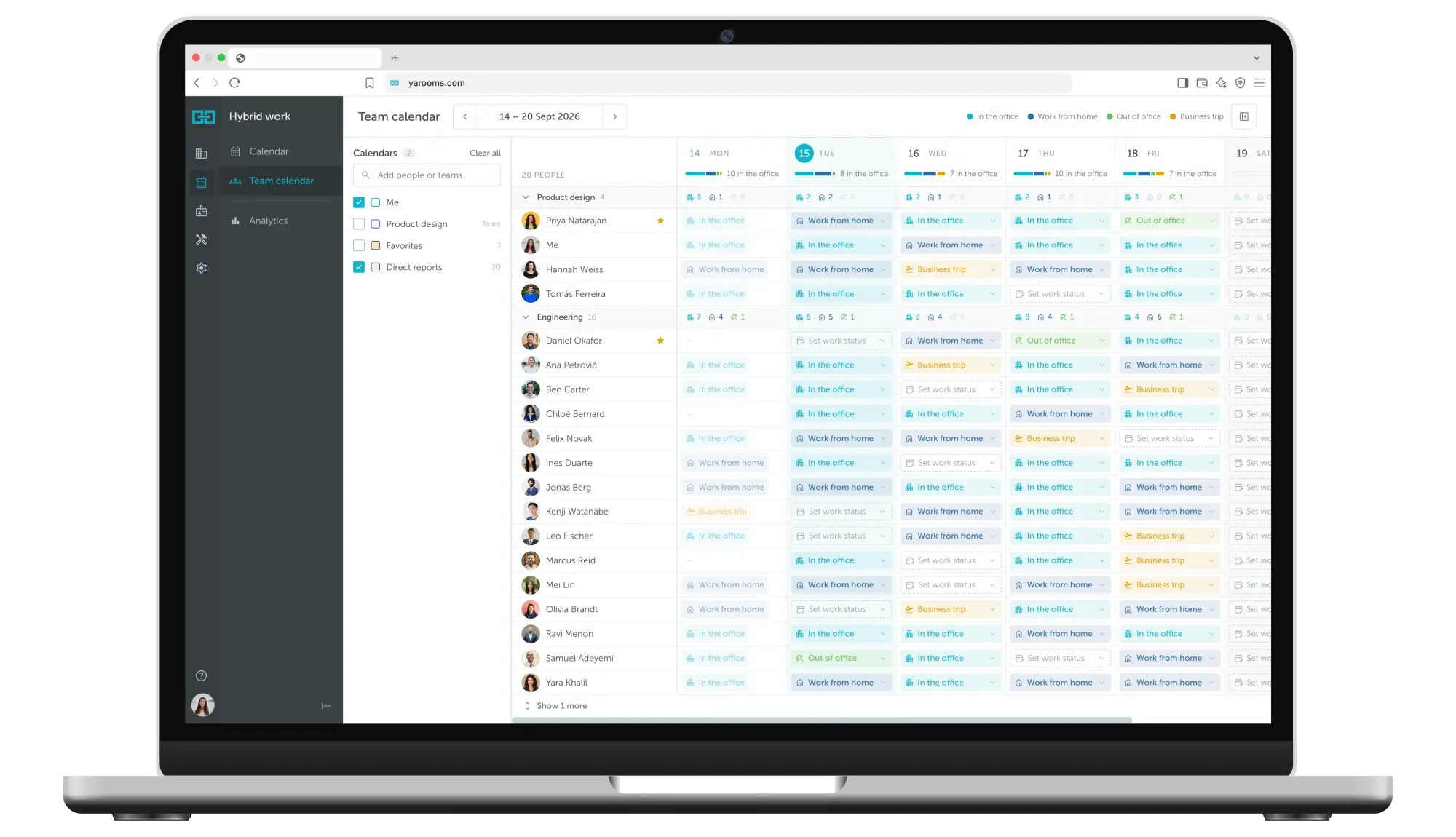
All hybrid work statuses in one calendar view
The YAROOMS work status calendar is a hybrid work tool that simplifies flexible scheduling. In one view, everyone can see who's in the office, who's remote, and who's off.
Autonomous scheduling
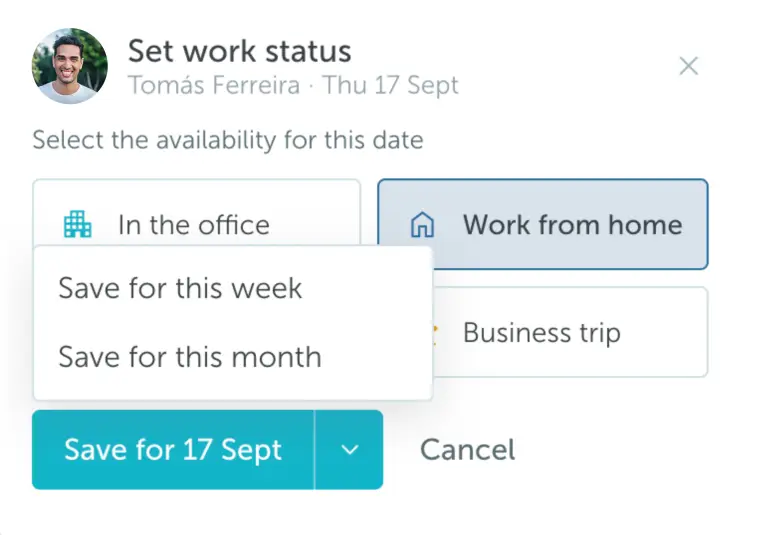
Team members set their own schedule; managers can set statuses in bulk.
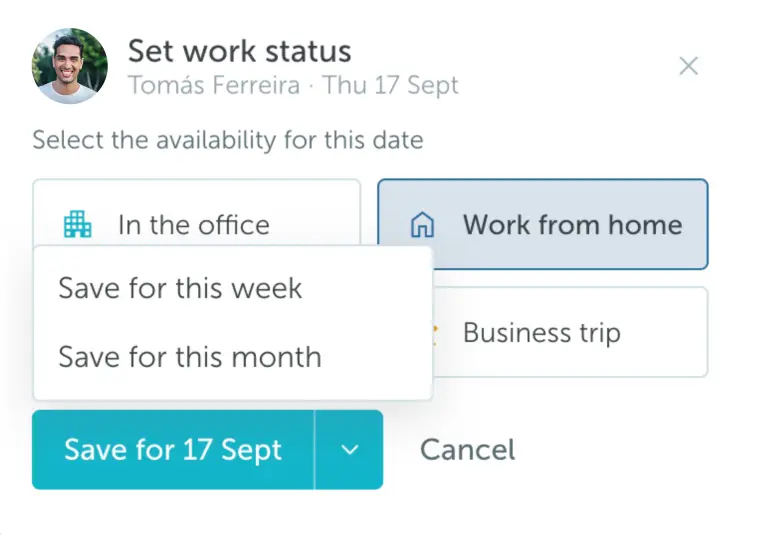
Scheduling intervals
Save work statuses for a day, a week, or a month.
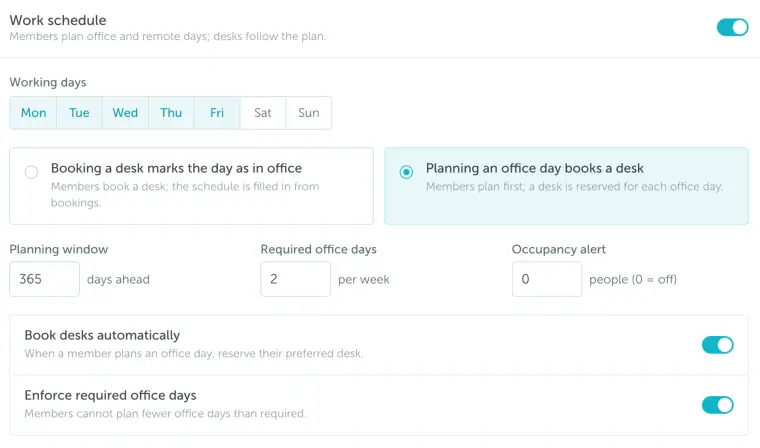
Custom settings
Set how far in advance statuses are required and work-from-home limits.
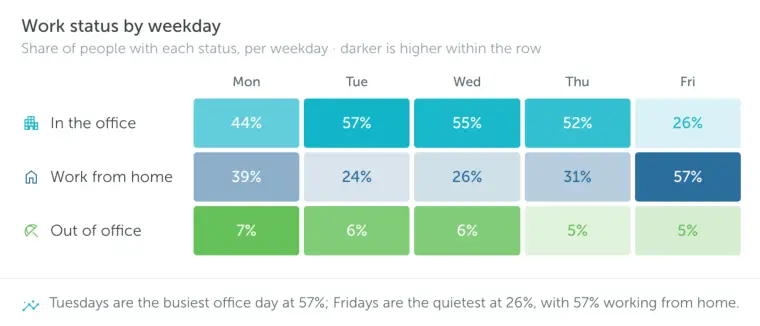
Hybrid work analytics
Work status trends, busiest office days, office days per week, etc.
Kianusch Sayah Karadji
Technical Solution Manager
Dedalus manages 1,150 spaces across 10 offices for 2,300+ users with YAROOMS
"With the relocation to the new office, we left behind everything we did not need anymore: from furniture to working arrangements. We were ready for a new, hybrid workplace, where employees can choose where they prefer to work, at home or in the office. YAROOMS hybrid work software helped us to put it into practice."
Read the full storyEnterprise-grade security
Your data is protected with industry-leading certifications


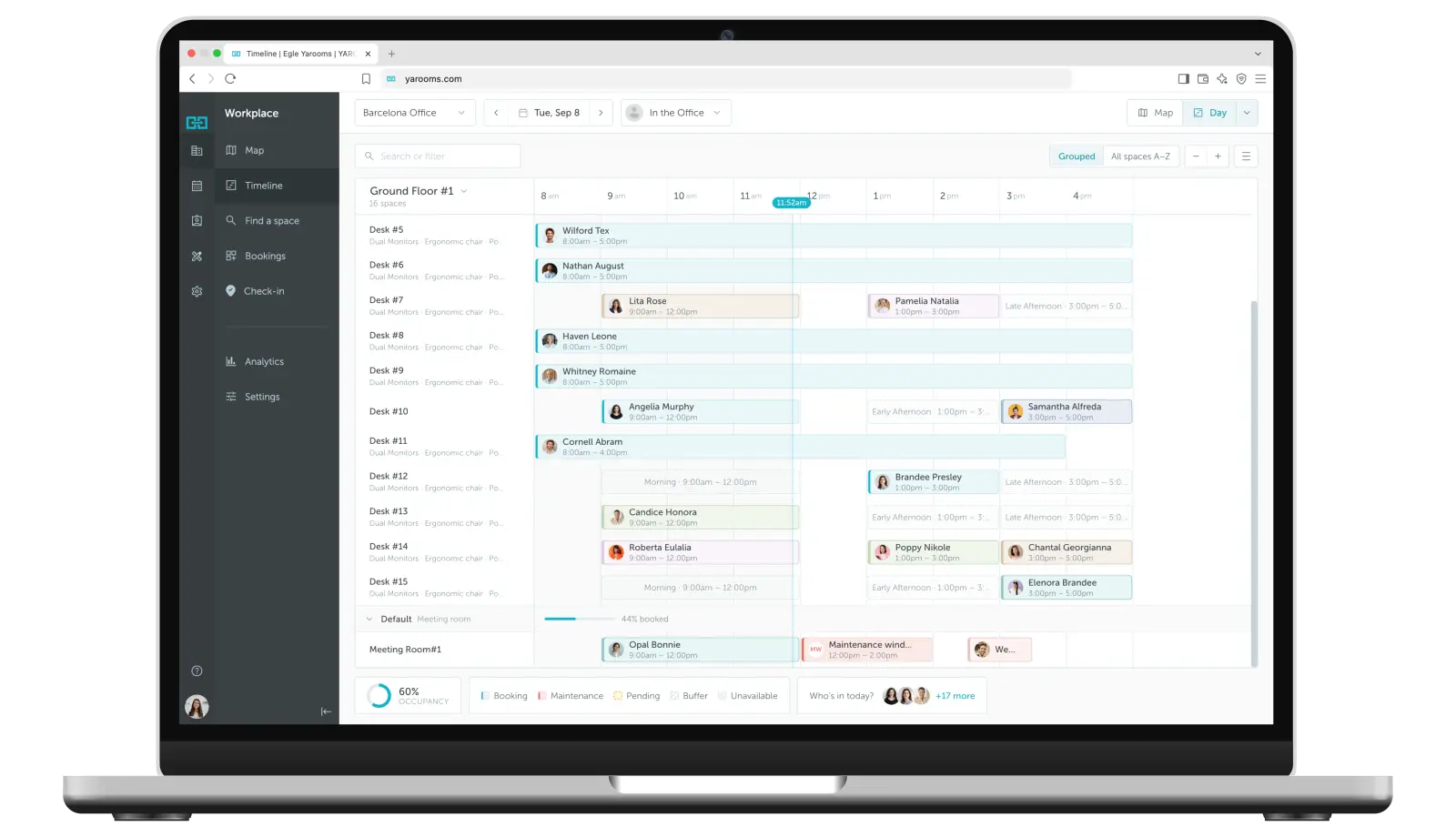
Workspace booking for a streamlined hybrid work environment
See real-time availability and book rooms, desks, and parking in one place, so hybrid teams spend less time hunting for space and more time collaborating.
Real-time availability
See which desks and rooms are available across all your office locations in real-time.
Team coordination
View colleague schedules and plan to be in the office on the same days for better collaboration.
Multi-location support
Book workspaces across different office locations from a single platform.
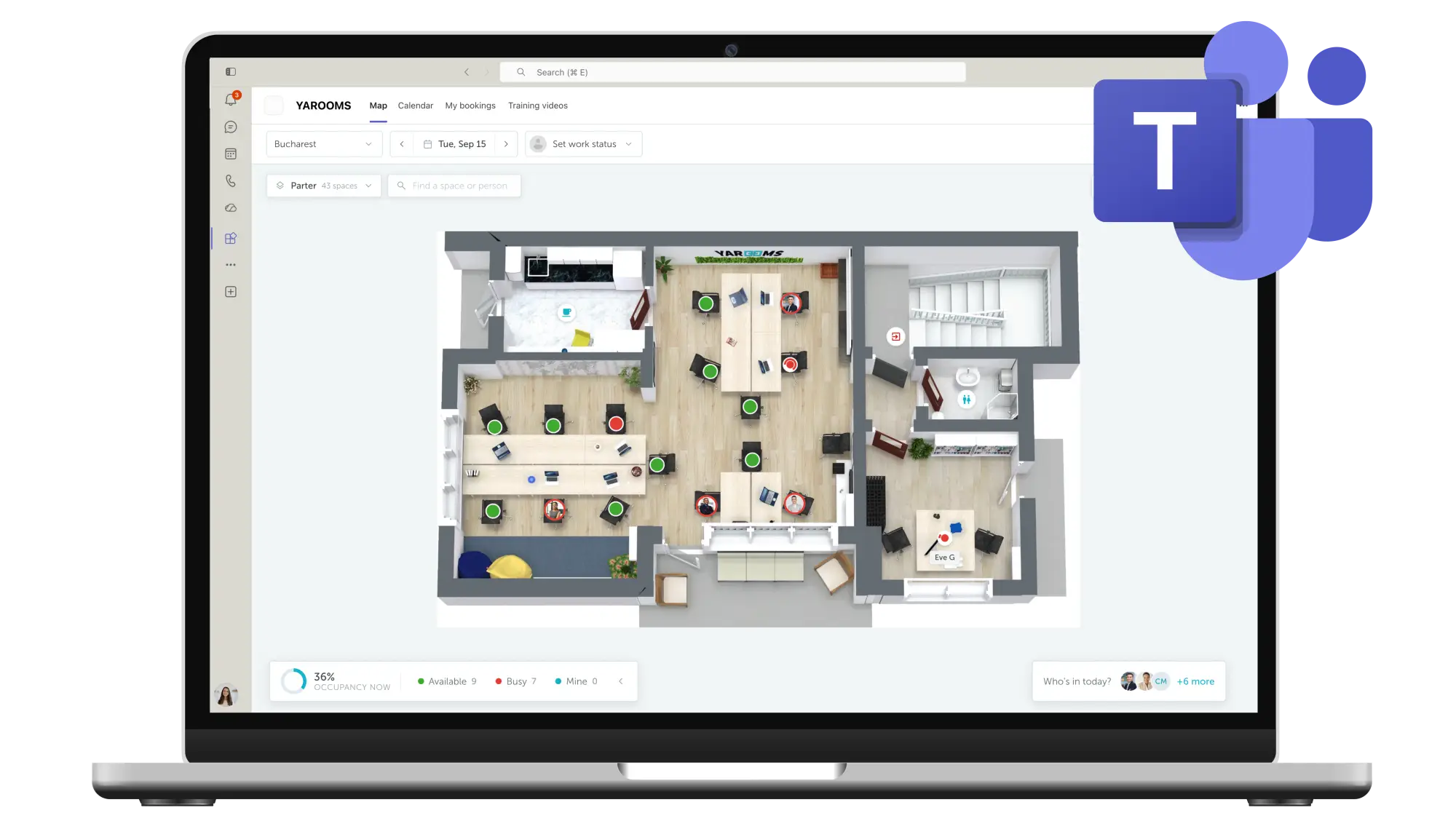
Your hybrid workplace software, in Teams
One place to work: set work status and book space without leaving Microsoft Teams. Adoption stays high and nobody switches context.
Set work status from Teams
Update your hybrid work status without leaving Microsoft Teams.
Book desks in Teams
Reserve your workspace directly from the Teams interface.
View colleague availability
See who's working from the office and who's remote right in Teams.
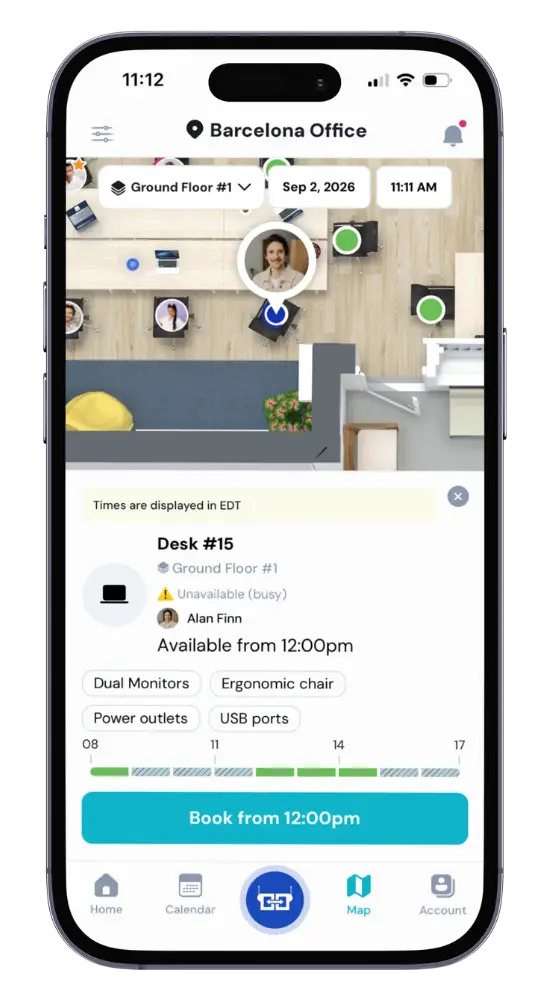
Mobile application for on-the-go scheduling
Book desks and rooms, check the floor map, and see your reservations from your phone. Hybrid workers stay in control whether they're at home or heading to the office.
Schedule on the go
Set your work status and book desks from your smartphone.
Interactive floor maps
Navigate your office with visual floor plans showing available spaces.
Push notifications
Get reminders about upcoming bookings and office days.
Onboarding & support to set your hybrid work model for success
Your hybrid model runs from day one, not stuck in rollout. We get you live quickly and support you when it matters.
Fast-track onboarding
High-touch onboarding options to help you kickstart with hybrid workplace software quickly.
24/5 customer support
Support available across all time zones whenever you need assistance.
Hybrid work expertise
An experienced team with broad knowledge about hybrid work models and best practices.
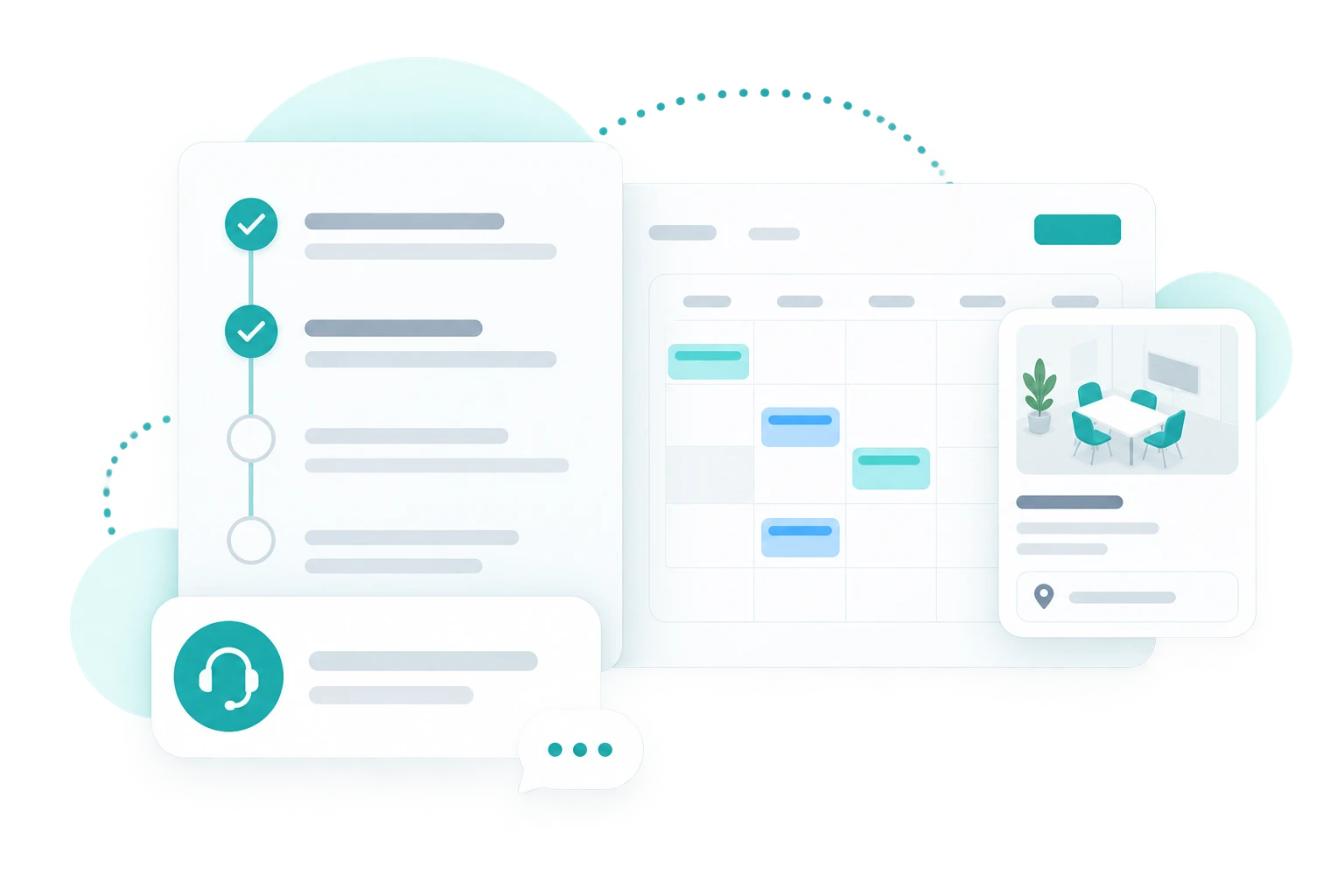
Key benefits of hybrid work software
Complete hybrid work management
Everything you need to manage flexible work arrangements
Work status calendar
A visual calendar showing everyone's work location: office, home, or on-the-go.
Team coordination
See who's in the office and plan your in-person collaboration days accordingly.
Policy enforcement
Set thresholds for office attendance and work-from-home frequency.
Desk booking
Reserve workspaces for your scheduled office days directly from the calendar.
Microsoft Teams
Set work status and book desks without leaving the Teams environment.
Mobile app
Update your schedule and book desks from anywhere with the YAROOMS mobile app.
Hybrid work tools for employee-centric companies
Learn how thousands of forward-thinking organizations use YAROOMS to manage their hybrid workplaces.
Hybrid work software: FAQ
Answering the most popular questions about hybrid work software.
Hybrid work software coordinates who is working where on any given day. It holds each employee's work status, office, home, or away, in a shared calendar, so teams can see who will be on site before deciding when to come in, and administrators can set and enforce attendance rules. It usually sits alongside desk and room booking, because knowing that someone is coming in is only useful if they can also reserve somewhere to sit. YAROOMS combines both in one platform.
A hybrid work model is a policy splitting an employee's week between the office and remote work. Three shapes are common:
- Fixed days - everyone is in on the same set days.
- Minimum days - employees choose their days but must meet a quota.
- Fully flexible - no attendance requirement at all.
Which model you choose determines what your software has to do. Fixed days need a shared team calendar; minimum days need attendance tracked against a quota; fully flexible mainly needs enough desks. YAROOMS supports all three, and lets different teams run different models in the same office.
Hybrid work scheduling software works in four steps:
- Declare - employees set their work status for a day, a week, or a month ahead.
- See - a shared calendar shows who will be on site on which day.
- Book - anyone planning an office day reserves a desk, room, or parking space against it.
- Confirm - attendance is verified at check-in, so reports reflect who actually came in rather than who said they would.
Step 4 is what separates scheduling software from a shared spreadsheet: a spreadsheet records intentions, and intentions are not what you should plan an office around. In YAROOMS, managers can also set statuses in bulk when a whole team is in for an event.
Three, in the order customers report them:
- A right-sized office - once you can see real attendance, you plan desks against actual demand rather than headcount. Dedalus, for example, runs a 2-to-1 employee-to-desk ratio at its Vienna site, after growing from 200 to 300 people in a downsized office.
- Better office days - people can see who else will be in, so time on site produces collaboration rather than a quiet room.
- Enforceable policy - attendance rules stop being an email and become something you can measure.
YAROOMS delivers these through the shared work status calendar, configurable attendance thresholds, and utilization reporting.
Yes. Administrators can set work-from-home limits, minimum office days, and how far in advance an employee must declare their status. Rules can differ by team or location, so an engineering group and a client-facing team can run different requirements in the same office.
YAROOMS applies these as booking-time constraints rather than after-the-fact reporting, so a policy is enforced when someone schedules rather than discovered in a monthly review.
Three reports do most of the work: attendance by day and team, so you can see which days actually fill; declared versus actual attendance, which is where the gap usually shows up; and occupancy against capacity, which tells you whether you have too much space or too little.
YAROOMS reports on all three, adds office heat maps showing which zones fill first, and exports to CSV for anyone who wants to model it themselves.
Hybrid work analytics: the key to an optimized hybrid workplace →
Yes. Employees set their work status and book desks inside Microsoft Teams without opening a separate app, which is usually what decides whether a hybrid rollout gets adopted or quietly ignored. Bookings sync two ways with Microsoft 365 and Outlook calendars, so a change made in either flows to the other. Yarvis, the YAROOMS AI agent, also runs in Teams for natural-language booking and scheduling.
Yes. The YAROOMS mobile app for iOS and Android lets employees set their work status, see who else is in, book a desk, room, or parking space, navigate the office with interactive floor maps, and check in by QR code. Push notifications cover booking confirmations and check-in reminders, and upcoming bookings stay viewable offline.
It depends on the vendor. Some products do scheduling only, and booking is bought separately. YAROOMS handles all of it in one platform, hybrid work scheduling, desk booking, meeting room booking, parking reservations, workplace services, and visitor management, on one set of user accounts and one bill, so an employee declaring an office day books their desk in the same step.
If you already run a desk booking tool you are happy with, a scheduling-only product may fit better than replacing both.
Yes. YAROOMS Enterprise covers unlimited users across five or more locations, and runs at that scale today. Saipem manages 4,000 employees at its Milan headquarters with over 200 room screens, and Dedalus manages 1,150 spaces across 10 offices for more than 2,300 users. At that size the things that actually matter are per-location policy rules, SSO with automated user provisioning, and reporting that rolls up across sites without manual consolidation. YAROOMS supports all three.
The hybrid work platforms most often shortlisted in 2026 are deskbird, Envoy, Kadence, Officely, Robin, and YAROOMS. Which is best depends on three things: whether you need scheduling on its own or alongside desk, room, and parking booking; whether your team works in Microsoft Teams or Slack; and how strictly you need to enforce attendance policy.
YAROOMS fits best when hybrid scheduling sits in the same platform as booking and analytics, when booking has to happen natively inside Microsoft Teams, and when you need enforceable attendance thresholds rather than a shared calendar everyone ignores.
If all you need is a lightweight way for a small team to say which days they are in, a Slack-first tool will be quicker to adopt and cheaper to run.
Related Products
Desk Booking
A top-rated desk management and booking solution that simplifies workspace reservations and brings hybrid teams together.
Mobile App
Keep your teams connected with the tools they need to collaborate and navigate the workplace from their mobile device.
Yarvis AI Workplace Agent
Yarvis works where your people already work. In Teams, in email, and soon in SMS, it handles workplace coordination before friction starts.
We use cookies to analyze traffic and improve your experience.
Cookie preferences
Required for the site to function
Help us understand how visitors use the site
Used to deliver relevant ads