
End-to-end meeting room management
YAROOMS is a full-featured meeting room management software with Microsoft 365 integration, approval workflows, and service booking - everything you need to plan and run efficient meetings.
Last updated: September 16, 2026
Trusted by innovative organizations worldwide







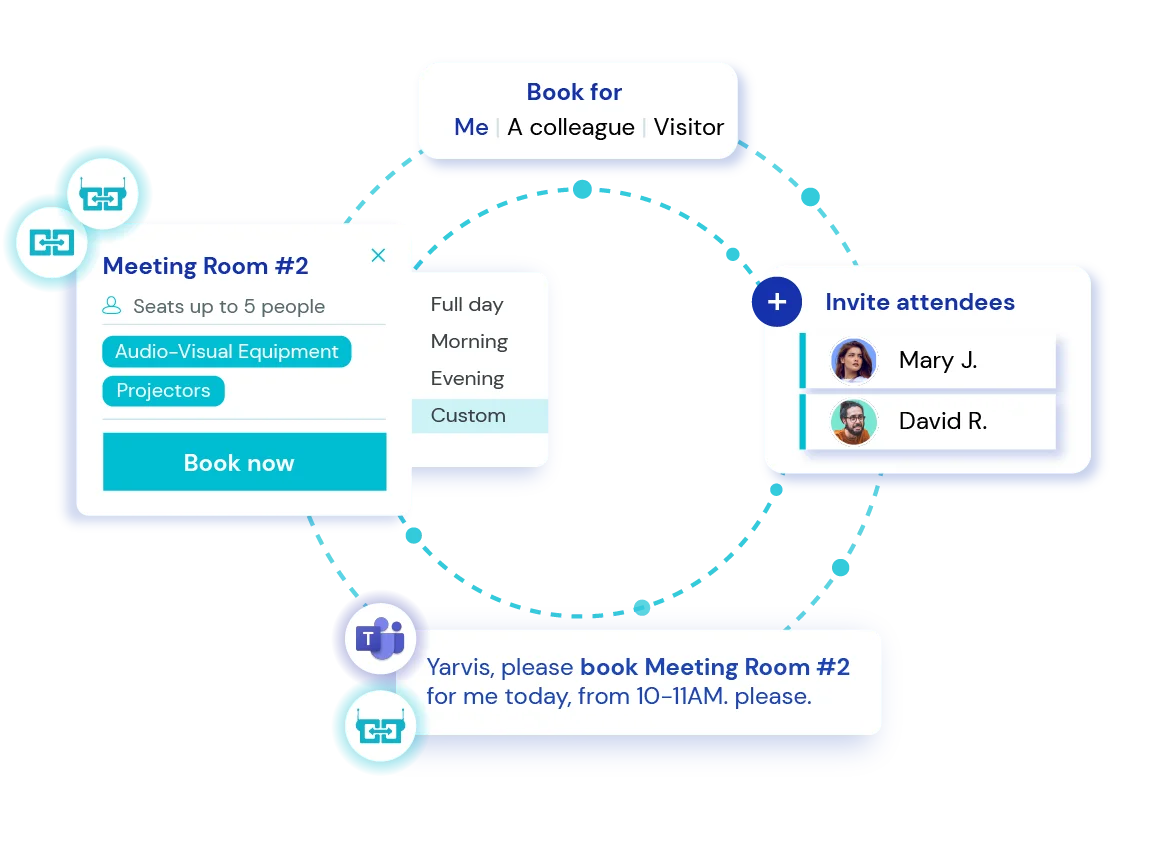
Meeting room booking system integrated with Outlook
Handle all conference room bookings and meeting service requests without ever leaving Microsoft Outlook.
Simple, fast, familiar - see how it works in this short demo (no sign-up needed). ⬇️
Stay in charge of room access and booking rules
Meeting room management is about control, compliance, and visibility. Here’s how YAROOMS helps administrators stay in charge.
Approval workflows
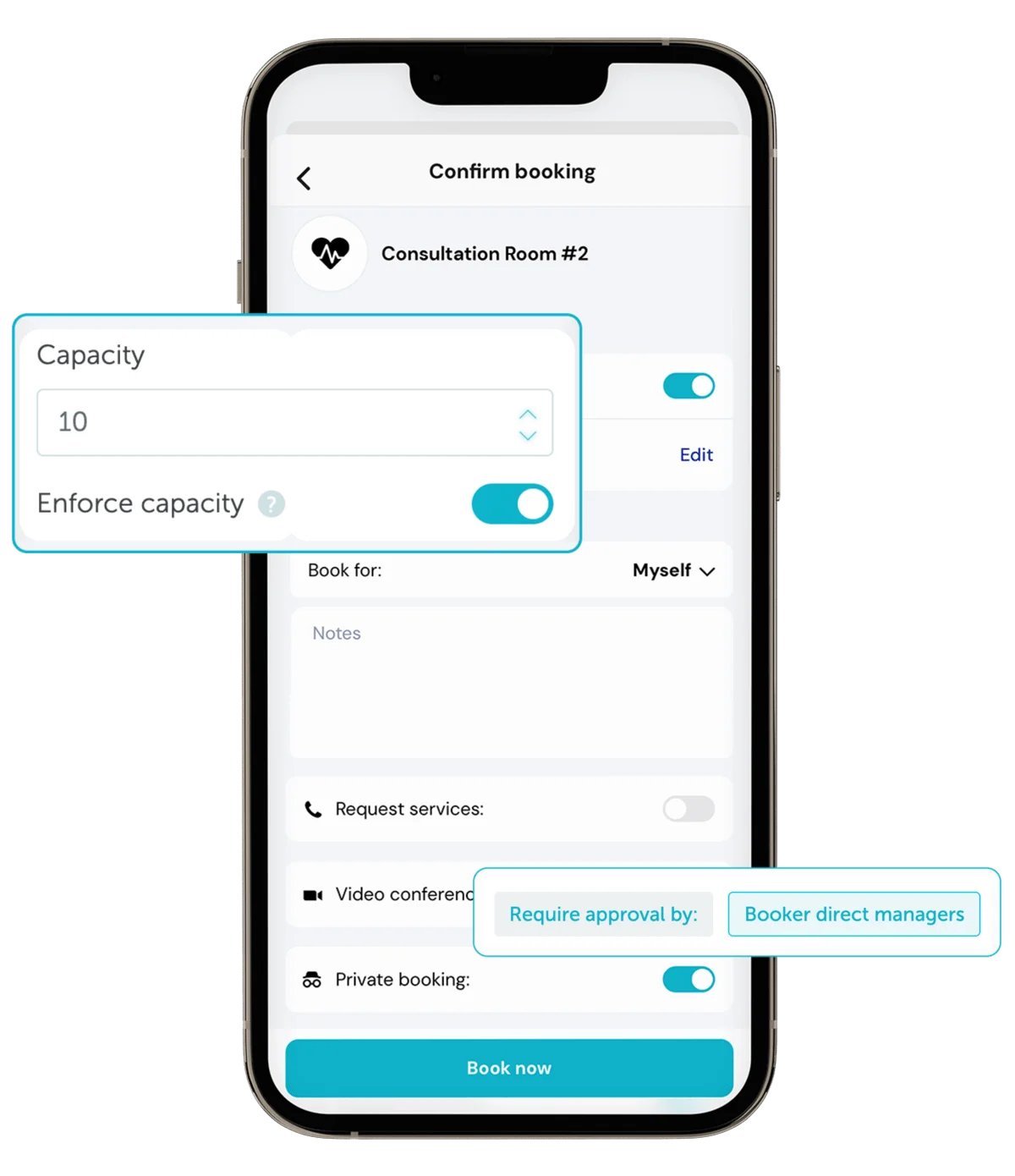
Create granular rules that trigger approvals based on who's reserving the room, when, or where. Example: If a meeting is scheduled after hours or in an executive room, it must be approved by a facility manager.
Access permissions
Control who can book each room so only the right teams and departments have access.
Room capacity
Set maximum occupancy for each conference room and prevent reservations that exceed the limit.
No-show prevention
Require quick check-ins to prevent ghost bookings. If no one checks in, the room is released for others to use.
Coordinate meeting services like catering, cleaning, or tech setup
Effortless meeting logistics: your teams book rooms and services in one go, and you get full oversight of every request. No missed orders or last-minute surprises.
Services booking
Let employees book absolutely everything for their meeting - from catering to cleaning - right when they reserve a room. Each request goes straight to the responsible team. Available services can be fully customized for your organization.
Services dashboard
See a daily view of all scheduled meeting services: what's booked, where it's needed, and when.
Services report
Track every service request and monitor usage, frequency, and related costs to keep operations efficient.
Deliver a smooth and secure visitor experience
Integrated visitor and meeting room management to coordinate bookings and guests in one flow.
Visitor pre-registration
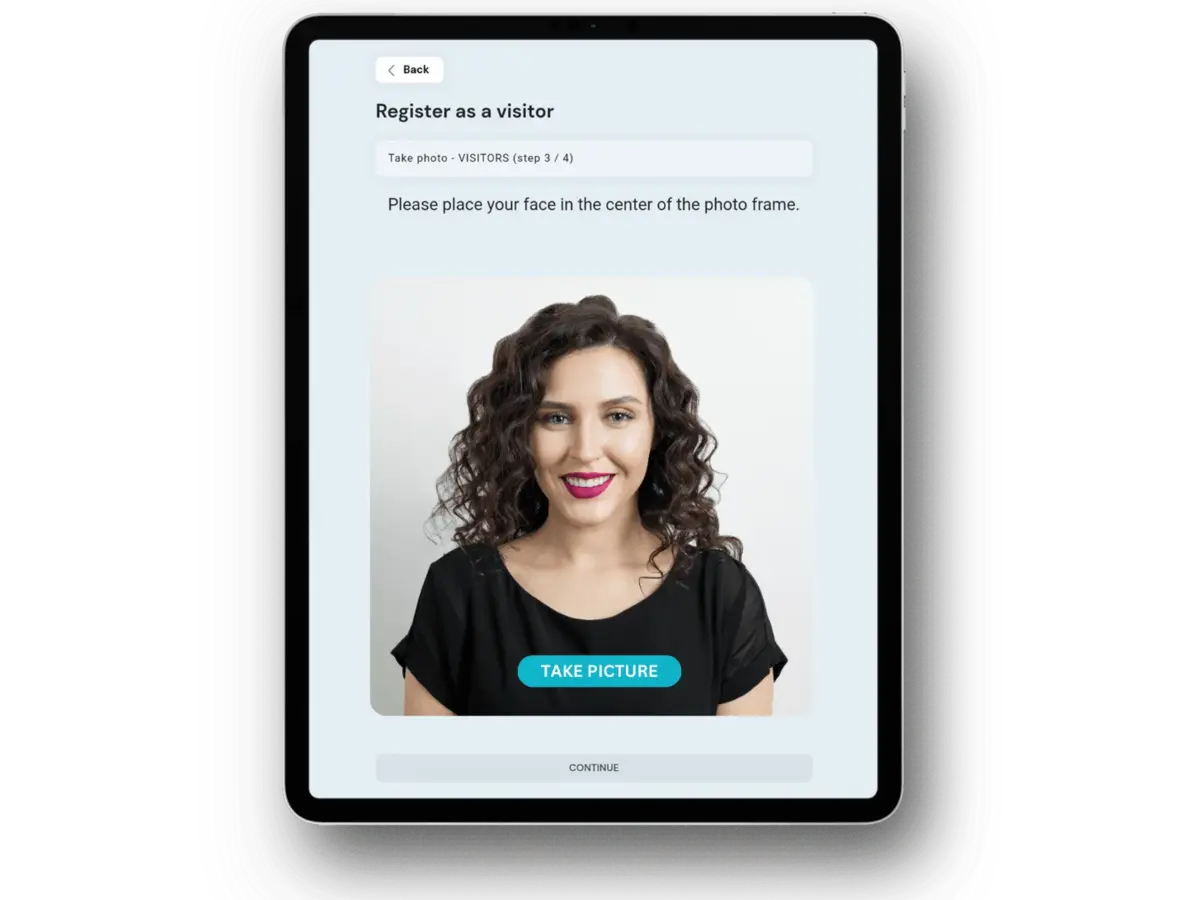
Invite guests before the meeting and share all visit details in advance for a smooth check-in.
Custom visitor check-in flow
Build custom check-in flows for every visitor type - from VIP guests to contractors. Add steps like e-signatures, document uploads, photo capture, etc.
Booking on behalf of visitors
Reserve meeting and conference rooms for guests to ensure a smooth, welcoming experience on arrival.
Measure meeting room usage
Track meeting room usage trends to plan better and uncover hidden inefficiencies.
Room utilization analytics
Track key metrics like average room usage, booking counts, and no-show rates
Office heat maps
Get a visual view of space usage - identify the busiest areas and underused rooms at a glance.
CSV reports
Export meeting room utilization reports in CSV format anytime you need.
Book and manage meeting rooms right at the door

See real-time room availability, book on the spot, or adjust meetings in seconds from the digital display outside the room.
Real-time availability status
A quick glance at the color-coded display shows whether a room is free, who's using it, and when it will be available next.
End or extend meetings
Running late or finished early? End or extend your meeting directly from the display.
Hardware agnostic
YAROOMS room panel app integrates seamlessly with a wide range of devices - no special hardware required.
A conference room management solution used for day-to-day meetings, client visits, and corporate events
"Verizon's marketing teams manage multiple large corporate events each year, where room allocations shift constantly based on schedules and client meetings."
Verizon: real-time event room management with YAROOMS

"As Bitdefender grew across Europe and the U.S., managing conference rooms in multiple offices became difficult. Teams struggled to find available spaces with the right setup at the right time."
Bitdefender: multi-location room management made simple
"The Uni Sydney's Faculty of Science needed a new space management system as its old tool caused scheduling errors and lacked visibility into room use."
University of Sydney: campus space management at the Faculty of Science





See the ROI of smart meeting room management
2025 data shows that an unused meeting room can cost companies anywhere from $30 to $250 per hour, depending on size and location.
Check how much your workplace could save by using meeting rooms more efficiently.
Enter your company information
Meeting room management: FAQ
Answering the most popular questions about meeting and conference room management.
Meeting room management is how an organization controls who can book which rooms, when, and for how long - and then measures whether those rooms are actually used. It covers booking rules, approvals, check-in, services like catering, and utilisation reporting. It becomes a job once several teams compete for the same handful of rooms; below that, a shared calendar is enough. YAROOMS handles all of it in one system alongside desk booking and visitor management.
Meeting room management software replaces spreadsheets and disconnected calendars with one system showing real-time availability, applying booking rules, and recording what was used. Employees see which rooms are free and reserve instantly; administrators control access, capacity and approvals. YAROOMS does this with two-way sync to Microsoft 365, Outlook and Google Calendar, so a booking made anywhere appears everywhere.
The features that matter most:
- Real-time availability - see which rooms are free or in use
- Calendar integration - two-way sync with Outlook, Microsoft Teams or Google Workspace
- Approval workflows - control who can book which rooms and when
- Service booking - catering, cleaning or equipment requested with the room
- Visitor management - pre-register guests and share meeting details automatically
- Check-in and auto-release - free unused rooms instead of leaving them blocked
- Room utilisation analytics - occupancy, no-show rates and usage trends
- Digital signage - booking status displayed outside each room
- User permissions - access for teams, departments or external partners
YAROOMS covers all nine in one platform. Most tools cover the first three; the ones that separate a booking calendar from a management system are approvals, auto-release and analytics.
Popular meeting room management software solutions include:
- YAROOMS - all-in-one workplace management platform with Outlook integration, approval workflows, and detailed room utilization analytics
- Robin - hybrid workplace tool focused on room and desk booking and interactive floor plans
- Envoy - combines visitor management and room booking
- Joan - room displays and on-the-spot booking, sold with its own hardware
- ROOMZ - specializes in digital meeting room displays and sensor-based occupancy
- Skedda - simple, flexible scheduling for small to mid-sized teams
Which one fits depends on whether you need room booking on its own or alongside desks, visitors and parking, and on whether you need displays at the door.
Six things, in order of impact:
- Centralize bookings in one system rather than several calendars
- Set booking rules - who can reserve which rooms, how far ahead, for how long
- Sync calendars so reservations appear in Outlook or Google Workspace automatically
- Require check-in with auto-release, so cancelled and abandoned meetings free the room
- Track utilization to find which rooms are overbooked and which sit empty
- Ask users whether rooms match what they actually need for size and equipment
YAROOMS enforces the rules at booking time and reports utilisation and no-show rates by room, floor and location.
Yes, where the agent can act rather than just answer. Yarvis, the YAROOMS AI agent, runs inside Microsoft Teams and email: an employee writes “find 30 minutes with Sarah and the design team this week”, and Yarvis checks every attendee’s calendar across Outlook and Google, finds overlapping availability, books a room that fits the group, and sends the invites. It also flags problems in advance - a four-person room booked for an eight-person meeting, or a Thursday slot with no room reserved.
Meeting room software is priced either per room or per user per month - worth checking which model a quote uses, since the two produce very different totals for the same office. Based on our 2026 price guide, entry-level tools run €8 to €20 per room per month, mid-range €20 to €50, and enterprise €50 to €100+.
YAROOMS is priced per plan: Starter from $99 per month for 10 users (up to 20 users and 20 bookable spaces), Business $399 for up to 200 users and 150 spaces, Enterprise $899 for unlimited users across five or more locations. Annual billing saves 20%; room panels are an add-on.
Require a check-in and release the room automatically if it does not happen. That single rule recovers most of the capacity organisations think they are missing - a room reserved and never used looks identical to a room in use on every calendar, so the office appears full while half of it sits empty.
In YAROOMS the grace period is configurable per room, check-in happens at the door panel, in the mobile app or by QR scan, and every released booking is logged so no-show patterns show up in the utilisation report rather than disappearing.
Yes, and two-way sync is what matters - a booking made in either system should appear in the other. YAROOMS syncs both directions with Microsoft 365, Outlook and Google Calendar, so a room reserved in Outlook shows as occupied in YAROOMS and on the door panel, and vice versa. Employees can book without leaving Outlook using the add-in, or from inside Microsoft Teams, and a Teams, Zoom or Google Meet link attaches automatically.
Related Products
Room Booking System
YAROOMS is a room booking system for meeting rooms. Book from Outlook, Google Calendar, Microsoft Teams, the mobile app or a door display.
Room Panel
Intuitive meeting room display application to enhance workplace experience and improve meeting room usage.
Mobile App
Keep your teams connected with the tools they need to collaborate and navigate the workplace from their mobile device.