
Interactive office maps for workspace booking
YAROOMS turns your floor plan into a live office map. Employees see what's free, find teammates and book spaces in one click, on web, mobile or Microsoft Teams.
Included in all plans starting at $99/month.
Last updated: October 14, 2026
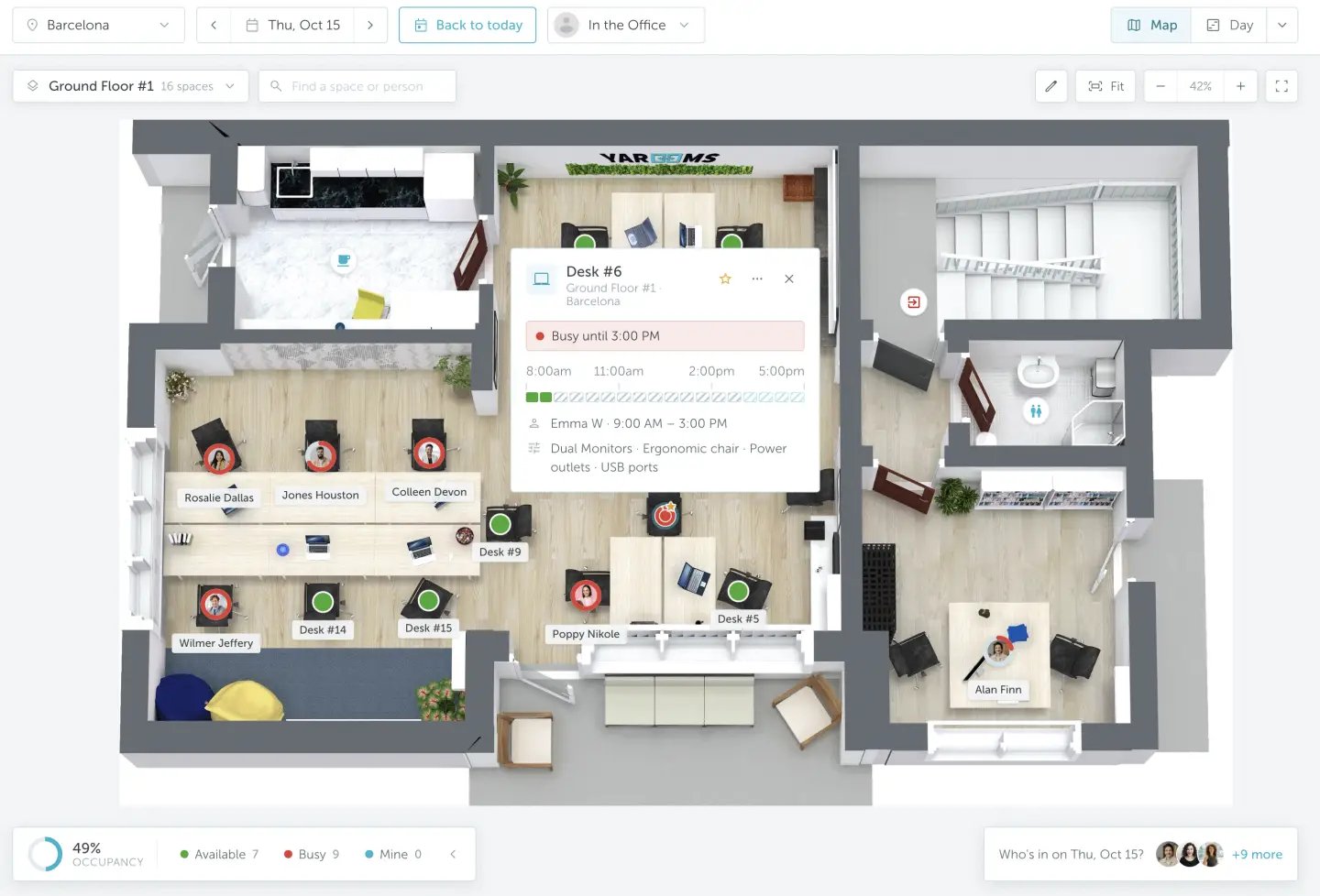
- Book desks & rooms
- Find colleagues
- Check availability
Trusted by innovative organizations worldwide







What is an interactive office map?
Build and edit your office map without vendor help
- 1
Upload your floor plan
Start with a floor plan for each floor and location.
- 2
Switch to Edit Mode
Add, move or delete spaces directly on the map.
- 3
Add desks and rooms
Define capacity, amenities and booking rules.
- 4
Draw neighborhoods
Set a capacity limit for each neighborhood or area.
- 5
Add points of interest
Mark printers, kitchens and first-aid kits on the map.
Book desks, find teammates and locate amenities on one map
Everything employees need for an office day happens on the same YAROOMS map.
Live and future availability
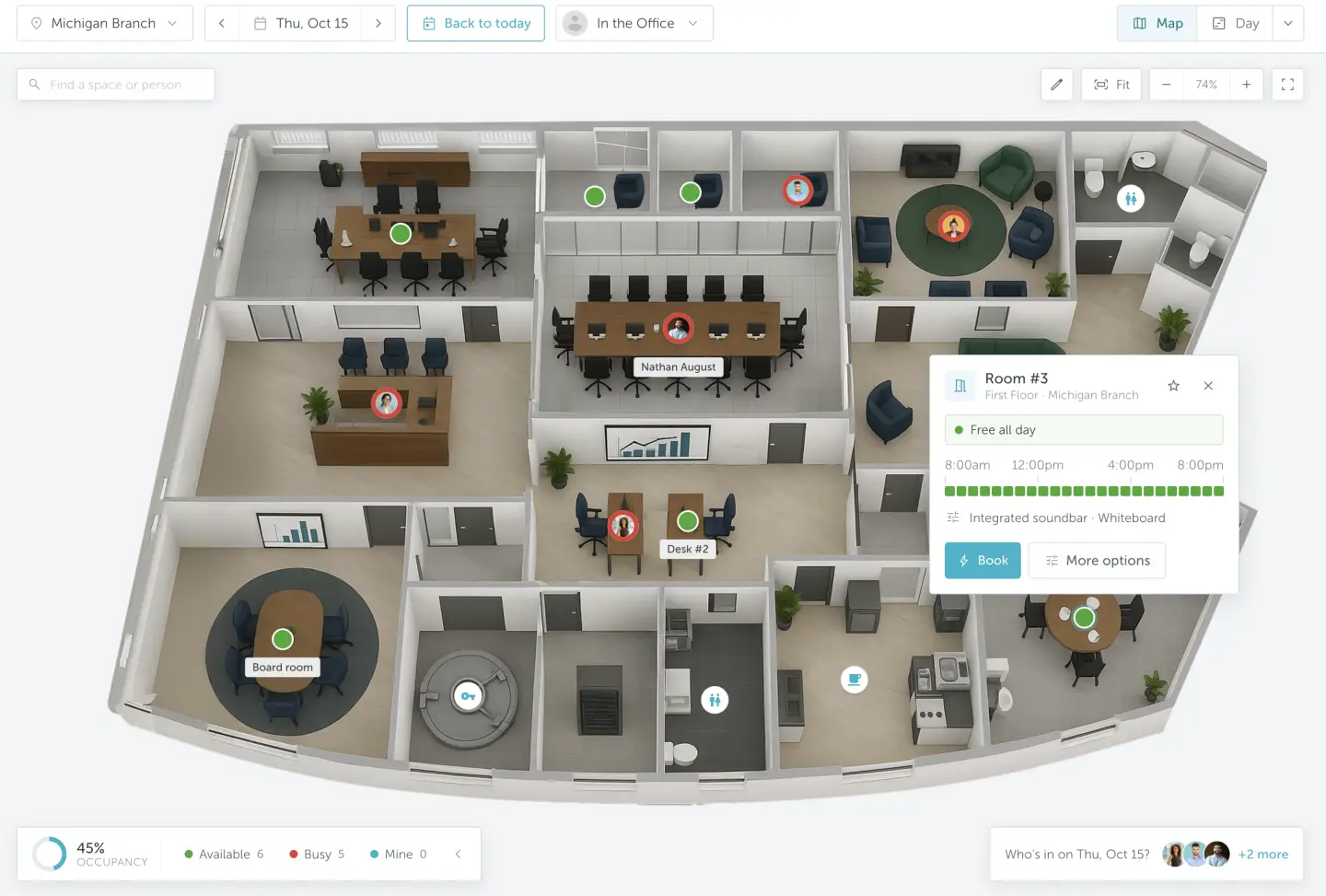
Desks and rooms are color-coded by status, for today or any future date.
One-click booking from the map
Click a space to book it. Bookings sync to Microsoft 365, Outlook or Google Calendar.
Teammate search and seating view
See where colleagues are sitting and book a desk next to your team.
Neighborhoods and zones
Group desks by team or department and set a capacity limit per zone.
Points of interest
Mark printers, kitchens, phone booths, restrooms and exits so new hires and visitors find them.
Multi-floor and multi-location maps
Manage every floor and office from one account.
Directions to the exact desk or room you booked
YAROOMS wayfinding, powered by Mappedin, routes employees and visitors to the specific space they reserved, or colleague they are looking for.
Learn more about wayfinding →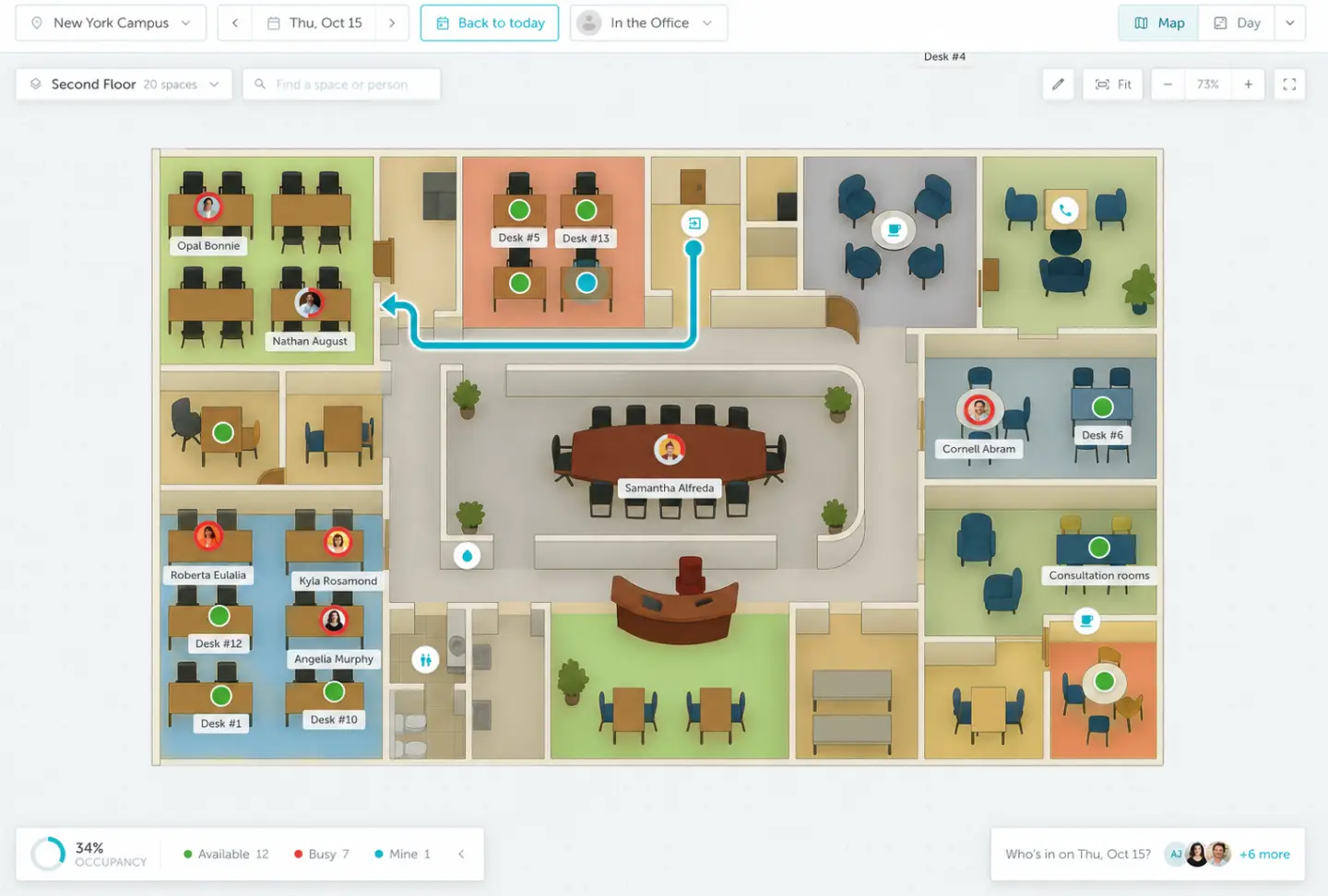
Heatmaps and space utilization analytics built from bookings
YAROOMS collects data from every booking and check-in and shows it as a heatmap, with no sensors required. Office managers can see at a glance which zones are full, which sit empty and when the office peaks.
Data retention: 90 days on Business, unlimited on Enterprise.
Explore workplace analytics →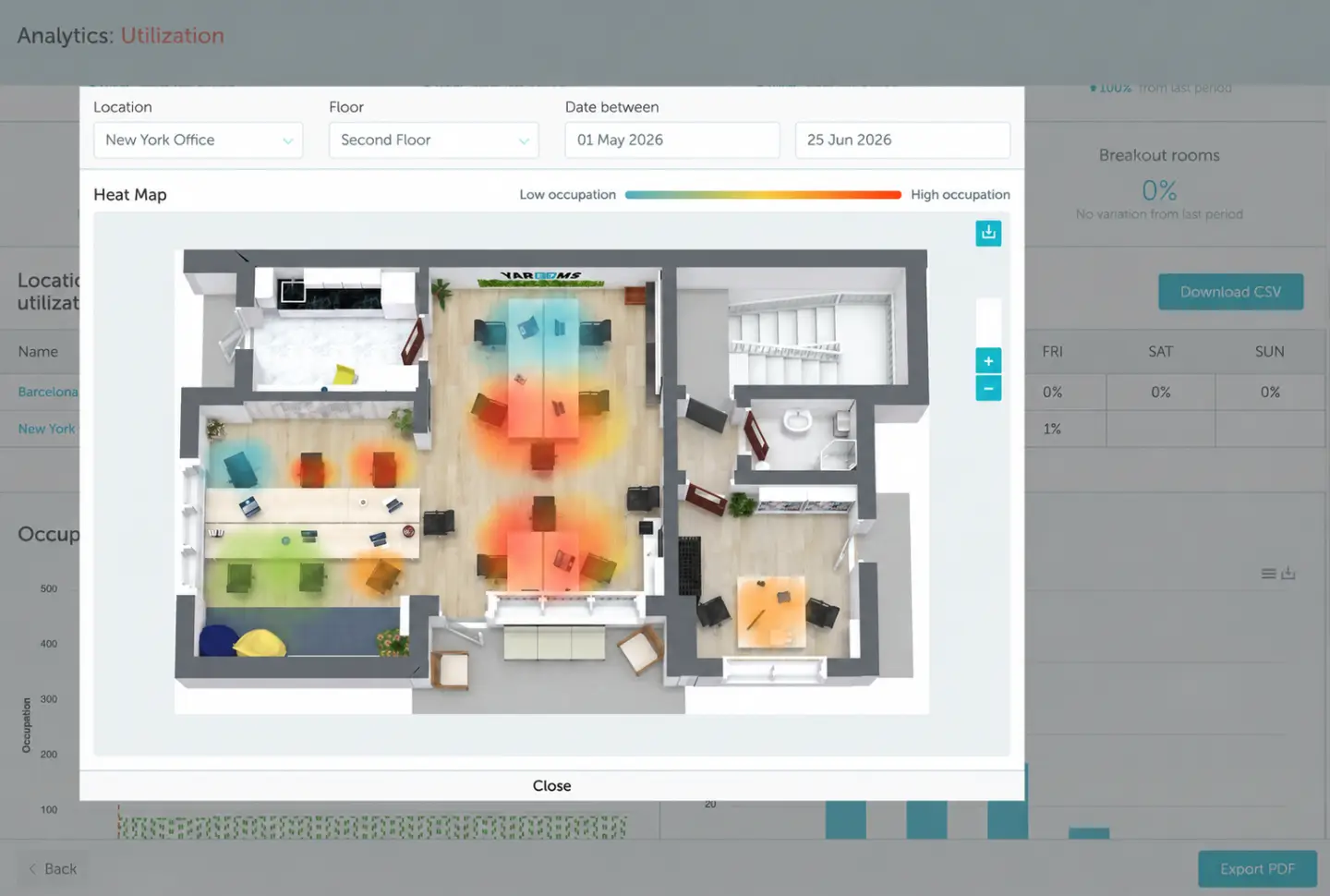
Easy adoption, wherever your team works
Employees can use YAROOMS maps on the web, in Microsoft Teams or through the mobile app, so they can find and book spaces using the tools that fit their workday.







More than an office mapping tool: booking, people and analytics built in
YAROOMS connects the office floor plan to space reservations, colleague bookings and workplace reports, bringing day-to-day office workflows into one platform.
| Capability | What YAROOMS adds |
|---|---|
| Interactive floor plans | View desks and rooms in their office layout and filter desks by amenities. |
| Live availability and booking | Choose an available desk or room and reserve it from the interactive map. |
| Colleague seating | Find colleagues through their visible desk bookings and reserve a nearby desk. |
| Booking rules and check-in | Set seating rules and capacity limits, and release desks when employees do not check in on time. |
| Heatmaps and utilization reports | Analyze bookings and check-ins with office heatmaps and utilization reports. Export reports to CSV without requiring dedicated occupancy sensors. |
| Microsoft Teams and calendars | Book spaces in Microsoft Teams and sync room reservations with Microsoft 365, Outlook or Google Workspace. |
Benefits of interactive office maps
- Faster space booking
- Easier colleague discovery
- Clearer desk and room availability
- Simpler office navigation
- Better visibility into space use
- Self-service map updates
Enterprise-grade security and SSO
SOC 2 Type II, ISO 27001, ISO 27701, ISO 9001, ISO 14001 and GDPR. Azure AD single sign-on and a self-hosted option.
Security & compliance →


Interactive office map software FAQ
See your office on a live, bookable map
Related products
Desk booking
YAROOMS desk booking: employees reserve desks on an interactive floor map from web, mobile, Teams or Outlook, in one platform with rooms and visitors.
Room booking
YAROOMS is a room booking system for meeting rooms. Book from Outlook, Google Calendar, Microsoft Teams, the mobile app or a door display.
Mobile app
Keep your teams connected with the tools they need to collaborate and navigate the workplace from their mobile device.