
Office visitor management system for secure workplaces
Easily manage guest records, protect your workplace, and unlock key insights with powerful visitor management software.
Rated 4.6/5 from 102 reviews on Capterra
Last updated: October 1, 2026
Trusted by innovative organizations worldwide







What is an office visitor management system?
An office visitor management system replaces the paper sign-in book at reception. YAROOMS lets hosts pre-register guests, who check in with a QR code on their phone or at a reception kiosk. It prints badges, notifies hosts, collects NDAs and screens watchlists. Every visit is saved in one searchable log across all your offices.
YAROOMS Visitor Management starts at $960 per location per year. See pricing.
Make every visitor feel welcome

Create a seamless experience from start to finish with pre-registration, welcome emails, and self check-in options.
Visitor pre-registration
Hosts can add guest details ahead of time to speed up check-ins and create a great first impression.
Welcome emails
Pre-registered guests receive customized messages with visit information, directions, and parking details.
Visitor self check-in
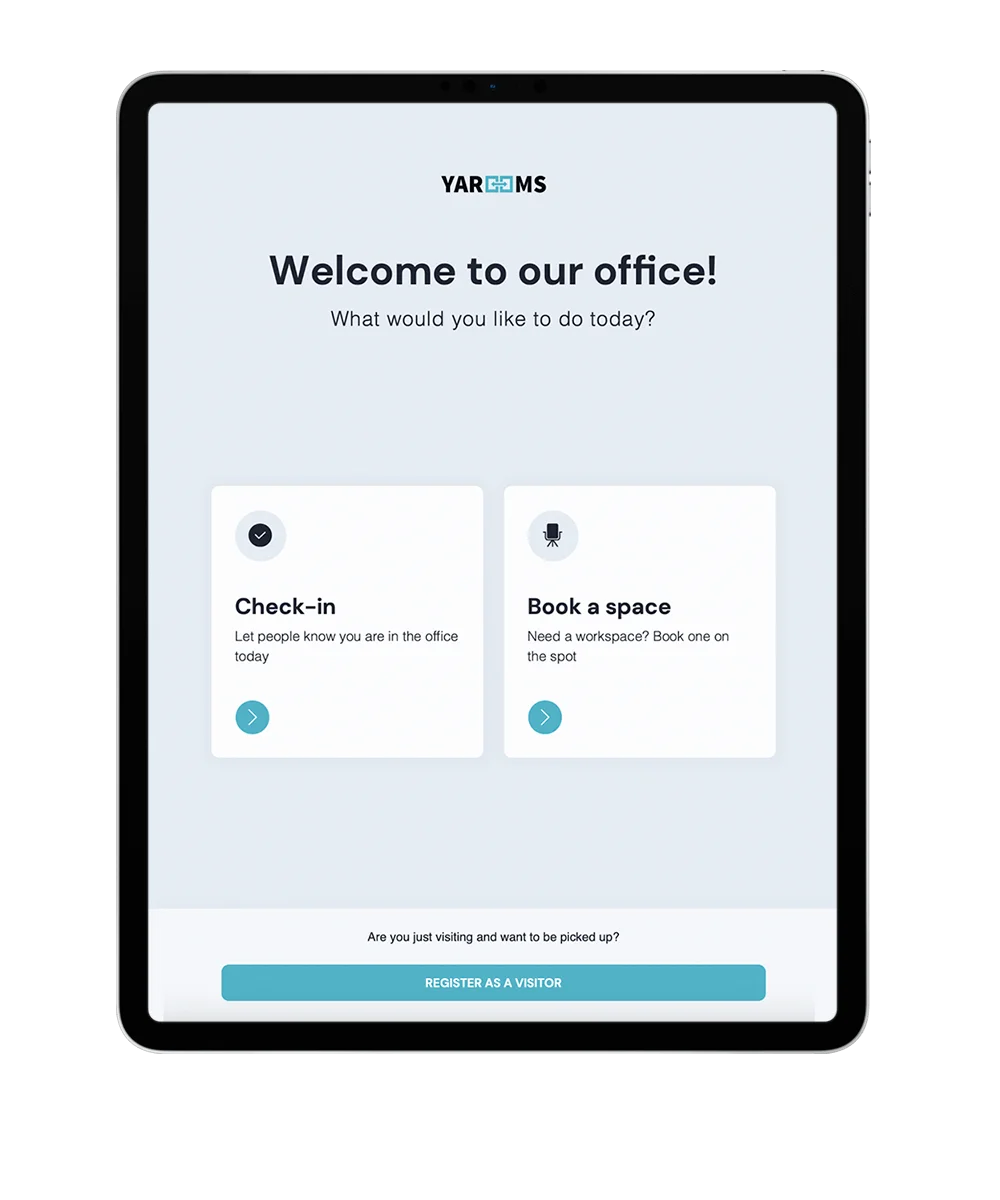
Visitors conveniently check in on their mobile phone or digital kiosk by scanning a QR code.
Level up your front desk operations
Faster, smarter reception through automated check-ins, visitor screening, and badge printing.
Multi-location settings
Define unique visitor policies and access rules for each office location from a centralized dashboard.
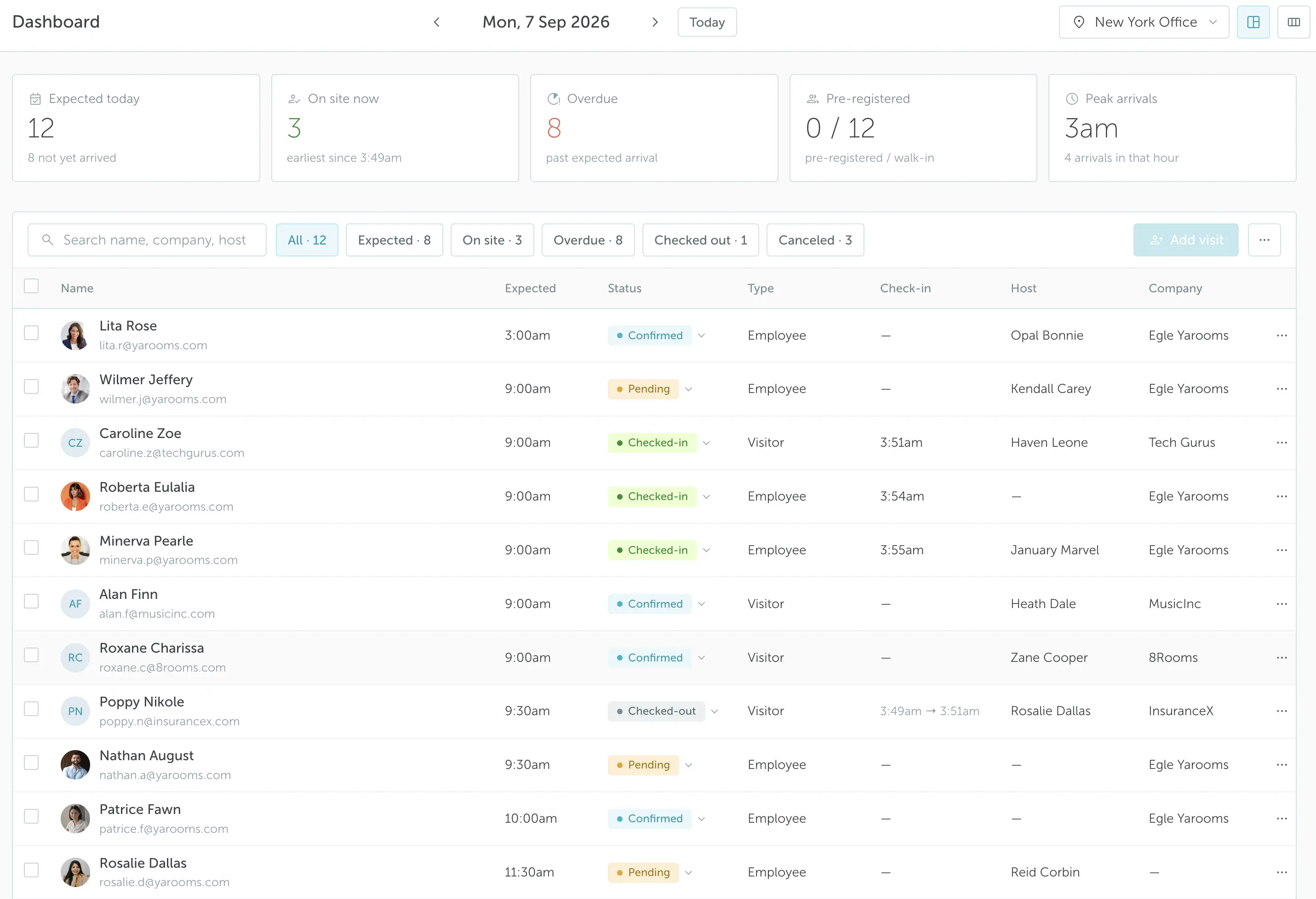
Digital visitor log
Keep detailed logs of all visitors, so you can easily check who was on-site at any time and export CSV reports.
Badge printing
Design and print professional visitor badges through the digital reception app. See visitor badge printing.
Tailor your visitor registration flow
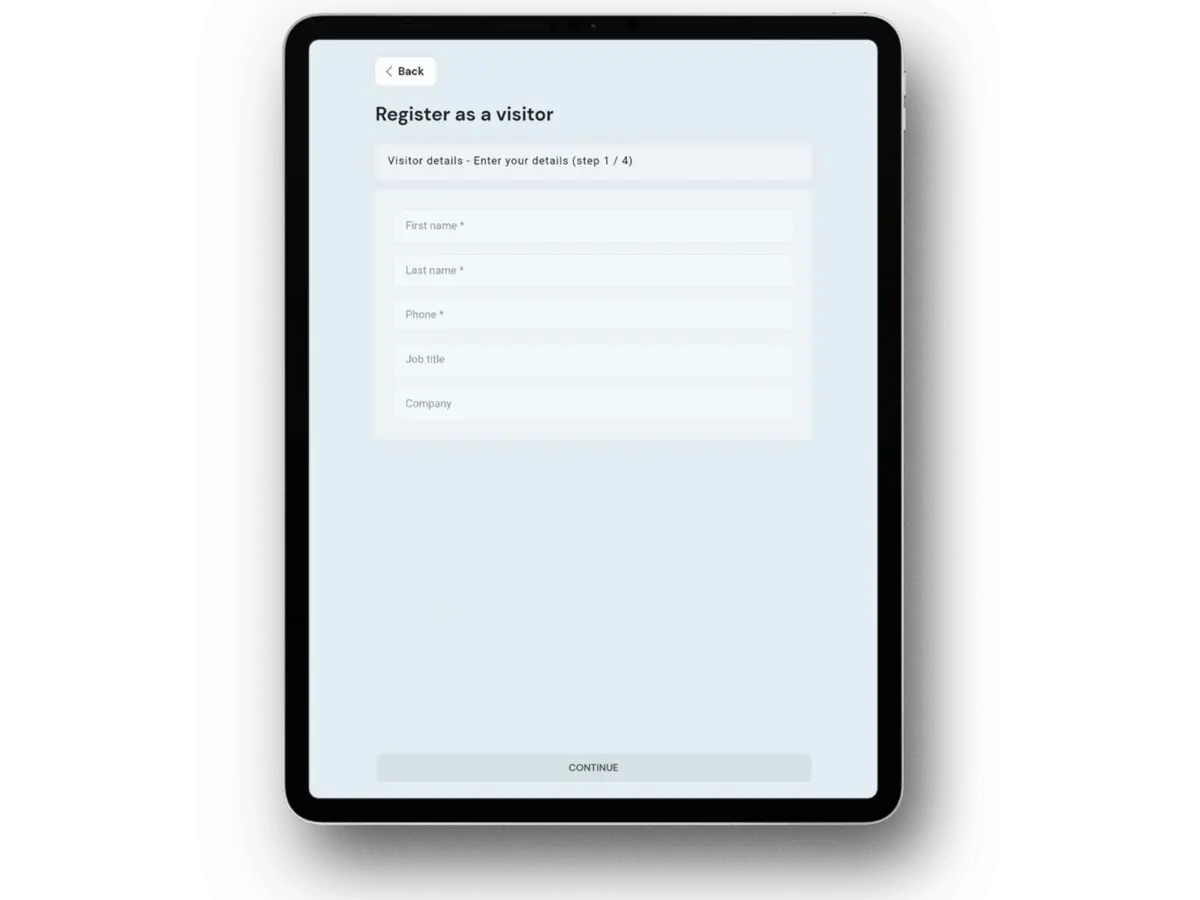
Adapt the check-in process for every guest type with ID photos, document requests, or special requests.
Capture visitor details
Record name, contact, or car plate. Keep visitor profiles accurate and easy to access.
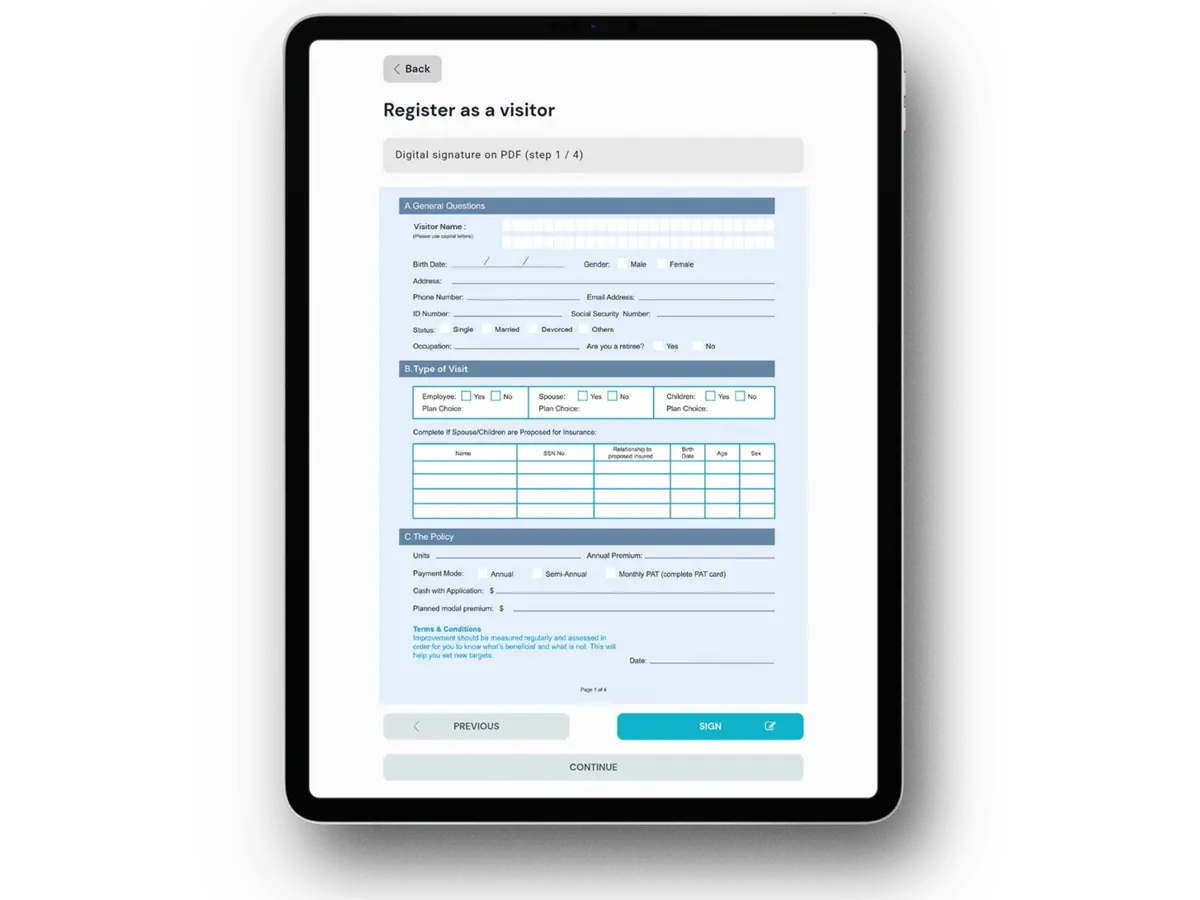
Collect digital signatures
Visitors sign in the app, no paper, quick and secure e-signatures for visitor management.
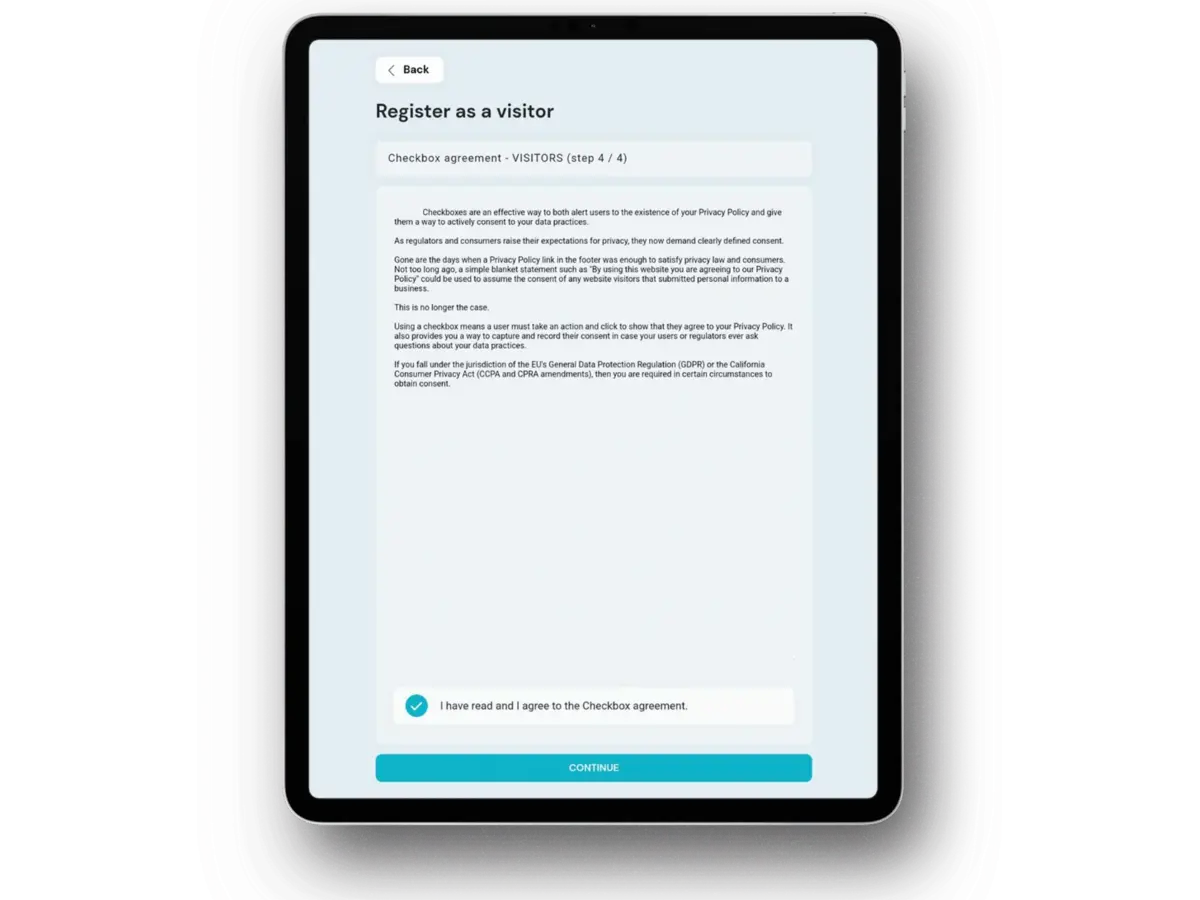
Confirm agreement
Guests confirm office policies with a checkbox before check-in.
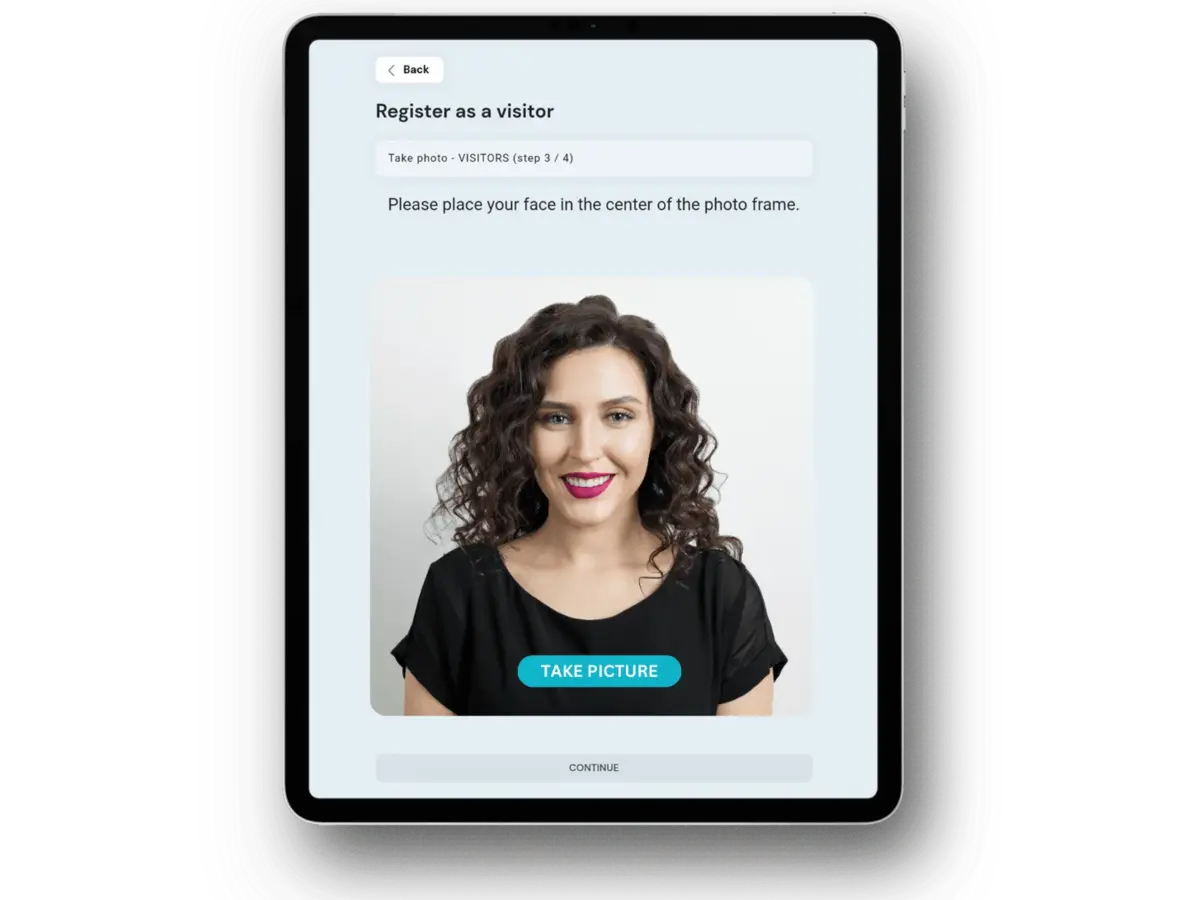
Take a visitor photo
Capture a photo during registration for identity verification and security.
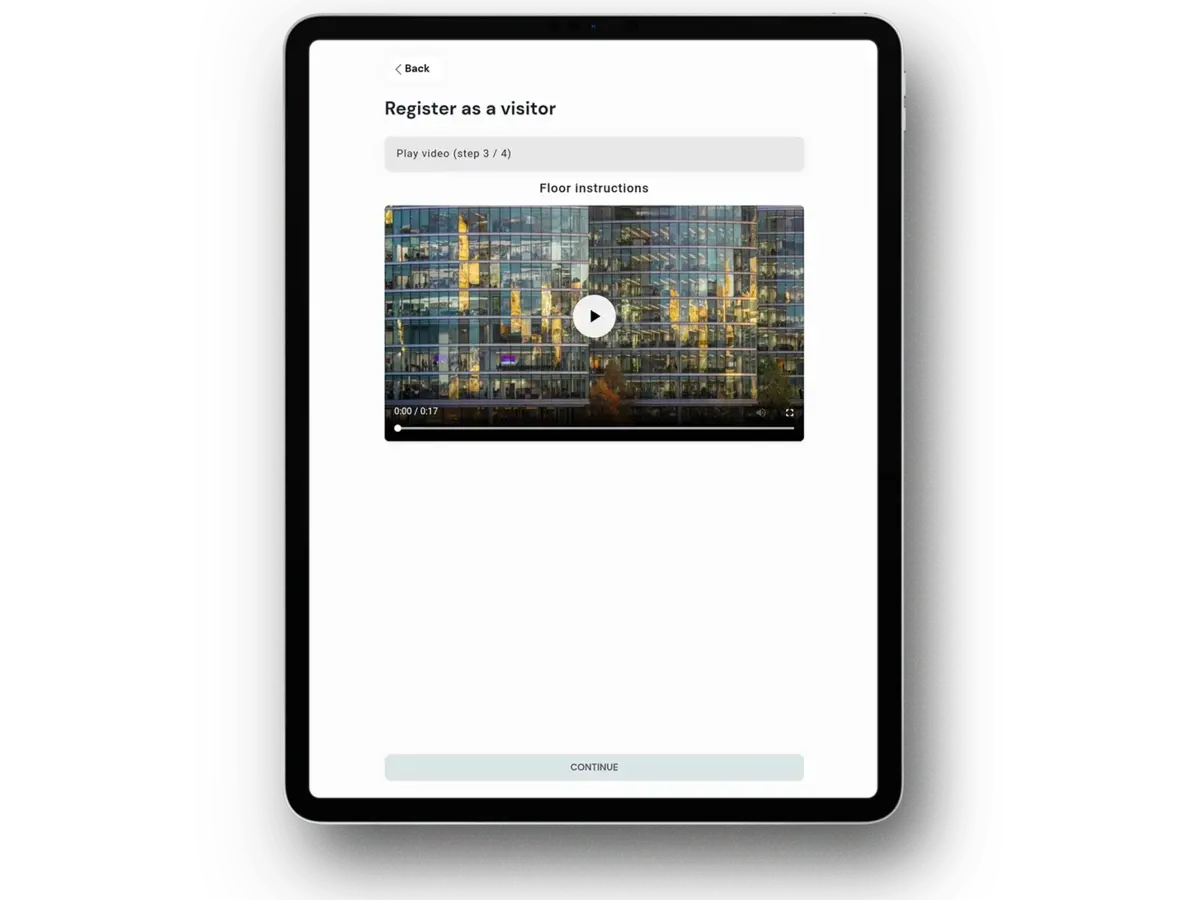
Show a video
Add a short video to the check-in flow for details or welcome messages.
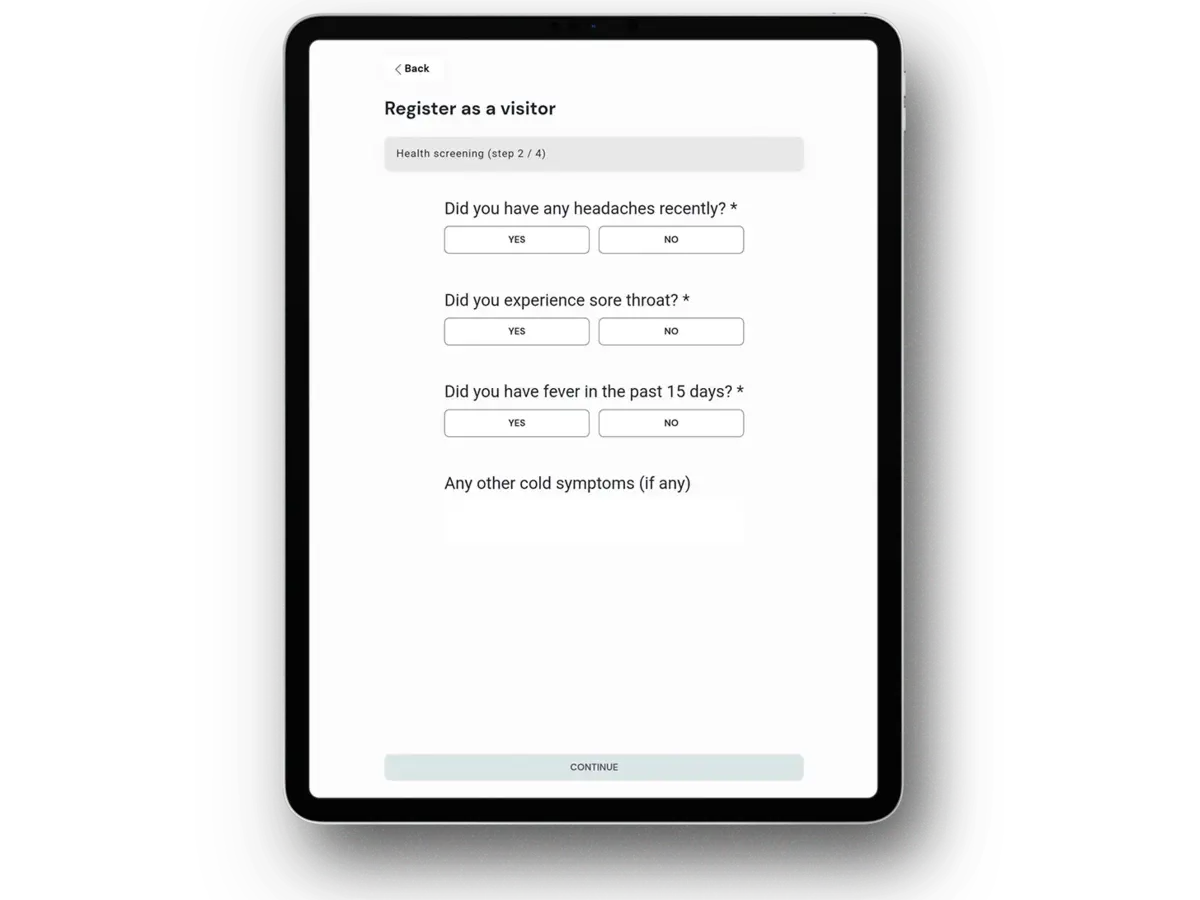
Set up a questionnaire
Collect guest details, dietary preferences, and special requests via a short form.
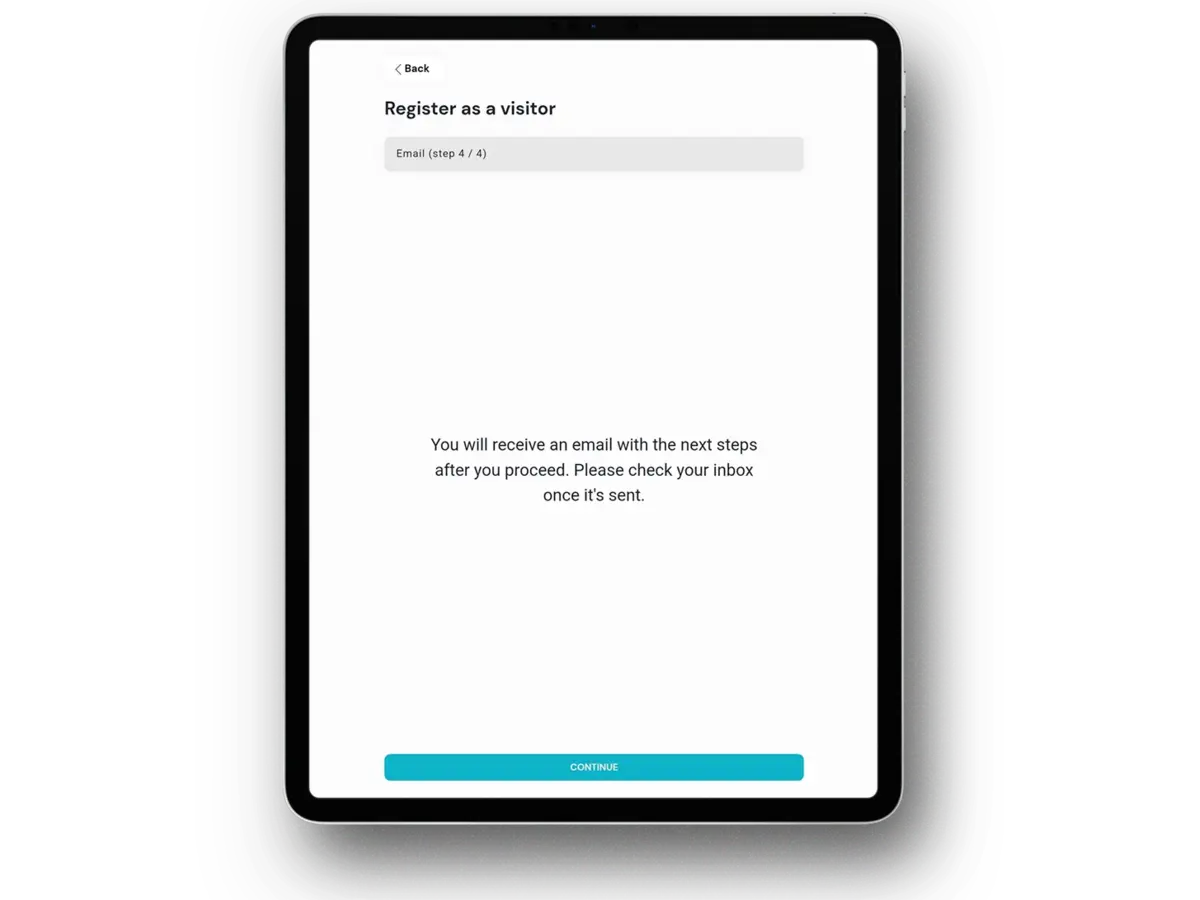
Send an email
Email visitors arrival details, access instructions, or a welcome message.
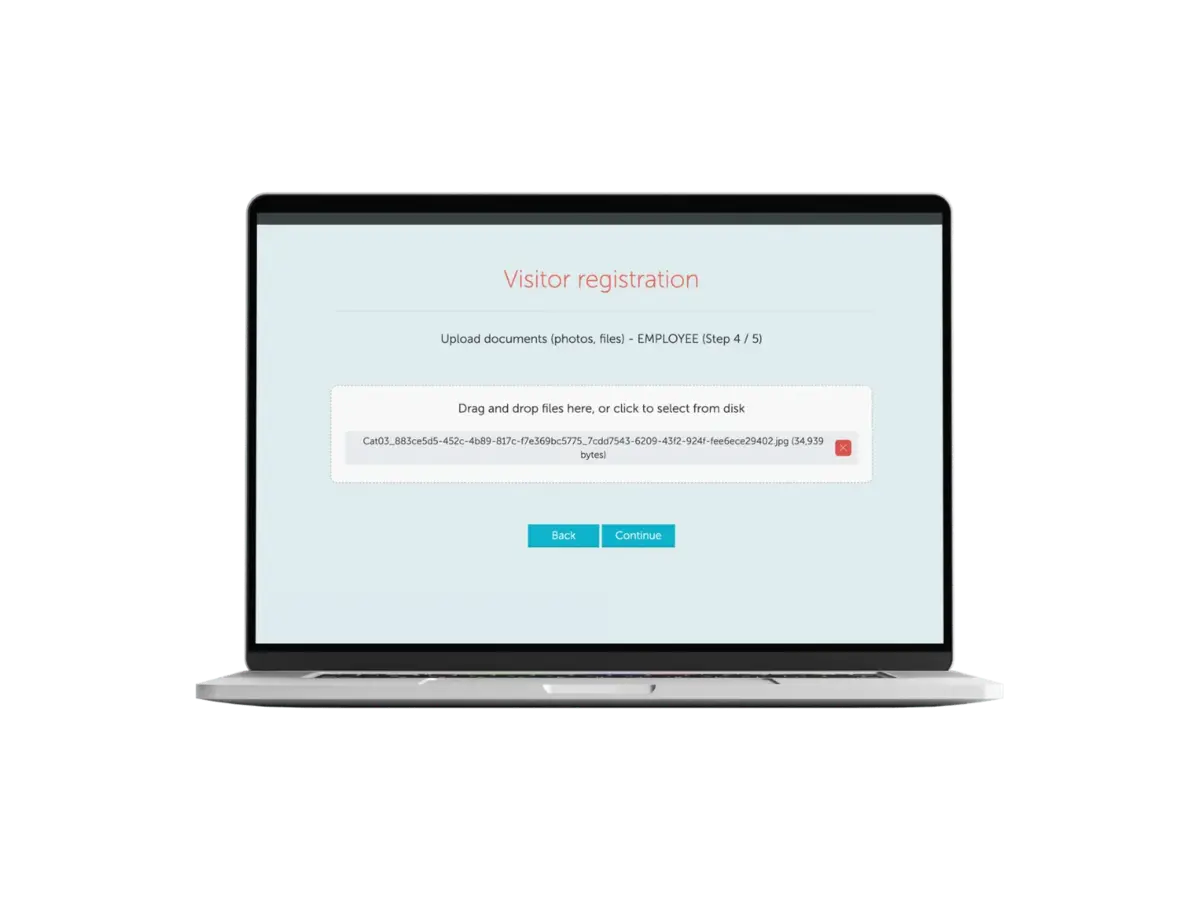
Ask to upload documents
Request document uploads in advance to speed verification and check-in.
Protect your people and data
Automated visitor checks, secure document signing, and enterprise-grade data security keep your workplace safe.
Visitor NDA
Ask visitors to sign legal documents digitally before they can complete check-in.
Watchlists and screening
Screen every visitor against company blacklists and flag unauthorized individuals.
Compliance certifications
ISO 27001, ISO 27701, ISO 9001, ISO 14001, SOC 2 Type II, and GDPR compliant.

Key benefits of visitor management software
All you need for visitor management in one platform
Visitor experience
Smooth check-in and a great first impression
Digital reception app
At the front desk, guests can check in using a modern digital reception application on a tablet or kiosk - quick, simple, and completely self-service.
Host notifications
Ensure quick greetings and send automatic email alerts to hosts when their visitors arrive.
Visitor bookings
Book desks or rooms for guests to ensure a smooth, welcoming experience on arrival.
GetApp Category Leader for Visitor Management
In June 2025, GetApp, a Gartner company, featured YAROOMS among its Category Leaders for Visitor Management. GetApp ranks Category Leaders using real customer reviews and a scoring method that covers ease of use, customer support and product functionality.
Visitor management system: FAQ
Answering the most popular questions about visitor management software.
A visitor management system is software that replaces the paper sign-in book at reception. It handles pre-registration, check-in, badge printing, host notification and the visitor record, and it produces an auditable log of who was on site and when.
YAROOMS is a visitor management system for offices with security or compliance requirements, combining touchless check-in, watchlist screening and NDA signing with desk booking, room booking and workplace analytics in one platform.
If you are building a budget or a shortlist, read what a visitor management system costs and our comparison of the best visitor management systems.
A visitor management system works in five steps:
- Pre-registration - the host enters the guest's details in advance, and the guest receives a confirmation with directions and parking information.
- Check-in - on arrival the guest scans a QR code on their phone or registers at a reception kiosk.
- Screening - the system checks the visitor against watchlists and collects anything required: a signature, a photo, an uploaded document.
- Notification - the host is alerted automatically by email or message that their guest has arrived.
- Logging and check-out - the visit is recorded, departure is logged, and the record is available for reporting or audit.
In YAROOMS each of those five steps is configurable by visitor type, so contractors, clients and interview candidates can follow different paths through the same front desk.
Every visitor management system should cover six basics:
- Pre-registration - hosts add guest details in advance
- Self check-in - by mobile QR scan or reception kiosk
- Host notification - automatic alert the moment a guest arrives
- Badge printing - issued at check-in
- Searchable visitor log - exportable for audit
- Configurable registration flows - different steps per visitor type
Security-conscious sites need three more: watchlist screening, document signing and photo capture.
A useful test: if the system cannot tell you who was in the building at 3pm last Tuesday, it is a sign-in app rather than a visitor management system.
YAROOMS covers all these features, and adds visitor desk and room booking so guests can be given a workspace on arrival.
Yes. A host enters the guest's name, company and visit details in advance, and YAROOMS sends the guest a confirmation email with directions, parking information and any documents they need to complete before arriving. Pre-registered guests check in faster because their details are already in the system - they scan a QR code rather than filling in a form at the desk. Returning guests can be pulled from the office address book instead of re-entered.
Yes. Visitors check in by scanning a QR code with their own phone - no app to install and nothing to touch at the front desk. The alternative is a reception kiosk or tablet, and most offices run both so guests can choose. Either route triggers the same host notification and creates the same visitor record.
YAROOMS supports mobile check-in, kiosk check-in and badge printing from a single configuration, so the choice does not change what reception has to manage.
Yes, and this is usually what separates a visitor management system from a sign-in app. Contractors may need to sign a safety briefing and upload an insurance certificate; a client may only need a badge; an interview candidate may need directions and a room booking.
YAROOMS lets you build a different registration flow per visitor type, combining any of: contact details, car registration, e-signature, policy acknowledgement, ID photo, a short video, a questionnaire, an automated email, or a document upload.
Yes to both. Badge printing is automatic at check-in through the digital reception app, and every visit is written to a searchable digital log recording who visited, who hosted them, when they arrived and when they left. The log exports to CSV in one click, which is what most audit and compliance requests actually need. YAROOMS keeps the log across all locations in one place, so a multi-site organization does not have to reconcile separate records per building. For trends such as no-show rate, repeat visitors and peak arrival times, use visitor analytics.
Yes. YAROOMS can require a visitor to sign an NDA or any other legal document digitally as part of check-in, before the check-in completes. The signature is captured on the reception tablet or the visitor's own phone, stored against the visit record, and available later for audit. This removes the printed-NDA-in-a-folder step at reception, and it means the document is attached to the specific visit rather than filed separately.
For multiple sites, the thing to check is whether visitor policies can differ per location while the visitor log stays central. Many platforms give you one or the other.
YAROOMS manages every office from one dashboard with location-specific registration flows, screening rules and host directories, while keeping a single searchable log across all sites - so a plant with contractor safety briefings and a corporate office with a simple client badge can run different processes without separate deployments or separate reporting.
A visitor management system needs four kinds of integration:
- Calendar - so host availability and visitor bookings stay aligned. YAROOMS connects to Microsoft 365, Outlook and Google Calendar.
- Messaging - so hosts are notified where they already work. YAROOMS connects to Microsoft Teams.
- Single sign-on - so staff accounts are not managed separately. YAROOMS supports SAML 2.0, Microsoft Entra ID (formerly Azure AD), Okta, OneLogin and AD FS.
- Access control - if visitors need badge-based building entry. YAROOMS handles this through its REST API rather than pre-built connectors.
YAROOMS also attaches Zoom and Google Meet links to visitor meetings and connects to MappedIn for 3D wayfinding. Anything outside the list can be built on the YAROOMS REST API.
Related Products
Digital Reception
YAROOMS Digital Reception is a reception check-in system for office tablets and kiosks: visitor self check-in, checkout, badge printing and host alerts.
Visitor Analytics
Visitor analytics in YAROOMS: a visitor management dashboard with visits, no-show rate, repeat visitors, arrivals by hour and CSV reports for every office.
Room Booking System
YAROOMS is a room booking system for meeting rooms. Book from Outlook, Google Calendar, Microsoft Teams, the mobile app or a door display.
We use cookies to analyze traffic and improve your experience.
Cookie preferences
Required for the site to function
Help us understand how visitors use the site
Used to deliver relevant ads