
Visitor badge printing software
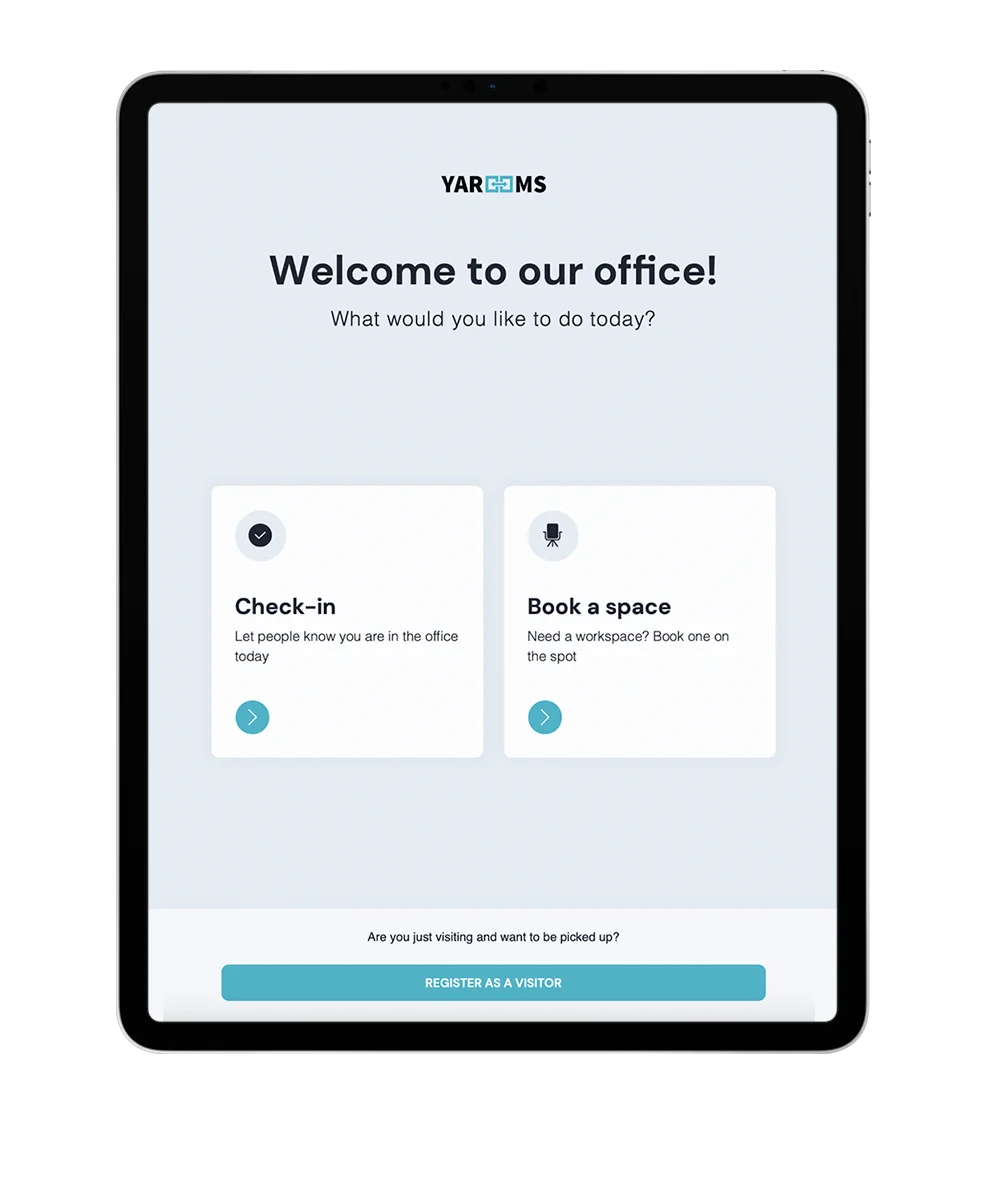
YAROOMS prints a branded visitor badge the moment check-in completes on the reception tablet. No one at the desk has to write a sticker or press print.
Rated 4.6/5 from 102 reviews on Capterra
Last updated: September 26, 2026
What is visitor badge printing?
Visitor badge printing is the automatic printing of a name badge when a visitor checks in. In YAROOMS, the digital reception app sends each badge to a Brother QL-820NWBc label printer as check-in completes. Badges use your template, logo and company name, and show details such as the visitor name, visitor type and check-in time.
Trusted by innovative organizations worldwide






See it in action
Take a quick tour of visitor management and see how visitors check in, get a badge and reach their host.
Every checked-in visitor leaves reception with a badge
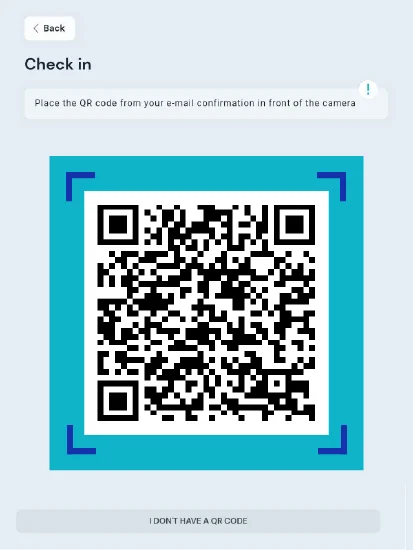
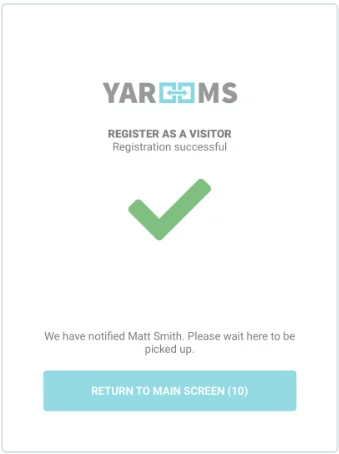
The badge prints as the last step of check-in. Walk-in guests register on the tablet. Pre-registered guests scan the QR code from their invitation email. Both routes end with a printed badge and a host notification.
Prints at check-in
The badge prints as soon as check-in completes, with no action from reception staff.
Walk-in and pre-registered visitors
Guests who registered in advance scan their invitation QR code. Guests without a code register on screen.
Switched on per location
Turn on Print badge at the Confirmed step of each location’s visitor registration flow.
Badges carry your logo and the visitor details you choose
Each reception device has its own badge template, set on the device's Badges tab under Visitor Management, Reception. Every badge printed on that device uses the same size, logo and company name.
The fields you choose
Visitor name or initials, visitor type, email, check-in date and time, plus your logo and company name. Headings print larger than body lines.
Five badge sizes
62 x 100 mm, 62 x 90 mm or 62 x 43 mm labels, in black or in red and black.
Live preview
See a preview of the printed badge while you edit it.
Group badges print before the group arrives
For tours, training days, interview days and events, print all badges in one batch from the Visitor Management dashboard. Groups then skip the queue at the kiosk.
Select by filter
Filter by date, location, host, visitor type, status or purpose of visit, then select the visitors.
One print-ready PDF
YAROOMS builds one PDF with one badge per page, in dashboard order, at your badge size.
Badge printer or office printer
Print the PDF on the configured badge printer, or download it and print on any office printer.
Supported badge printers and labels
YAROOMS badge printing is tested with one Brother printer and three label rolls. Buy them from any supplier.
Brother QL-820NWBc
Thermal label printer for the reception desk. Wi-Fi is built in, with Direct Mode and Infrastructure Mode.
DK-2251, DK-22205, DK-11202
The three Brother label rolls tested with YAROOMS badges.
Fixed IP on your network
Give the printer a fixed IP address and enter it in YAROOMS. Bulk badge PDFs also print on any office printer.
Key benefits of visitor badge printing
Badge printing is part of the YAROOMS workplace platform
Badge printing runs in YAROOMS Digital Reception, the kiosk app of YAROOMS Visitor Management. The same platform covers desk and room booking, digital signage, parking and service requests.
The visit, the badge and the host notification share one record in the visitor log. YAROOMS works with Microsoft 365 and Outlook. It runs as SaaS, in your own Azure or AWS tenant, or on-premise, and it is ISO 27001 certified and SOC 2 Type II audited.
Visitor badge printing: FAQ
Yes. A badge prints as soon as check-in completes on the reception tablet, with no action from reception staff. An administrator turns this on per location: go to Visitor Management → Settings → Edit location → Visitor Registration Flow, open the Confirmed step and switch on Print badge.
Connect the Brother QL-820NWBc to your Wi-Fi, then enter its IP address in YAROOMS:
- On the printer, find the Direct Mode IP address and password in the Wi-Fi menu.
- Connect a laptop to the printer's Direct Mode network and open that IP address in a browser.
- Under Network → Wireless, join your office Wi-Fi network.
- Note the Infrastructure Mode IP address from the printer's Wi-Fi status menu.
- In YAROOMS, go to Visitor Management → Reception, select the reception device, open its Badges tab and enter that IP in the Printer IP field.
A badge can show the visitor's full name, first or last name, initials, visitor type, email, and the check-in date and time. It also carries your logo and company name. You arrange these fields line by line in the badge template.
Yes. Open Visitor Management → Reception, select the reception device and open its Badges tab. There you set the badge template, the badge size, your logo and your company name, and YAROOMS shows a live preview. Each reception device can have its own badge design. Bulk badge PDFs use the same template, so pre-printed badges match the ones printed at check-in.
Yes. On the Visitor Management dashboard, filter to the group, select the visitors and click Print badges. YAROOMS creates one PDF with one badge per page. Bulk printing is available in locations where badge printing is on. Visitors with a pending registration cannot be selected, because their details may be incomplete.
Yes. Correct the details, then print the badge again from the visit's side panel, or select the visitor on the dashboard and click Print badges. You can send badges to a reception device's printer or open them as a PDF. You can regenerate a batch at any time, or select only late additions to print a follow-up PDF.
No. The visitor checks in on the tablet and the badge prints without staff action. The host gets a notification at the same time. A staffed desk can also keep the printer behind the counter and hand badges to visitors.
See visitor badge printing in action
Book a live demo and see a visitor check in, get a badge and reach their host in YAROOMS.
Related Products
Digital Reception
YAROOMS Digital Reception is a digital reception system and visitor check-in system for tablets and kiosks: self check-in, checkout, badges and host alerts.
Office Visitor Management System
Office visitor management system with pre-registration, QR and kiosk check-in, badge printing, host alerts, NDA signing and a searchable visitor log.
Visitor Pre-Registration Software
Visitor pre-registration software for offices. Hosts register guests in advance, guests get a QR code invite, and custom forms collect what you need.
We use cookies to analyze traffic and improve your experience.
Cookie preferences
Required for the site to function
Help us understand how visitors use the site
Used to deliver relevant ads