
Desk sharing software that keeps shared desks fair and in use
YAROOMS lets more people share fewer desks. Employees book a desk on the floor map, check in when they arrive, and desks that nobody claims go back to the pool.
Rated 4.6/5 from 102 reviews on Capterra
Last updated: October 2, 2026
Trusted by innovative organizations worldwide







What is desk sharing software?
Desk sharing software is a desk sharing system that lets several employees use the same desks at different times. Employees book a desk before they come in, and the rules in the software decide who can book which desk, for how long and how often. In YAROOMS, check-in confirms that the person came, unclaimed desks release on their own, and utilization reports show how many desks you actually need.
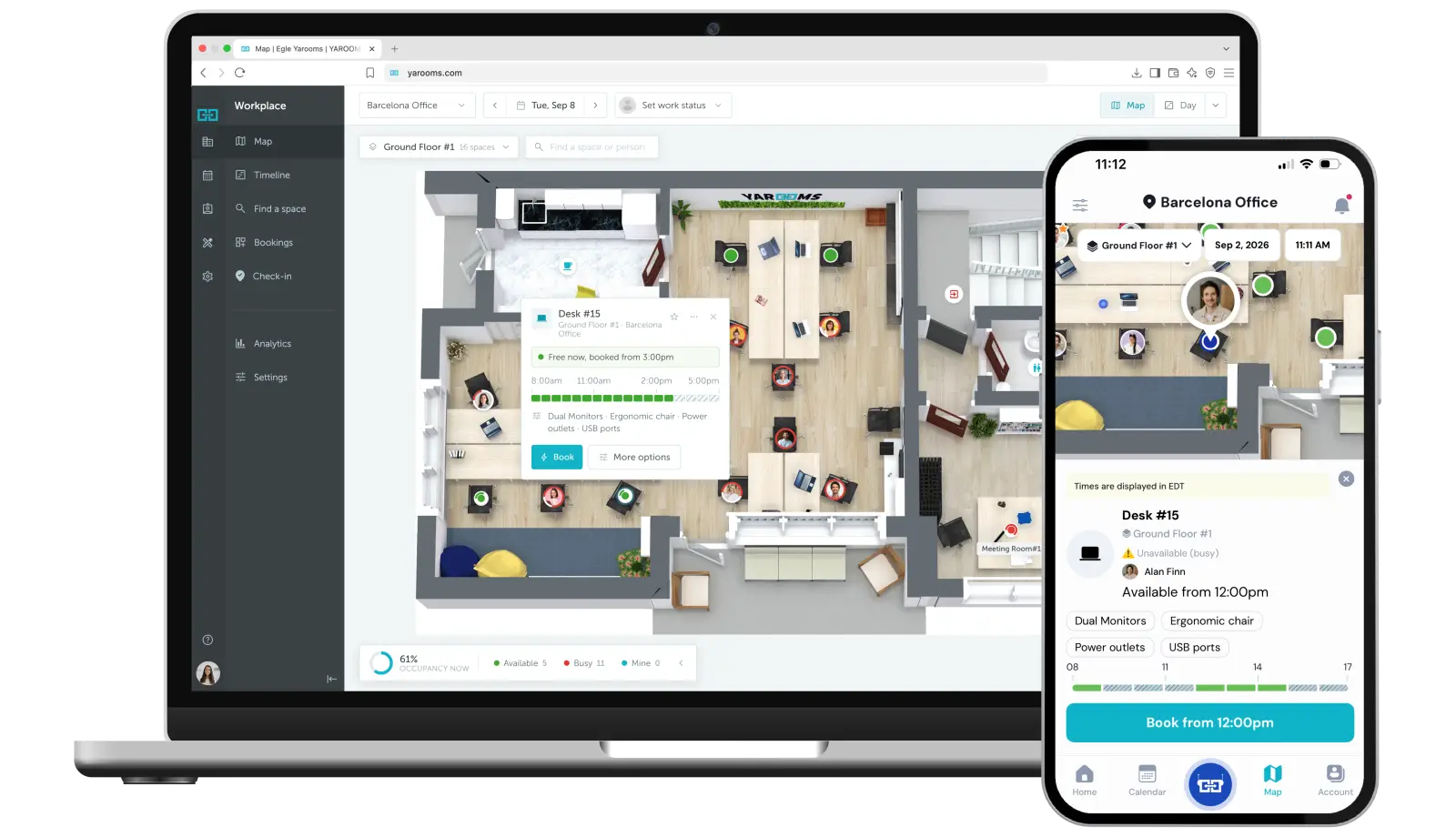
Employees find a free desk on the floor map
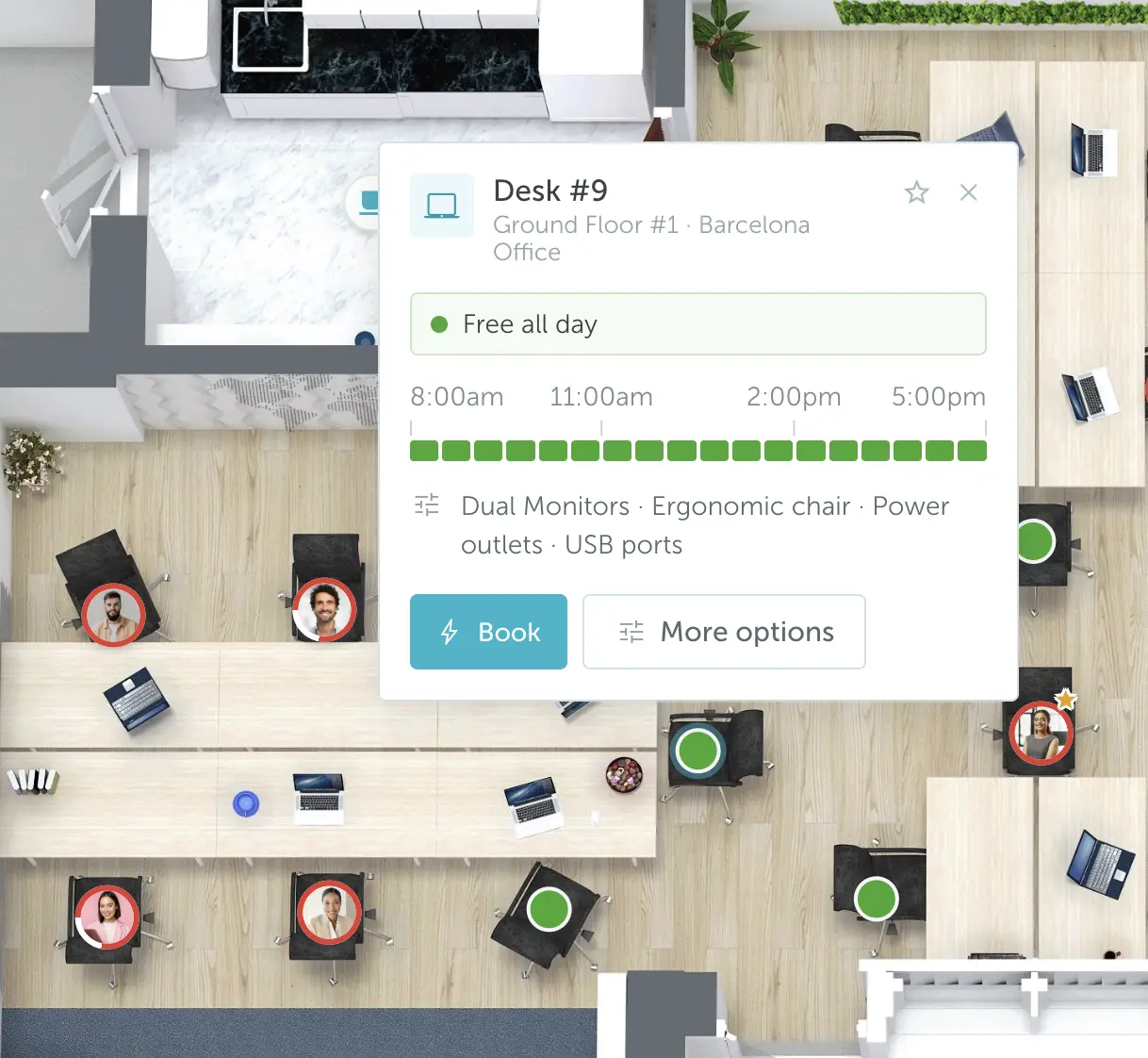
Employees see which desks are free on an interactive floor map, filter by features such as a second monitor or a standing desk, and book in a few clicks.
Feature filters
Filter desks by the equipment and features you define, such as docking station, dual monitors or height-adjustable desk.
Recurring bookings
Book the same desk on a repeating schedule when your space rules allow it.
Book for a colleague
Assistants and team leads can book a shared desk on behalf of someone else.
No-shows go back to the pool
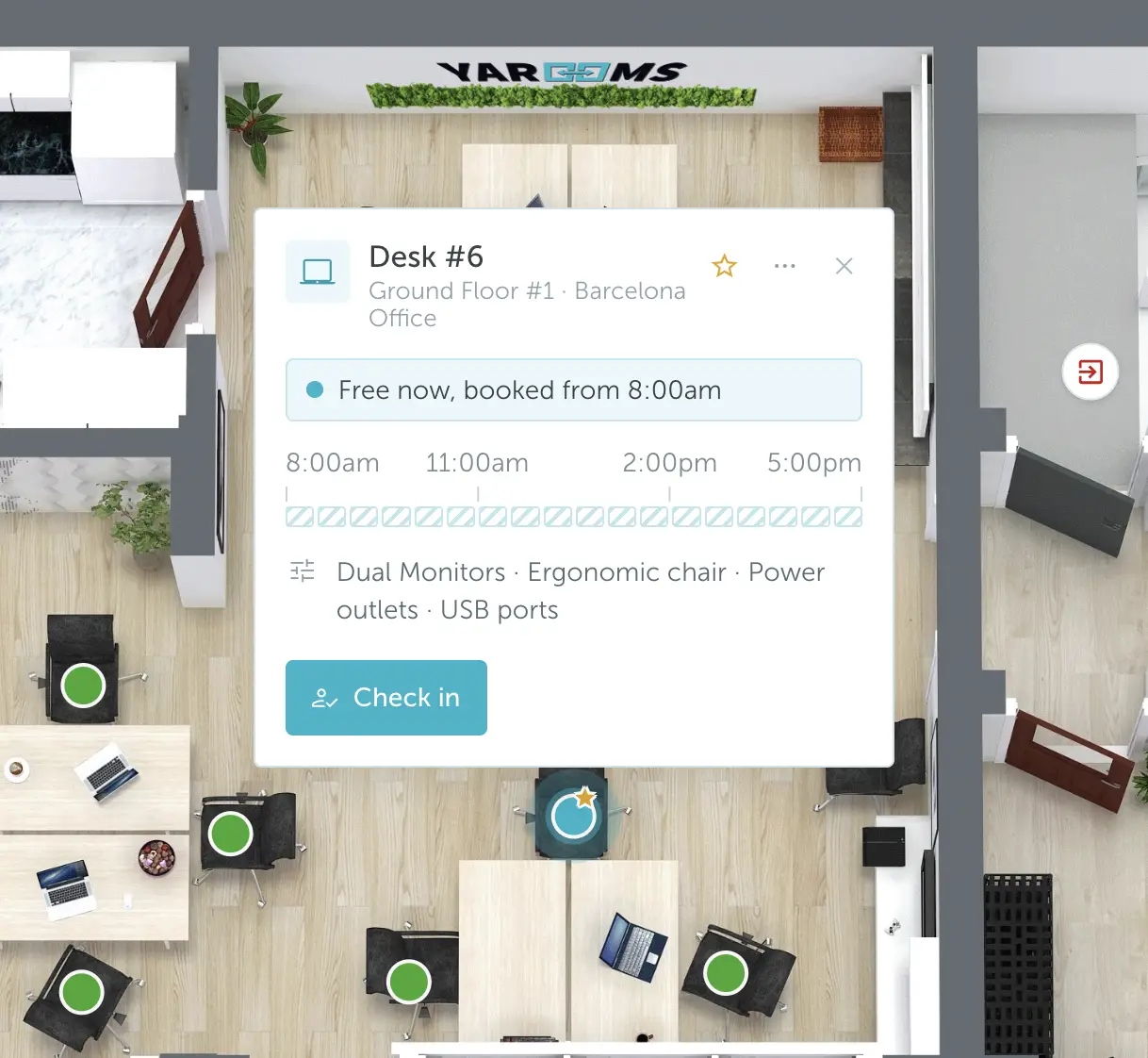
A booked desk that nobody uses is a desk someone else could have had. YAROOMS asks people to check in, and cancels the booking when nobody checks in within the grace period you set.
Four check-in methods
Simple check-in in the app, QR code at the desk, geo-fenced check-in near the office, or check-in on the office Wi-Fi.
Automatic release
Set a grace period per space group. Bookings without a check-in are canceled when it ends, and the desk shows as free again.
No-show tracking
Analytics show the no-show rate per desk and per person, so you can see where the rules need to change.
Booking rules keep shared desks fair
Desk sharing only works when nobody holds desks they do not need. Set the rules once per space group, and YAROOMS enforces them on every booking.
Booking limits per team
Cap how many desk bookings a team can make per day, week or month. See booking limits.
Booking windows and time limits
Control how far ahead people can book and how long a booking can last. See booking windows.
Desks for specific teams
Keep a group of desks for one department, such as IT or Finance, and let everyone else share the rest.
Assigned desks open up on the days their owners are away
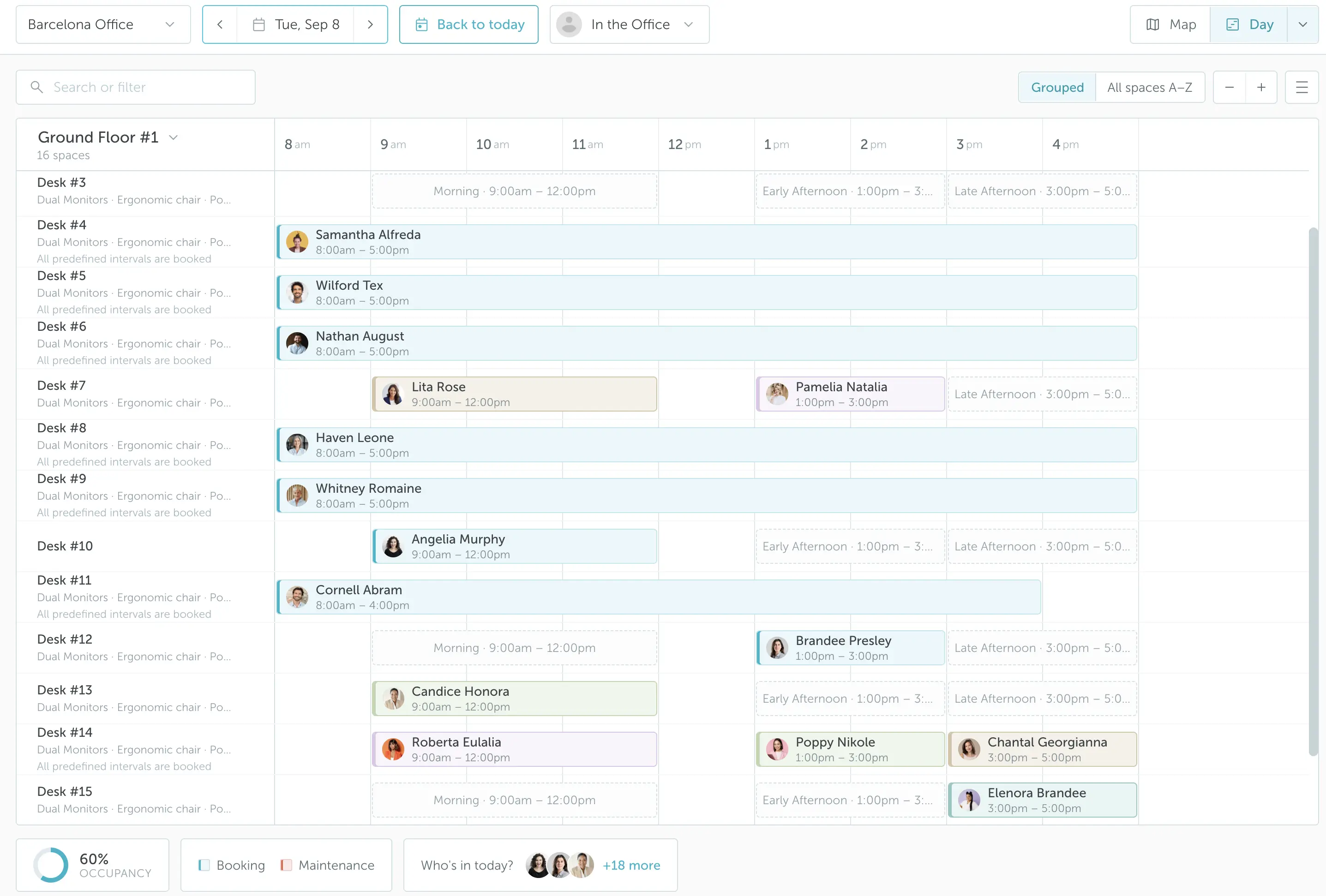
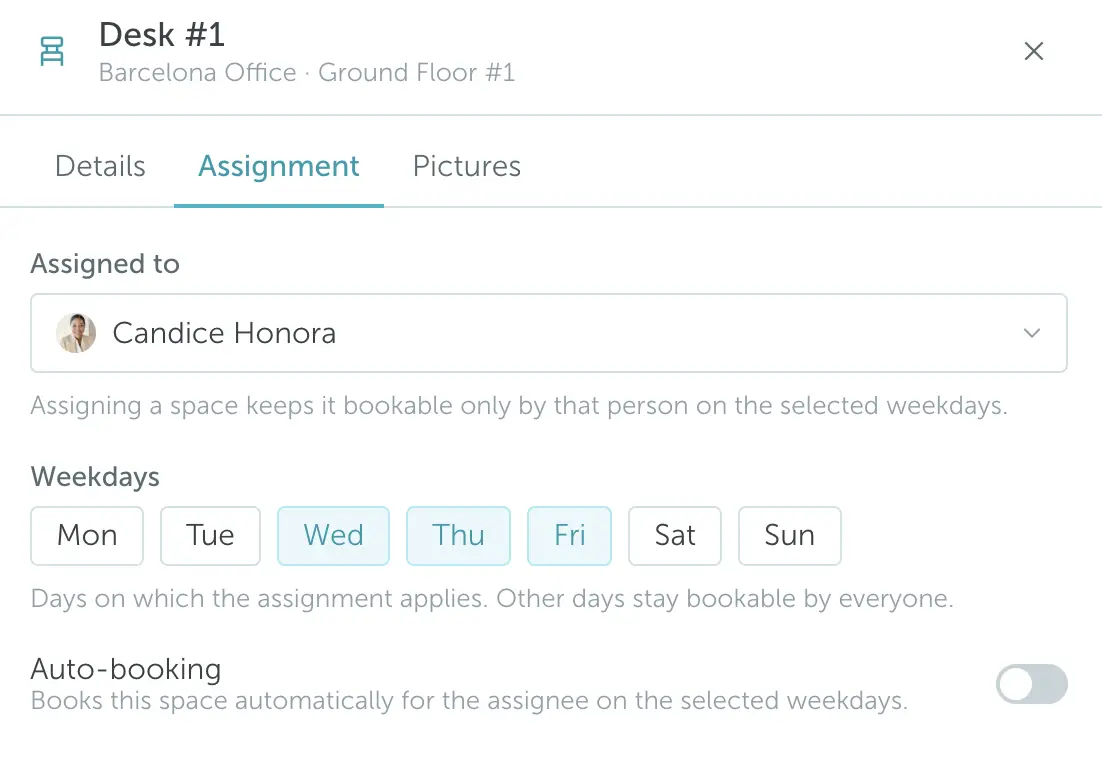
Not every desk has to be shared. Assign a desk to a person for the weekdays they come in, and YAROOMS books it for them each night. On the other days the desk is open to everyone with access.
Assigned on set weekdays
Assign a desk to an employee for specific days, for example Monday to Wednesday. See assigned spaces and auto-booking.
Open on the remaining days
On the days the owner is not assigned, other authorized users can book the desk.
Approval when you need it
Send bookings for selected desks to a manager for approval with workflows.
See how many desks you really need
Desk sharing is a decision about space. YAROOMS reports how much each desk is used, how often people check in and where no-shows happen, so you can set your desk-to-employee ratio on data.
Utilization heat map
See utilization per desk on the floor plan and spot desks and zones that sit empty.
Check-ins and no-shows
Track check-ins and no-show rates per desk, and time to check-in per person.
Plan your desk ratio
Use the data to choose a desk sharing ratio that fits how people actually use the office.
Key benefits of desk sharing in YAROOMS
Desk sharing is part of the YAROOMS workplace platform
Desk sharing runs in YAROOMS desk booking. The same platform covers meeting room booking, parking, visitor management, digital signage and service requests, so employees book a desk, a room and a parking space in one app.
YAROOMS works with Microsoft 365, Outlook, Microsoft Teams and Google Workspace. It runs as SaaS, in your own Azure or AWS tenant, or on-premise, and it is ISO 27001 certified and SOC 2 Type II audited.
Writing the rules for your office? Read our guides to a desk sharing policy and desk sharing best practices.

Desk sharing software: FAQ
Desk sharing is the general model: more employees than desks, with desks used by different people at different times. Hot desking is one way to run it, where any free desk is open to anyone. Many offices mix models, with some assigned desks, some team areas and a shared pool. YAROOMS supports all of them in the same floor plan.
Turn on check-in for the space group and set a grace period. If nobody checks in before the grace period ends, YAROOMS cancels the booking and the desk shows as free again. Booking limits per team also stop people from reserving more desks than they need.
Four methods: simple check-in in the web or mobile app, scanning a QR code on the desk, geo-fenced check-in when the employee is near the office, and check-in when the device is on the office Wi-Fi. You choose the method per space group.
Yes. Assign a desk to an employee for specific weekdays, and YAROOMS books it for them automatically. On the other days, other authorized users can book that desk. You can also keep a group of desks for one team and share the rest.
Run desk sharing for a few weeks, then check utilization, check-in and no-show data in YAROOMS analytics. These show how many desks are in use at peak times. Our desk sharing ratio guide explains how to turn that into a desk-to-employee ratio.
Yes. Employees book desks in the web app, the mobile app, Microsoft Teams and Outlook. Desks, meeting rooms and parking use the same booking flow.
See desk sharing in action
Book a live demo and see employees book, check in to and release shared desks in YAROOMS.
Related Products
Desk Booking
YAROOMS desk booking system: employees reserve desks on an interactive floor map from the web, mobile app, Teams or Outlook, in one platform with rooms and visitors.
Desk Signs
Modern desk signs that keep your office organized, even when everyone's on the move. Easily find a free desk and book it in seconds.
Room Booking System
YAROOMS is a room booking system for meeting rooms. Book from Outlook, Google Calendar, Microsoft Teams, the mobile app or a door display.
We use cookies to analyze traffic and improve your experience.
Cookie preferences
Required for the site to function
Help us understand how visitors use the site
Used to deliver relevant ads