Microsoft Teams room & desk booking app
We bring YAROOMS into the tools you already use. Save time, boost productivity, and shift from a tool-centered office to an employee-focused workplace.
 Add to Teams
Last updated: September 28, 2026

Trusted by innovative organizations worldwide







See it in action
Take a quick tour of the Microsoft Teams app and see how employees book desks and rooms without leaving Teams.
Interoperability at its best
Your workplace runs on a mix of calendars, scheduling tools, communication apps, and automation. Any new tool needs to fit into that mix—without adding friction.
When tools don't work together, it hurts. People lose focus and can feel busy without actually moving forward.

YAROOMS in Microsoft Teams
Book desks and rooms from Teams. No new tools, no learning curve.
Quick setup
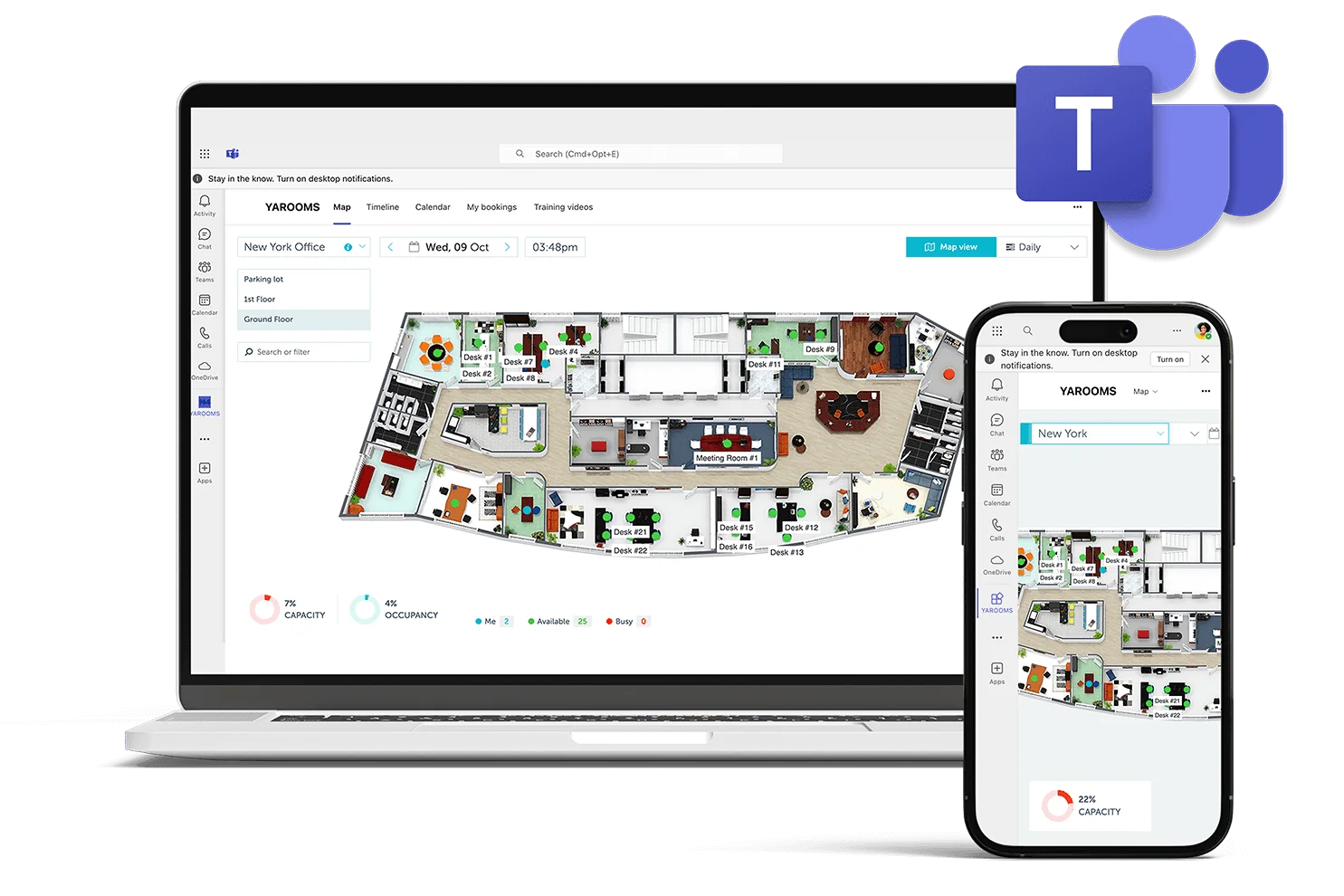
Add YAROOMS as a Teams channel tab or personal app. Roll out to your whole organization in minutes.
Book from Teams
Book rooms, desks, and workspaces directly in Microsoft Teams. Check in to signal you're in the office.
No training needed
Familiar Teams interface. Book a desk or room in seconds—first-time users get it right away.
Yarvis: the AI-powered workplace agent
Yarvis is the AI workplace agent in Microsoft Teams. Use natural language and simple commands—like talking to a friend—to handle complex booking and scheduling: multiple reservations, recurring bookings, and finding spaces by amenities.
Learn more about Yarvis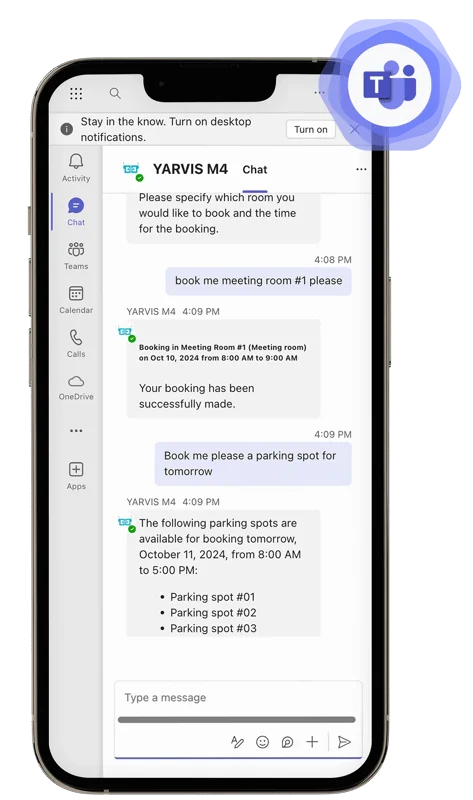
YAROOMS and Microsoft Teams in action
By implementing the YAROOMS Workplace solution via Microsoft Teams, Cerved succeeded in organizing a rapid return back to the office.
2K
Employees
13
Locations
7
Days
"The full adoption of all the Microsoft services in the cloud is helping our company to complete the digital transformation. During the last year, we made a big jump forward in terms of remote collaboration, endpoint management and security, resiliency and business continuity. We're implementing our New Way of Working introducing the concept of Modern Workplace: same experience, same level of security wherever you are. Teams is the collector of all company services and apps and YAROOMS is one of the more useful ones."

Damiano Tarantino
Head of IT Architecture and Infrastructure, Cerved
Microsoft Teams: FAQ
Pros:
- It’s a great way to communicate with a team or group of people. You can have multiple chats going at the same time, and it’s easy to find past conversations.
- The interface is clean and easy to use.
- You can easily share files, images, and links.
- It integrates well with other Microsoft products, like Outlook and Office 365.
Cons:
- Not everyone is familiar with it yet, so you may have to explain how it works to some people.