
Workplace management in government & public sector
Support hybrid work, eliminate space waste, and ensure compliance with a platform designed for the pace and complexity of public sector operations.
Last updated: February 21, 2026
Trusted by innovative organizations worldwide





Enterprise-grade security
Your data is protected with industry-leading certifications


Workplace management platform for government agencies
If you're responsible for facilities, IT systems, HR policy, or hybrid work strategy in a government agency or public institution, you've likely faced:
Offices sitting half-empty while space requests keep growing
No clear data on who's working in-office and when
Confusion around hybrid work rules and no easy way to track compliance
Visitors, contractors, or partner agency staff arriving without a plan
IT strain from disconnected tools and legacy systems
Manual audit and policy reporting that slows decisions and increases operational risk
How YAROOMS supports government agencies
YAROOMS is a one-stop platform to manage hybrid work, shared spaces, and visitors — plus get the data you need for reporting and better planning. Built for the structure, scale, and compliance needs of government agencies.
Flexible space booking
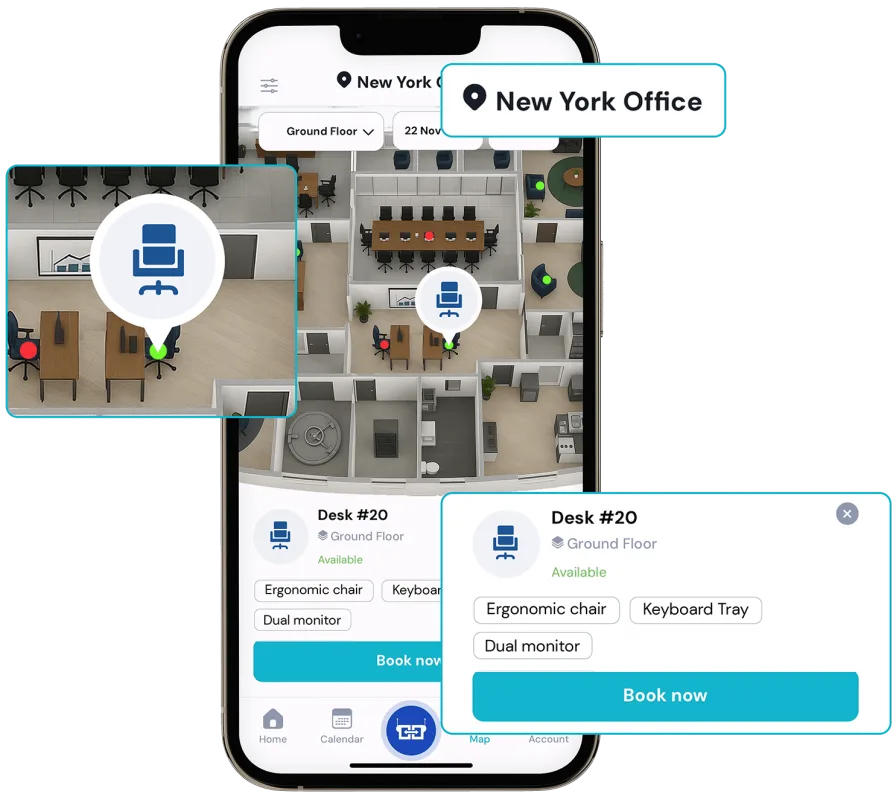
Interactive floor maps
Staff can book desks and rooms directly from an interactive office map showing real-time availability.
Flexible space & resource types
Support various space types: hot desks, assigned desks, meeting rooms, parking lots, and more.
Pre-booking and recurring reservations
Allow employees to reserve their spaces in advance or set up recurring bookings to match their in-office routine.
Hybrid work with structure and accountability
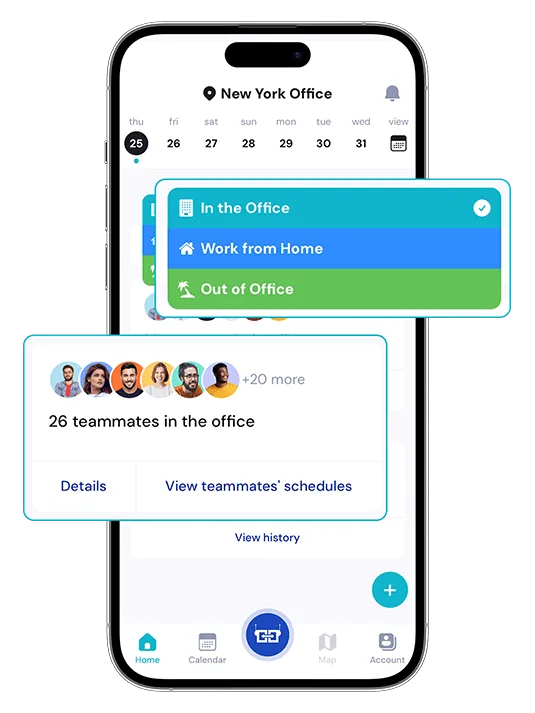
Hybrid work status calendar
Employees can plan their hybrid schedule by setting a status. Everyone can see who’s where in a shared team calendar.
Work from home threshold
Define your hybrid work policy (e.g. 2 days/week in the office or 50/50 over two weeks). Employees plan their schedules accordingly.
Hybrid work analytics
Managers can easily see who’s been in the office and how it matches your hybrid policy. No chasing, just clear information when it’s needed.
Professional visitor & contractor management
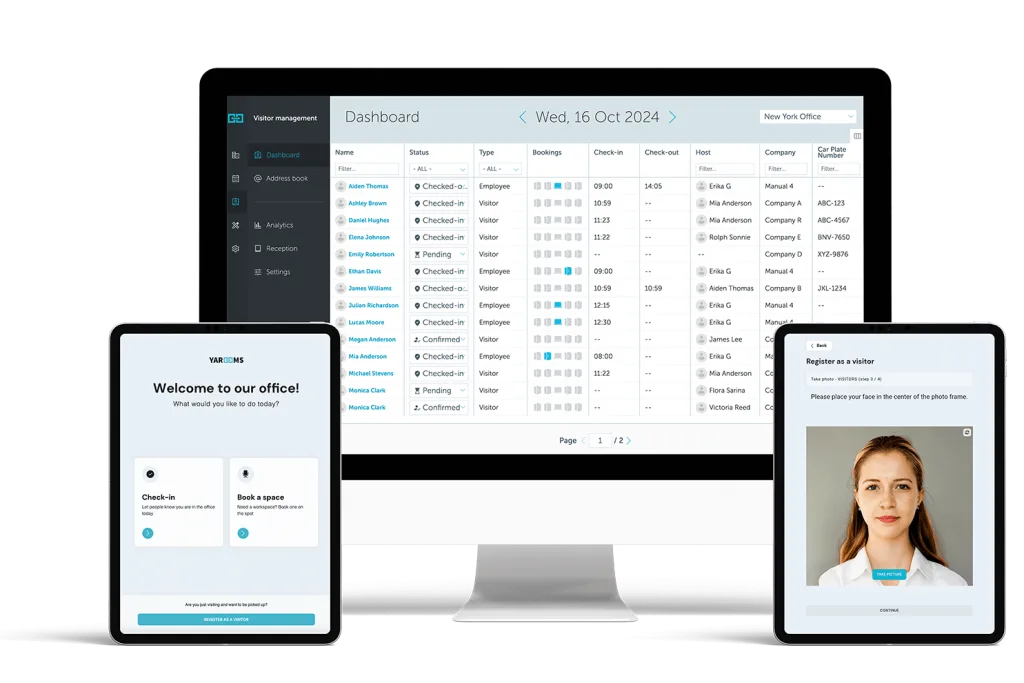
Smart check-in workflows
Visitors check in using a modern digital reception application. The visitor management system automatically notifies hosts.
Custom registration by visitor type
Set custom registration flows for contractors, vendors, or inter-agency guests — including document uploads, photo capture, or policy consent.
Compliant digital visitor logs
Automatically capture visit history, host details, and timestamps — supporting audit trails and incident tracking.
Easy integration with your technology stack
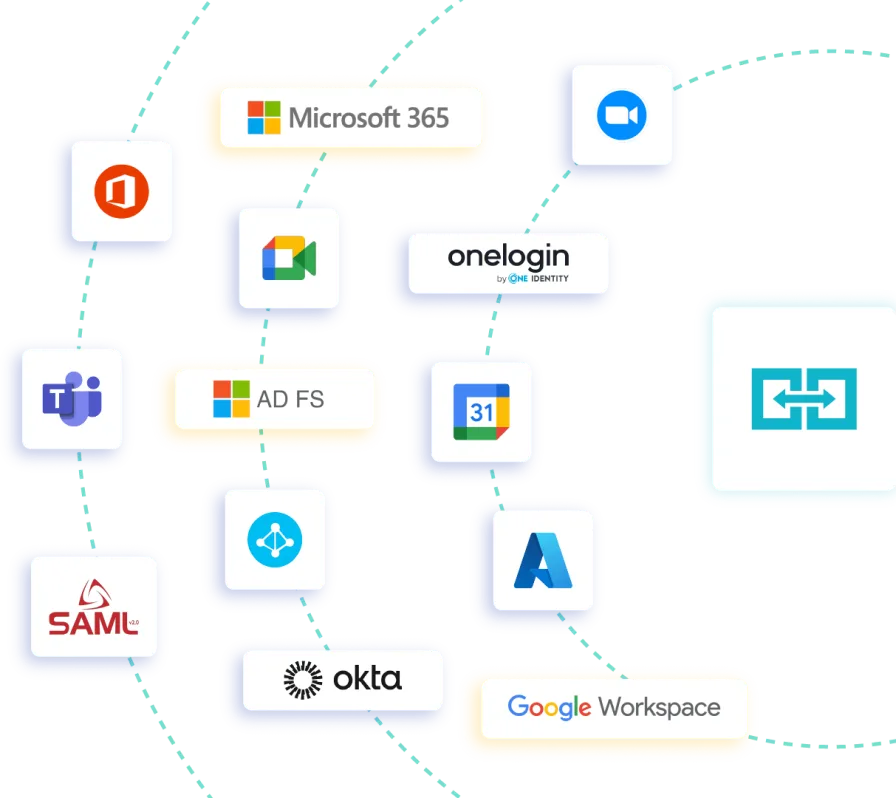
Outlook & Teams integration
Employees can book resources directly from Outlook or Teams, without switching apps.
Single sign-on (SSO) integration
Activate SSO and automatic user provisioning. Everyone gets the right access, without the IT overhead.
Flexible hardware options
YAROOMS applications are hardware agnostic. Use what works best for your organization — no need to replace devices or commit to a specific brand.
Data-driven space optimization
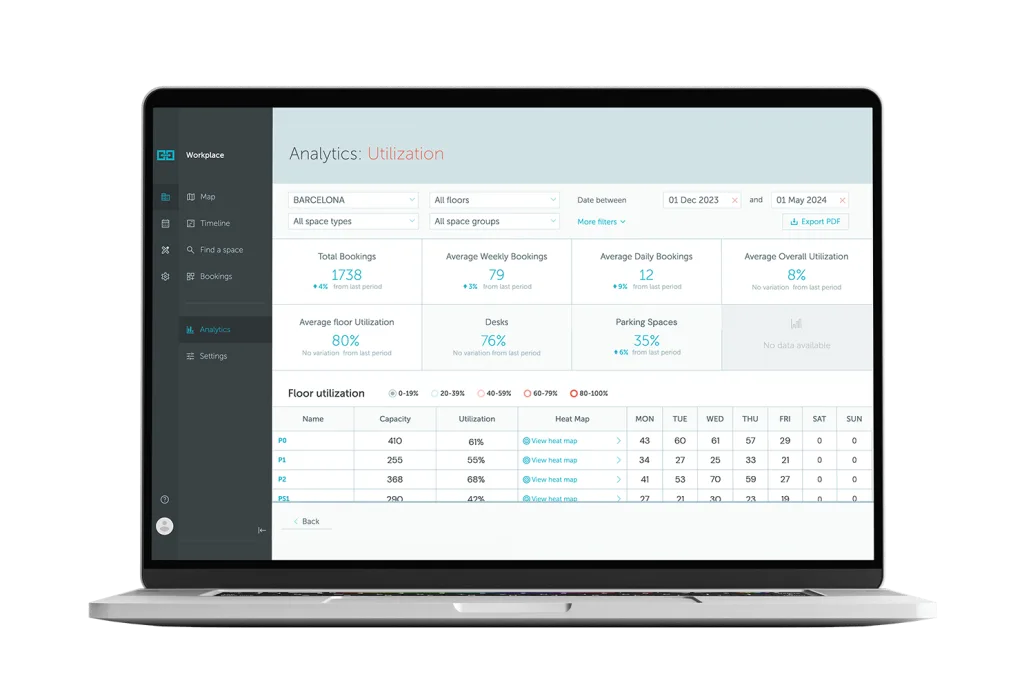
Utilization dashboards
Track usage of desks and meeting rooms over time. Identify what’s overbooked, underused, or misaligned with your policies.
Office heat maps
Visualize occupancy patterns by location to inform real estate planning and shift scheduling.
Hybrid behavior analysis
See when and how often employees come in, helping you evaluate and evolve hybrid work models with confidence.
Secure and compliant workplace management
Industry-leading certifications
Our commitment is backed by ISO 27001, ISO 27701, ISO 9001, ISO 14001, SOC2 Type 2, and GDPR compliance.
Strict safeguards
We have strict safeguards in place to ensure the safe development and deployment of the YAROOMS platform.
Built for compliance
Designed for the structure, scale, and compliance needs of government agencies and public institutions.
Less chaos. More control.
With YAROOMS, government agencies can:
One platform. Built for the way government agencies work.

Rated 4.6/5 from 102 reviews on Capterra

YAROOMS is simple, beautiful and very user-friendly
We were happy to adopt a solution that everyone can start using in minutes — it’s that straightforward. The floor map makes a big difference when booking spaces; not all solutions we looked into provided this much visibility. YAROOMS has become our key tool in building a future-proof workplace strategy. — Emily Rodríguez, HR Coordinator
FAQ: YAROOMS for government agencies
Related Products
Desk Booking
YAROOMS desk booking system: employees reserve desks on an interactive floor map from the web, mobile app, Teams or Outlook, in one platform with rooms and visitors.
Office Visitor Management System
Office visitor management system with pre-registration, QR and kiosk check-in, badge printing, host alerts, NDA signing and a searchable visitor log.
Hybrid Workplace
Seamlessly manage people and spaces in a flexible work environment with modern and user-friendly hybrid workplace software.
Manage your workplace smarter
Learn how forward-thinking government agencies use YAROOMS to manage spaces, resources, and people experiences. Join us for a Live Demo or watch the On-demand Platform Tour.