Jump to:
1. Visitor Management Dashboard
Visitor Management dashboard (Visitor Management → Dashboard) is a list of visits by day. You can see past or future visits by navigating the date selector at the top of the dashboard.
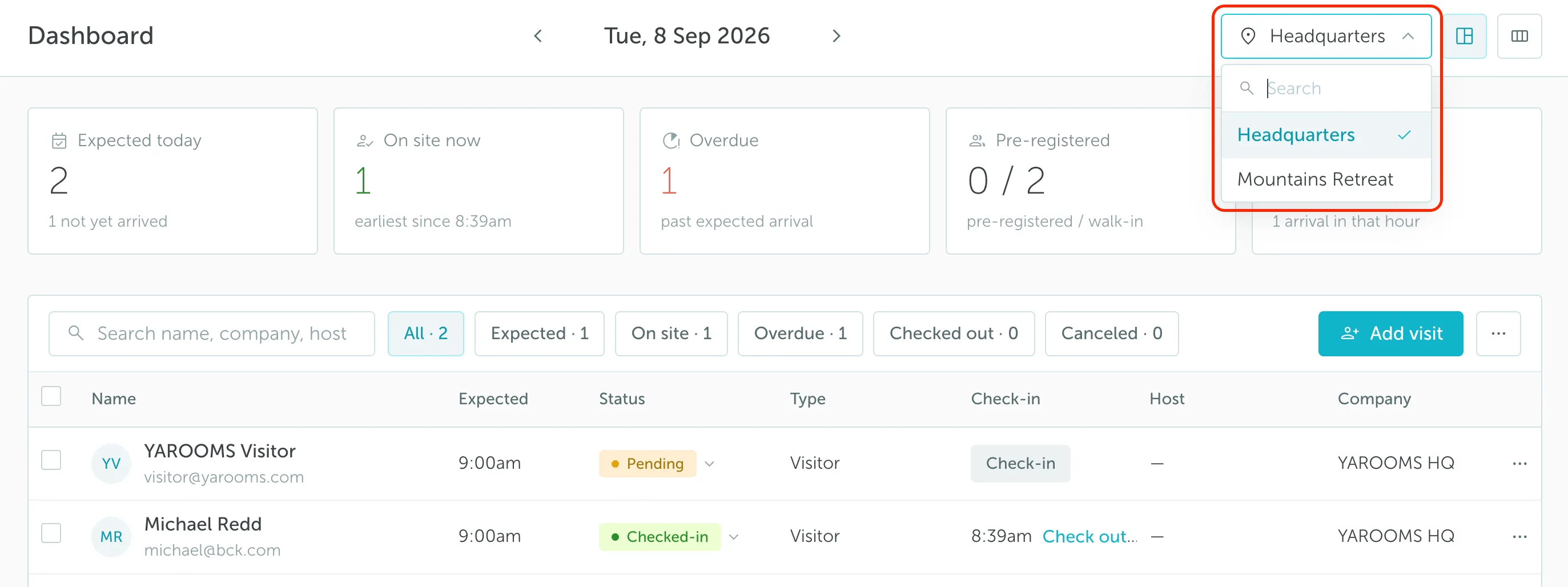
Administrators have access to Visitor Management dashboards for all company locations. Use the location selector in the top right corner to switch between them.
There are three ways visitors can appear in the dashboard:
- By being manually registered by reception staff.
- By being added automatically from meeting bookings when Pre-register guests from meeting bookings is enabled in Visitor management → Settings.
- By forwarding an invitation to visitors@yarooms.com when Let hosts register visits by email is enabled in Visitor management → Settings.
2. How to customize your Visitor Management dashboard
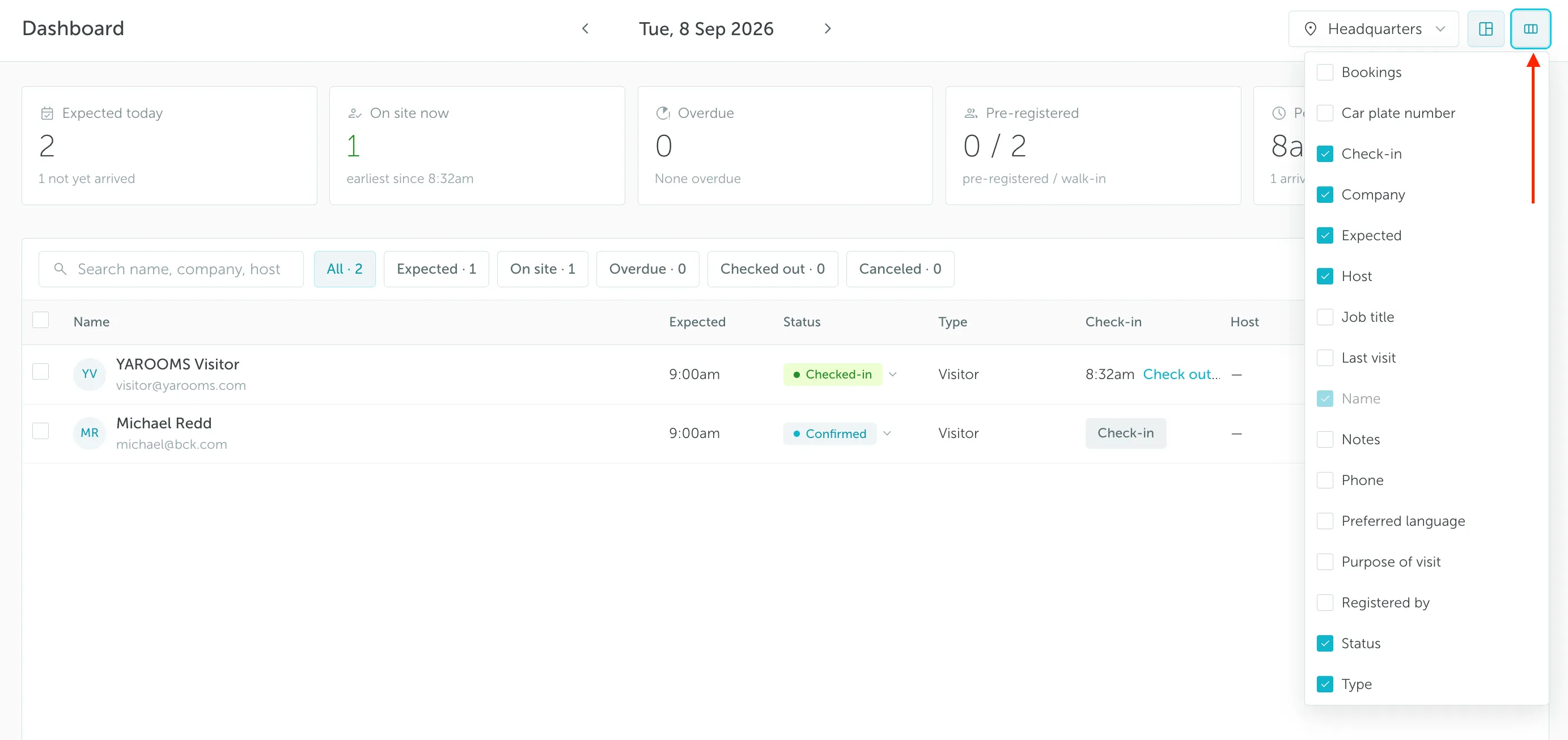
The visitor management dashboard can display the following visitor information:
- Name (the name of the visitor)
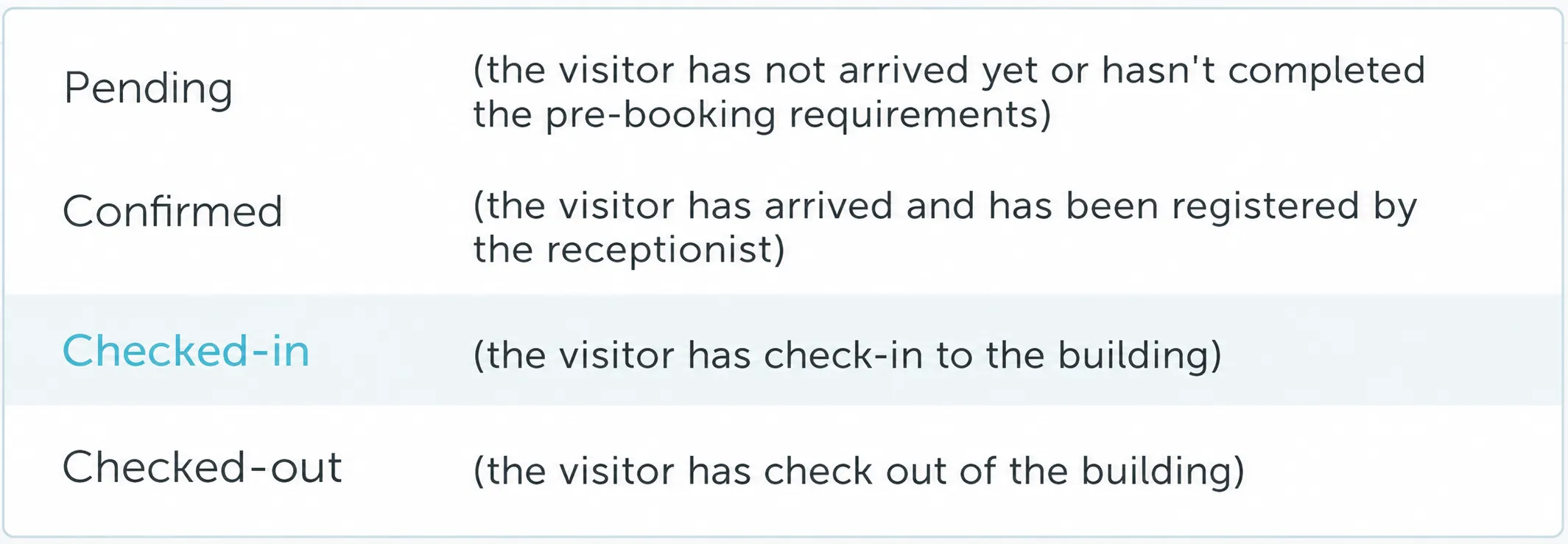
- Status (the visitor’s status for that day: Pending, Confirmed, Checked-in, or Checked-out)
- Type (mention if the person is an actual visitor/external or one of your employees)
- Phone number (the phone number of the visitor)
- Job title (the visitor’s professional position or role title)
- Host (the person who booked the event / the inviter)
- Email (the email of the visitor)
- Company (the company that the visitor works for)
- Bookings (highlighted logo of the type of booking they are attending)
- Check-in (the exact time the visitor arrived)
- Check-out (the exact time the visitor left)
- Car plate number (the visitor’s car plate number)
If you want to add or remove details from your dashboard, click the columns icon in the top right corner and select the fields you want to display.
Keep in mind that Visitor Management (VM) check-in/check-out is separate from booking check-in/check-out. VM check-in/check-out refers to arrival and departure at the location where the visit takes place.
For example, if you have multiple bookings in a day, you will only perform one VM check-in, which happens when you arrive at the building.
3. Address book
The Address book is a company-wide contact database. Here, reception staff can manage employee and visitor contacts.
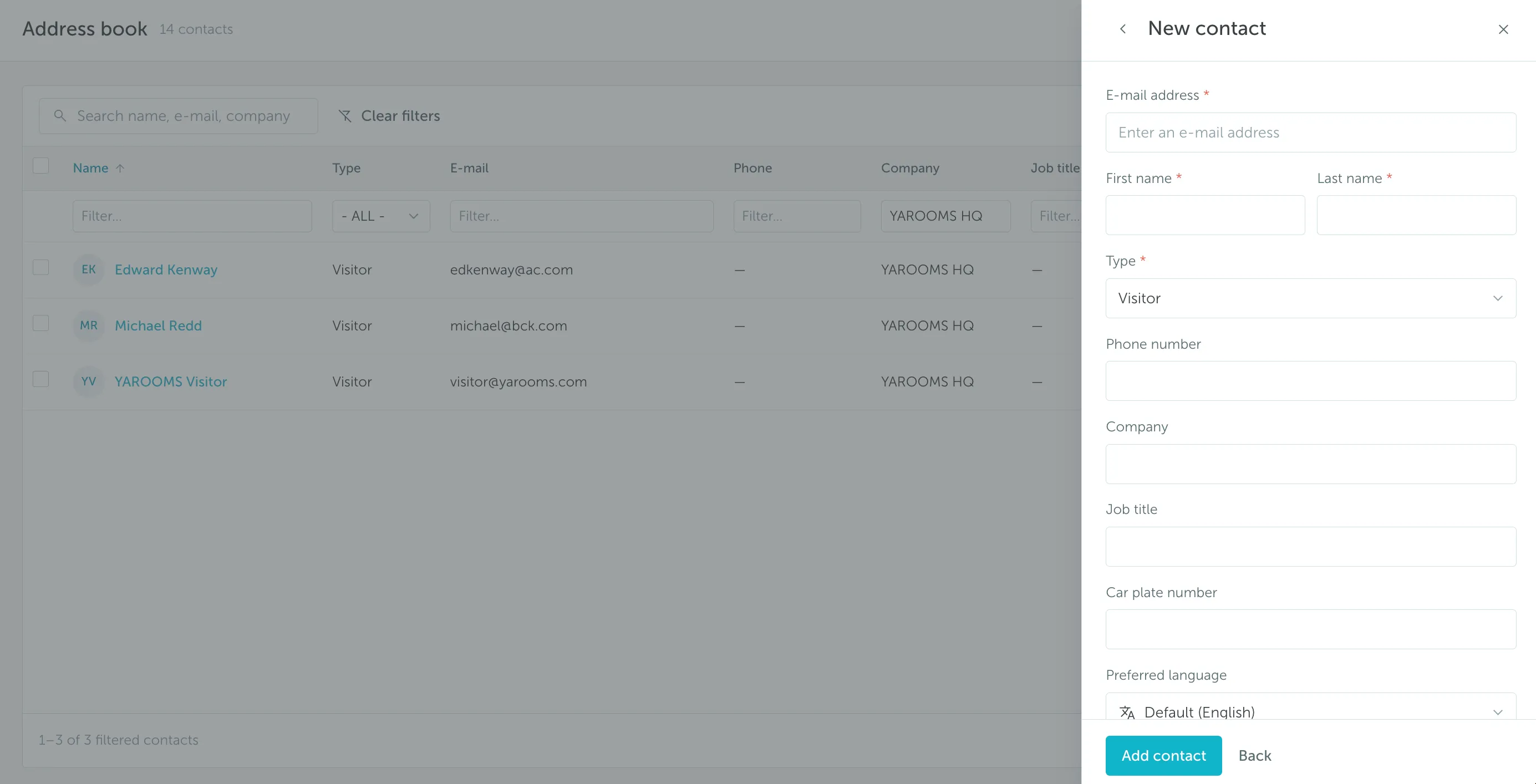
To add a new contact, go to Visitor Management → Address book → Add contact, fill in the details in the New contact panel, and save.