
Jump to:
1. What is the visitor blacklist and how does it work?
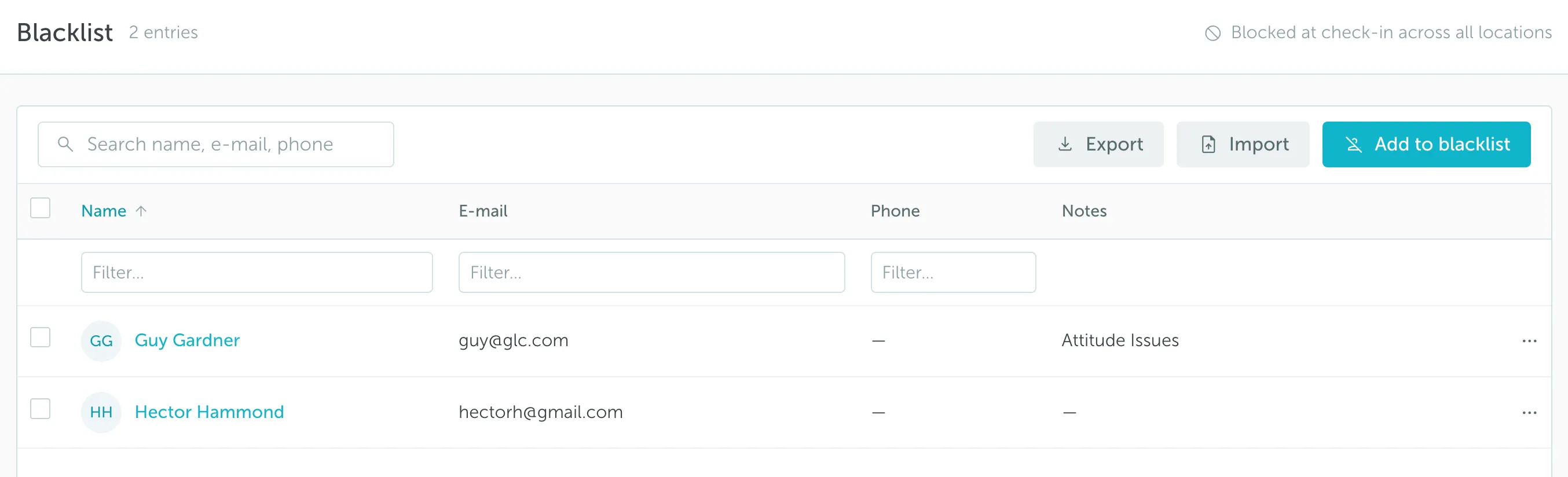
YAROOMS Visitor Management System allows screening visitors against your company’s blacklist on a location basis.
You can add people to the blacklist by entering their details in YAROOMS.
When someone is pre-registered or checks in, the system automatically checks their details against the blacklist.
If there is a match, the registration or check-in will not go through, and the assigned staff members will be notified immediately.
2. How to enable or disable the visitor blacklist
By default, the blacklist feature is turned off. To enable it:
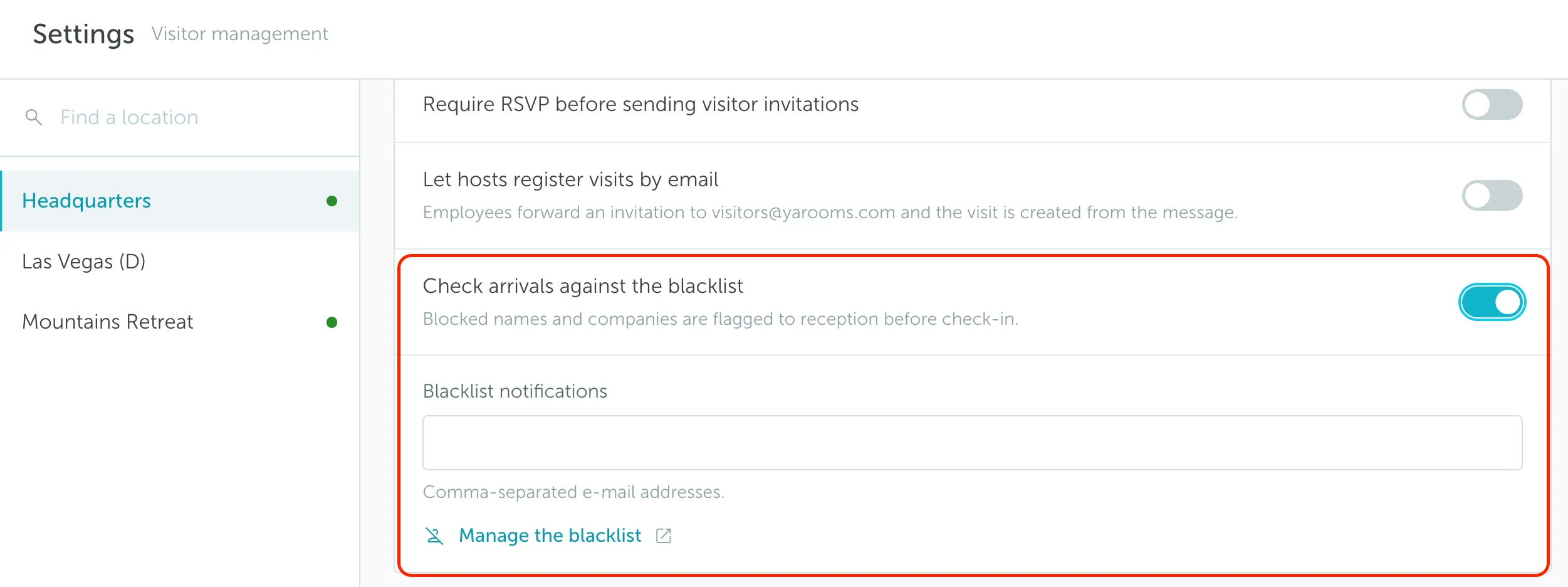
- Go to Visitor management → Settings and select a location.
- Find Check arrivals against the blacklist.
- Switch it on to activate visitor screening.
To disable it again, simply switch the toggle off.
Once you enable visitor screening, add the emails of staff members who should be notified if a blacklisted visitor tries to register or check in. You can add multiple email addresses by separating them with commas. The addresses do not need to belong to YAROOMS users.
If you leave the field empty, no notifications will be sent when a blacklist match occurs.
3. Controlling access to the blacklist
You can manage who has permission to view, edit, or override entries on the blacklist. This ensures that only authorized team members can make changes or allow exceptions.
To control access:
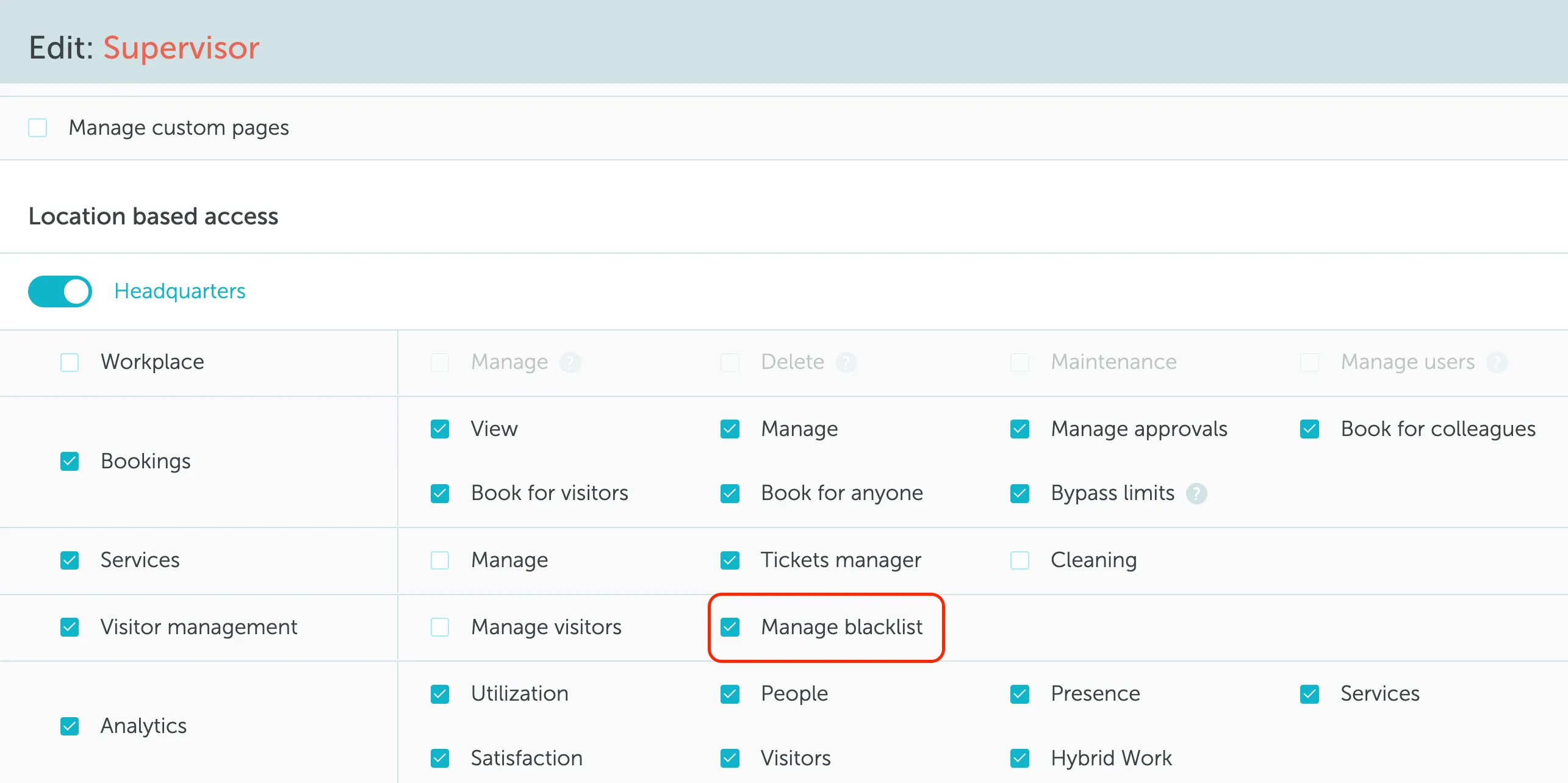
- Go to Settings → Manage users → Roles and select a role.
- In the Visitor management section, find Manage blacklist and assign it to the role.
Only roles with this permission can:
- View or edit the blocked visitor list
- Add or remove contacts
- Override a blocked visitor match