
Jump to:
1. What is Purpose of visit
Purpose of visit is an optional dropdown field you can add to visitor registration. When enabled, it asks visitors to pick a reason for their visit (such as “Interview”, “Meeting”, or “Delivery”) from a list of options that you manage per location.
The selected purpose is stored on each visit, not on the contact, so returning visitors can have a different purpose every time.
2. Enabling and configuring Purpose of visit
Go to Settings → Visitors and pick the location you want to configure. The Enable purpose of visit toggle is at the bottom of the location settings.
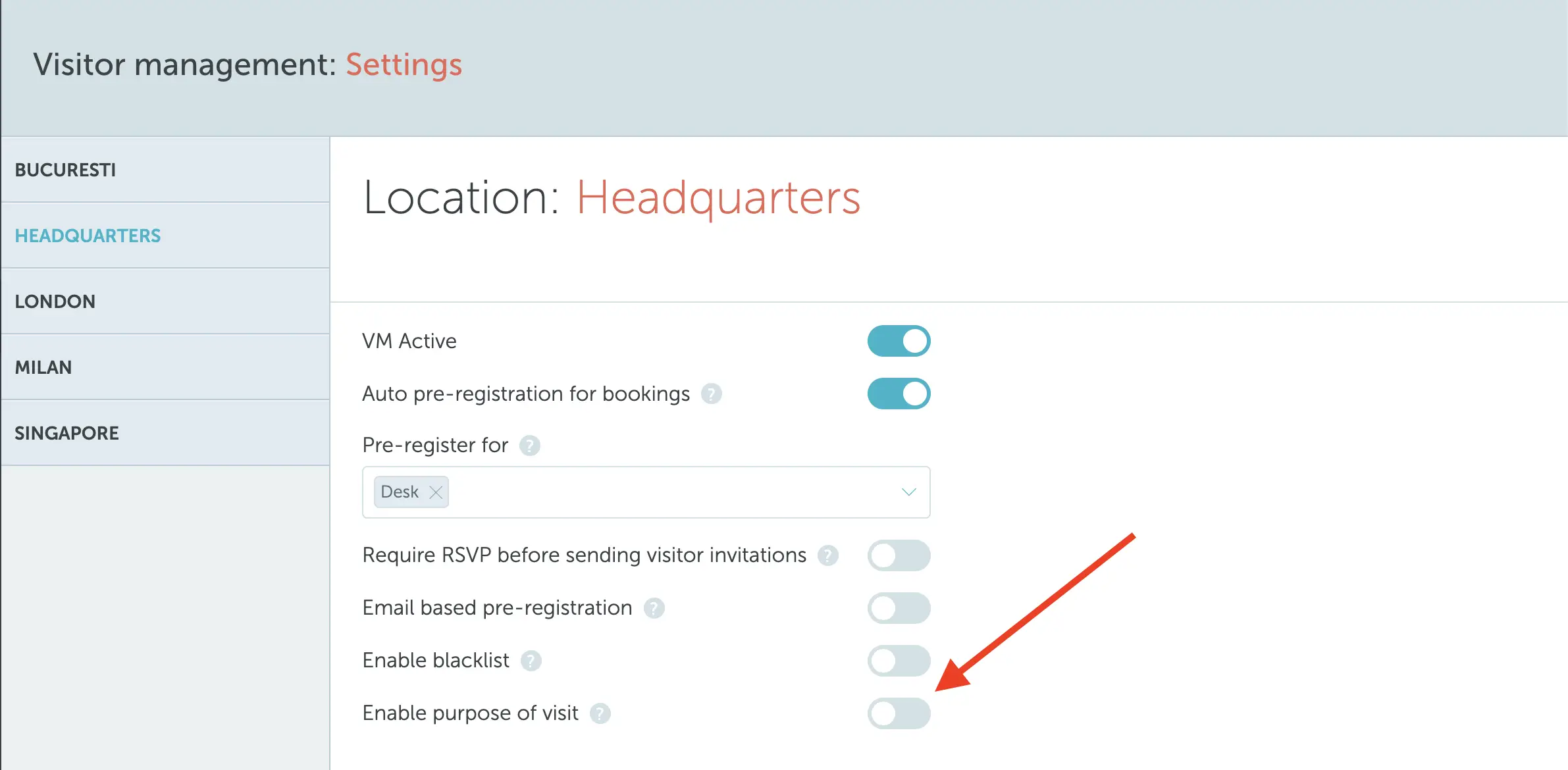
Once enabled, you will see three fields to configure:
- Enable purpose of visit (toggle): turns the field on or off for this location. When on, the dropdown appears in all registration flows.
- Require purpose of visit (toggle): when on, visitors must select a value before they can complete registration. When off, the field is shown but can be left empty.
- Purpose of visit options: a tag-style list where you add the values that should appear in the dropdown (for example: Interview, Meeting, Lunch, Delivery, Coffee).
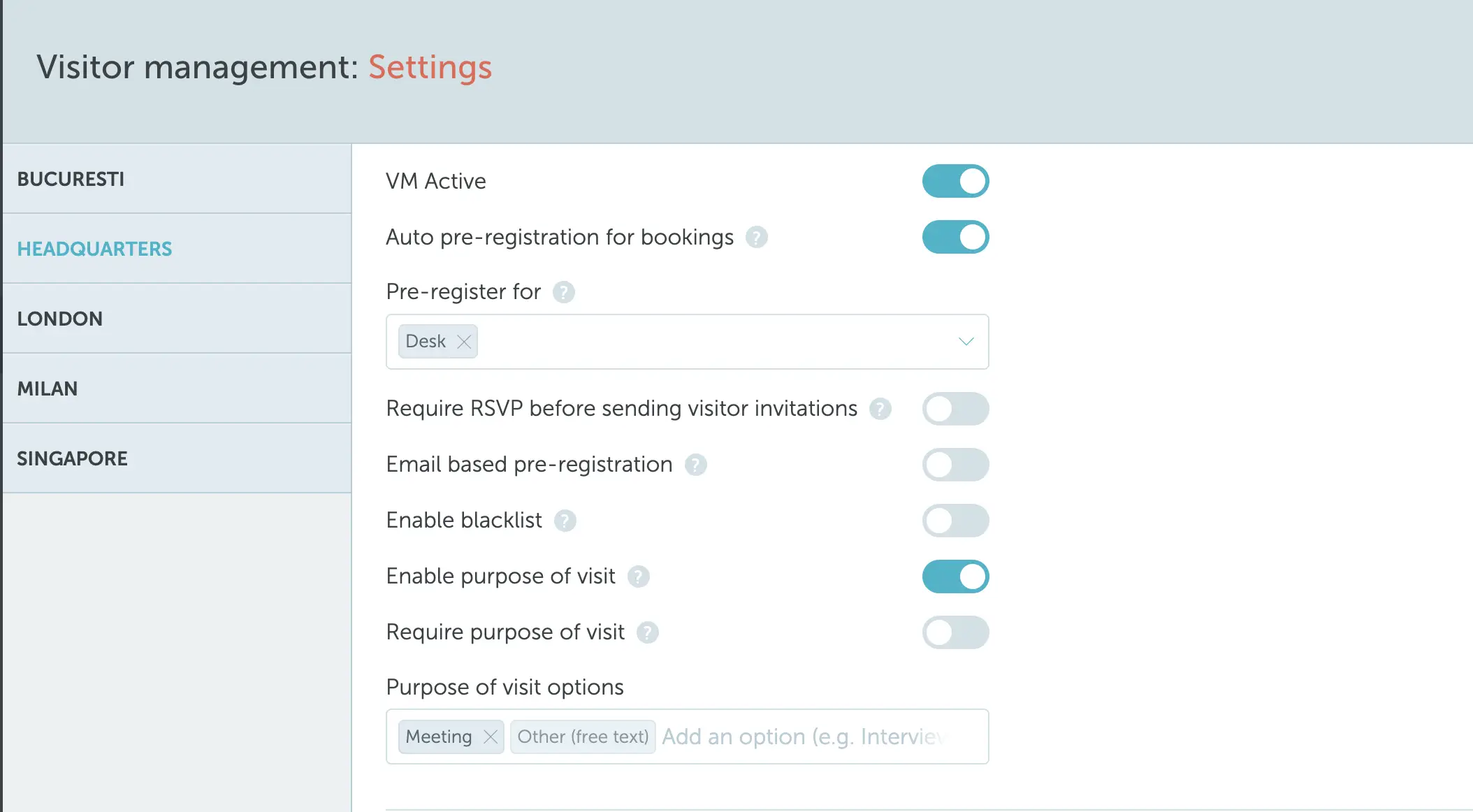
An Other option is always available in the dropdown. When a visitor selects it, they can type a free-text description of their reason for visiting.
Settings are saved per location, so different offices can use different lists.
3. Where the field appears
Once enabled, the Purpose of visit dropdown shows up in every registration flow:
- Self-registration (the link visitors get by email): appears as the first step.
- Reception device: appears as a step in the on-site flow.
- Dashboard “Add visit” for an existing contact: appears just above the Notes field.
- Dashboard “New contact” registration: appears as part of the form.
If the field is marked as required, registration cannot be completed without selecting a value.
4. Viewing and filtering by purpose
After a visit is created, the selected purpose is visible in two places:
- Visits table in the dashboard: a new Purpose of visit column shows the value for each visit. The column is filterable, so you can quickly find all visits with a specific purpose (for example, all interviews this month).
- Visit info view: the purpose is shown alongside other visit details.
Note: Visits created before Purpose of visit was enabled show an empty cell in the column and a dash in the visit info view.