
1. Schedule overview
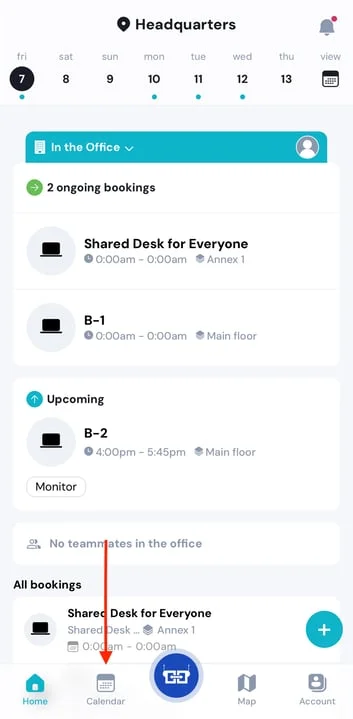
Open the YAROOMS Mobile app to see your schedule by tapping on the Calendar button on the lower left part of the screen.
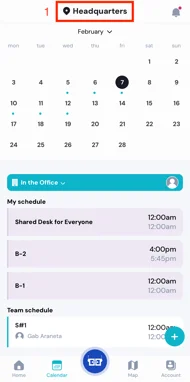
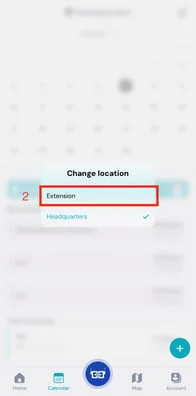
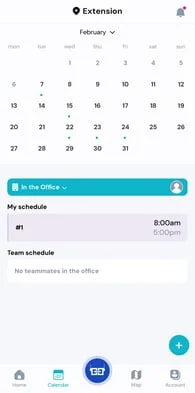
The schedule overview is displayed by location. If you want to check your schedule in another office building or location, press the location name at the top of the screen to view the other available locations. Tap on a location and you’ll see what bookings are awaiting for you there.
2. How to cancel and edit your bookings
To cancel or edit your reservation, simply press on the booking (either from the Home Page, or Calendar Page) and to view the available options.
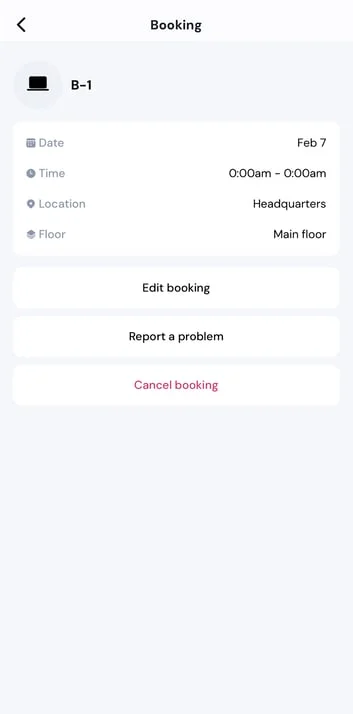
If you choose to cancel the booking, the system will ask you to confirm your decision. Once confirmed, the reservation will be deleted from the overview.
Press “Edit” if you want to change time of your booking or add additional details to it. Don’t forget to save your selection.