
Jump to:
What you will need
- A YAROOMS account with an active subscription
- ChatGPT Pro, Team, Enterprise, or Edu plan (Developer Mode is not available on the free plan)
Step 1: Open Settings
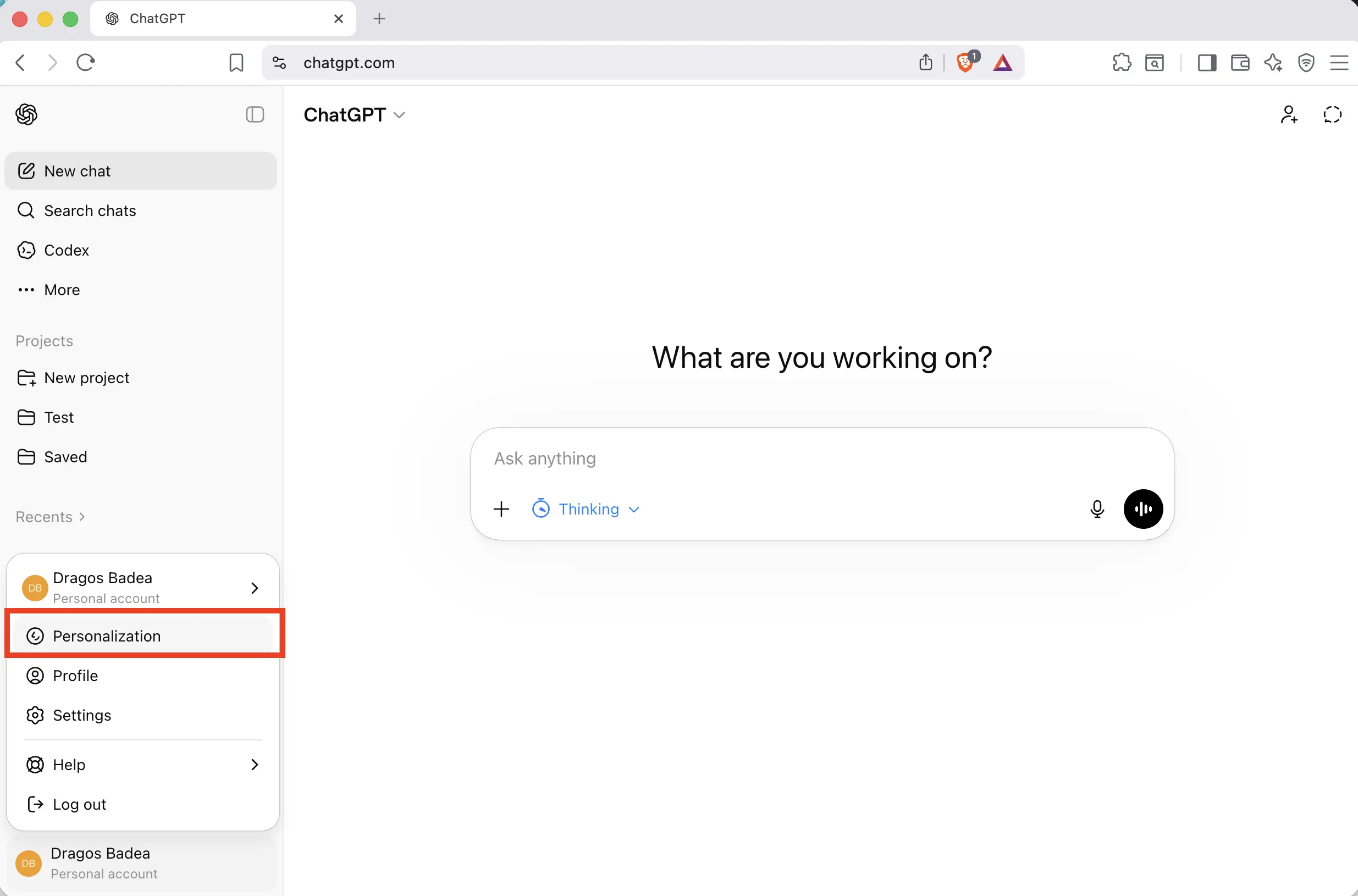
Open ChatGPT and click your name in the bottom-left corner to open the menu. Click Personalization.
Step 2: Go to Apps
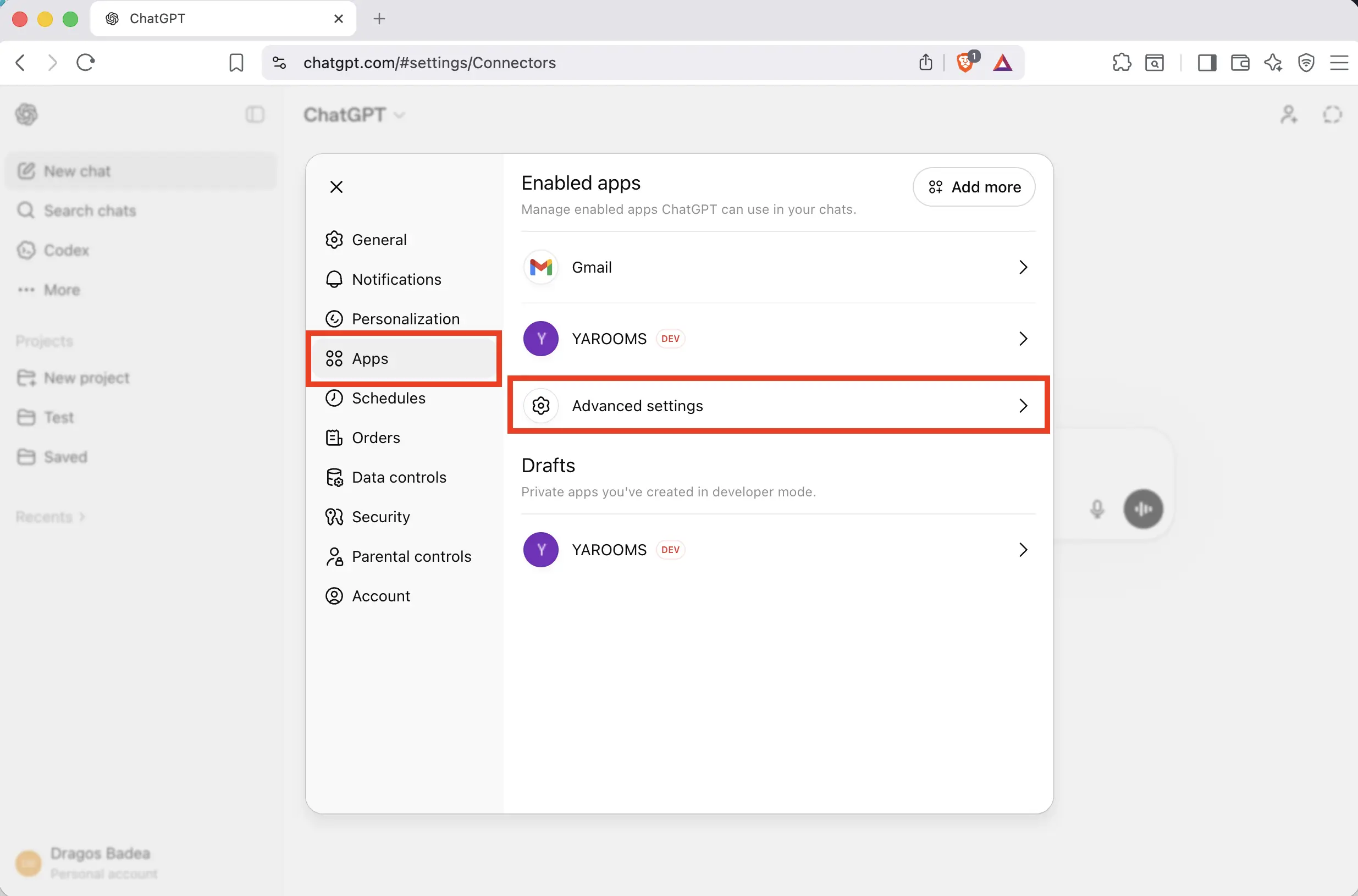
In the Settings sidebar, click Apps. Then click Advanced settings on the right side of the page.
Step 3: Enable Developer Mode and create an app
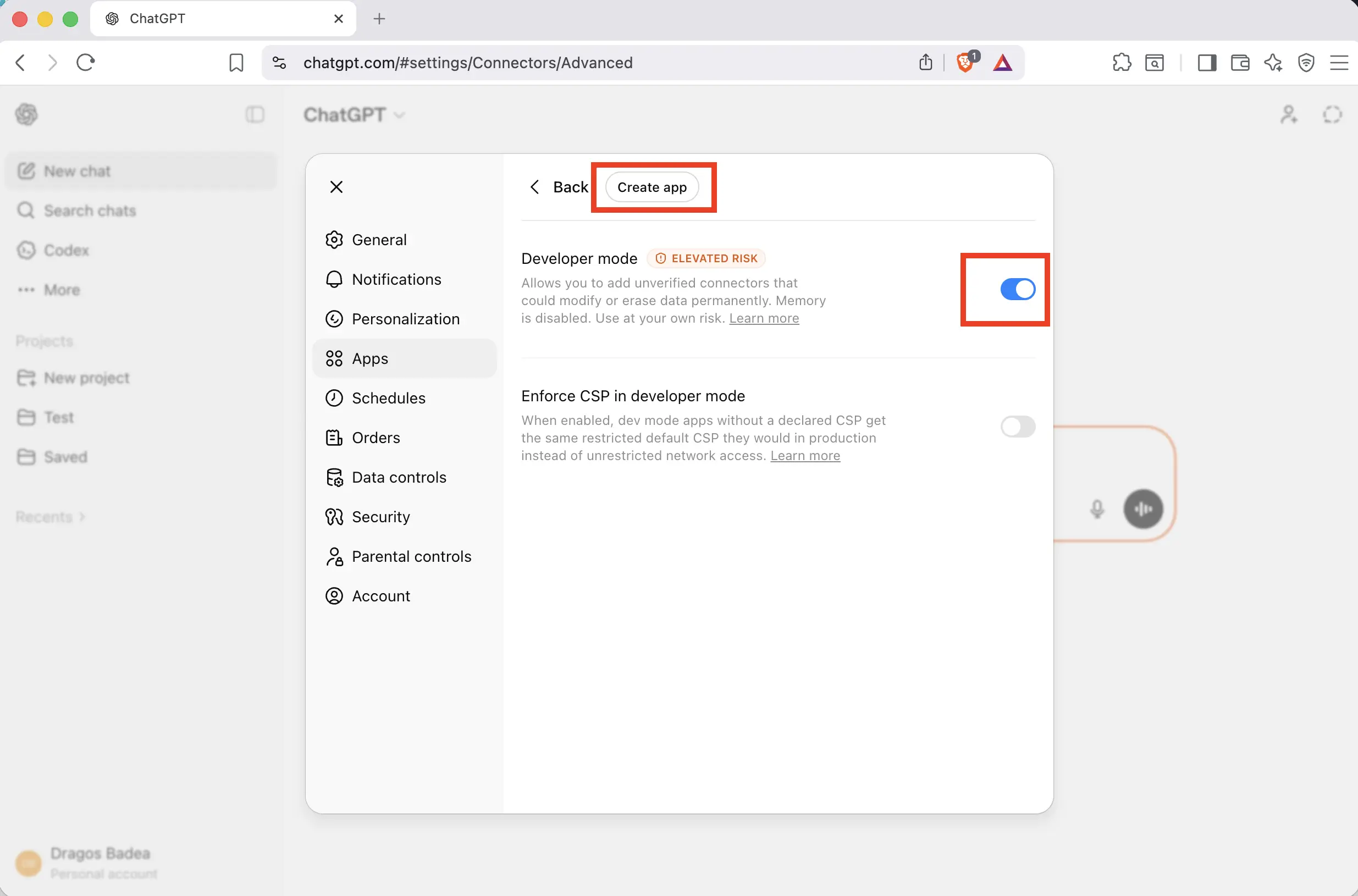
Toggle Developer mode to ON. Then click the Create app button at the top of the page.
Step 4: Configure the YAROOMS app
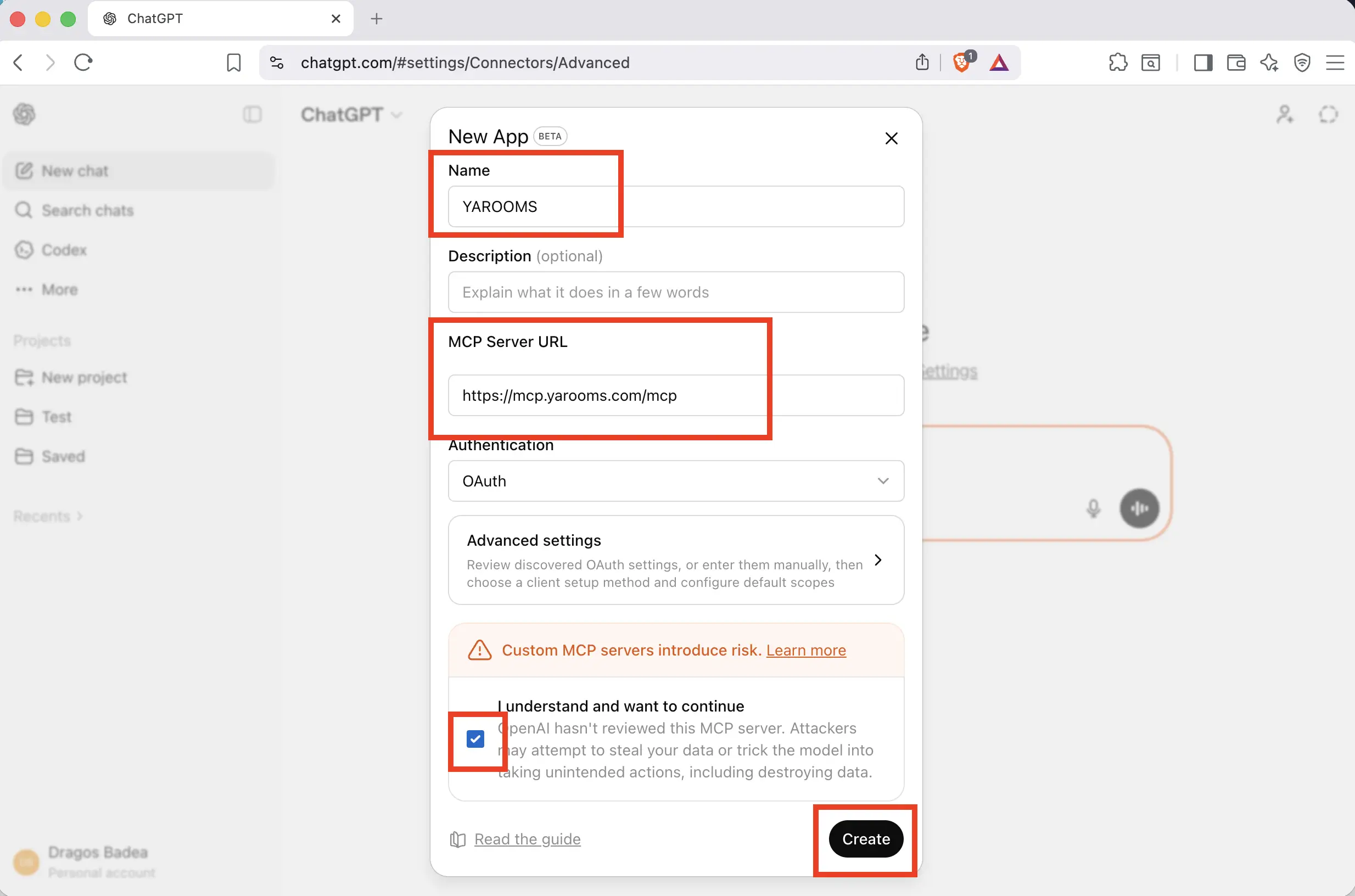
In the “New App” dialog, fill in the following:
- Name: YAROOMS
- MCP Server URL:
https://mcp.yarooms.com/mcp - Authentication: OAuth (selected by default)
Check the I understand and want to continue checkbox, then click Create.
Step 5: Sign in to your YAROOMS account
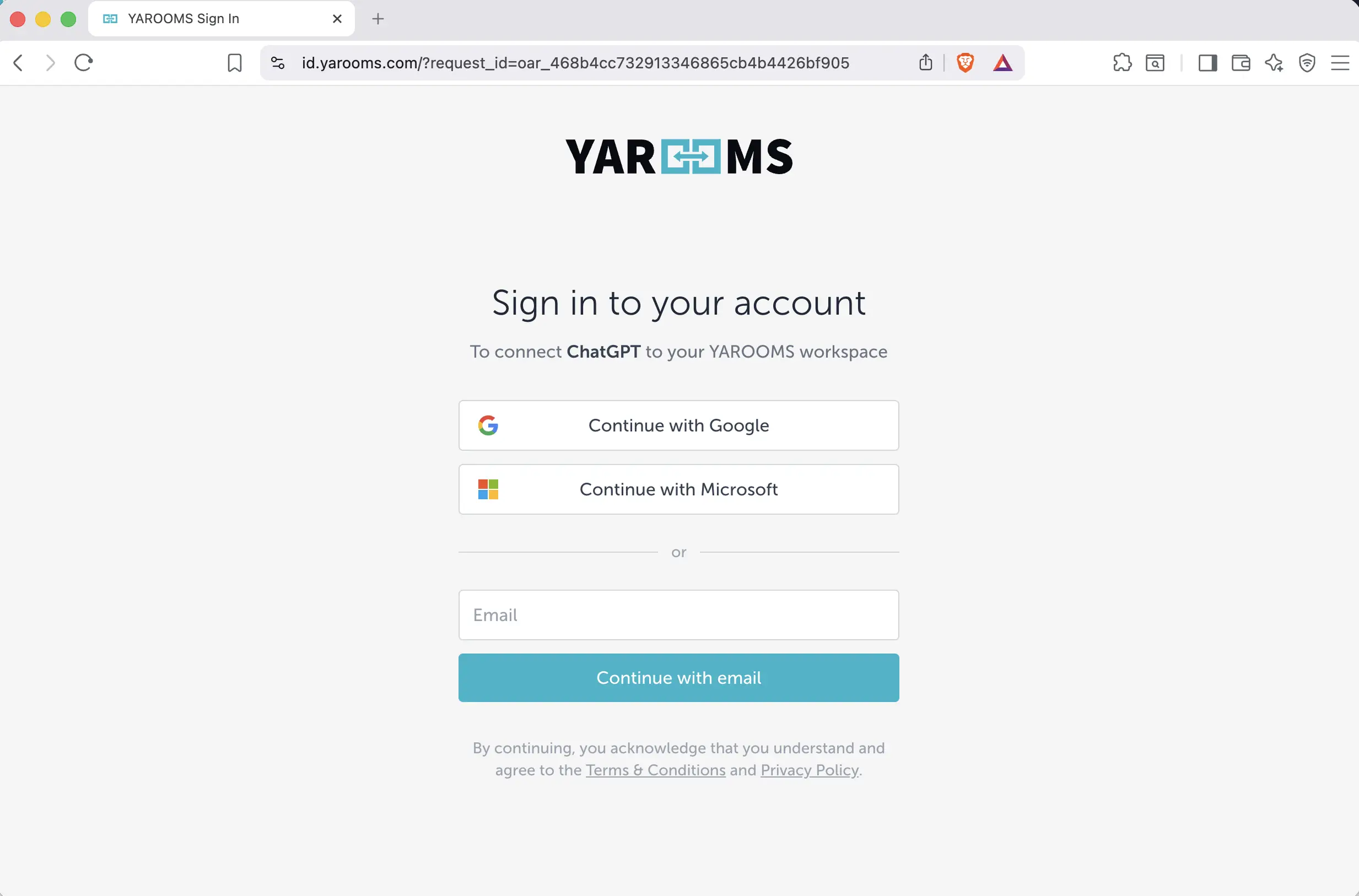
A YAROOMS sign-in page will open in your browser. Log in using your preferred method: Google, Microsoft, or email.
Step 6: Verify the connection
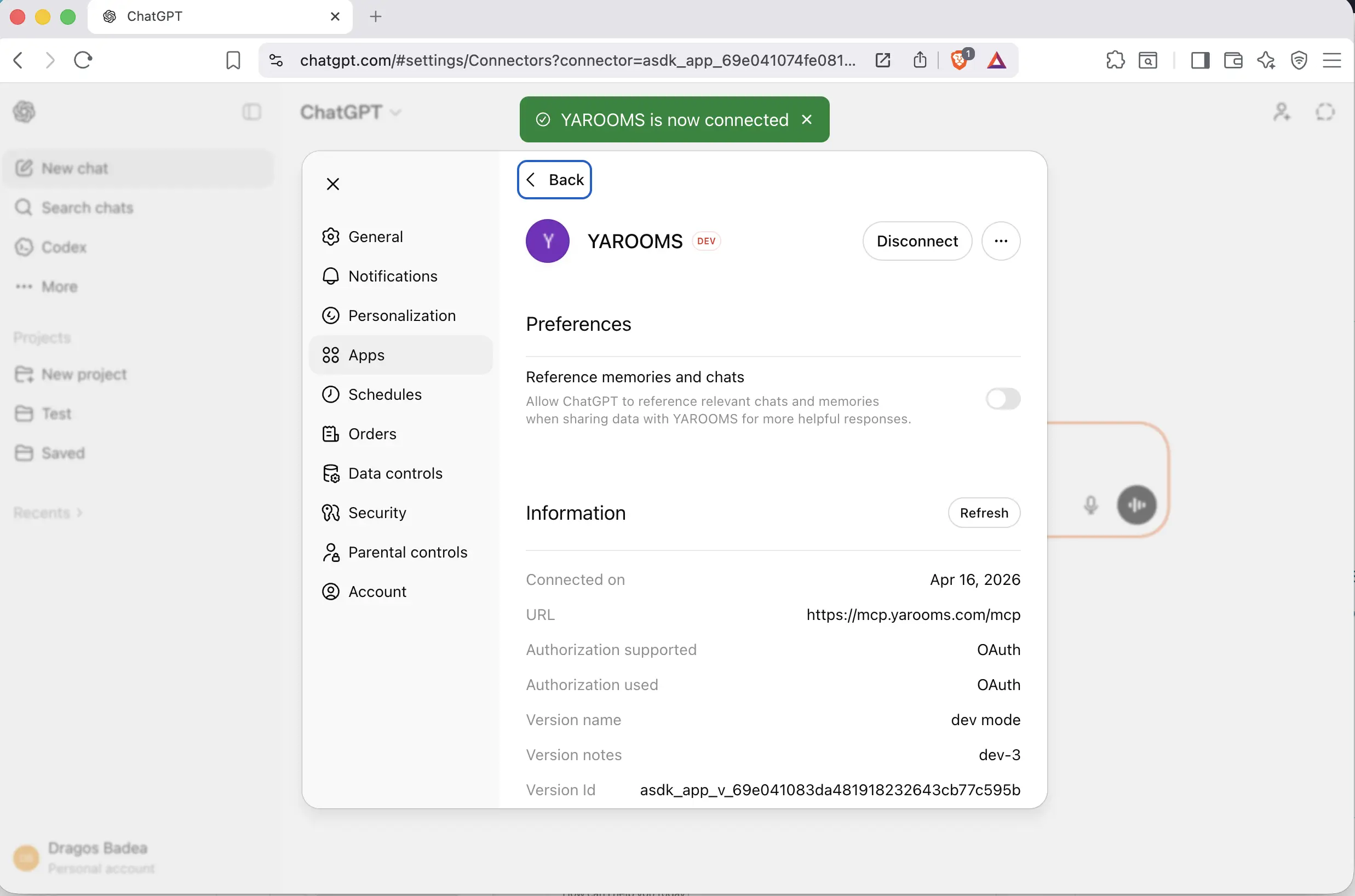
After signing in, you are returned to ChatGPT. A green banner confirms that YAROOMS is now connected. The connection details page shows the URL, authentication method, and connection date.
Step 7: Start using YAROOMS in ChatGPT
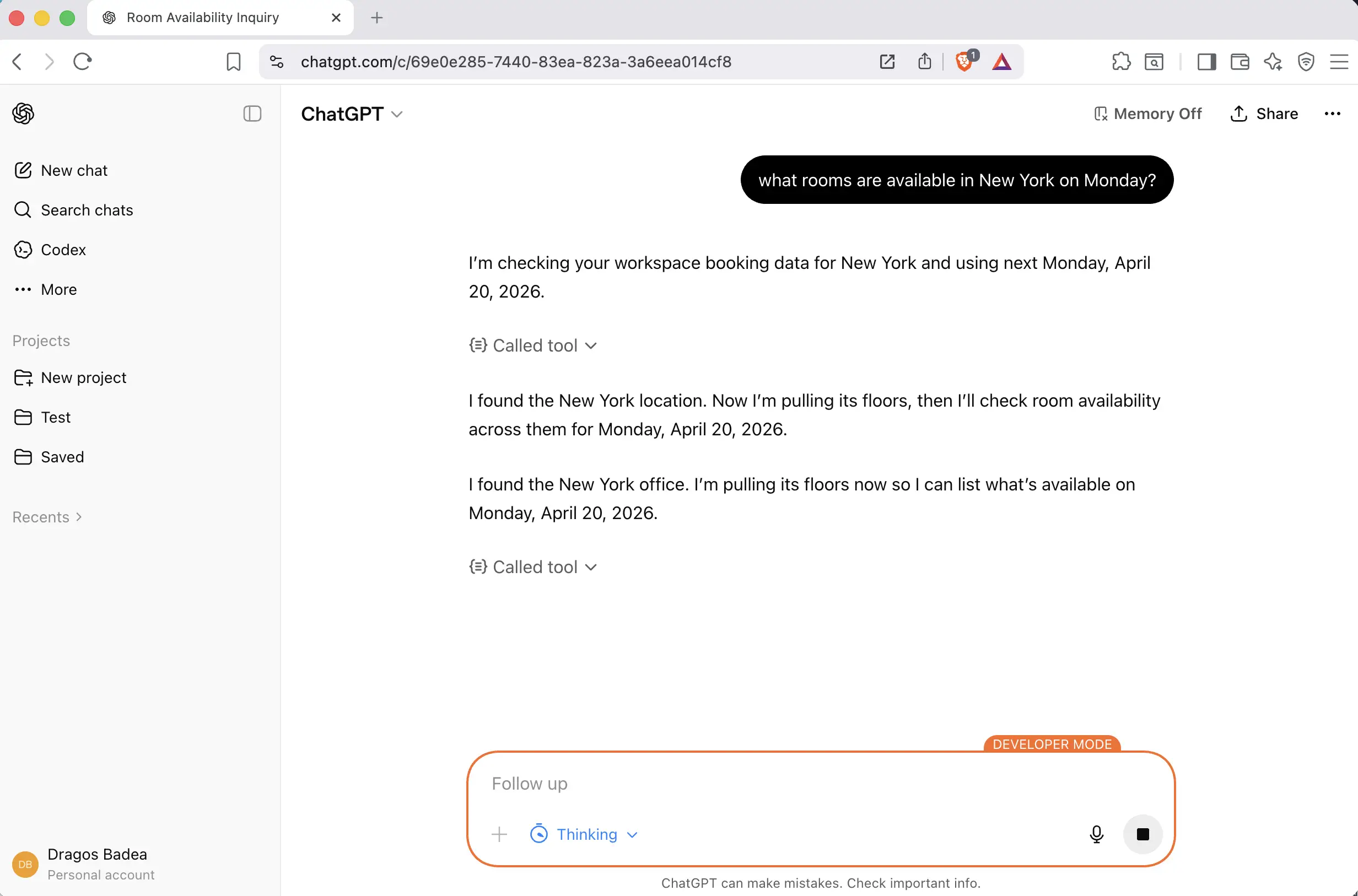
Open a new conversation and ask ChatGPT to do something in YAROOMS. For example:
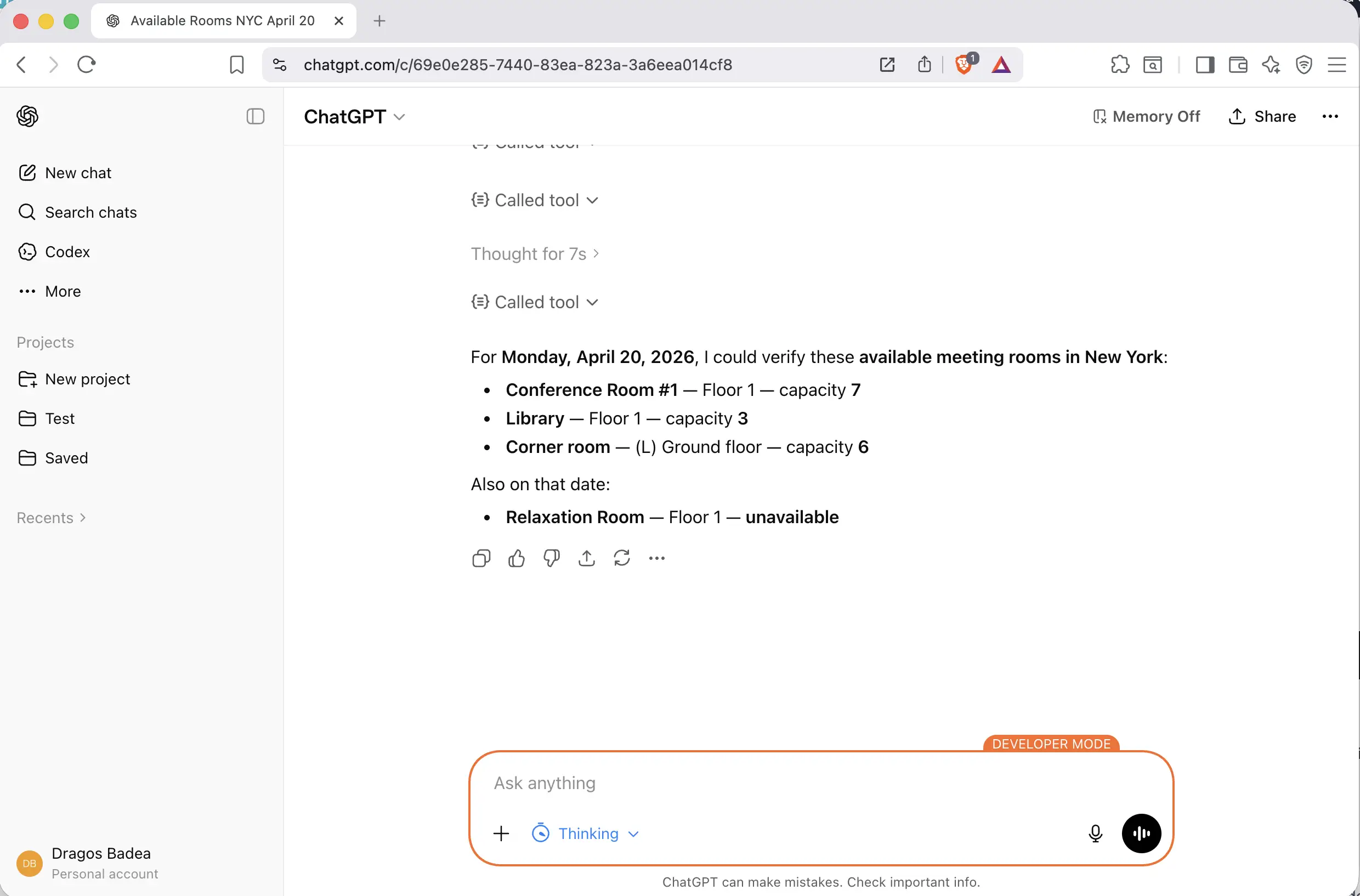
What rooms are available in New York on Monday?
ChatGPT will use the YAROOMS tools to check availability and respond with results.
Troubleshooting
| Symptom | Cause | Fix |
|---|---|---|
| Developer Mode option not visible | Your ChatGPT plan does not support it | Upgrade to ChatGPT Pro, Team, Enterprise, or Edu |
| “Authentication failed” | OAuth login did not complete | Delete the app and create it again, then complete the login flow |
| “User not found” | Your email does not match a YAROOMS account | Ask your YAROOMS admin to verify your account exists |
| ChatGPT does not use YAROOMS tools | The app may be inactive | Check Settings > Apps and verify YAROOMS is listed under Enabled apps |