This tutorial assumes that you have completed the creation of an iCal feed and you have the feed URL at hand. For more details see Creating an iCal feed.
Steps
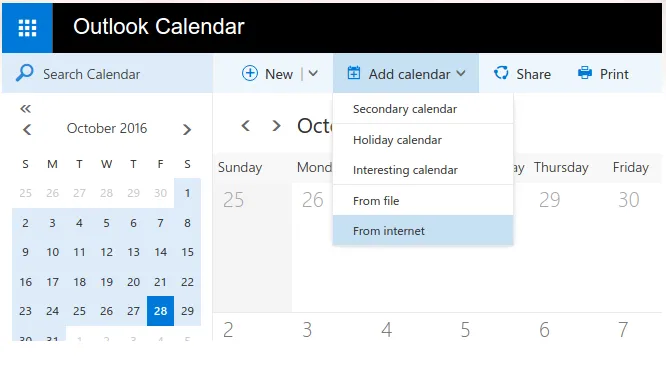
- Open Office 365 Calendar, select “Add calendar” menu, then choose “From internet”.
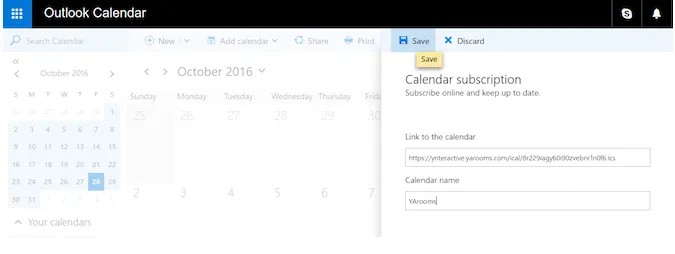
- Paste the YAROOMS iCal feed URL into the “Link to the calendar” field, assign a name, and click “Save”.
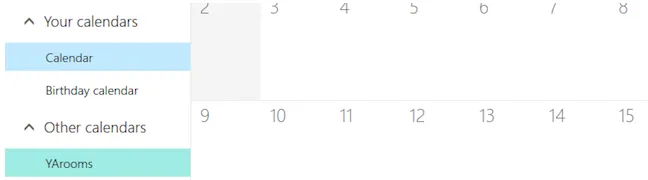
- The calendar appears in “Other calendars” on the left sidebar. Office 365 periodically checks the feed for updates. If you delete the iCal feed from the Integrations section, Office 365 will not be able to update the calendar anymore.