
How it works
After activating this integration, YAROOMS will have the ability to write event data to your Microsoft 365 rooms.
There are two steps to setting it up:
- Setup the Microsoft 365 integration
- Map the rooms in M365 to the rooms in YAROOMS
1. Activating the Microsoft 365 integration
A. Setup the Azure portal app and access rights
Go to the Azure Portal, navigate to Azure Active Directory, then App registrations, and create a new registration. You will need to extract three values:
- Application (client) ID – we’ll call this Client ID
- Directory (tenant) ID – we’ll call this Tenant ID
- A Client secret, generated from the Certificates & secrets section
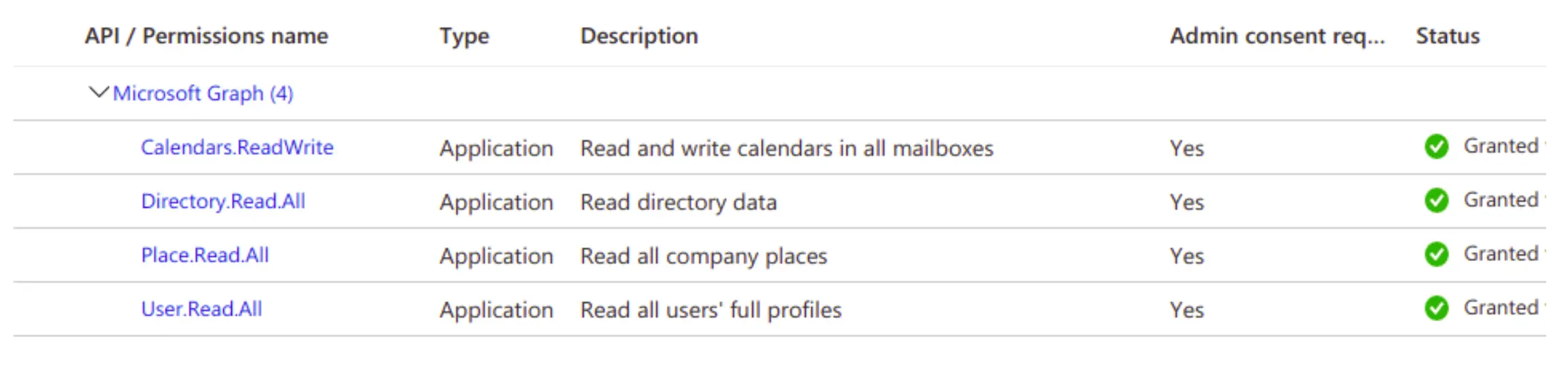
Go to API permissions in the left menu and configure the new permissions according to the table below, then grant admin consent.
B. Setup the Microsoft 365 integration in YAROOMS
Navigate to Manage -> Integrations, select Microsoft 365.
Switch the Integration active field to YES and fill in the details obtained at previous steps in the Azure portal.
2. Room mapping
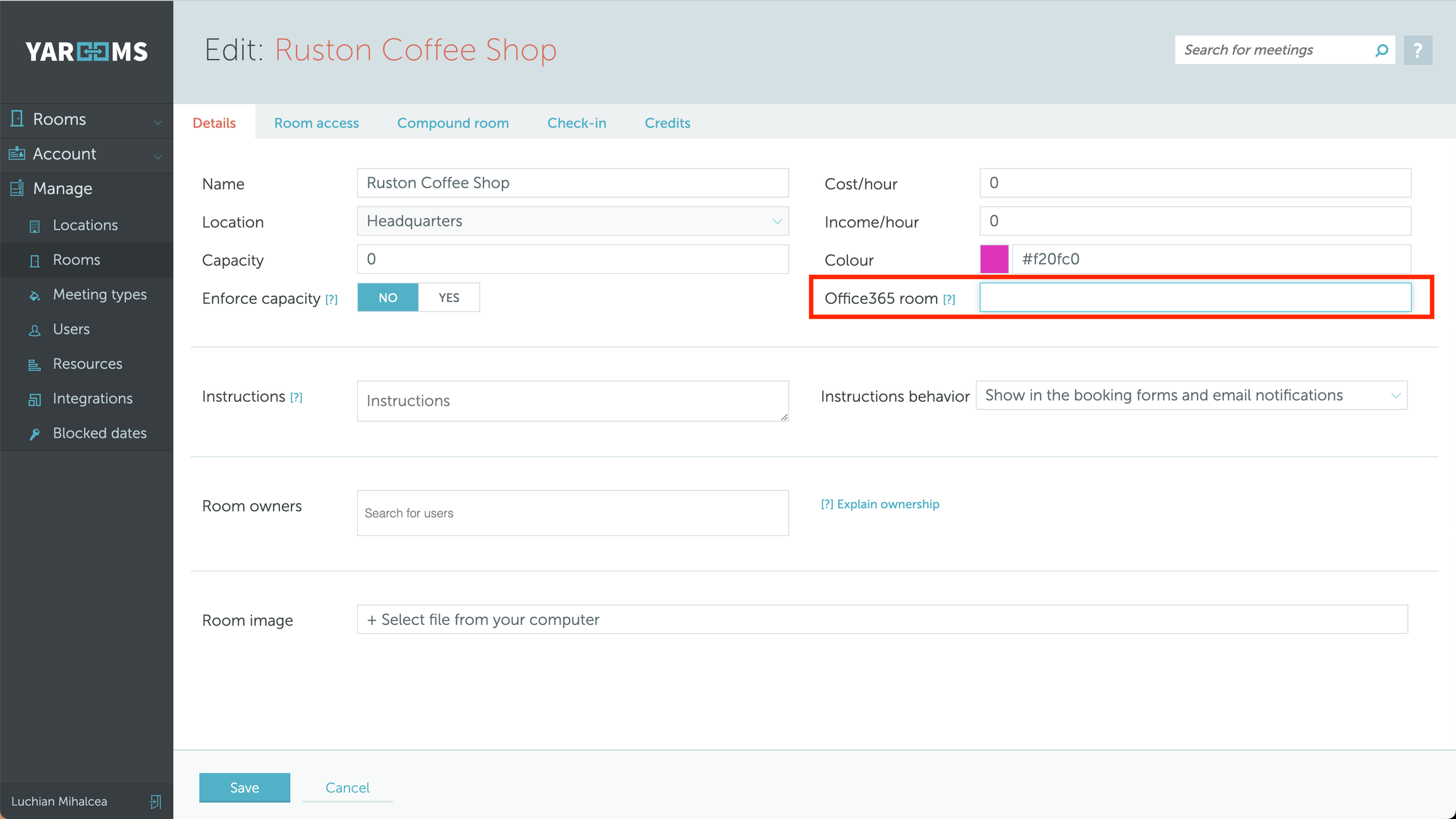
Go to Manage -> Rooms, click on the name of a room that you want to map, and you will see the new Office365 room field.
Enter the Room’s Exchange Address in this field.
All newly created bookings in YAROOMS will be seamlessly displayed in your M365 Environment (Outlook).