
This tutorial assumes that you have completed the creation of an iCal feed and you have the feed URL at hand. For more details see Creating an iCal feed.
Steps
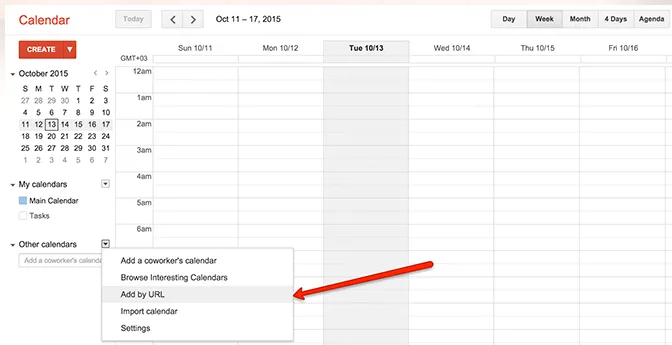
- In Google Calendar open the “Other calendars” section options and select the “Add by URL” option.
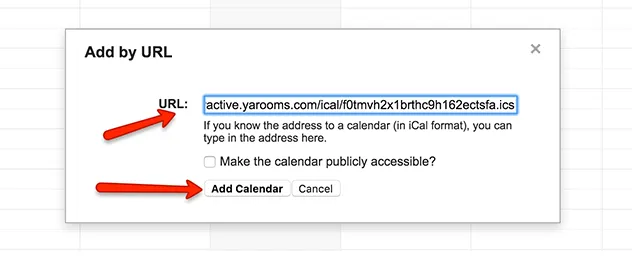
- In the newly appeared window paste the URL of your YAROOMS iCal feed and click the “Add Calendar” button.
- The new calendar will appear in the list as checked and its events shown on the screen. Google updates the calendar periodically by checking the iCal feed for changes. If you delete the iCal feed from the Integrations section, then Google Calendar will not be able to update the calendar anymore.