
Blocked dates

This section can be accessed by clicking the “Blocked days” link in the “Manage” section of the menu. It is accessible only to administrators.

No user can create meetings in the dates that are blocked by the administrator. The dates can be unblocked by checking the corresponding checkboxes on the left and choosing “Delete” from the bottom dropdown.

Blocked dates list

Adding a blocked date

To block out a day or a date interval click on the “Block date” button and choose the calendar date, or the interval that needs to be blocked as well as the location that will be blocked as a whole.
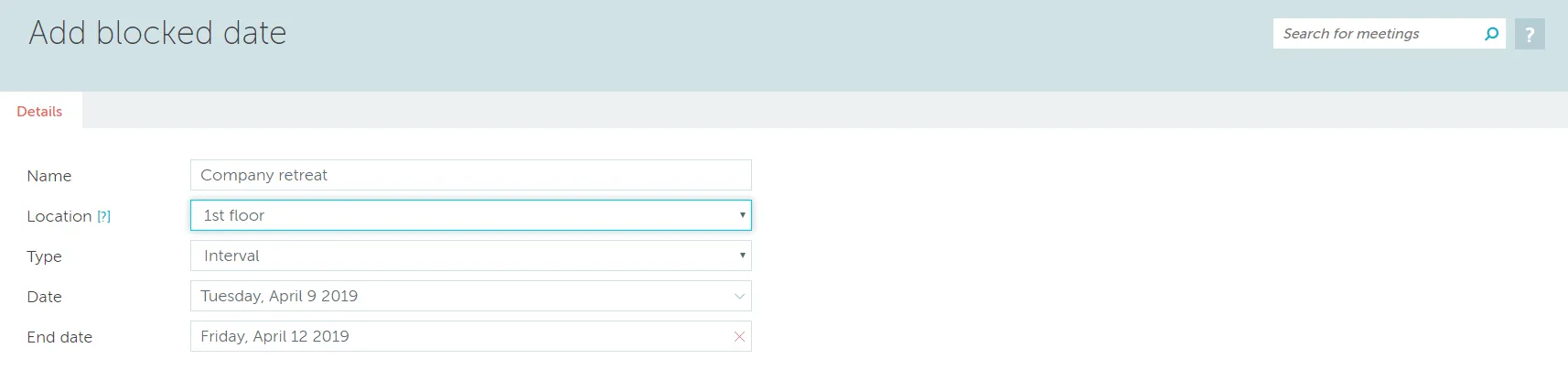
Adding a blocked date

Can't find what you're looking for?

Our support team is here to help. Reach out and we'll get back to you quickly.

Contact Support
YAROOMS

Become a partner

Join our growing network of partners worldwide

Application received!

We'll review your details and get back to you soon.

We use cookies to analyze traffic and improve your experience.

Cookie preferences

Essential

Required for the site to function

Always on
Analytics

Help us understand how visitors use the site

Marketing

Used to deliver relevant ads

Talk to Sales or Support