
YAROOMS enables connection of external calendars so that schedules are visible in applications like Google Calendar, Office 365, Microsoft Outlook, and Mac Calendar.
Setup Process
To establish external calendar integration, follow these steps:
Navigate to Manage → Integrations (or go directly to the Integrations page if available)
Click the Manage Feeds button or the section title referencing public iCal feeds
Click “Create new feed” button in the bottom right corner
Feed Type Options
The dialog presents three iCal feed types:
Personal calendar - Exports only meetings where you are invited as a user or by email
Location calendar - Exports all meetings in a selected location (requires location selection)
Room calendar - Exports all meetings in a selected room (requires room selection)
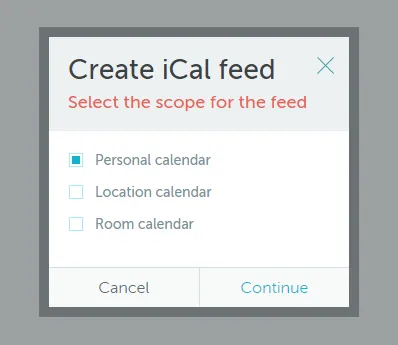
After selecting a type and clicking Continue, enter a feed name and click Create. The resulting table row contains the iCal Feed URL needed for external applications.
