
Note: This option applies to users who sign in with a YAROOMS email and password (legacy login). If you use single sign-on, manage your password through your organization's identity provider instead.
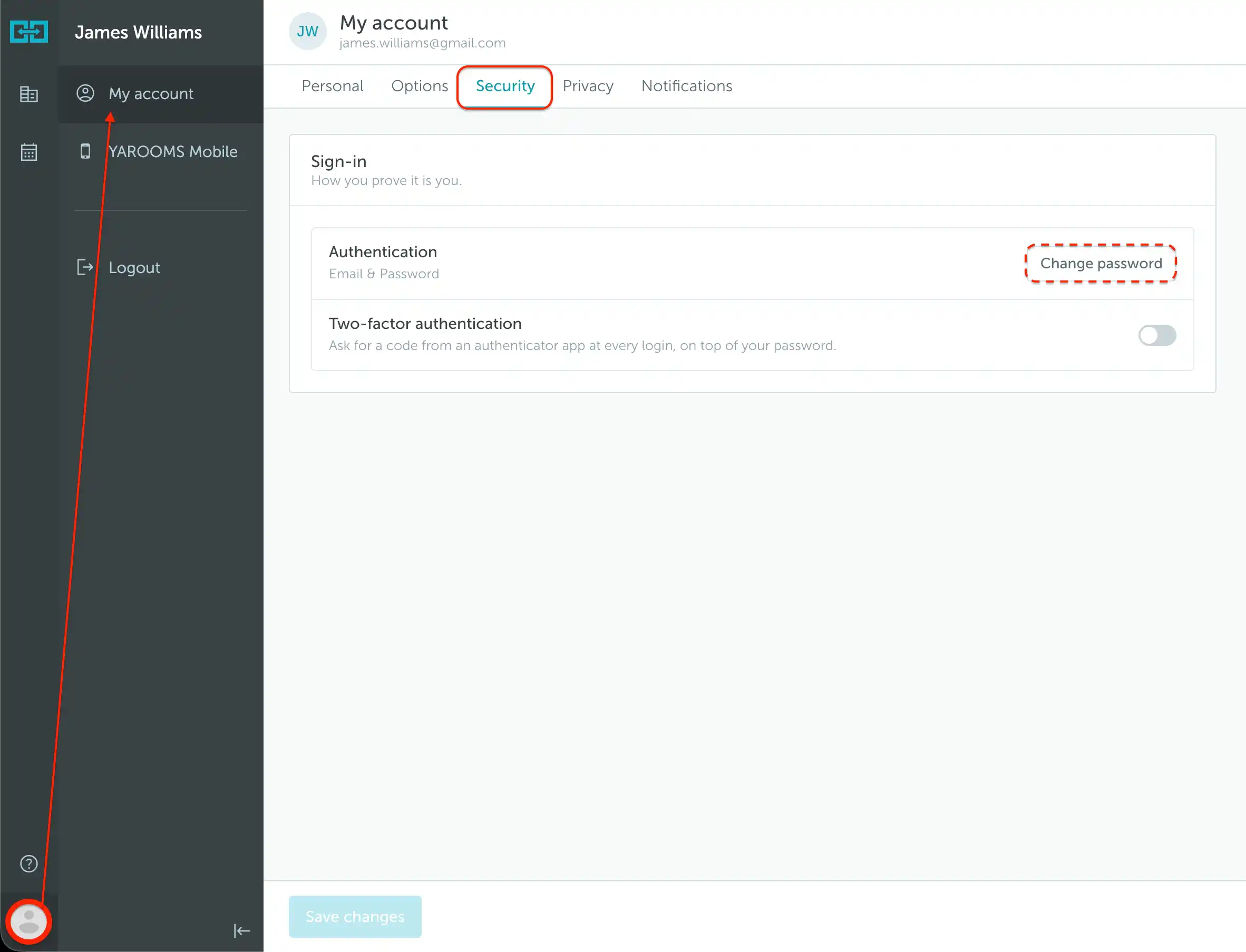
- Click your profile photo in the bottom-left corner and open My account.
- Select the Security tab.
- Under Sign-in → Authentication, click Change password.
- Complete the password-change form and confirm the change.
If you cannot remember your current password, follow the password reset instructions. Where legacy login is enabled, email verification also lets you sign in without entering a password.