I do not remember my login information. Can you help?

Recover access to your YAROOMS account.

If you sign in with a YAROOMS email and password:

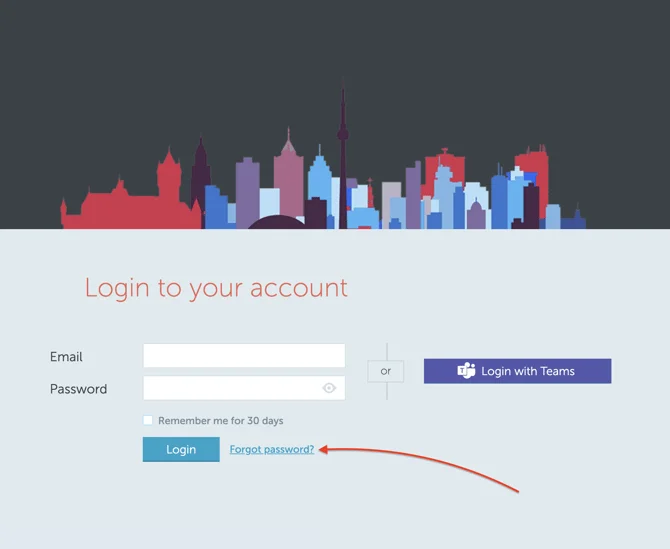
  1. Open your company’s YAROOMS login page and select Forgot password? below the Password field.
  2. Enter the email address associated with your YAROOMS user account and request a password reset.
  3. Open the reset email and follow its link to choose a new password. Check your spam or junk folder if the message does not arrive.

Company login page with the Forgot password link highlighted

Note: If your organization uses single sign-on, use its Microsoft, Google, or other configured sign-in option. Your organization's IT team handles password recovery for that account, not the YAROOMS password reset form.

If your organization allows legacy login, you can also use Continue with email in the Unified Sign-in Portal to sign in with an email verification code instead of a password.

If you do not know which email address or sign-in method to use, contact your organization’s YAROOMS administrator.

Can't find what you're looking for?

Our support team is here to help. Reach out and we'll get back to you quickly.

Contact Support

We use cookies to analyze traffic and improve your experience.

Cookie preferences

Essential

Required for the site to function

Always on
Analytics

Help us understand how visitors use the site

Marketing

Used to deliver relevant ads

Talk to Sales or Support