
- Click your profile photo in the bottom-left corner and open My account → Notifications.
- Find the notification you are missing, such as Booking confirmations or Check-in notifications, and check its Email setting.
- If the setting is editable, make sure it is not muted. Default (Enabled) follows the enabled account-wide setting.
- Click Save changes after making adjustments.
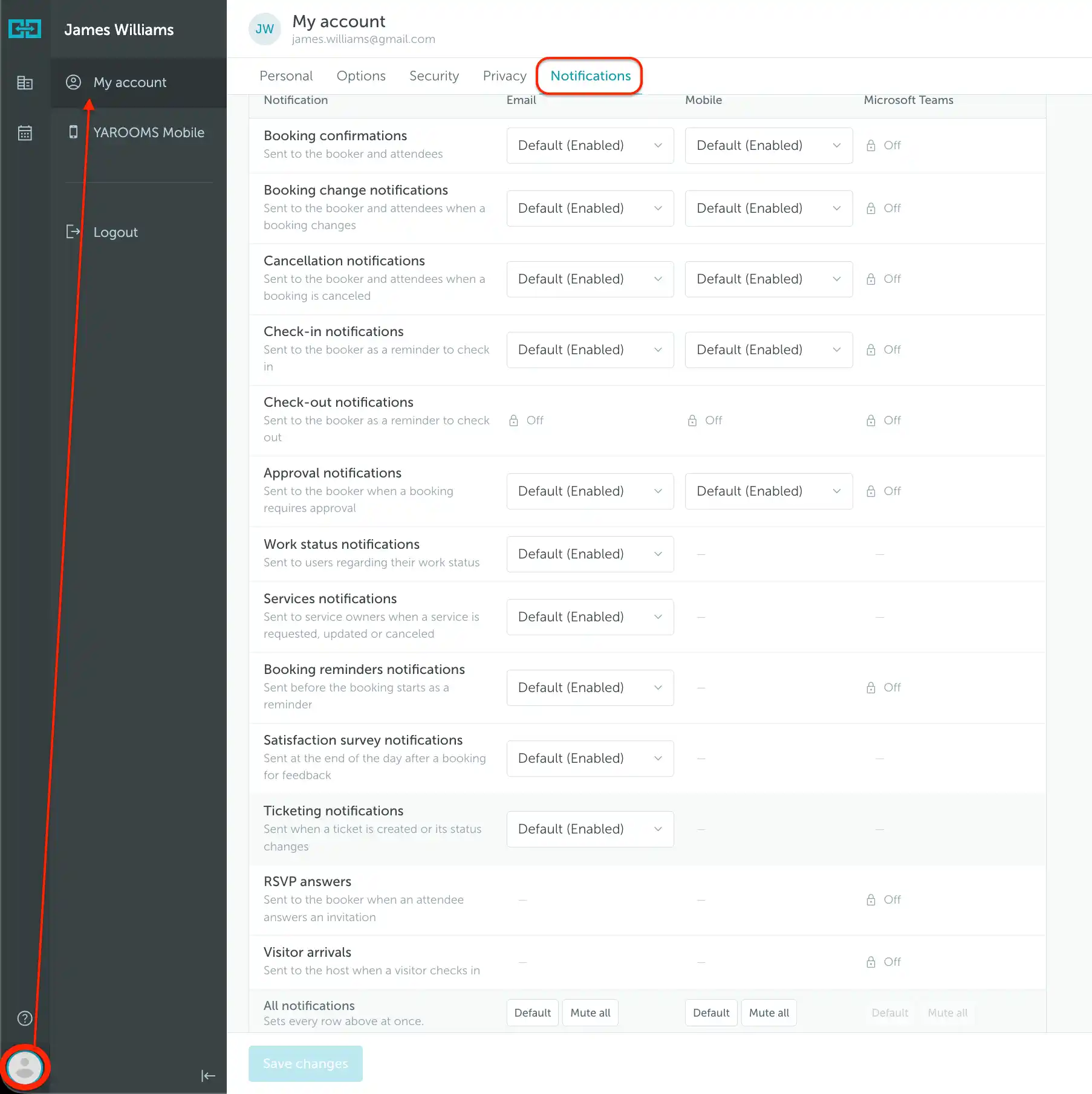
Note: Default follows your organization's notification settings. Select Enabled to get the notification even if your organization turned it off. If you cannot change the setting, ask an administrator to review the account-wide notification settings.
Check your spam or junk folder and confirm that your account uses the correct email address. If notifications are enabled but messages still do not arrive, contact support@yarooms.com with the notification type and the date and time of an affected booking.