Note: The Work Status calendar allows each user to set their individual schedule for the upcoming weeks, specifying the days for office work, remote work, and vacations.
1. How to set your work status
To set your work status, navigate to Calendar.
Choose your preferred view: Daily, Weekly, or Monthly. Tap on any day in the calendar and select “Set work status”.
Next, select your work schedule (office, remote, or vacation) and save it for the day, week, or month.
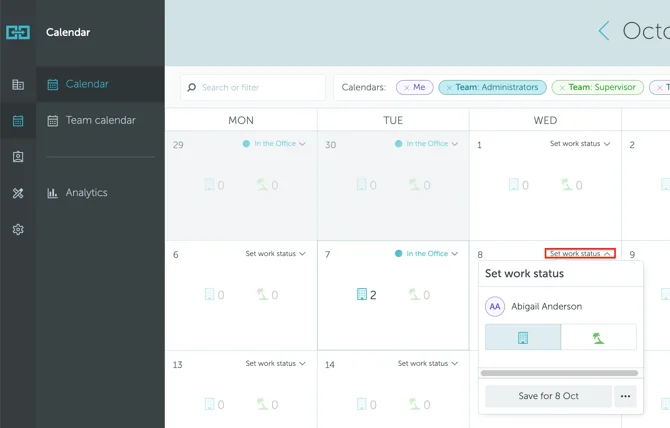
Alternatively, you can set your Work Status from the Map View, as shown below:
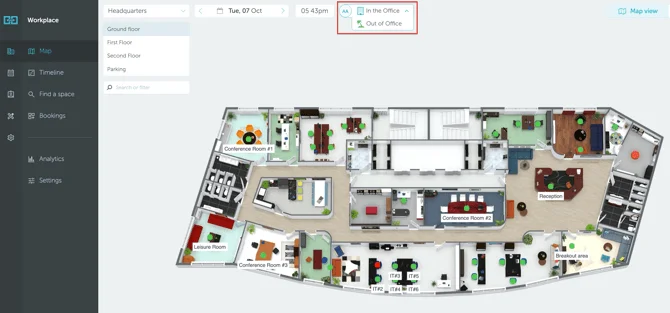
That’s it. Your work status is set!
Note: Additional user statuses cannot be added from the interface. To request them, please contact support@yarooms.com, and the team will assist you.
2. Home work threshold
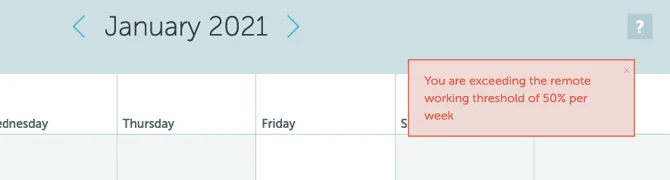
Depending on your administrator’s requirements, you may have a home work threshold, for example, 50% of your total work time. If you set too many consecutive home work dates, you may encounter an error like the one below: