
Setting work statuses as a team manager
As a team manager, you can set work statuses on behalf of your team. Access the Calendar and navigate to the “Work statuses” tab to view the work status breakdown of all subordinates, which may include:
- Working from home
- In the office
- On vacation (Out-of-office)
Note: Additional user statuses cannot be added from the interface. To request them, please contact support@yarooms.com, and our team will assist you.
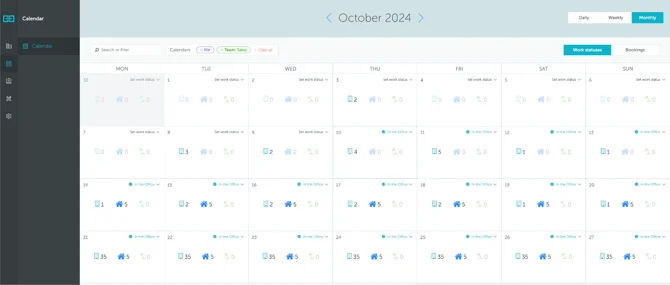
How to edit team work status
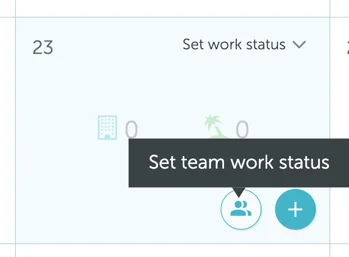
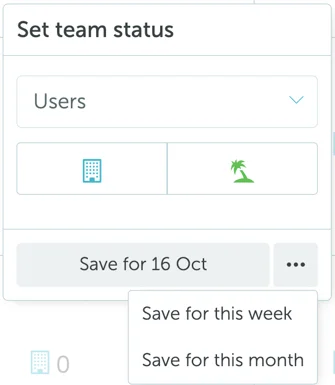
Press on any given day and select “Set team work status.” Then select your team’s name and their working arrangement (in the office, vacation, etc.), and save the selection for the day, week, or month.
Note: Important note: When work statuses are scheduled by group managers, work status thresholds do not apply.
Note: For additional information on setting up work status features, consult the article on enabling work planning per group.