
What is the YAROOMS Outlook add-in?
The YAROOMS Outlook add-in extends the functionality of the Outlook Calendar integration. It enables users to quickly find and book spaces directly in Outlook.
The main prerequisite for using the Outlook add-in is having the Outlook Calendar integration configured. The integration is managed by your organization’s administrator.
How to use it
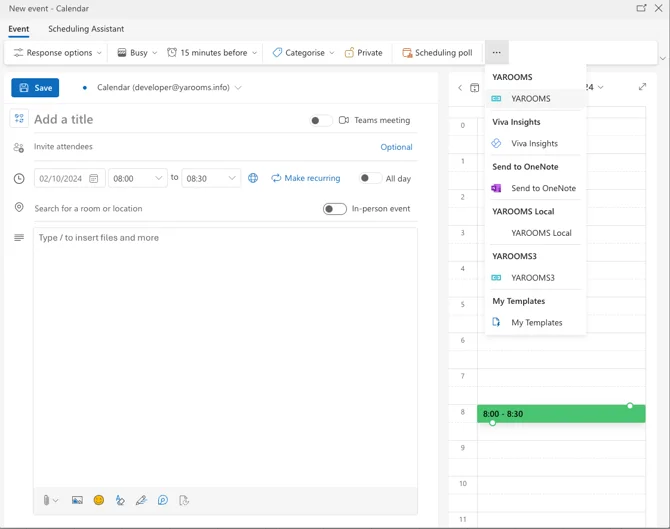
To use the add-in, open it from the top bar in Outlook:
You can now use it to search for spaces (meeting rooms, desks, etc.) that fit your requirements, such as specific capacity, floor, services or amenities. Multiple space bookings are possible.
Note: Only spaces mapped with Outlook resources are available for selection!
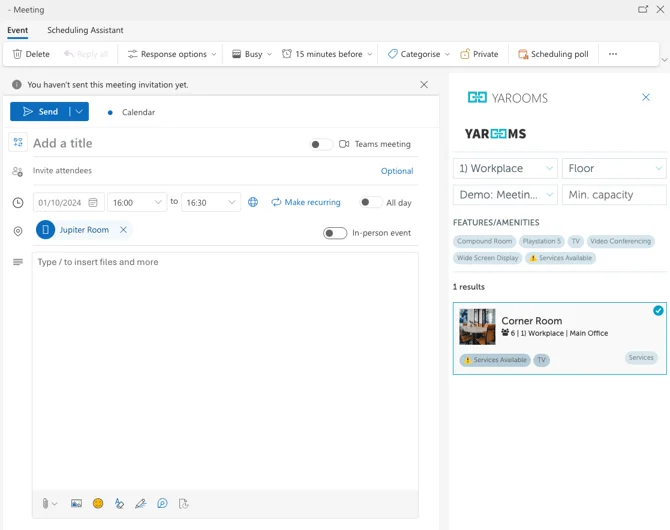
Once you select an available room and save the event in Outlook, the information will be synced with YAROOMS and the space will be booked.