
Jump to:
YAROOMS can send you a text message when your visitor arrives, when a booking needs your approval, when it is time to check in, and for other booking, service and ticket notifications. You choose which notifications reach you by text.
Add and verify your mobile number
- Open the account menu at the bottom of the main menu, then click My account.
- On the Personal tab, go to Mobile number. Select your country code, type your number, then click Save changes. The number shows Not verified.
- Click Verify number. Read the consent text, then click Send code. YAROOMS sends a 6-digit code to your phone.
- Type the code, then click Verify. The number now shows Verified.
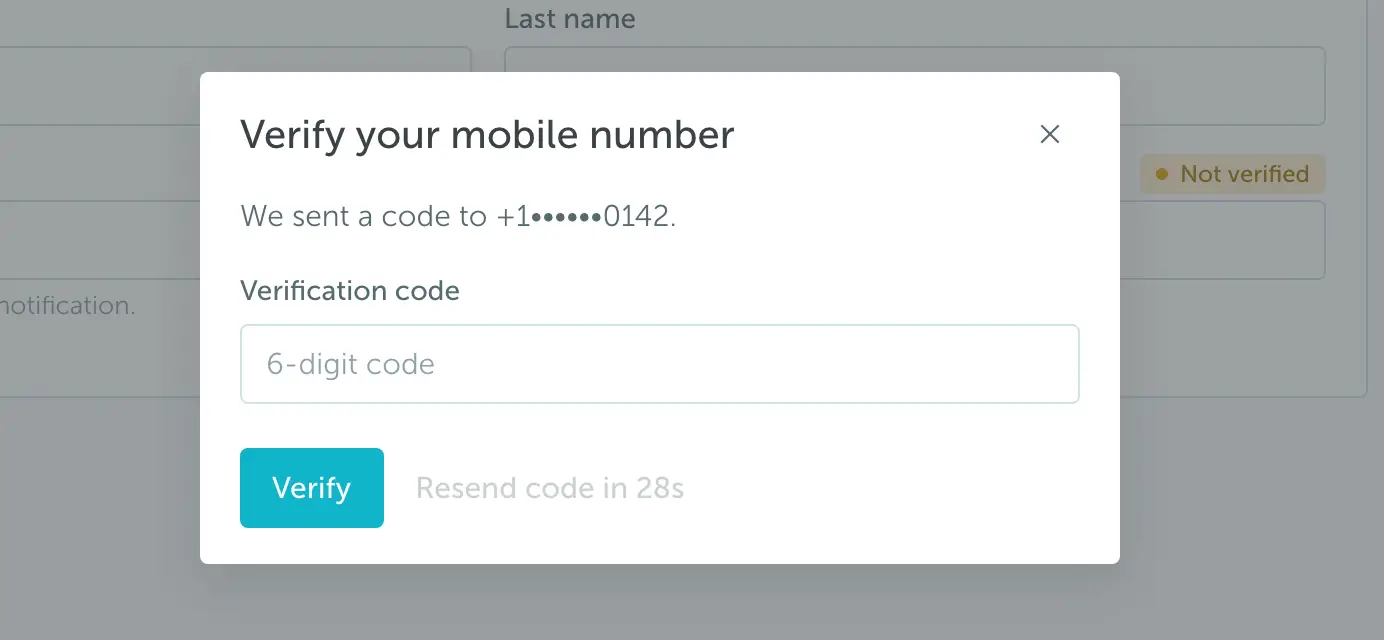
If the code does not arrive, click Resend code when the timer ends.
Choose your text alerts
A verified number does not turn on any text alerts. You choose them:
- In My account, open the Notifications tab.
- In the Text message column, select Enabled for each notification that you want by text.
- Click Save changes.
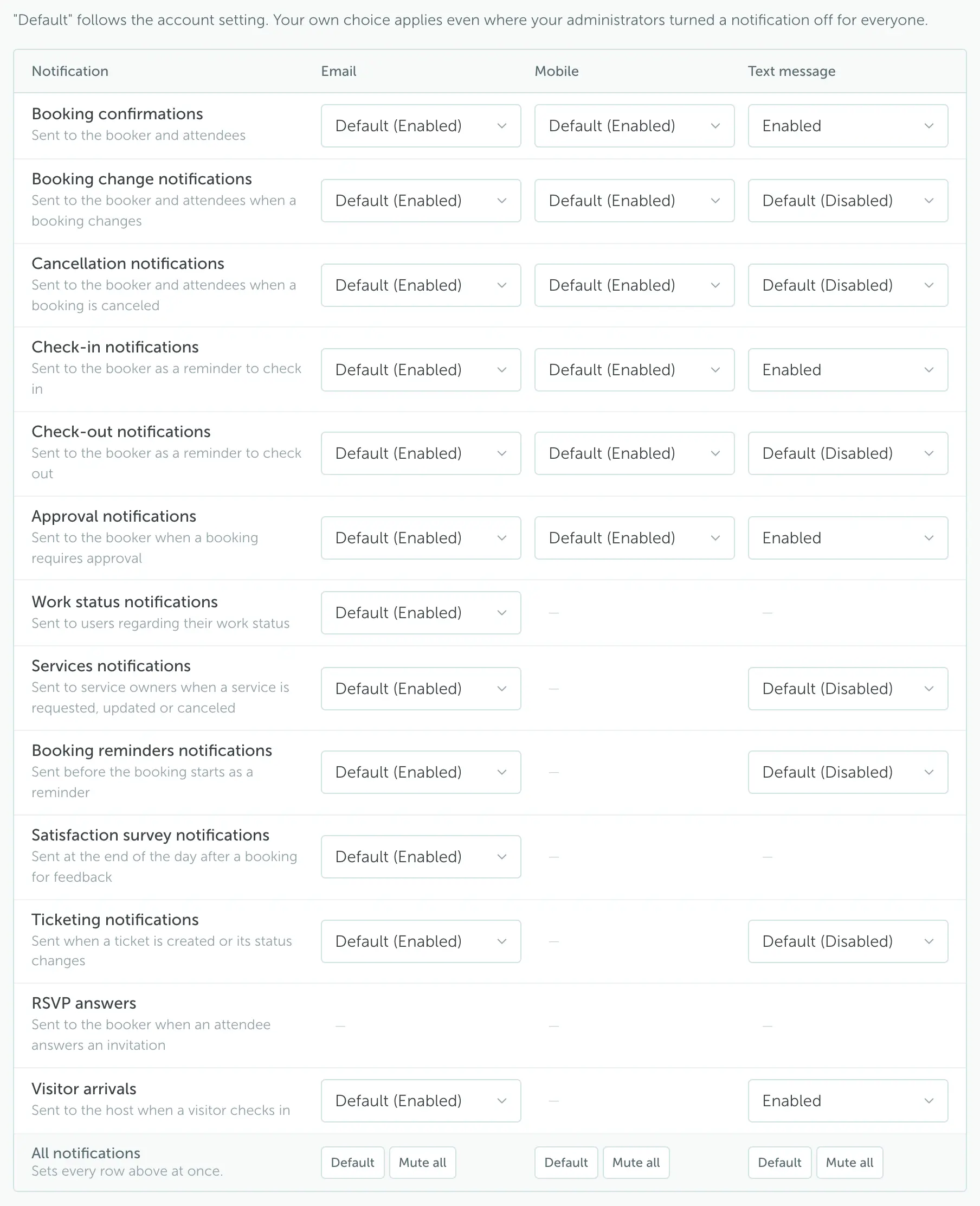
Default follows the setting your administrator chose for the account. Text alerts are off by default unless your administrator turned them on. If you select Enabled, you get the text even if your administrator turned that notification off for everyone.
Notifications you can get by text
| Notification | You get a text when |
|---|---|
| Booking confirmations | You book a space, or someone adds you to a booking. |
| Booking change notifications | A booking you made or attend changes, or you become its booker. |
| Cancellation notifications | A booking is canceled, also when nobody checked in on time. |
| Check-in notifications | It is time to check in to your booking. |
| Check-out notifications | Your booking ends in 5 minutes. |
| Approval notifications | A booking needs your approval, or your own booking waits for approval, is approved or is rejected. |
| Services notifications | A service you own is requested, changed or canceled, or you are added to or removed from a service as an owner. |
| Booking reminders notifications | Your booking is about to start. |
| Ticketing notifications | A ticket is assigned to you, or the status of your ticket changes. |
| Visitor arrivals | Your visitor checks in. |
Most texts include a link to the booking, the approvals page, the ticket list or the visitor dashboard. Work status, satisfaction survey and RSVP notifications are not sent by text.
Stop text alerts or change your number
- Stop one alert: on the Notifications tab, select Disabled in its Text message cell, then click Save changes.
- Stop all text alerts: under the Text message column, click Mute all, then click Save changes.
- Change your number: on the Personal tab, type the new number, click Save changes, then verify it.
- Remove your number: on the Personal tab, clear Mobile number, then click Save changes.
For US and Canadian numbers, you can also reply STOP to a text. YAROOMS then sends no more texts to that number. To start again, text START to the same number, then verify your number again on the Personal tab.
Countries
YAROOMS texts numbers in the United States and Canada from a toll-free number. It texts numbers in more than 100 other countries from the sender name YAROOMS, and you cannot reply to those texts. The country list on the Personal tab shows only the countries that can get texts.
Your carrier’s message and data rates can apply.