
Jump to:
YAROOMS allows users to search for bookable spaces meeting specific requirements. This can be done in 3 ways:
- Using the “Find a space” option
- Using the Map View
- Using the Timeline View
1. Space search using the “Find a space” option
Note: “Find a space” (Workplace → Find a space) suits users with complex requirements, such as finding a parking lot with electric car charger between specific dates.
Specify the following:
- Preferred location
- Preferred floor
- Space type (Find)
- Availability interval (Date between)
- Required features
- Available to Visitors (on/off)
YAROOMS combines requirements and returns matching spaces for selection and booking.
2. Space search using the Map View
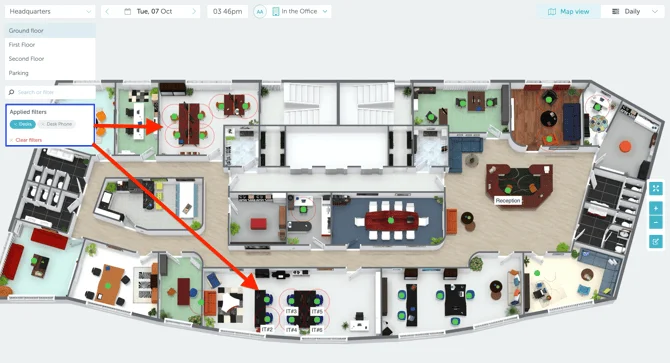
Note: The map view (Workplace → Map) helps users instantly see where spaces matching their criteria are located.
Use the “Search or filter” field to find spaces (desks, meeting rooms) with specific features or locate colleagues. Select pre-defined options or type what you need. Matching spaces highlight with animated pulsing circles.
3. Space search using the Timeline View
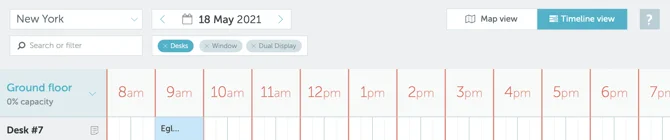
Note: The timeline view (Workplace → Timeline) shows when matching spaces are available.
Use the “Search or filter” field like the Map View. The timeline displays only spaces matching your criteria with their booking status throughout the day.
Note: After finding your ideal space, learn how to book it.