
Services Dashboard Overview
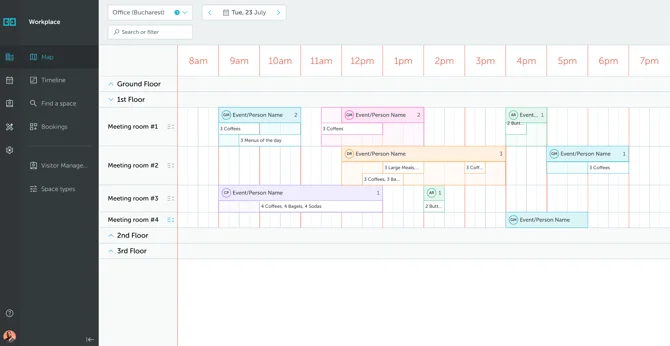
The Services Dashboard gives service managers a real-time overview of all service requests scheduled for the day, making it easy to plan and coordinate across multiple spaces.
Whether it’s catering, IT setup, or facility services, you can quickly see what’s needed, where, and when.
To access it, go to Services → Dashboard.
The dashboard displays service requests in a timeline view, organized by room and floor.
Using Filters
Use the filters at the top to quickly find what you need:
- Service Type – Filter by category (e.g. Catering, IT Support)
- Service Name – Search for specific services (e.g. “Coffee”, “Projector”)
- Space Name – View services for a particular room or space
Access Control
Admins can give granular access to the dashboard from the module access tab in the Roles menu.