Space pictures

This article explains what are the space pictures and how do they work.

If you want that extra visual factor, you can add pictures to existing spaces. Go to Settings → Workplace → click on the floor the space is onclick on the space you want to add a photo to → Pictures, and upload the images.
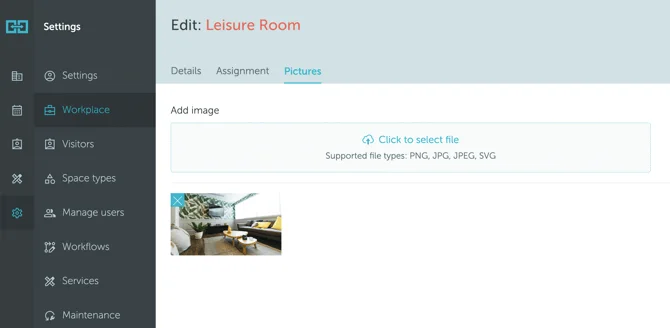
Screenshot 2025-09-16 at 19.15.20

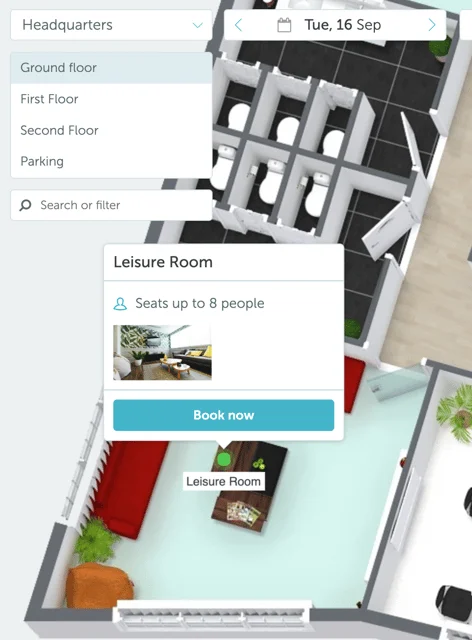
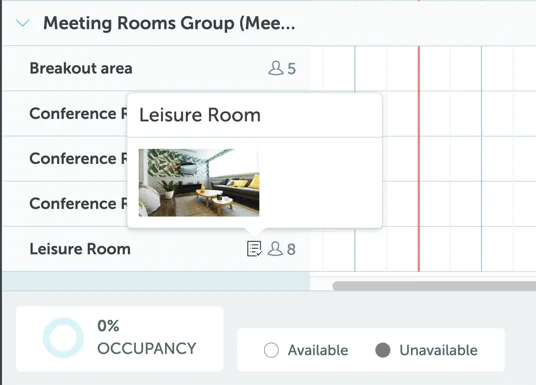
The uploaded pictures will appear in the following places (you can click on any photo to enlarge it):

  • Map → Space popup

Screenshot 2025-09-16 at 19.16.16

  • Timeline

Screenshot 2025-09-16 at 19.17.24

Note: If you are looking for information about user pictures, read this article .

Related articles

Can't find what you're looking for?

Our support team is here to help. Reach out and we'll get back to you quickly.

Contact Support
YAROOMS

Become a partner

Join our growing network of partners worldwide

Application received!

We'll review your details and get back to you soon.

We use cookies to analyze traffic and improve your experience.

Cookie preferences

Essential

Required for the site to function

Always on
Analytics

Help us understand how visitors use the site

Marketing

Used to deliver relevant ads

Talk to Sales or Support