
What are event types?
Event types help users label bookings and color-code them on the timeline and map. For example, you can use one color for 1:1 meetings, another for team stand-ups, and another for client meetings.
If event types are configured for a space type, bookers can choose the appropriate type while creating a booking. The selected type applies the corresponding color to that booking.
Note: Event types are configured per space type. A meeting room can have different event types than a desk, parking space, or any other resource.
How to add and edit event types
Go to Settings → Space types, open the space type you want to configure, then select the Event types tab.
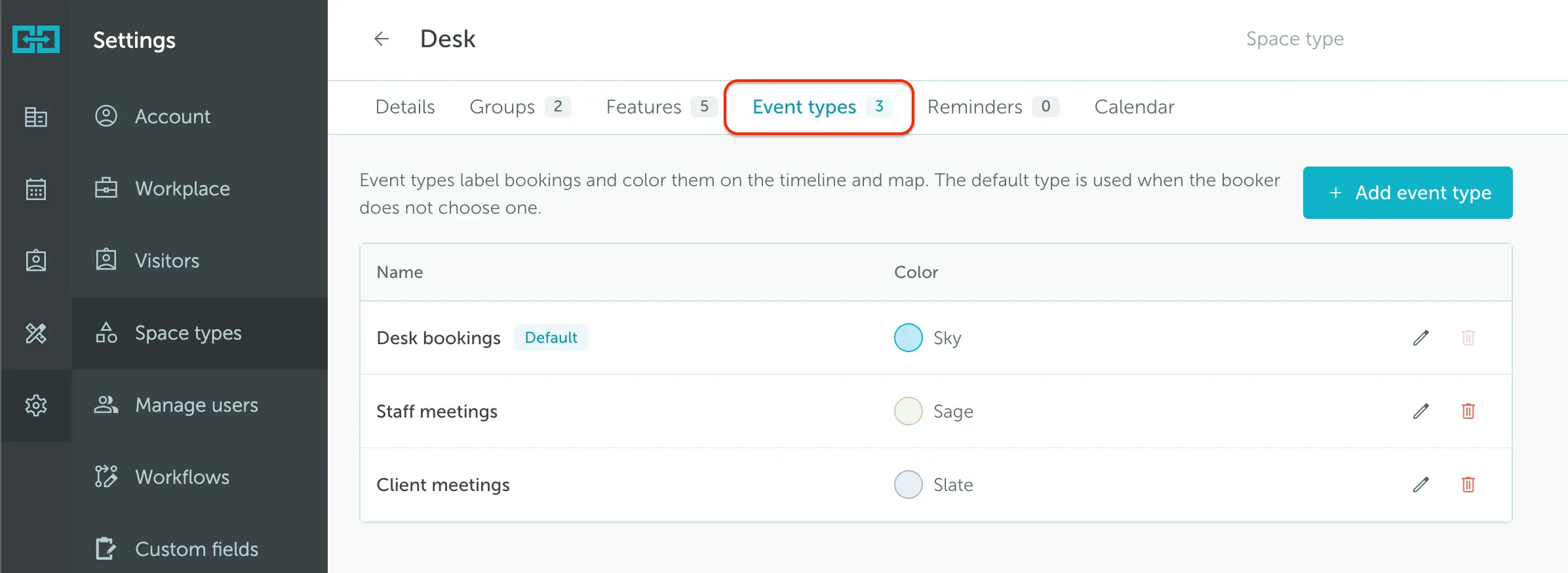
To add an event type:
- Click Add event type.
- Enter the event type name.
- Choose a color.
- Click Add event type.
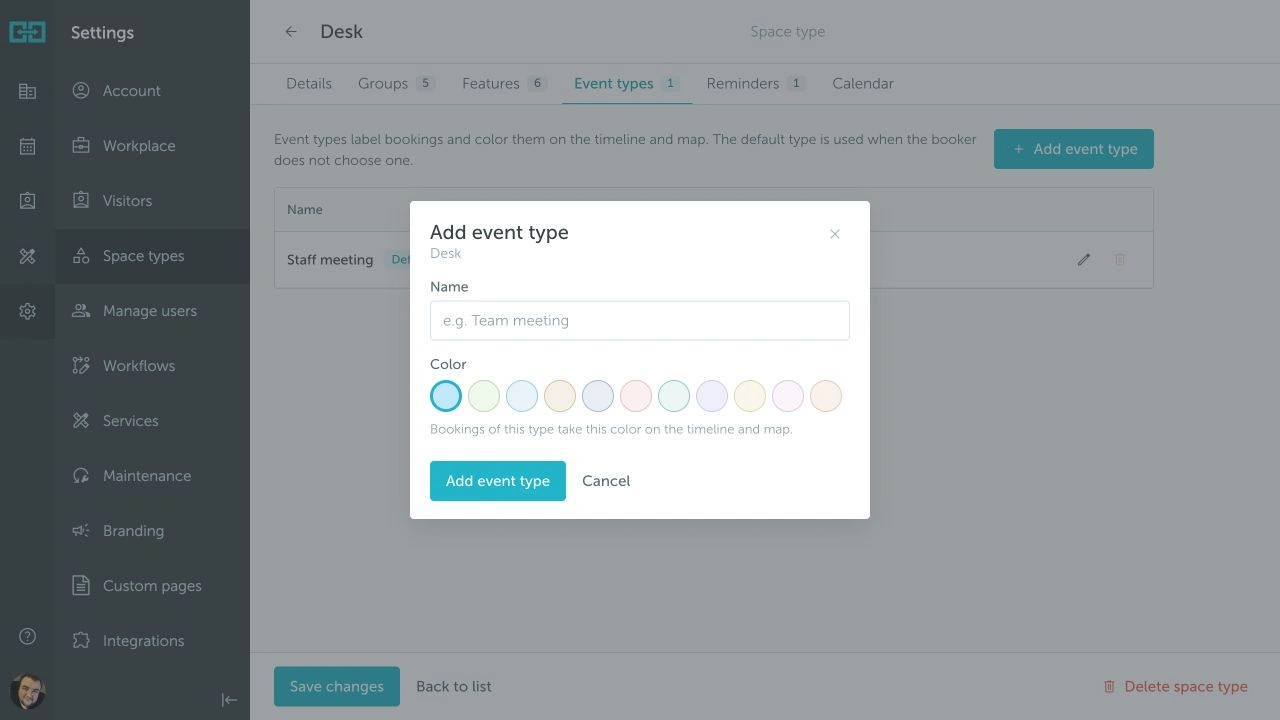
To edit an event type, click the pencil icon next to it. You can update its name and color.
Keep event type names short. They are easier to scan in booking flows, reports, and timeline views.
The default event type is used when a booker does not select a different one.