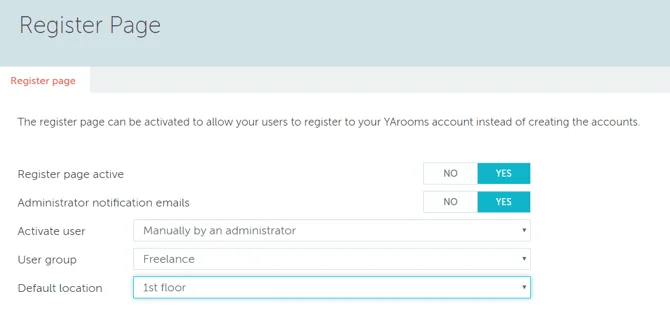
In YAROOMS, Administrators can manage user registration settings via Settings → Integrations by activating the Register Page option.
Key Features
The Register Page enables administrators to:
- Allow new users to self-register to the company account
- Mute notifications when users register from the login page
- Set user activation as either automatic or manual (admin approval required)
- Assign newly registered users to a default user group, inheriting that group’s booking permissions
- Designate a default location for new users’ access
Login Page Integration
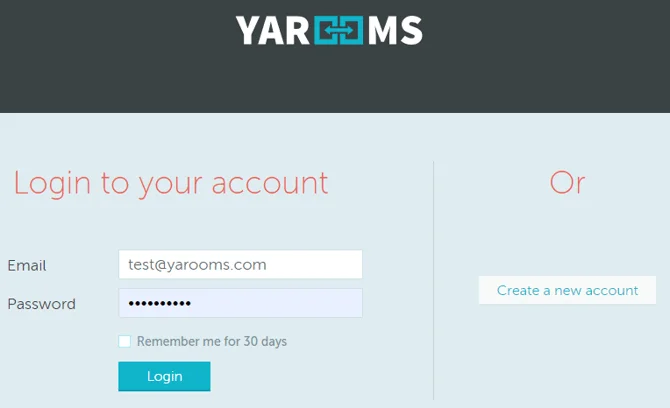
When activated, a “Create a new account” button appears on the login page, enabling self-service registration.
User Activation
Automatic activation: Users can immediately book rooms after registration.
Manual activation: Newly registered users receive “Pending” status and appear underlined in black in Settings → Manage Users. Administrators activate them by clicking the user’s name and selecting the “Activate” button, triggering an activation email.
Use Cases
This feature suits organizations with unpredictable user volumes, such as universities allowing students to book laboratory spaces.