
How does it work?
This integration enables 3D maps and wayfinding via Mappedin, a partner service. It provides accurate navigation within the office space for visitors and employees.
Connecting existing Mappedin floor plans is required.
Note: We suggest setting up this integration with the help of a YAROOMS specialist for optimal results.
How to set it up?
The floor plan creation (spaces, rooms, walls, elevators, stairs) is handled by either YAROOMS or Mappedin based on your contract. Activation in YAROOMS involves:
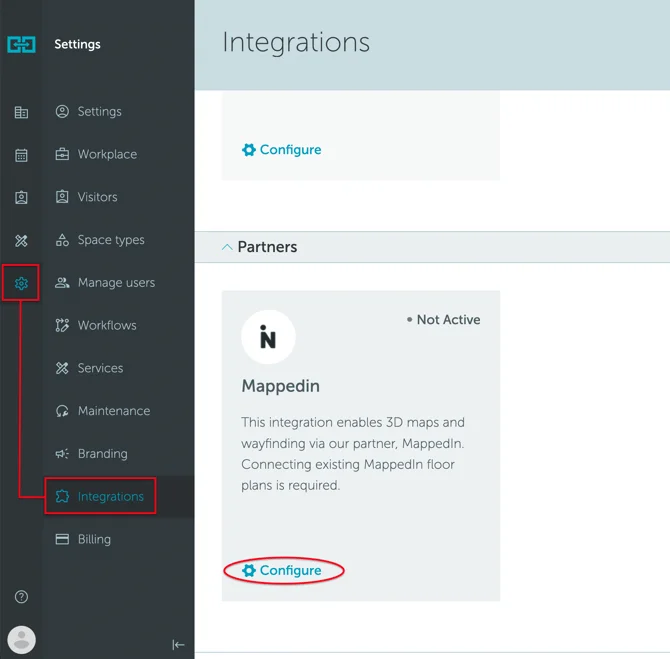
- Navigate to Settings → Integrations → Partners → Mappedin
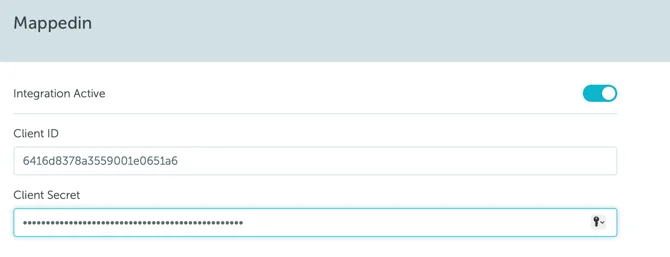
- Activate the integration using the Client ID and Client Secret (provided by YAROOMS if needed)
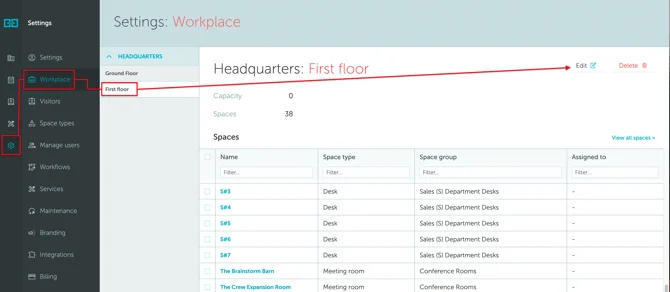
- Enable Mappedin at the floor level: Settings → Workplace → [floor name] → Edit → Map
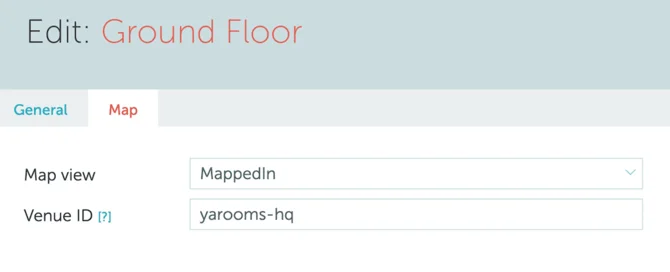
- Set Map view to “Mappedin” and add the Venue ID (provided by YAROOMS team)
- From Workplace → Map, click “Edit mode” to match YAROOMS spaces with Mappedin polygons
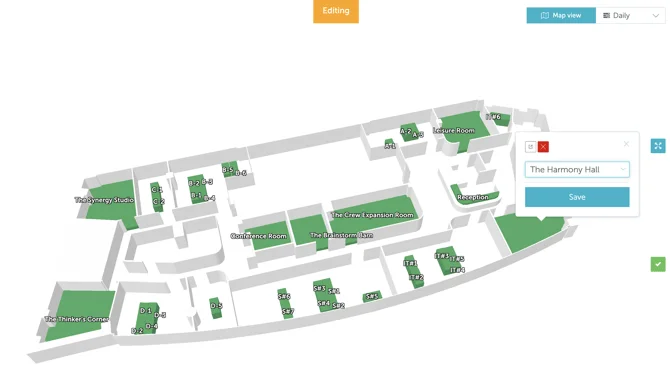
Once configured, the interface will look like this:
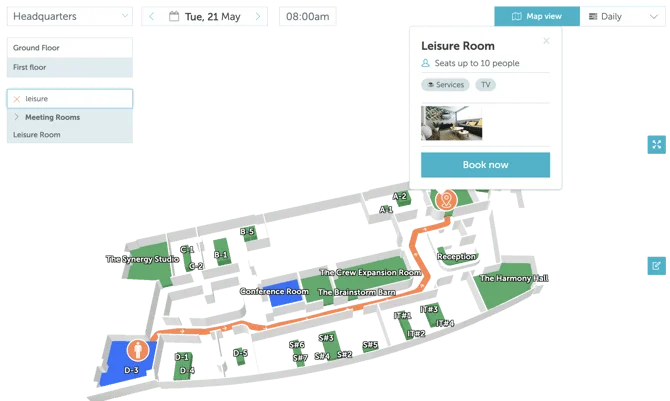
Once configured, users can obtain wayfinding directions from their current location (booked space) when they search for a space using the map’s search field. The system provides turn-by-turn navigation within the office.