
Issue
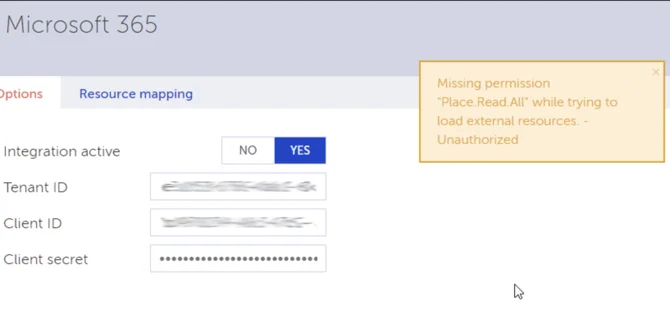
Upon completing the setup of Microsoft 365 Integration details in YAROOMS, users may encounter an error message indicating missing permissions.
Solution
Note: If you’ve added the correct Client & Tenant IDs and the Client Secret but are facing this error, the issue is most likely related to the API Permissions.
To resolve this problem, follow these steps:
Access the API Permissions section in Azure Azure Portal → Azure Active Directory → App registrations → YAROOMS App (might have different name) → API Permissions
Verify that the Permissions you created are of the “Application” type, not “Delegated.”
If you find any permissions set as “Delegated,” kindly remove them.
Recreate these permissions as “Application” type.
Once you have made these adjustments, the integration should work seamlessly, and the error message should no longer appear.