How to Enforce Meeting Room Capacity
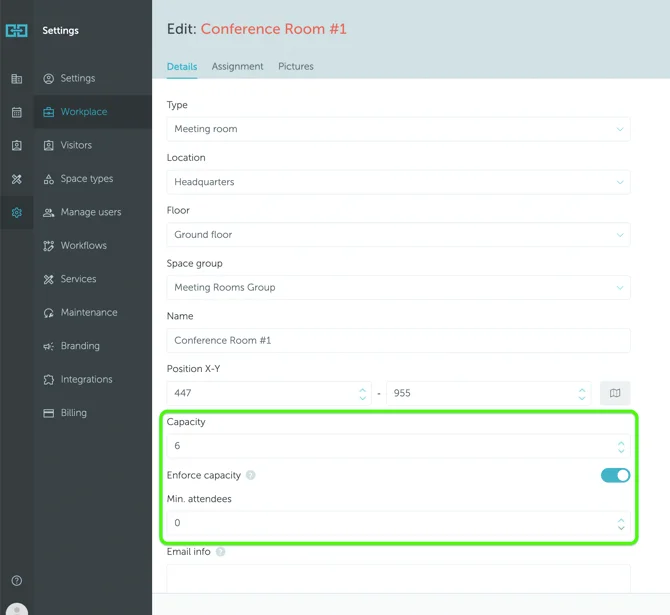
To manage meeting room capacity, navigate to Settings → Workplace → select location name → select floor name → select meeting room name, then enter the capacity in the designated field.
Key Features
Enforce Capacity Option: When activated, this feature restricts the number of booking invites for attendees in this space to the specified capacity limit.
Minimum Attendees: You can specify a minimum number of attendees required to book the room. If users attempt to book for fewer people than this threshold, they will receive an error message and cannot complete the reservation.