
Jump to:
1. What is a Workflow
In YAROOMS, a workflow is a sequence of space booking rules that triggers particular events. Examples include:
- Sending notification emails to location managers when check-ins occur
- Requiring approval for bookings made during specific hours
- Restricting bookings during certain date ranges
A workflow is built as a sequence of blocks that runs from top to bottom whenever a booking event occurs. Every workflow starts with a trigger block, followed by any combination of conditions, actions, and delays.
[Trigger] → [Block] → [Block] → [Block] → ...
The four block types
| Block | What it does |
|---|---|
| Trigger | The booking event that starts the workflow. Always the first block. |
| Condition | Checks a set of filters. If they match, the workflow continues. If not, it stops. |
| Action | Performs an operation: notify, require approval, restrict, auto check-in, or mute notifications. |
| Delay | Pauses the workflow for a configurable duration or until a specific moment. The next block runs after the delay. |
2. Creating a Workflow
Navigate to Settings → Workflows and click Add +.
Toggle On to activate the workflow.
Enter a name in the “Name” field.
(Optional) Use the “Priority” field to define execution order (lower numbers run first).
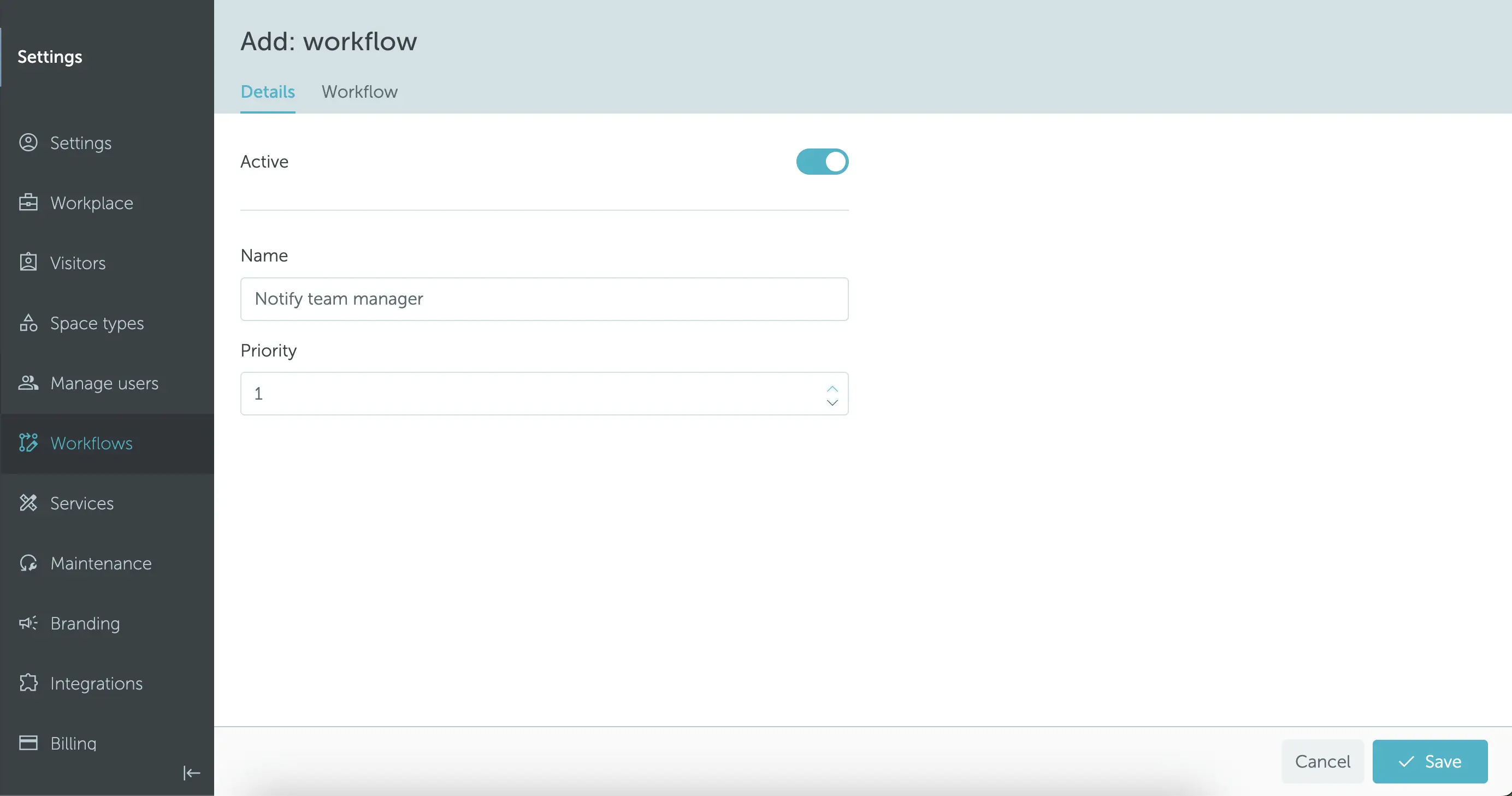
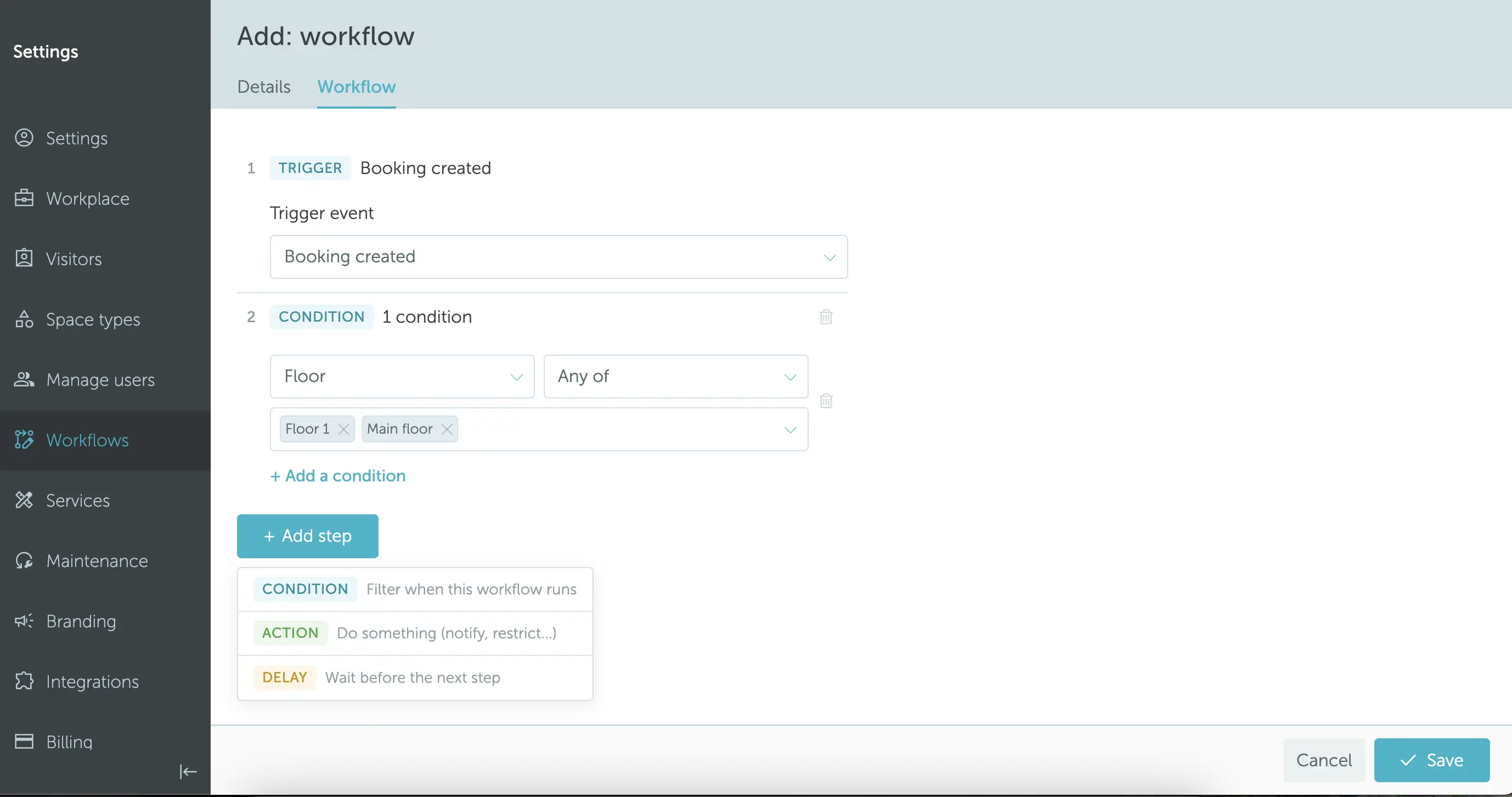
Then switch to the Workflow tab to build the workflow as a sequence of blocks:
- Choose a trigger. This is the event that starts the workflow.
- Click Add step to append blocks below the trigger. You can also use the kebab menu on any step to insert a block above or below it, and pick whether the new block is a condition, action, or delay.
- Configure each block (filter values, action targets, delay duration).
- Reorder blocks by dragging them.
- Click Save.
Tip: You can duplicate an existing workflow from the kebab menu on the workflow list. The copy is created as inactive so you can review it before turning it on.
For approval workflows, see the approval workflow guide.
3. Triggers
A workflow can be started by any of the following booking events:
- Booking created
- Booking updated
- Booking canceled
- Booking checked in
- Booking checked out
- Booking marked as no-show
- Booking start
- Booking end
4. Conditions: List of Filters
Conditions evaluate filters using the operators Any of, None of, or All of. If the condition matches, the workflow continues to the next block. If not, it stops.
Booker filters: User, user team, user role
Space filters: Location, floor, space type, space group, space
Time filters: Booking date, booking time (start/end), current date/time, booking length, day of week
Other filters: Status, occupancy, booked services, work status
5. Actions: List of Actions and Results
| Action | Options | Result |
|---|---|---|
| Require approval | Location managers, team managers, direct managers, specific users, all users in a team | Places booking in the approval queue and notifies the approver |
| Restrict | N/A | Blocks the booking from being created, updated, or checked in/out |
| Notify | Booker, attendees, specific users, teams, location managers, team managers, direct managers, custom email | Sends a notification email about the booking event |
| Auto check-in | N/A | Automatically checks the user in |
| Mute notifications | N/A | Suppresses the default notifications for the booking |
6. Delays
A delay block pauses the workflow for a set duration before the next block runs. You can configure it as:
- A fixed duration in minutes or hours, or
- Until booking starts / until booking ends.
Workflows with pending delays show a paused executions counter on the workflow list, so you can see how many executions are currently waiting to resume.
Note: If you change the blocks of a workflow that has paused executions, those paused executions will be canceled. You will get a confirmation prompt before saving.