
What are booking rules
Booking options determine the time intervals during which spaces within a particular space group can be reserved. For example, you can enable individual desk reservations for a full day, and allow parking lots to be booked only between 9am and 5pm.
How to define booking rules
Before setting up booking options, it is necessary to define the location’s schedule. Read how to do it in this article.
Go to Settings → Space types → click on space type → Groups → click on space group → Booking rules.
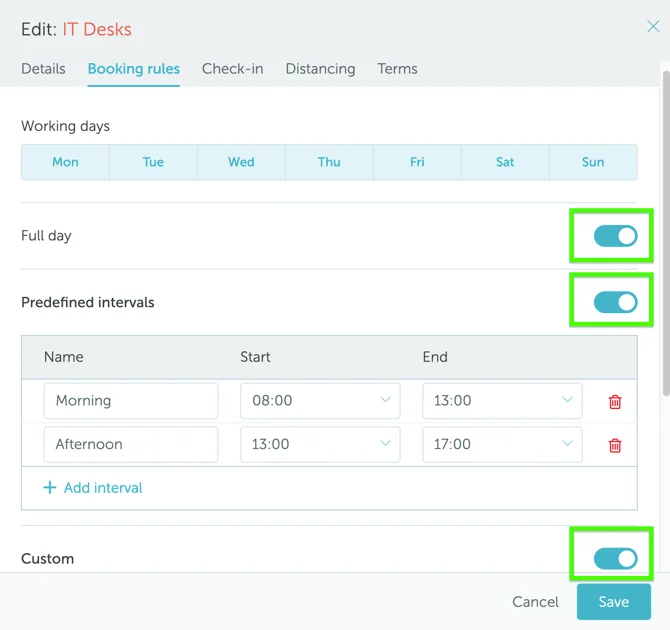
Booking options can be configured on the Booking Rules page, just below Working days.
Select one (or more) options. At least one is required per group:
- Full day - users can book spaces in the group for a full day.
- Predefined intervals - users can book spaces only during predefined time intervals (for example, 8am - 2pm, or 2pm - 8pm). You can create as many intervals as you need. The users will see them as options when booking a space.
- Custom - users can define the length of the booking intervals themselves. When custom interval is active, you can use the “Time buffer” setting. Enter the number of minutes required between bookings to be used for cleaning, decongestion, etc.
If you are looking for more information about setting up space types and groups, read this article.