
Jump to:
YAROOMS supports 3 types of capacity enforcement: area, floor, and location (building).
1. Defining the maximum capacity of areas
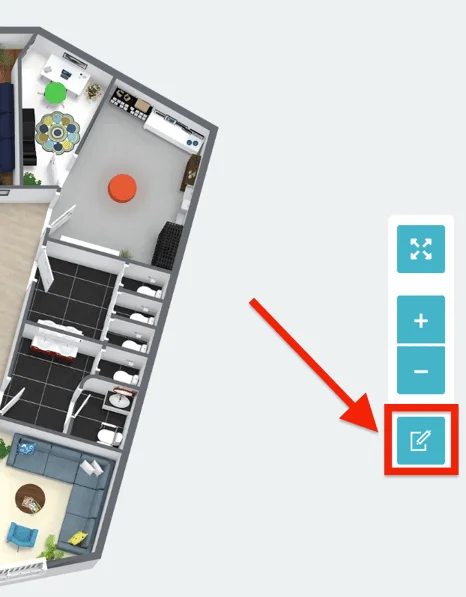
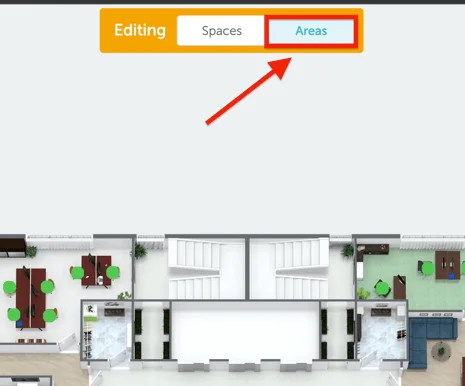
To set up the maximum capacity in different office areas, go to the map view, click on the “Edit Mode” button and select “Areas” on the top of the page.
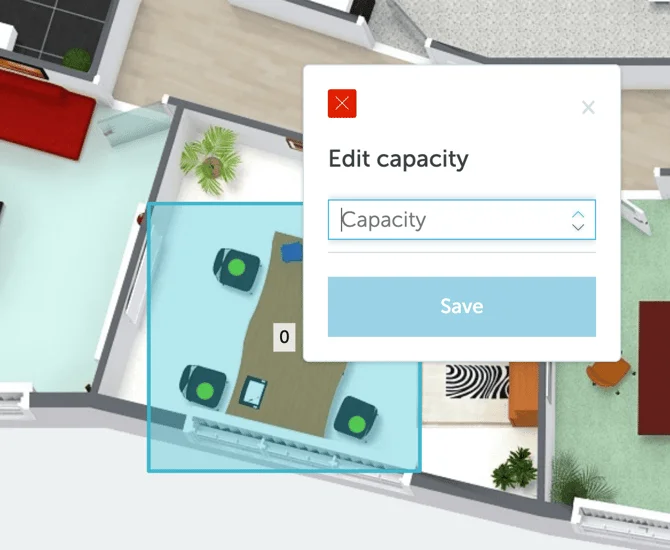
Click on any existing area to modify its capacity and save your selection:
2. Defining the maximum capacity of floors
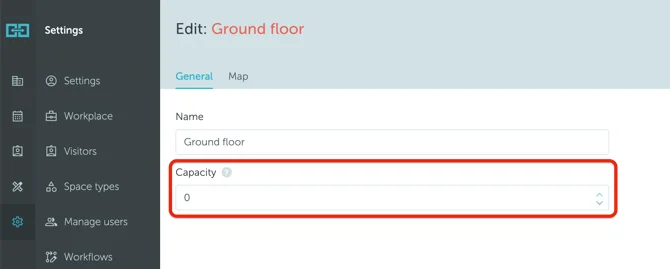
To set up floor capacity limits, go to Settings → Workplace → click on a floor name → Edit → Capacity. Enter the number and save your selection.
3. Defining the maximum capacity of locations (buildings)
The maximum capacity of a location defines the maximum number of people allowed in the location at any given moment.
The maximum capacity of a location IS NOT related to the total number of bookings allowed.
To set up location (building) capacity limits, go to Settings → Workplace → click on a location name → Edit → Capacity limit. Enter the number and save your selection.
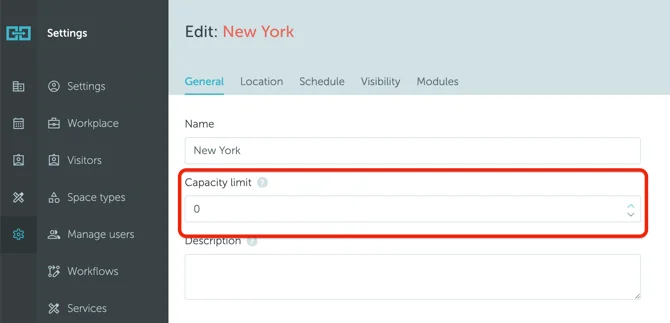
The location (building) capacity overrides the floor or individual area capacities when reached. For example:
Your office building has 2 floors, each with the capacity of 10 people. The normal (unlimited) location capacity is 20.
You set up a capacity limit of maximum 16 people in the building (both floors).
After booking 8 seats on each floor, all the other available seats (4, in this case) in the building are disabled.