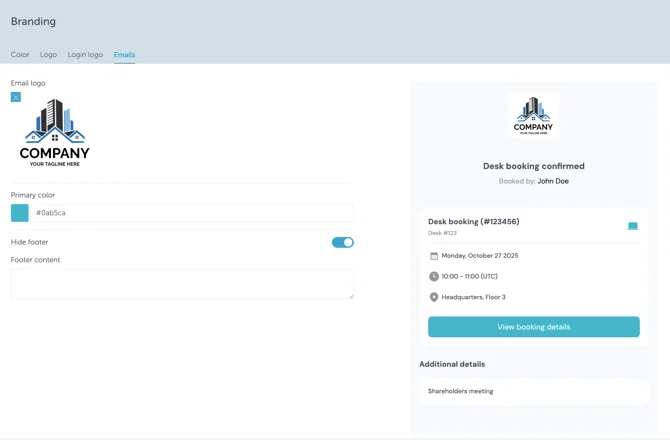
Head over to Settings → Branding to explore all the available options.
Interface color
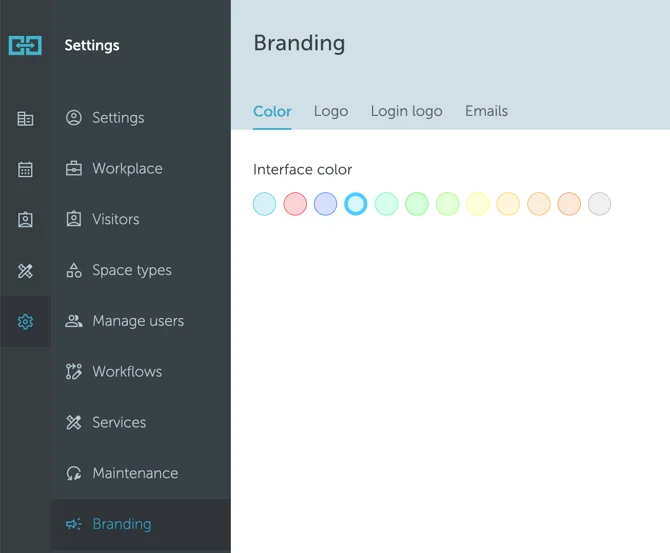
The first option, found under the Color tab, lets you set the color theme for your entire account. As shown in the image below, you can choose from several available themes.
Menu logo
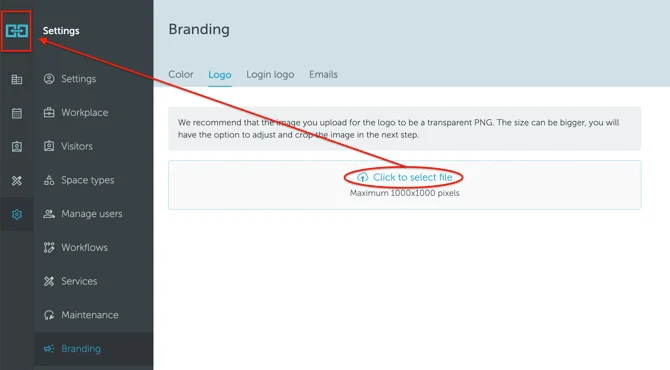
The second option, found under the Logo tab, allows you to replace the default small YAROOMS logo in the top-left corner with your own.
Login logo
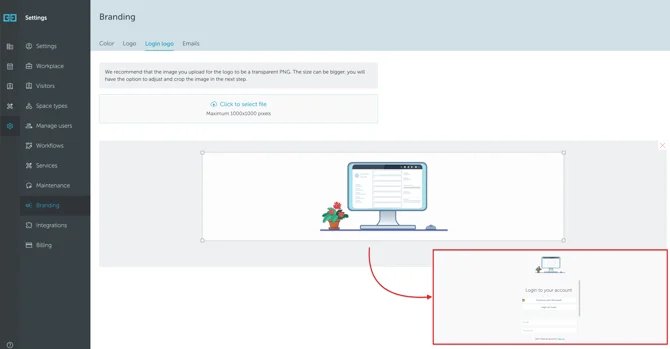
You also have the option to customize your Login Page by adding your logo there as well. In the Login Logo tab, you can upload the image and preview how it will appear on the page.
Emails branding
The latest addition to the branding options is Email customization. From the new Emails tab, you can adjust both the header and footer logos, change the button color, and edit the footer text, which by default contains the YAROOMS address.
You can also choose to hide the footer entirely, if preferred.