
Spaces can be booked on behalf of external users—such as visiting clients, partners, interns, or colleagues from other locations who do not use YAROOMS. This action is restricted to Administrators, Supervisors, and Users with special roles.
- Booking for a Visitor: users in your organization will simply need to select Book for → Visitor when making a booking and provide the visitor’s details to complete the reservation.
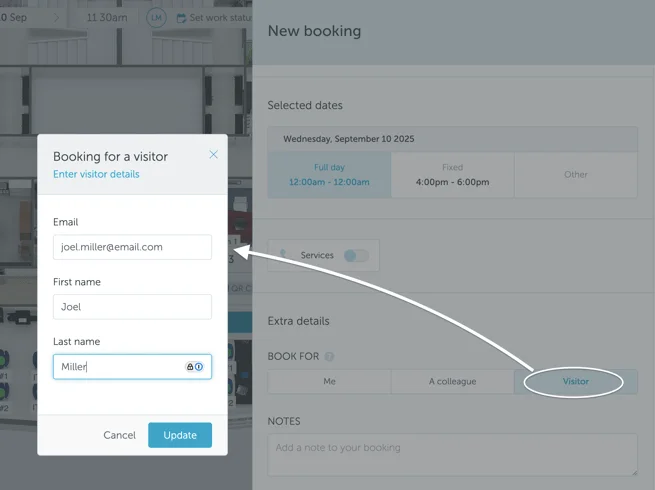
Visitors will appear in your workplace analytics reports as well as in the Settings → Manage Users section, but they cannot be edited.
Visitors will not be able to log in to YAROOMS. However, if they receive a user account invite or are added to the account through some other method (automated user provisioning, manual upload), they will no longer be Visitors, but full-fledged users.