
What are audit logs?
Audit logs give admins full visibility into changes made across their YAROOMS tenant. Every modification to a resource is recorded, providing a clear accountability trail.
Where to find audit logs
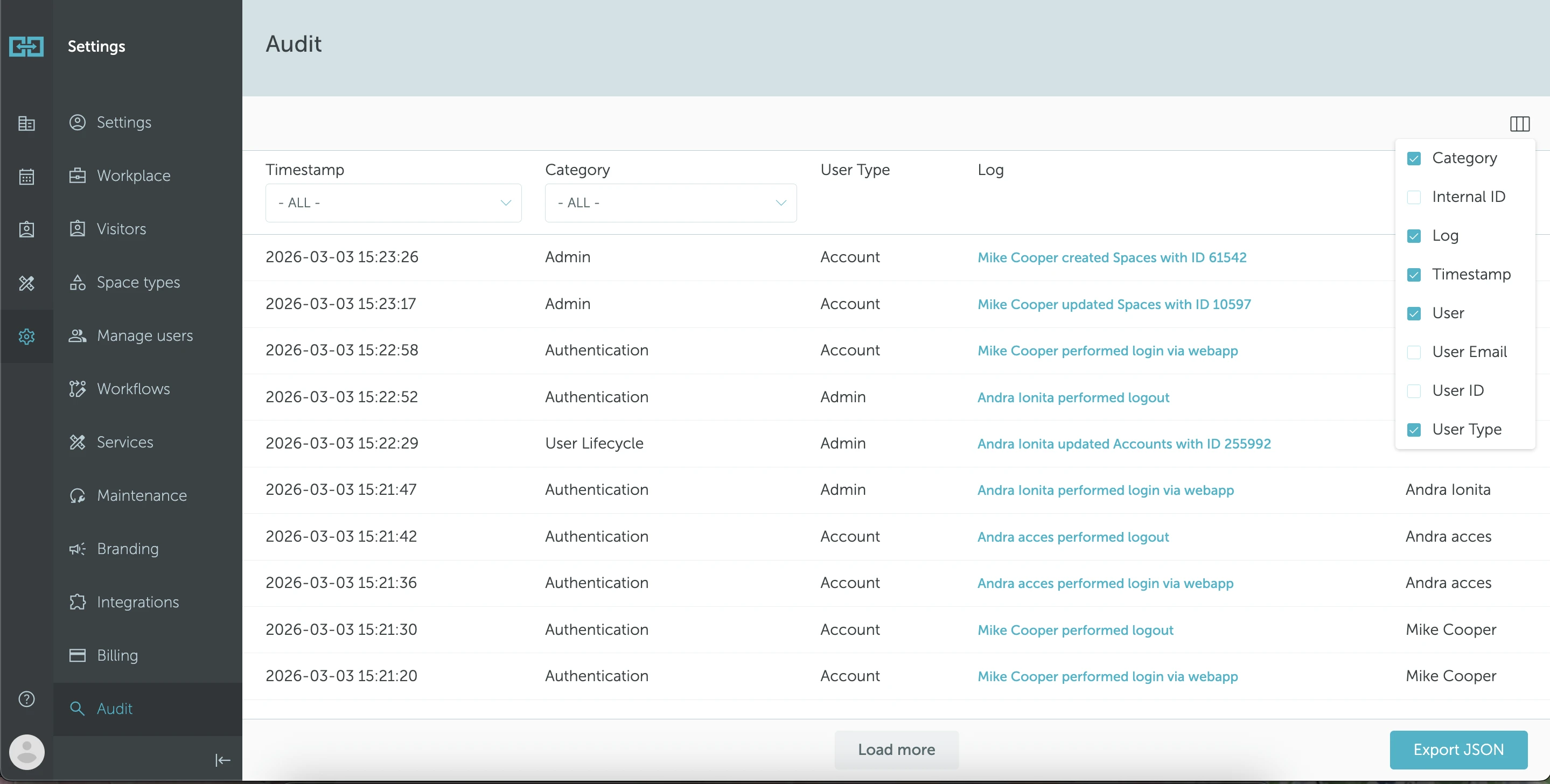
Go to Settings → Audit. This tab displays a chronological record of all changes made to resources in your tenant.
Default columns
The following columns are visible by default:
- Category - the type of action (e.g. Admin, Authentication, User Lifecycle)
- Log - a description of what happened (e.g. “Mike Cooper created Spaces with ID 61542”)
- Timestamp - when the change was made
- User - who performed the action
Additional columns
You can customize the view by adding more columns using the column picker in the top-right corner:
- Internal ID
- User Email
- User ID
- User Type - whether the user is an Account or Admin level user
Filtering and export
Use the Timestamp and Category dropdown filters at the top to narrow down the log entries. You can also Export JSON to download the audit data for external analysis or compliance reporting.