
Managing Hybrid Work Across Multiple Offices and Countries
Guide to managing desks, rooms, and hybrid schedules across multiple offices and countries from a single platform.
Managing one office is operationally hard. Managing multiple offices across countries adds time zones, legal requirements, local policy differences, and reporting complexity. Without a unified platform, workplace teams end up with fragmented tools, inconsistent employee experience, and unreliable data for portfolio decisions.
Recent benchmarks show why this matters now. In CBRE's global workplace benchmark, average utilization reached 53% in 2025, up from 38% in 2024 across 143 organizations and 303 million square feet. JLL reports that 73% of organizations are actively optimizing their real estate portfolios, which depends on cross-location data quality. If GDPR is part of your procurement criteria, pair this with the GDPR-compliant workplace management guide.
TL;DR
- Use one platform for all locations to avoid tool sprawl, inconsistent policies, and broken reporting.
- Prioritize local time zones, language/date localization, and per-location booking rules.
- Treat compliance as design input, not post-deployment cleanup.
- Require unified analytics so leadership can compare utilization across offices in real time.
- Roll out in phases with local champions and quarterly policy adjustments.
The Multi-Location Challenge
Running one hybrid office is already complex. Running four offices across different countries multiplies every pain point.
The most common problems organizations face with multi-location workplace management:
Inconsistent Tools Across Locations
When each office picks its own booking system, you end up with a patchwork. London uses Robin, New York uses a shared spreadsheet, Sydney uses Envoy, and Bucharest uses Outlook calendar blocks. Nobody has a unified view of space utilization across the organization.
This inconsistency means employees who travel between offices must learn new systems each time. It also means facilities teams cannot compare occupancy data across locations because the metrics come from different sources in different formats.
No Unified Reporting
Leadership asks a simple question: "What is our average desk utilization across all offices?" Without a single platform, answering this requires pulling data from multiple systems, normalizing formats, and manually combining reports. By the time the report is ready, the data is stale.
Unified analytics matter because they drive real estate decisions. If your Singapore office runs at 40% occupancy while Amsterdam sits at 85%, you need that visibility to right-size leases, adjust hybrid policies, or redistribute teams.
Different Regulations Per Region
GDPR in Europe, CCPA in California, PIPEDA in Canada, LGPD in Brazil. Each region has its own data protection rules that affect how you collect, store, and process employee workspace data. Visitor logs, desk booking records, and badge-in data all fall under these regulations.
A multi-location platform must handle data residency requirements without requiring you to run separate instances per region.
Cultural and Policy Differences
Hybrid policies that work in one country may not translate to another. Some offices may require three days in-office while others operate fully flexible. Local labor laws, works councils, and cultural norms all influence how hybrid policies get implemented.
Your platform needs to support per-location rules without creating an administrative nightmare for the central workplace team.
What a Multi-Location Workplace Management Platform Needs
Not every workplace management tool is built for multi-location deployment. Here are the non-negotiable requirements:
Single Dashboard, Multiple Locations
Admins need one login that shows all locations. They should be able to switch between offices, compare metrics side by side, and push policy changes globally or per-location. Employees should see their home office by default but easily browse and book at other locations when traveling. This is especially important when desks, rooms, and visitors are managed in one flow through desk booking, room booking, and visitor management.
Region-Specific Compliance
The platform should support EU data hosting for GDPR compliance, configurable data retention periods per region, and the ability to handle different consent requirements. Look for ISO 27001 and SOC 2 Type II certifications as baseline indicators, then verify scope on the vendor's security page.
Localization and Time Zone Support
Booking interfaces should display in local time. Date formats, language preferences, and working hours should adjust per location. An employee in Tokyo should not have to mentally convert UTC times to book a meeting room.
SSO and Directory Integration
With multiple offices comes a larger, more distributed workforce. Single sign-on through Azure AD, Okta, or Google Workspace is essential. Directory sync ensures that when someone joins the Sydney office, they automatically get access to Sydney floors and desks without manual provisioning. Native integrations with Microsoft 365, Teams, and Google Calendar also reduce adoption friction.
Scalable Pricing
Some platforms charge per desk or per location, which gets expensive fast. Others offer unlimited locations on higher tiers. Understand the pricing model before committing, especially if you plan to add more offices.
Workplace Management Platform Comparison for Multi-Location Deployments
Five platforms that support multi-location workplace management, each with different strengths. If you also need enterprise procurement criteria, see Enterprise Workplace Management.
| Platform | Multi-Location Focus | Core Scope | Integration Profile | Commercial Model |
|---|---|---|---|---|
| YAROOMS | Single platform with location-level policies | Desks, rooms, visitors, parking, signage, analytics | Microsoft 365, Teams, Outlook, Google, Slack, SSO | Published tiered plans |
| Robin | Workplace operations across buildings, floors, and spaces | Resource booking, space management, meetings, visitors, analytics | Teams, Outlook, Slack, Google, access control integrations | Sales-led pricing |
| Envoy | Enterprise workplace platform for shared and multi-site environments | Visitors, desks, rooms, parking, communications, emergency, mailroom, analytics | Identity, access control, and collaboration integrations | Modular platform packaging |
| Officely | Hybrid coordination directly in collaboration tools | Desk booking, meeting rooms, attendance tracking, office usage analytics, parking | Slack and Microsoft Teams native workflows | Published user-based plans |
| OfficeRnD | Separate offerings for workplace teams and flex operators | Desks, room scheduling, visitor workflows, analytics | Microsoft, Google, Slack experiences, API/extensibility | Sales-led pricing |
YAROOMS
Best for: Organizations wanting an all-in-one platform (desks, rooms, visitors, parking, digital signage, analytics) across unlimited locations.
YAROOMS supports unlimited office locations on all plans, with per-location settings for policies, floor plans, and booking rules. The platform is EU-hosted with ISO 27001 and SOC 2 Type II certifications, which simplifies GDPR compliance for European offices. Unified analytics provide cross-location occupancy data in a single dashboard.
Pricing starts at $99 per month (Starter), $399 per month (Professional), and $899 per month (Enterprise). All plans include multiple locations. Integrations cover Microsoft 365, Teams, Outlook, Google Workspace, and Slack.
Limitation: As a broad all-in-one platform, the main execution risk is governance complexity if standards for locations, naming, and policy ownership are not defined early.
Robin
Best for: Organizations that want a workplace operations platform with resource booking, analytics, and broad integrations.
Robin positions its platform around resource booking, space management, meeting management, workplace analytics, and visitor management. Its platform messaging also highlights integrations for Teams, Outlook, Slack, and Google, plus access control and wayfinding capabilities.
Limitation: As with most enterprise platforms, exact packaging and total cost depend on scope, integrations, and rollout model, so teams should validate implementation fit directly during procurement.
Envoy
Best for: Visitor management-first approach with workplace features added on.
Envoy's workplace platform positions visitors, desks, rooms, parking, communications, emergency workflows, digital signage, mailroom, and analytics in one system. Envoy also documents integrations with identity, access control, and collaboration tools, plus role-based administration across global and location-specific levels.
Limitation: Envoy uses modular product packaging, so teams should map required modules and security/compliance requirements early to avoid scope drift during rollout.
Officely
Best for: Small to mid-size teams that live in Slack or Microsoft Teams.
Officely positions itself as a Slack and Teams-native hybrid office tool with desk booking, meeting room management, attendance tracking, office usage analytics, and parking booking flows. The core value proposition is adoption through tools employees already use.
Limitation: Organizations that require deeper workplace operations breadth should validate requirements carefully against Officely's current module set and integration depth.
OfficeRnD
Best for: Flex spaces, coworking operators, and organizations with mixed-use buildings.
OfficeRnD positions two related offerings: OfficeRnD Workplace for modern workplaces and OfficeRnD Flex for coworking/flex operators. Its published feature navigation highlights desk booking, room scheduling, visitor workflows, workplace analytics, and integrations across Microsoft, Google, and Slack experiences.
Limitation: Buyers should confirm early whether Workplace, Flex, or a combined model matches their portfolio, because the product families target different operating environments.
YAROOMS Multi-Location Features
A closer look at how YAROOMS handles the specific challenges of multi-location deployment:
Unified Analytics Dashboard
The analytics module aggregates data across all locations into a single view. Facilities managers can compare desk utilization in Bucharest versus Sydney, track meeting room usage trends across regions, and generate cross-location reports for leadership. Data can also be filtered per location for local facility managers who only need to see their own office. This is the core value of workplace analytics at enterprise scale.
Per-Location Settings
Each location can have its own booking rules, hybrid policies, floor plans, and operating hours. The London office might require booking 24 hours in advance while the New York office allows same-day booking. These rules are configured centrally but apply locally.
GDPR and Data Compliance
YAROOMS runs on EU-hosted infrastructure with ISO 27001 and SOC 2 Type II certifications. For organizations with offices inside and outside the EU, this simplifies the compliance picture since the platform meets the strictest standard by default. Data retention policies can be configured per region.
Integration with Global Identity Providers
SSO support covers Azure AD, Okta, and Google Workspace, ensuring employees across all locations authenticate through the same identity provider. Directory sync means new employees are provisioned automatically based on their office location.
Yarvis AI Agent
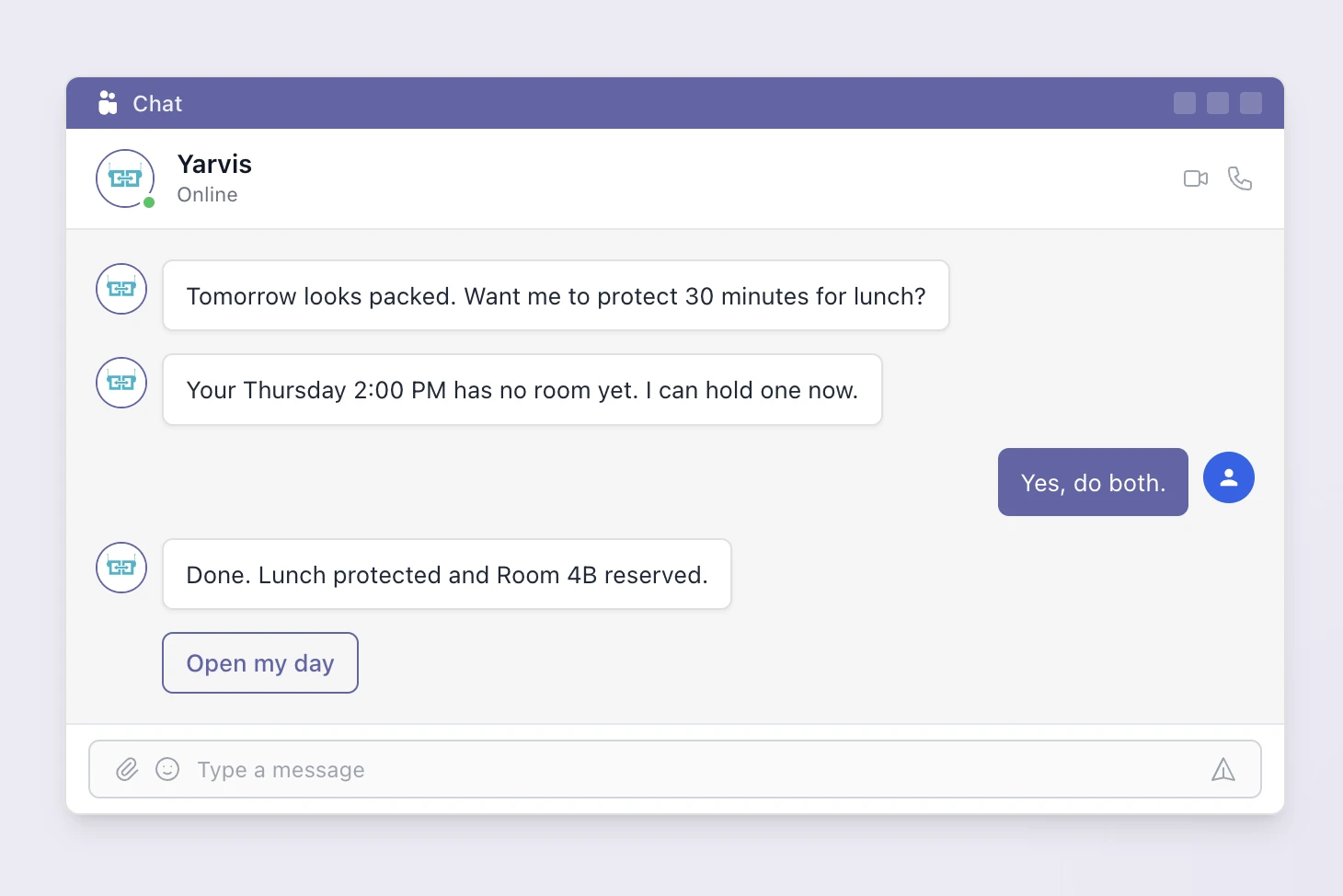
The Yarvis AI agent works across all locations, helping employees find available desks, suggest optimal meeting rooms based on attendee locations, and provide workplace insights. For multi-location organizations, Yarvis can help employees visiting other offices navigate unfamiliar floor plans and booking workflows.
Making It Work: Practical Tips for Global Workplace Teams
Technology is only part of the solution. Here is how organizations successfully manage hybrid work across multiple locations. For more tactical patterns, this companion article is useful: managing multiple offices.
Start with a Global Policy Framework
Define the non-negotiable policies that apply everywhere (security badge-in, clean desk policy, booking cancellation rules) and identify policies that should flex by location (in-office days, quiet zones, local amenities). Document these clearly so local office managers understand what they can customize and what they cannot.
Appoint Location Champions
Each office should have a designated workplace champion who understands the platform, collects employee feedback, and communicates with the central team. These champions are not full-time roles. They are typically office managers or HR representatives who add platform oversight to their responsibilities.
Standardize Metrics Across Locations
Agree on how you measure utilization before you deploy. Does "utilization" mean booked desks, checked-in desks, or sensor-detected presence? Consistency in measurement ensures your cross-location comparisons are valid.
Run a Phased Rollout
Deploy to one or two locations first, gather feedback, refine your configuration, and then expand. Rolling out to eight offices simultaneously creates eight sets of problems at once. A phased approach lets you learn from early deployments and apply those lessons to later ones.
Review Quarterly and Adjust
Multi-location workplace management is not a set-and-forget exercise. Review utilization data quarterly, compare it to real estate costs, and adjust policies accordingly. If one office consistently runs below 30% occupancy, consider downsizing the space or consolidating with a nearby location.
Related reading
- What Is Workplace Analytics? Space Utilization, Occupancy & Attendance Metrics Explained (2026)
- Workplace Occupancy Data: What It Is and How to Use It
- Office Utilization Metrics Every Facility Manager Should Keep an Eye On
- 5 Use Cases for Office Analytics [With Examples]
- Workplace Software Pricing: What to Expect and Avoid
- Hybrid Work Analytics: Key to an Optimized Workplace
Frequently Asked Questions
See it in action
YAROOMS brings desk booking, room scheduling, visitor management, and analytics into one platform your team will actually use.